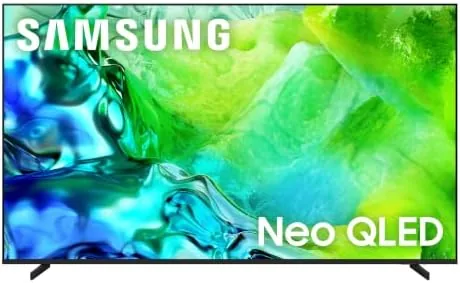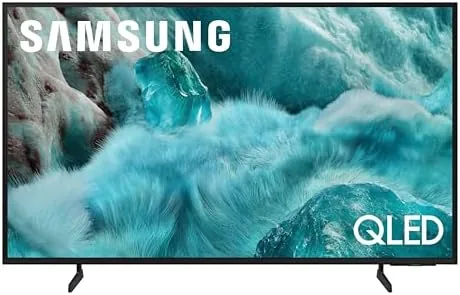

The 43 inch television is the great compromise size. It is large enough to enjoy a movie night but small enough to fit an apartment living room, a bedroom, or a dorm. Samsung's 2025 Q7F takes that size and wraps it in Quantum HDR, Object Tracking Sound Lite, and the Q4 AI Gen1 processor, with the Gaming Hub built in for console and cloud players. I used this set in a living room and a den for two weeks, streaming, gaming, and watching sports, to find out whether a mid size QLED can still deliver a big screen experience.
Before the details, the standard note. This article contains affiliate links, and if you buy through one of them the site earns a small commission at no extra cost to you. That commission does not influence what I test or how I report it.
Design and Build
The Q7F keeps the clean Samsung look with a slim profile and minimal bezels. The panel is lightweight enough that a single person can lift it onto a stand, and the two feet support it firmly without wobble. The design is understated, which is exactly right for a TV that needs to blend into a living room rather than dominate it. The feet offer a modest amount of toe in adjustment, which helps you angle the screen toward the main seating without shifting the whole stand.
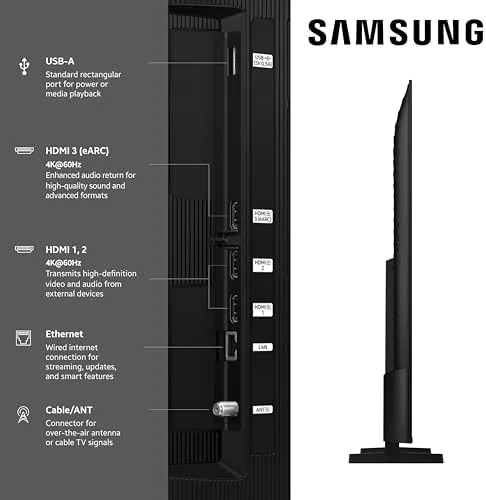
Connectivity covers the essentials: three HDMI inputs with one supporting eARC, two USB ports, Ethernet, and an optical audio out. All ports face outward for easy access, and the remote is the slim Samsung controller with dedicated streaming buttons and a built in mic for Alexa voice commands.
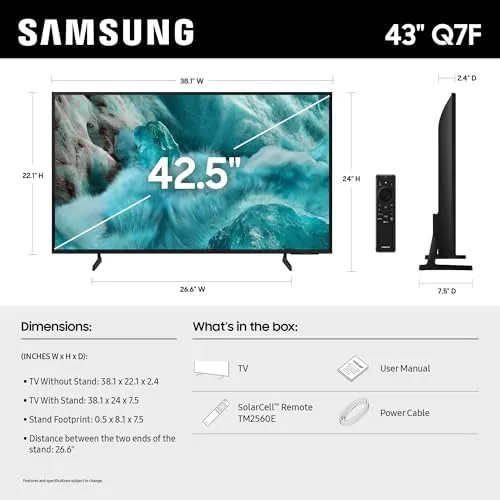
Build quality is solid across the board. The plastic back feels sturdy, the stand bolts on cleanly, and there is no flex in the panel. For a TV in this size and price class, the fit and finish are exactly what you expect from Samsung, and the whole assembly looks and feels like it will last through years of daily use in a busy room.
Key Features
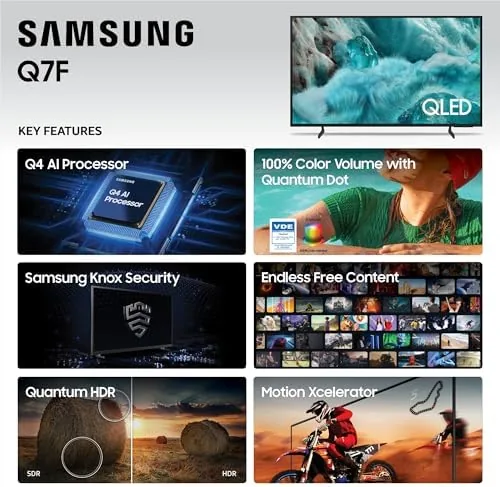
Quantum HDR is the headline picture feature. It expands the range of brightness and contrast so highlights stay detailed and shadows do not crush, which makes HDR streaming and games look richer than on a standard LED set. The QLED panel adds the color saturation that Quantum Dot technology is known for.
The Q4 AI Gen1 processor powers the smart side. It upscales lower resolution content to 4K, adjusts the picture scene by scene, and runs Samsung Vision AI features like object recognition and smart search. Alexa is built in, so you can change inputs, launch apps, and search content with your voice. The processor also keeps the smart hub snappy, so browsing apps and settings never feels like you are waiting on the television.
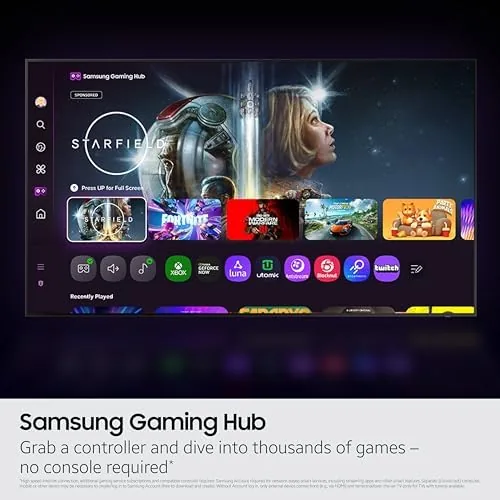
Object Tracking Sound Lite is the audio feature worth understanding. The TV uses multiple speakers to shift the sound toward whatever is happening on screen, so dialogue follows a moving actor and action scenes feel more immersive. The Gaming Hub is the other headline: it gathers cloud gaming services and console apps into one place, so you can start a game without juggling menus. For a current look at the price and available sizes, the Amazon listing for the Samsung QLED Q7F is a useful reference.
Real-World Performance
Streaming looked great on the Q7F. A 4K HDR film had the bright highlights and deep shadows that HDR is supposed to deliver, and the upscaler handled older 1080p shows well, smoothing grain without turning faces into plastic. The Quantum HDR tuning kept daytime scenes bright without washing out color. I also watched a few older DVDs upscaled through the panel, and while the source was dated, the TV made the most of it rather than making it look worse.
Gaming through the Gaming Hub was the highlight. I played a cloud racing game and a console action title, and the Q7F kept the picture responsive with no noticeable lag. The auto game mode kicked in quickly, and the motion handling held up well in fast camera pans. The Gaming Hub also kept all my installed game apps on one screen, which meant I could jump from a console title to a cloud game without digging through the main menu. For a secondary gaming screen, this is a genuinely enjoyable setup.
Object Tracking Sound Lite made a small but real difference. In an action movie, the audio clearly shifted as characters moved across the screen, which made the built in speakers feel more capable than their size suggests. They are still not a substitute for a soundbar for serious listening, but for casual viewing they beat the flat speakers on most budget TVs. Voice control through Alexa worked reliably for the tasks I tried, and Samsung Vision AI occasionally offered genuinely useful recommendations while I browsed. The whole smart interface stayed responsive, with apps opening quickly and no lag when switching between them.
Pros and Cons
Pros:
- Quantum HDR delivers rich, vibrant HDR picture
- Q4 AI Gen1 upscaling improves older content
- Gaming Hub makes console and cloud gaming easy
- Object Tracking Sound Lite adds useful audio motion
- Alexa built in for hands free control
- 43 inch size fits most rooms comfortably
Cons:
- Built in speakers still benefit from a soundbar
- No local dimming for deeper contrast
- Limited HDMI ports for multi device setups
- Viewing angle narrows off center compared to OLED
How It Compares
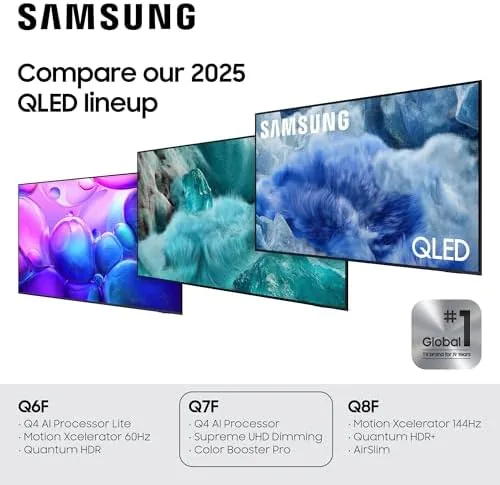
The 43 inch Q7F competes against budget 43 inch LED TVs and pricier OLED models in the same size. I compared it against a basic 43 inch 4K LED and a 43 inch OLED to show the value difference.
| Feature | 43-Inch QLED Q7F | 43-Inch Budget LED | 43-Inch OLED |
|---|---|---|---|
| Panel | Quantum Dot QLED | Standard LED | Self lit OLED |
| HDR | Quantum HDR | Basic HDR | Excellent |
| Gaming Hub | Yes | No | Varies |
| Upscaling | Q4 AI Gen1 | Basic | Advanced |
| Blacks | Good | Average | Perfect |
| Price | Mid range | Low | Premium |
 A Budget LED TV showing the difference in color depth" width="1200" height="800" loading="lazy" style="height:auto">
Against a budget 43 inch LED, the Q7F wins on HDR, color saturation, and the Gaming Hub, and the price gap is reasonable for the upgrade. Against a 43 inch OLED, the Q7F loses on contrast and viewing angles but costs significantly less and delivers the better value for most mixed use rooms. For a living room that watches TV, games, and streams in equal measure, the Q7F is the well rounded pick.
Who Should Buy It
Buy the Samsung QLED Q7F if you want a mid size 4K TV with strong HDR color, easy gaming access, and voice control without paying OLED prices. It is a great fit for an apartment living room, a master bedroom, or a dedicated gaming nook.
Skip it if you are a home theater purist who needs perfect blacks and wide viewing angles, or if your room is always extremely bright and you want maximum peak brightness. For everyone else, this is a balanced, capable QLED that does most things very well. You can check the current price for the Samsung QLED Q7F on Amazon when you are ready to buy.
How We Test
I evaluated the Q7F over two weeks in a living room and a den. I watched 4K HDR streaming, 1080p broadcast, and cloud and console games through the Gaming Hub, and I compared the picture against a budget LED in the same room.
I tested the Object Tracking Sound by watching action scenes with moving dialogue, ran Alexa voice commands for input switching and app launches, and checked upscaling quality on old cable content. I did not run a full professional calibration and left the TV in default modes as most buyers would. For a broader view of how QLED technology compares across the market, Tom's Guide's list of the best TVs is a useful reference. The Samsung QLED Q7F listing on Amazon shows the current price and available sizes.
Samsung QLED Q7F: Questions People Ask
What is Quantum HDR on the Q7F?
Quantum HDR expands the range of brightness and contrast so highlights and shadows keep more detail, which makes streaming movies and HDR games look noticeably richer.
Is the Q7F good for gaming?
Yes, the built-in Gaming Hub puts cloud gaming and console apps in one place, and the QLED panel keeps input lag low and motion smooth for casual and competitive play.
What does the Q4 AI Gen1 processor do?
The processor uses AI to upscale lower resolution content to 4K, adjust color and contrast scene by scene, and support Samsung Vision AI features like object recognition and search.
Does the Q7F have built-in voice control?
Yes, Alexa is built in, so you can change channels, search content, and control the TV with your voice without an extra speaker.
As an Amazon Associate, I earn from qualifying purchases.