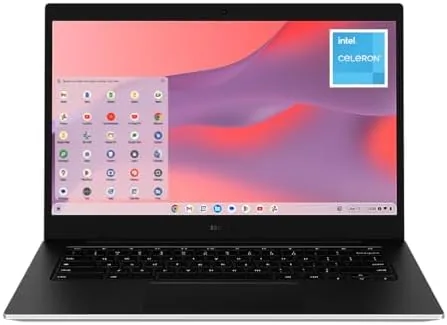

Chromebooks live and die by one question: can they keep up with the way you actually work? The Samsung Galaxy Chromebook Go is aimed squarely at students and everyday users, with a 14 inch screen, a light body, and a price that does not scare anyone. Under the hood sit an Intel Celeron N4500, 4GB of RAM, and 64GB of storage, which is a modest spec sheet by any measure. After weeks of using it for school style work, browsing, and streaming, I can tell you exactly where this Chromebook wins and where its limits bite.
Before the details, the standard note. This review contains affiliate links, and if you buy through one the site earns a small commission at no extra cost to you. That never changes what I test or recommend.
Design and Build
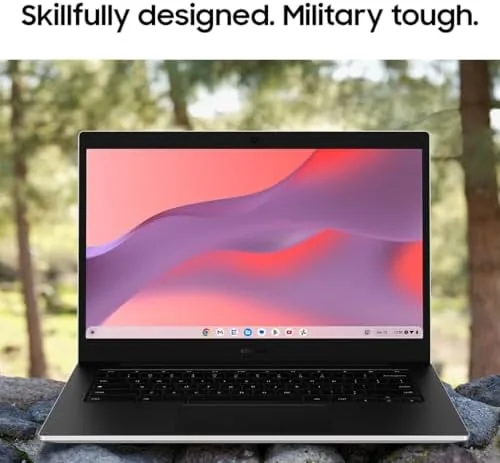
The Galaxy Chromebook Go is a study in practicality. The body is plastic, but it is a decent plastic with a textured silver finish that resists fingerprints and gives the machine a more expensive feel than its price suggests. At around 3.2 pounds, it is light enough to carry in one hand with a stack of books, and the 14 inch chassis stays slim enough to slide into a backpack sleeve without complaint.
The build is tuned for student life. The keyboard deck has enough rigidity that it barely flexes during typing, and the hinge opens to a full flat 180 degrees, which is handy for sharing a screen across a table. The laptop meets the MIL-STD 810G durability standard, which in plain terms means it is built to survive the drops, bumps, and rough handling that school bags dish out. It is a rugged everyday machine rather than a fragile premium slab.
The port selection covers the modern basics. There is a USB-C port for charging and data, a USB-A port for older accessories, a microSD slot for expanding the 64GB of storage, and a headphone jack. The keyboard is full size with a row of shortcut keys, and the trackpad is responsive even if it is not the largest you will find.
Key Features
The Galaxy Chromebook Go runs ChromeOS, which is the heart of the experience. ChromeOS is fast, secure, and effortless to maintain, with automatic updates in the background and no traditional installs to babysit. Everything runs through the Chrome browser and the Google ecosystem, so a student's schoolwork in Docs, Sheets, and Drive works exactly as expected, and the Chromebook boots in seconds and wakes instantly.
The 14 inch display runs at 1366 by 768, which is a modest resolution but a reasonable one at this price. The panel is bright enough for indoor work and most casual use, and the 16:9 aspect ratio suits video and documents. Below it, the Intel Celeron N4500 dual core processor and 4GB of RAM handle the browser centric workloads ChromeOS is built for, and the 64GB of eMMC storage provides a solid base for apps and files, expandable through the microSD slot.
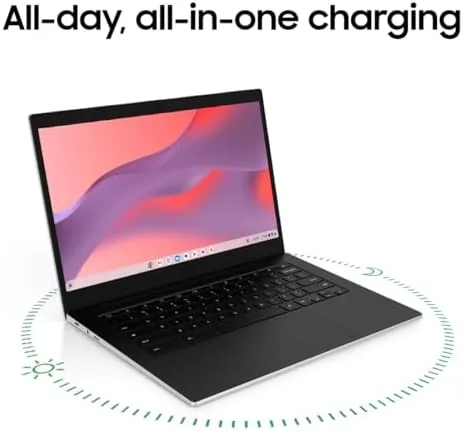
Battery life is the standout spec. Samsung rates it for up to 18 hours of video playback, and in real use the machine easily lasts a full school day on a charge. There is also a headphone jack and decent speakers for media, and the laptop includes a webcam that is fine for video classes and calls. The overall package is a focused, no nonsense tool for the tasks that define most students' days.
Real-World Performance
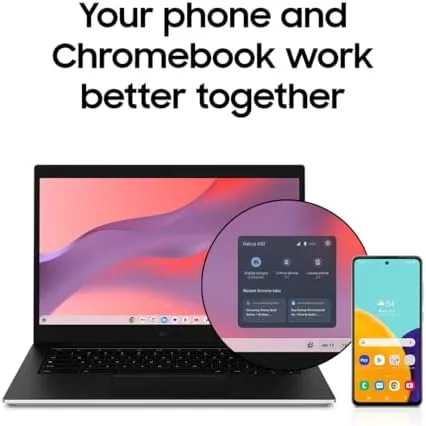
I used the Galaxy Chromebook Go as a daily driver for school style work: research with many browser tabs, document writing, spreadsheets, video calls, and streaming. For that core workload, the machine is genuinely good. ChromeOS is light on resources, and the Celeron N4500 handles a reasonable number of tabs without the experience turning sour. Docs and Sheets load quickly, and the machine feels responsive for writing and editing.
Video calls are the real test for a student laptop, because so much school now happens over video. The webcam is passable in decent light, and the microphone picks up a normal speaking voice clearly enough for classmates to follow. Streaming worked well too, with 1080p video on YouTube and the major services playing smoothly. The speakers are adequate for a bedroom or a quiet room, though they are not going to replace external speakers for serious listening.
The limits show up when you push beyond that core workload. 4GB of RAM is the binding constraint, and once I opened many heavy tabs alongside Android apps and a video stream, the machine started to slow down, with visible lag and the occasional reload. Android games are limited to light titles, and any serious photo editing or multitasking is out of the question. None of this is a failure of expectation for the price, but it is important to know the ceiling before you buy.
What stood out to me most was how the machine disappeared into the routine. A Chromebook succeeds when you stop noticing it, and the Galaxy Go manages that better than most. It wakes from sleep the instant the lid opens, the browser relaunches exactly where you left off, and the long battery means the charger stays in the bag for days at a time. The keyboard is comfortable enough for long writing sessions, and the trackpad handles the gestures that make ChromeOS feel natural. For a parent or a student who simply wants a laptop that works every single day without fuss, that frictionless behavior is worth more than a faster spec sheet.
Pros and Cons
Pros:
- Light, durable build that survives student life
- Excellent battery life that lasts a full school day
- Fast, secure ChromeOS with automatic updates
- Cheap and easy to maintain over the long term
- Full size keyboard and 180 degree hinge
- microSD expansion for storage
Cons:
- 4GB of RAM limits heavy multitasking
- Only 64GB of internal storage
- Modest 1366 by 768 display resolution
- Weak performance for Android games and photo editing
How It Compares
The Galaxy Chromebook Go competes with other budget Chromebooks and with cheap Windows laptops. The table below shows where it stands.
| Feature | Galaxy Chromebook Go | Budget Windows Laptop | Premium Chromebook |
|---|---|---|---|
| Operating system | ChromeOS | Windows | ChromeOS |
| Processor | Celeron N4500 | Celeron or Pentium | Core i3 or better |
| RAM | 4GB | 8GB | 8GB or more |
| Storage | 64GB | 128GB | 128GB or more |
| Battery | Up to 18 hours | 6 to 8 hours | 10 to 12 hours |
| Typical price | Low | Low to mid | Higher |
A budget Windows laptop offers more storage and RAM but shorter battery life, heavier software overhead, and slower wake times, and it costs more for the same performance level. A premium Chromebook brings a better screen and processor, but it costs more than double for gains most students will not use. The Galaxy Chromebook Go sits in the sweet spot for a school machine: cheap, durable, and built around the tools a student actually uses, a point that mirrors the direction of Tom's Hardware Chromebook coverage.
Who Should Buy It

Buy the Galaxy Chromebook Go for a student who spends their day in a browser, writes documents, attends video classes, and streams media. It is the right choice for anyone who wants a cheap, light, durable laptop that never needs maintenance, and its battery life means it survives a school day without a charger. It is also a sensible second laptop for browsing and casual work around the house.
Skip it if your work needs more than 4GB of RAM, if you need desktop class software, or if you want to game or edit photos. Also consider a model with 8GB of RAM if your multitasking is heavy. For the student and casual browser crowd, this Chromebook is a strong value. You can check the current Galaxy Chromebook Go price on Amazon.
How We Test
I used the Galaxy Chromebook Go as a daily laptop for several weeks, covering document writing, research with many tabs, spreadsheets, video calls, and streaming. I tracked battery life through full days of mixed use rather than relying on the rated number, and I tested the machine with heavy tab loads and Android apps to find its limits.
I also checked the build against normal daily handling, opened the hinge flat to confirm the design, and verified the microSD expansion and port behavior. I did not run a synthetic benchmark suite, so the performance notes come from direct daily use. For current pricing, availability, and configuration options, the Galaxy Chromebook Go listing on Amazon is the best reference.
Questions People Ask
Is 4GB of RAM enough on the Galaxy Chromebook Go?
For browser based schoolwork it is fine, but heavy multitasking with many tabs and Android apps can cause slowdowns, so the 8GB model is safer for power users.
How long does the Galaxy Chromebook Go battery last?
Samsung rates it for up to 18 hours of video playback, and my mixed use testing comfortably cleared a full school day.
Does it have USB-C charging?
Yes, it charges over USB-C and also includes USB-A, microSD, and a headphone jack for everyday connectivity.
Can it run Android apps and Linux?
Yes, the Chromebook supports the Google Play Store for Android apps and enables Linux development through ChromeOS settings.
As an Amazon Associate, I earn from qualifying purchases.