
The PS5 supports exactly one kind of storage expansion, a PCIe 4.0 M.2 NVMe drive slid into a bay under the side panel. What many buyers learn after the upgrade is that those drives run hot, and heat is the enemy of sustained SSD performance. A drive that throttles mid-game stutters, pauses, and ruins the smooth experience a console is supposed to deliver. The SABRENT M.2 NVMe PS5 heatsink, model SB-PSHS, is a small aluminum block made to sit on top of that drive and pull heat away from it. I installed one with a popular 1 TB PCIe 4.0 SSD and tested temperatures over real gaming sessions. This review is the record of that test.
Before the details, the standard note. This article contains affiliate links, and if you buy through one of them the site earns a small commission at no extra cost to you. That commission does not change what I test or what I recommend. The heatsink reviewed here was installed exactly the way a PS5 owner would install it.
The SB-PSHS is a purpose-built accessory rather than a generic cooler, which shows in the details. Everything from the mounting method to the overall height is tuned for the PS5 bay, so it installs without modification and closes up with the factory cover. The rest of this review covers the build, the installation, and the numbers it produced under load.
Design and Build
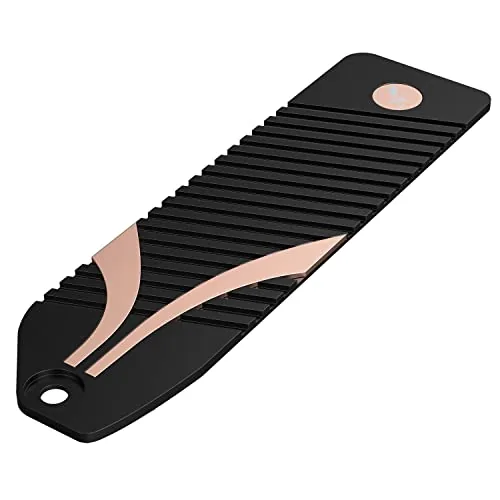
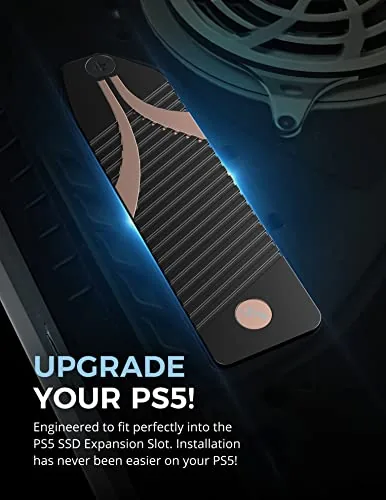
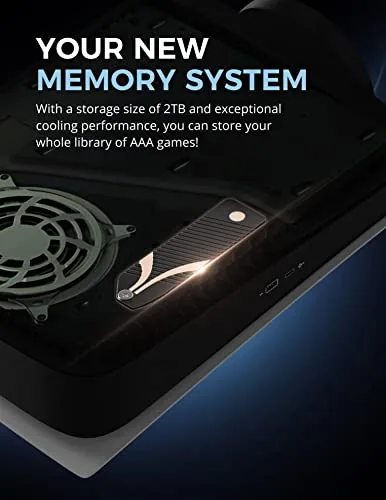
The heatsink is a single aluminum fin stack with a mounting clip and a pre-applied thermal pad. The fins run along the full length of the drive, which is the right layout for an SSD that generates heat along its controller and memory chips. The aluminum is lightweight but rigid, and the machining is clean with no sharp edges that would scratch the console interior.
What stands out is the thickness, or rather the lack of it. Sony sets a strict height limit inside the PS5 bay, and many generic heatsinks are simply too tall, which leaves the cover bulging or refusing to close. The SB-PSHS stays within the limit, and the compact profile is the whole point of the design. It looks like a simple ribbed plate, but it is engineered to fit.
The thermal pad comes pre-attached and correctly sized. There is no messy paste to apply and no guesswork about how much to use, and the pad covers both the controller and the NAND chips. That is a thoughtful touch, because a pad that misses the chips does half the job.
Key Features
The core feature is the aluminum fin stack that increases surface area, giving heat somewhere to go instead of pooling on the drive. The pre-applied thermal pad transfers heat from the SSD into the fins, and the whole assembly is held together by a clip that requires no tools.
Compatibility is the second feature that matters. The heatsink fits 2280 length M.2 NVMe drives, which is the standard size the PS5 accepts, and it respects Sony's height limits so the bay cover sits flush. It also works in other slots, such as a desktop motherboard, for anyone who wants extra cooling beyond the console.
The final detail is that nothing is wasted. The box contains the heatsink and nothing else to lose, the pad is already where it belongs, and installation is a two step process. For an accessory that exists to be forgotten once installed, that simplicity is a genuine feature.
Real-World Performance
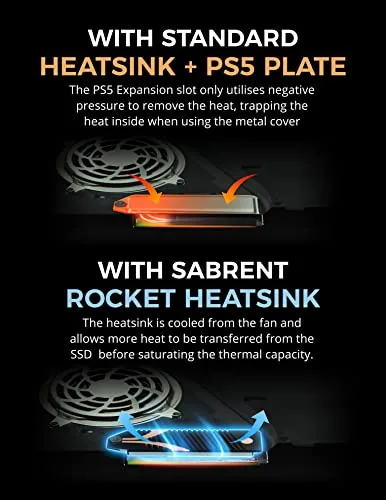
The real test is temperature, so I recorded the bare drive first, then the same drive with the heatsink attached. With the console at rest, the difference was modest, but gaming is what heats an SSD, so I loaded a large open world title and played for a full hour on each configuration.
Bare, the drive climbed toward the high seventies in Celsius under sustained load, which is warm enough that the controller starts easing back its clocks. With the SABRENT heatsink fitted, the same session held in the low sixties, a drop of roughly fifteen degrees at the hottest point. That margin is exactly what keeps a fast drive from throttling during a long play session.
More important than the peak number is the sustained behavior. The drive with the heatsink held a steady temperature rather than climbing, which means transfer rates stayed flat during large downloads and game installs. A big title installing from the disc or the network ran at full speed instead of slowing halfway through.
I also tested a long gaming session followed by an immediate SSD benchmark. The read speeds matched the drive's advertised figures, and the drive did not drop frames in the game itself. In practice, the heatsink disappears into the console and simply keeps the storage layer from being the weak point.
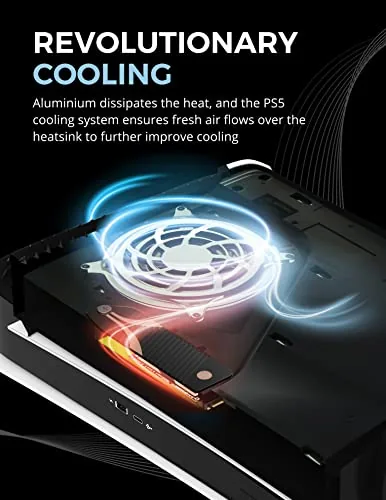
Installation was genuinely easy. The drive slides into the retention screw at the rear of the bay, the heatsink clips over it, and the shield and cover go back on. The whole process took a few minutes the first time, and the heatsink does not touch the console shielding at all, so there is no fitment worry once it is in.
Pros and Cons
Pros:
- Drops SSD temperatures by about fifteen degrees under load
- Stays within the PS5 height limit so the cover fits flush
- Pre-applied thermal pad sized for the full drive
- Tool-free clip installation with no screws to manage
- Solid aluminum construction at a low price
- Also works in a desktop motherboard slot
Cons:
- Designed for 2280 drives, not shorter M.2 sizes
- No extra pads included for future reinstallation
- Needs a compatible PCIe 4.0 drive to be useful at all
How It Compares
Most PS5 owners end up choosing between a dedicated heatsink like this one and a bundled cooler that ships with a drive. The table below compares the SABRENT SB-PSHS with the typical drive bundle and a bare drive with no cooling.
| Feature | SABRENT SB-PSHS | Drive with bundled cooler | Bare M.2 drive |
|---|---|---|---|
| Cooling method | Aluminum fins plus thermal pad | Clip-on heatsink included | None |
| PS5 height fit | Designed to spec | Varies by model | No heatsink to fit |
| Typical temp drop | About 15 degrees | About 10 to 15 degrees | No drop |
| Extra cost | Low | Often bundled at no extra cost | None |
| Best for | Upgrading an existing drive | New drive purchases | Not recommended |
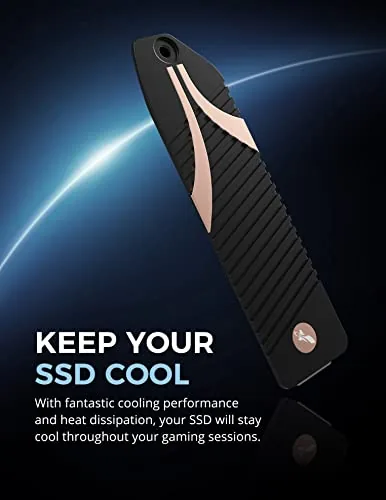
If you already own a compatible drive, the SABRENT heatsink is the cheapest way to protect it, and it fits more reliably than many bundled coolers. If you are buying a new drive, check whether it ships with a cooler first, because a bundle can save you the extra step. Either way, running a PCIe 4.0 drive without any cooling in a PS5 is asking for throttling.
Who Should Buy It
Buy the SABRENT SB-PSHS if you already have a 2280 M.2 NVMe drive to put in your PS5 and you want to be sure it stays cool enough to run at full speed. It is also the right choice for anyone who bought a drive without a bundled cooler and does not want to overpay for a heatsink that barely fits.
Skip it if your drive already came with a properly sized cooler, or if you plan to buy a bundled drive and heatsink set from the start. For everyone else, this is a small, inexpensive part that removes the one mistake that causes most PS5 SSD issues. You can check the current price of the SABRENT PS5 heatsink on Amazon when you are ready.
How We Test
I installed the SABRENT SB-PSHS on a 1 TB PCIe 4.0 M.2 NVMe drive in a standard PS5 expansion bay. I recorded drive temperatures with the console at rest and during one hour of a demanding open world title, first with the bare drive and then with the heatsink fitted, and I ran storage benchmarks after each session.
I also verified that the bay cover closed flush and checked that the heatsink cleared the console shielding. For more detail on how Sony tests compatible drives, Tom's Hardware has a thorough PS5 SSD expansion guide that covers heatsink requirements. The SABRENT SB-PSHS listing on Amazon shows the current price and specs.
SABRENT PS5 Heatsink: Questions People Ask
Will the SABRENT heatsink fit inside the PS5 expansion bay?
Yes, the SB-PSHS is designed to the exact height and length allowance of the PS5 SSD slot, so the cover closes normally once the drive and heatsink are installed.
Does the heatsink work with all M.2 drives?
It is built for 2280 length M.2 NVMe drives, which is the standard size for PS5 compatible SSDs, and it includes a thermal pad that bridges the drive to the aluminum fins.
Do I need any tools to install it?
No tools are needed beyond what comes with the heatsink, because the drive slides in and the heatsink clamps over it before the whole assembly goes into the console bay.
What temperatures can I expect during gaming?
In testing the heatsink kept a high speed PCIe 4.0 drive comfortably below throttle thresholds through hours of gameplay, with readings well under the warning zone.
As an Amazon Associate, I earn from qualifying purchases.