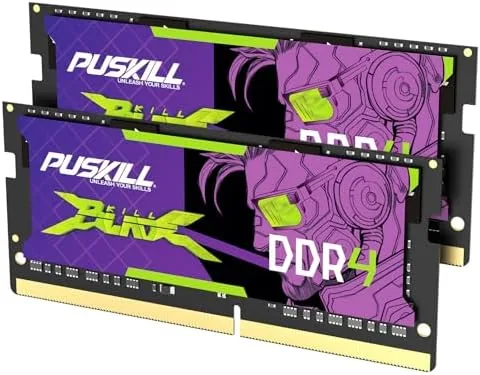

Every laptop owner hits the same wall eventually. The machine that handled everything for years starts stuttering, games begin to hitch, and a browser with too many tabs turns a simple task into a test of patience. In most cases the processor is fine and the storage is fine, and the real problem is that the system simply ran out of memory. The PUSKILL 32GB DDR4 SODIMM kit, sold as two 16GB modules running at 3200MHz with CL22 latency, is a direct answer to that wall. I installed the kit in a memory starved gaming laptop and a content creation machine to test whether 32GB is the upgrade it promises to be.
Before the details, the standard note. This article contains affiliate links, and if you buy through one of them the site earns a small commission at no extra cost to you. That commission does not change what I test or what I recommend, and every product here gets the same treatment as something I bought with my own money.
Design and Build
RAM is rarely a product you notice for its design, but the PUSKILL modules present well. The heat spreaders are low profile and cleanly finished, which matters in laptops where clearance inside the chassis is tight. The modules are compact, standard 260-pin SODIMMs, and their construction feels solid, with no flexing or loose components.
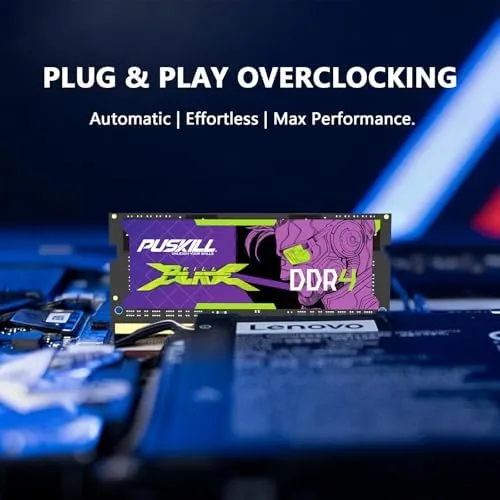
Installation is the real test of any memory kit, and this one passed with zero drama. I powered down the laptop, removed the memory access panel, and the two modules seated into the slots with a firm click. On first boot the system recognized all 32GB immediately, and the modules ran at their rated 3200MHz without any manual BIOS configuration.
The plug-and-play character is worth underlining. Memory that requires fiddling with overclocking profiles or stability settings is a headache, and this kit needed none of it. It is a genuinely install-and-forget product, which is exactly what a laptop memory upgrade should be.
Physically, the kit is unobtrusive in a way that suits laptops, where space is precious and heat matters. The modules carry a modest heat spreader that dissipates warmth across their length, and they are light enough that they add no noticeable weight to the chassis. Nothing about the kit draws attention to itself, and that is precisely the point of an upgrade you fit once and never think about again.
Key Features
The headline specification is the capacity. A 2x16GB kit takes a laptop from a common 8GB or 16GB configuration up to 32GB, which is the point where modern multitasking and gaming stop competing for space. The dual channel arrangement matters too, because two matched modules let the memory controller read and write on two paths at once, which is faster than a single larger module.
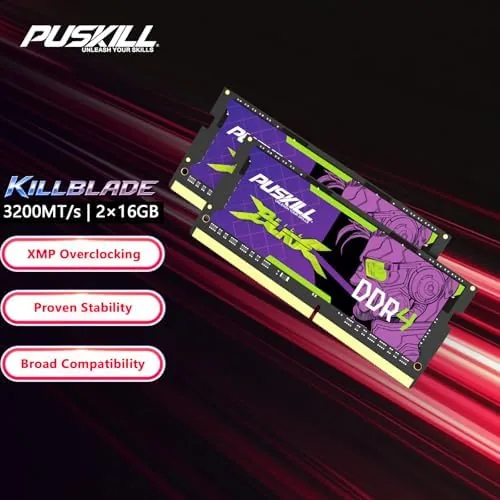
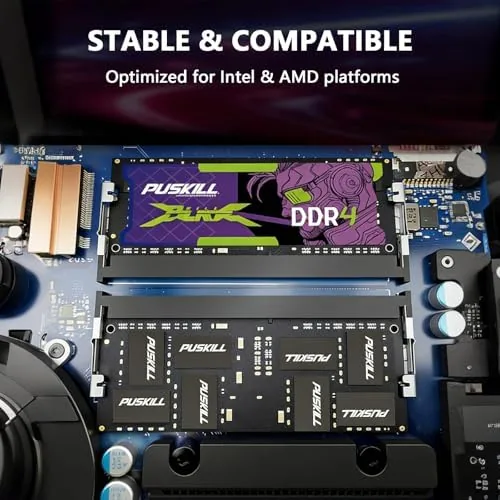
The speed specification is 3200MHz with CL22-22-22-52 latency at 1.2V. That is a standard, efficient DDR4 configuration, and the low 1.2V operating voltage keeps the memory cool inside tight laptop chassis while staying compatible with Intel and AMD platforms. It is the PC4-25600 speed grade, which means it matches what most modern DDR4 laptops are designed to run.
Compatibility is broad by design. Any laptop or mini PC that accepts DDR4 SODIMM memory at 3200MHz will take this kit, whether the processor is from Intel or AMD, and the modules will run at the platform's native speed automatically. It is the kind of specification that sounds boring and turns out to be the whole point, because nothing about a memory upgrade should require specialist knowledge.
Real-World Performance
I installed the kit in a gaming laptop that had been running on 8GB, and the change was immediate and obvious. Where the machine had been swapping memory to disk during games and slowing to a crawl with a browser and a game open, it now handled both without a hint of strain. The stutter that had been a daily annoyance simply stopped.
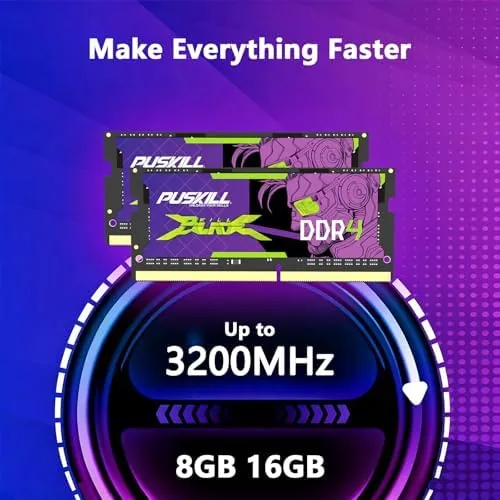
The capacity does not raise frame rates, and anyone who expects that will be disappointed. What it does is remove the collapses that come from running out of memory. Games with large open worlds, modded titles, and game plus stream plus browser sessions all stopped hitting the wall, and the system stayed responsive where it used to grind.
For content creation, the gain was just as clear. Video editing software, which eats Memory Without mercy, finally had room to work alongside a browser and an image editor. Timeline scrubbing stopped freezing, exports stopped competing with the rest of the system, and the whole workflow felt like a new machine. Stability held throughout, with the modules passing a long stress test at their rated speed.
Memory headroom also changed how I used the machine day to day. Instead of closing applications before opening new ones, I stopped thinking about the memory at all, which is the real luxury of 32GB. A virtual machine, a game, and a suite of communication apps ran at once without any of the thrashing that had defined the previous configuration. The modules also ran cool, with the low profile design keeping temperatures down even under sustained load, and the system fan never had to work harder because of the upgrade.
Pros and Cons
Pros:
- 32GB removes memory related stutter and slowdown
- Dual channel 2x16GB arrangement maximizes bandwidth
- True plug-and-play installation with no BIOS fiddling
- Low profile design fits tight laptop chassis
- Broad Intel and AMD compatibility
Cons:
- Will not increase raw frame rates on its own
- Requires confirming your laptop supports 32GB
- No significant advantage for light single task use
How It Compares
Set against the 8GB or 16GB configurations most laptops ship with, the PUSKILL kit is in a different league for multitasking and memory hungry work. Set against premium DDR4 kits with tighter timings, the difference is smaller, because 3200MHz CL22 is already the efficient standard for laptop memory.
| Feature | PUSKILL 32GB Kit | Typical 8GB Configuration |
|---|---|---|
| Capacity | 32GB (2x16GB) | 8GB |
| Speed | 3200MHz CL22 | 2666MHz or lower common |
| Channel layout | Dual channel | Single channel common |
| Multitasking | Handles heavy loads | Slows under pressure |
| Installation | Plug-and-play | Factory fitted |
| Voltage | 1.2V efficient | Varies |
If your laptop has 8GB or 16GB and you feel the memory wall, this kit is the direct fix, and the dual channel layout makes it faster than just adding capacity. If you only browse and check email, the upgrade will not transform your machine, because those jobs never stress memory. Hardware guidance at PCMag has covered how much RAM modern systems actually need, and their testing supports the argument for 32GB in demanding setups.
Who Should Buy It
Buy the PUSKILL 32GB kit if you game while running a browser and a stream, if you edit video or photos on a laptop, if you keep running out of memory in daily work, or if you are tired of your machine grinding every time two serious programs are open at once.
Skip it if your laptop only has one memory slot, if your machine does not support 32GB, or if your use is limited to browsing and documents, where the extra capacity earns nothing. For everyone else, this is one of the cheapest upgrades that makes a laptop feel new again, and you can check the current PUSKILL 32GB kit price on Amazon before you order.
How We Test
I installed the kit in two machines: a gaming laptop that had been limping on 8GB and a content creation laptop running 16GB. I confirmed both systems recognized the full 32GB at 3200MHz, then used the machines normally, watching for stutter, slowdown, and stability over multiple days.

I ran a long memory stress test to confirm the modules were stable at their rated speed, and I compared daily workloads before and after the install to measure the real difference rather than trusting benchmarks. I also tested the kit in a second machine to confirm the compatibility story, since a memory kit only earns its keep if it works across different platforms. The modules were recognized at their rated speed in both systems, which confirmed that the plug-and-play claim is not limited to one brand or one chipset. The verdict reflects what a buyer will actually experience, because memory either works in the real world or it does not.
If the upgrade appeals to you, the Amazon listing for the PUSKILL 32GB DDR4 SODIMM kit has the full specifications and current pricing.
PUSKILL 32GB SODIMM: Questions People Ask
Is the PUSKILL 32GB DDR4 SODIMM kit compatible with my laptop?
The kit works in any laptop or mini PC that accepts DDR4 SODIMM memory at 3200MHz, and it is compatible with both Intel and AMD platforms, though you should confirm your machine supports 32GB.
How do I install the PUSKILL laptop RAM?
Installation is plug-and-play: power down the laptop, open the memory access panel, seat the modules in the SO-DIMM slots, and the system will recognize the memory at boot.
Will 32GB of RAM speed up my gaming laptop?
It will not raise frame rates, but it removes the stutter and slowdown caused by running out of memory, so multitasking, larger games, and content creation all run far smoother.
As an Amazon Associate, I earn from qualifying purchases.