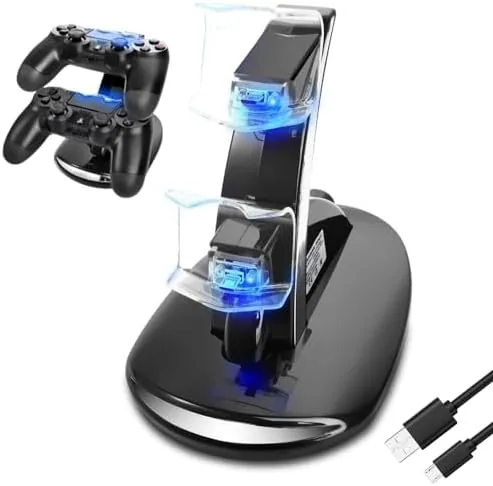

Every PlayStation 4 owner knows the ritual. You reach for a controller, find it dead, and plug it into the console with a cable that is somehow never where you left it. The Megadream PS4 charging station is built to end that cycle, and after a few weeks of keeping two DualShock 4 controllers docked on my shelf, I have a clear picture of how well it works and where it could be better.
Before the details, the standard note. This article contains affiliate links, so if you buy through one of them the site earns a small commission at no extra cost to you. That does not change what I test or what I write.
Design and Build
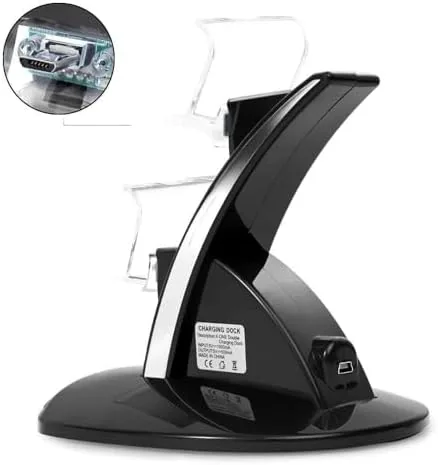
The Megadream station is a compact two bay dock with a small footprint that fits neatly on a shelf or desk. Each bay has a cradle shaped to hold a DualShock 4 controller with the charging port facing down, so the controllers sit upright in a tidy vertical arrangement rather than lying loose. The whole unit is finished in black plastic that matches the console aesthetic well enough to blend into a gaming setup.
Build quality is decent for the price. The dock feels solid on a flat surface, the controller cradles hold the pads firmly without rocking, and the connection points make good contact with the controller charge port. The front of each bay carries a small LED that lights up while charging and changes when the controller is full, which is a genuinely useful feature.
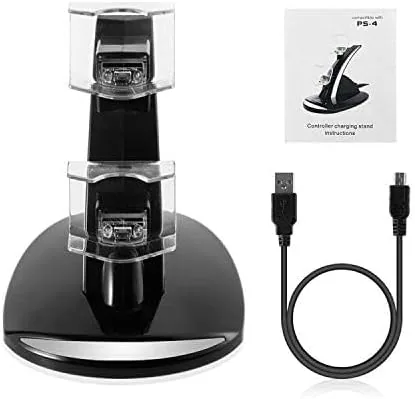
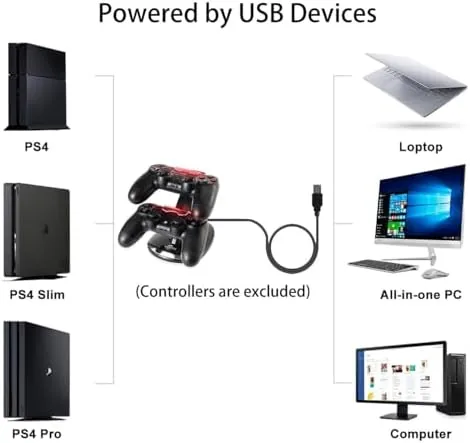
The unit connects to power through a single USB cable, which means you can run it from the PS4 itself or from any USB power adapter. That flexibility is handy, because it lets you keep the dock powered even when the console is off, so controllers are ready whenever you sit down to play.
Key Features
The headline feature is dual controller charging. Two DualShock 4 pads can charge at the same time, which is the practical advantage this dock has over charging one controller with a cable while the other waits. With both bays filled, you always have a backup ready, and the LED indicators on each bay tell you the status of each pad independently.
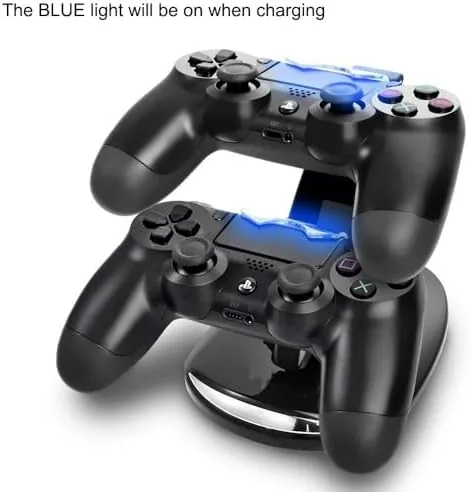
The dock is designed for the official DualShock 4, which covers the standard PS4, PS4 Slim, and PS4 Pro pads. Since all three consoles use the same controller, one dock serves every PS4 model in the family, and it also works with compatible third party controllers that share the same charge port layout.
Charge speed is respectable. A fully drained controller reaches a full charge in a couple of hours, which is comparable to charging directly from the console, and the dock delivers that without hogging the console's USB ports. The LED changes from red while charging to a different color when full, so there is no guessing whether the pad is ready.
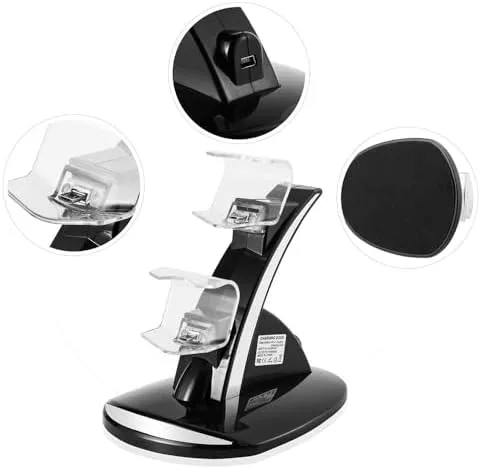
Because the dock draws power from a single USB input, you can also feed it from a wall adapter or a powered hub, which gives you flexibility about where the dock lives. I ran it from the PS4 itself for most of my testing, but switching to a wall adapter when the console was in another room worked just as well.
Real-World Performance
Over my test period the Megadream station did exactly what it promised: it kept two controllers charged and ready with no drama. I docked my main pad after every session, and it was always full when I went back to the console, which eliminated the dead controller frustration that used to punctuate my evenings. That consistency is the whole point of a charging dock, and it delivered.
The one thing that takes adjustment is seating the controller correctly. The charge port on the DualShock 4 sits between the trigger buttons, and the dock expects the pad to settle into the cradle just right for the pins to connect. It is not difficult, but there is a small learning curve, and if the controller is not seated fully the charging light stays off and you have to nudge it into place.
Once seated, the charge connection held reliably. Controllers stayed in place through normal use of the shelf, and there were no random disconnects that left a pad half charged. I also tested docking a single controller while the second bay was empty, and that bay worked exactly as expected, so the dock does not require both pads to be present to function.
There was one small thing to get used to: the LED behavior when a controller is fully charged. The light shifts state rather than blinking obviously, so I briefly wondered whether a pad had finished charging. Once I learned what the change looked like, the indicators became genuinely useful, and it is a minor point that any dock user adapts to quickly.
The tidy vertical presentation is also a genuine quality of life improvement, because it keeps controllers off the floor and looks far better than a tangle of cables. The compact size means the dock takes up very little room next to the console, which is exactly what you want from an accessory like this. You can check the Megadream PS4 charging station price on Amazon if you are ready to decide.
Pros and Cons
Pros:
- Charges two controllers at once, always ready
- Clear LED status for each controller bay
- Compact footprint keeps controllers tidy off the floor
- Runs from the console or any USB adapter
- Works with PS4, PS4 Slim, and PS4 Pro pads
Cons:
- Controller must be seated just right to connect
- Plastic build feels basic compared with premium docks
- Only supports DualShock style controllers, not other devices
How It Compares
Against the PowerA dual charging station, the Megadream offers similar dual bay functionality at a lower price. Both docks charge two DualShock 4 controllers and show LED status, but the PowerA has a more polished design and slightly easier controller seating, while the Megadream wins on price and a smaller footprint. For most owners the deciding factor is whether the extra cost of the premium brand is worth it.
| Feature | Megadream Station | PowerA Dual Dock |
|---|---|---|
| Controller bays | 2 | 2 |
| LED status | Yes, per bay | Yes, per bay |
| Power source | USB | USB |
| Compatibility | DualShock 4 | DualShock 4 |
| Price | Budget friendly | Mid range |
The TechRadar best PS4 accessories guide is a useful second opinion on the wider accessory market.
Who Should Buy It
The Megadream charging station is the right buy for any PS4 owner who is tired of dead controllers and tangled cables. If you play regularly, especially with friends, having two pads always charged and ready is a small quality of life upgrade that makes a real difference, and this dock delivers it at a budget price.
Skip it if you only ever use one controller and prefer the simple habit of plugging in a cable, or if you want a premium branded dock with a more polished finish. For everyone else, this is a practical, inexpensive fix for a very common problem.
How We Test
I used the Megadream charging station for several weeks as my primary controller charging setup, docking one controller after every session and keeping a second bay occupied. I judged it on charge speed, connection reliability, ease of seating, LED accuracy, build quality, and how much of a difference it made to my daily routine. I also tested single bay use and charging from a separate USB adapter.
For an independent look at PS4 accessories and charging solutions, the The Verge best PS4 accessories guide is a worthwhile reference. The Megadream PS4 charging station listing on Amazon has the current price and available options.
Megadream PS4 Charging Station: Questions People Ask
Does the Megadream station work with PS4 Slim and Pro?
Yes, the dock charges the DualShock 4 controller, which is the same pad used by the PS4, PS4 Slim, and PS4 Pro.
How long does it take to charge a controller?
A drained DualShock 4 fills to full in a couple of hours, and the LED changes color once charging is complete.
Can the Megadream dock charge one controller at a time?
Yes, each bay works independently, so you can charge a single controller while the other bay stays empty.
Does the charging station need its own power supply?
The dock draws power from the PS4 USB port or any standard USB power adapter, so there is no separate wall brick required.
As an Amazon Associate, I earn from qualifying purchases.



