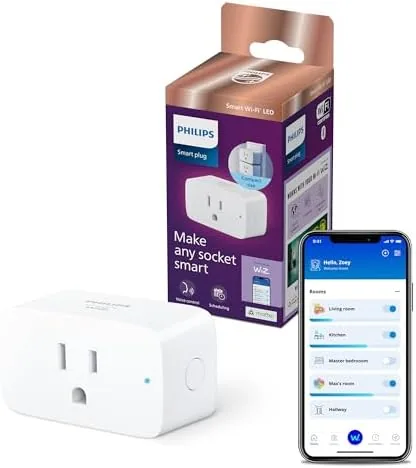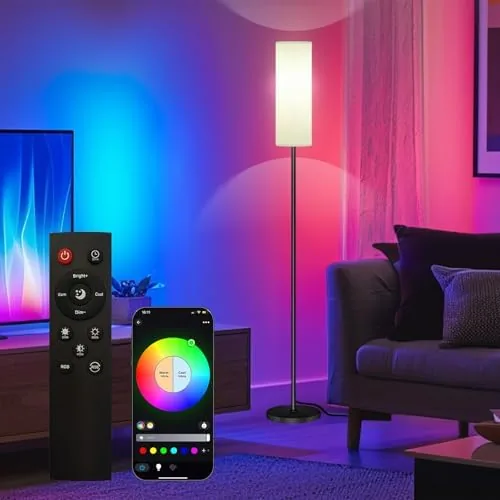

Most smart homes hit the same wall: the lights you actually own are not smart. Smart bulbs are a fine answer, but they cost real money per fixture, and a household with a dozen lamps, string lights, and appliances does not want to replace every bulb. The Philips Hue Smart Plug takes the shorter road. It plugs into any wall outlet, turns any lamp or appliance plugged into it into something the Hue app can control, and joins the Hue ecosystem alongside your existing bulbs. It works with the Hue Bridge, responds to Alexa, Google Assistant, and Apple HomeKit, and adds schedules and automations to devices that never had them before. I ran one for a month in a living room, a bedroom, and a front porch to see whether this little white plug earns its place in a smart home.
Before the details, the standard note. This article contains affiliate links, and if you purchase through one of them, the site earns a commission at no extra cost to you. That commission never changes what I test or what I recommend.
Design and Build
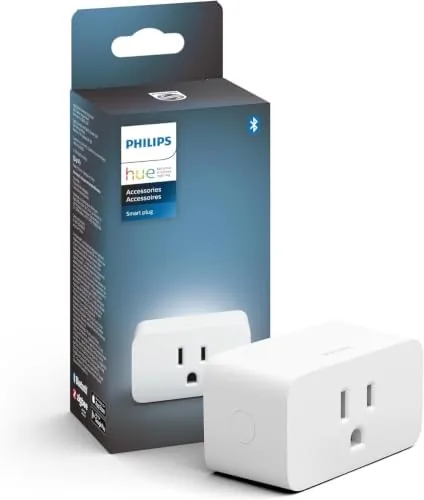
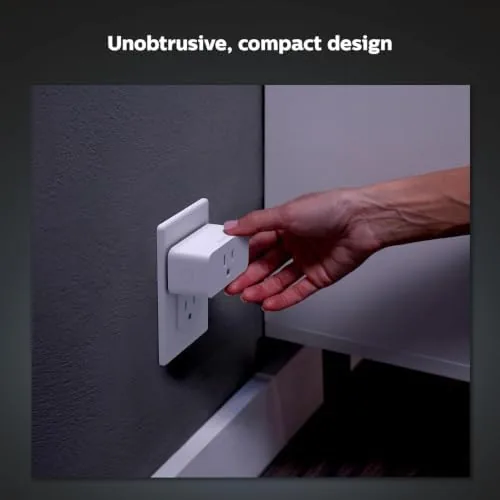
The smart plug is compact and deliberately plain. It is a small white plug that sits low on the outlet, with one socket on the front for the lamp or appliance and a small button on the side for manual control and setup. The design keeps a second outlet on the wall free, which sounds like a small thing but matters when your outlet is already half full.
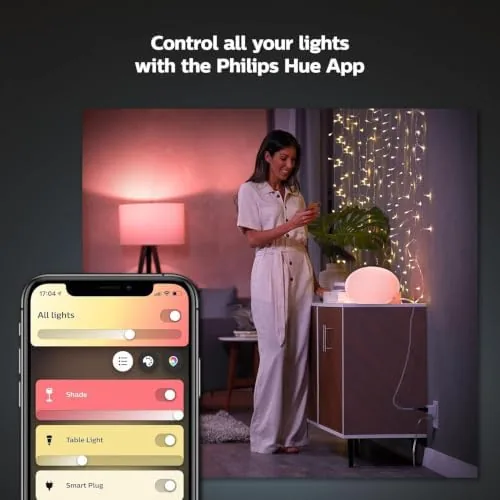
The build feels like Hue hardware, which is to say it feels like it will outlive your lease. The casing is solid, the outlet is sturdy, and the plug does not wobble in the wall. Setup takes minutes through the Hue app: you hold the button, the app finds the plug, and it joins the bridge like any other Hue device. There is no separate app, no second account, and no pairing drama, which is the quiet luxury of staying inside one ecosystem.
Key Features
The core feature is simple: on and off, controlled by software. Once the plug is paired, the lamp attached to it appears in the Hue app alongside your bulbs, so you can turn it on from the app, from the dashboard, or by voice. The plug also tracks energy use, which Hue reports in the app, and it supports the same scheduling and routine system as Hue lights, including sunrise and sunset timers.
The compatibility story is the feature most buyers will care about. Because the plug lives inside the Hue ecosystem, it inherits all the voice assistant support that Hue already has, so Alexa, Google Assistant, and HomeKit all see the plug as a device they can control. That means a HomeKit household can put a non-Hue lamp on a HomeKit schedule without buying a HomeKit smart plug from a different brand. If you want to compare the current price against other smart plugs, the Amazon listing for the Philips Hue Smart Plug is a useful reference.
Real-World Performance
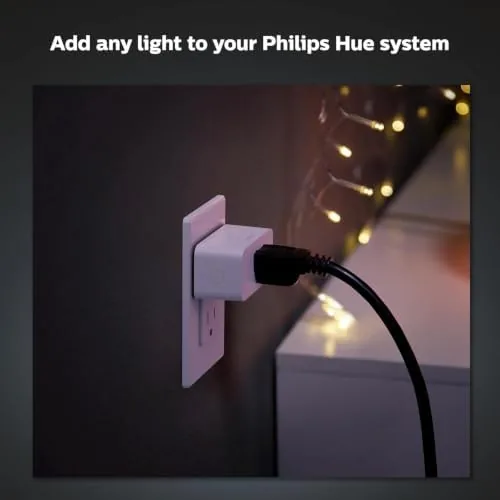
I started in the living room, where a floor lamp with an old, non-smart bulb became the test subject. I plugged the Hue Smart Plug into the wall, the lamp into the plug, and within five minutes the app showed the lamp as a device I could toggle. Voice control worked from the first request, both with Alexa in the room and with Google Assistant on a phone, and the response was immediate, with none of the delay that some Wi-Fi plugs show.
The bedroom added the schedule test. I set the lamp to fade on with the sunrise timer and to turn off at midnight, and it followed the schedule for the whole month without a miss. The real delight came from the front porch, where a strand of string lights plugged into the Hue plug turned on automatically at dusk and off at dawn. That is a genuinely useful automation, and it replaced a manual habit I had been failing at for years.
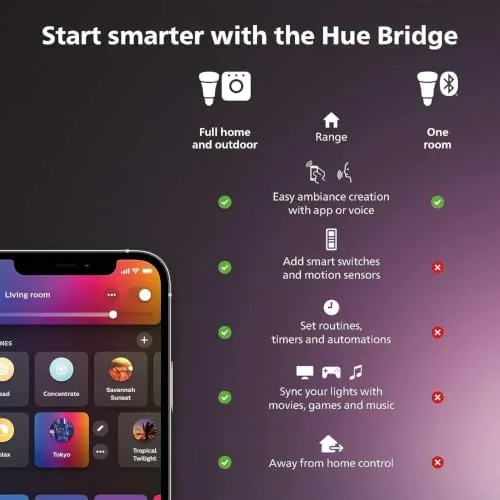
The honest limitations are the same ones that apply to any smart plug. The plug only switches power, so it cannot dim a lamp or control the speed of a fan; it is on or it is off. And it needs the Hue Bridge, which is a separate purchase if you do not already have one. For anyone already inside the Hue ecosystem, neither of these is a surprise, but both are worth knowing before you buy. The reliability was excellent throughout, with no dropped connections and no need to re-pair, which is the standard by which smart home gear should be judged.
Pros and Cons
Pros:
- Turns any lamp or appliance into a Smart device
- Works with Alexa, Google Assistant, and Apple HomeKit
- Follows Hue schedules, routines, and sunset timers
- Reports energy use in the Hue app
- Compact design leaves the second outlet free
Cons:
- Requires a Hue Bridge, sold separately
- Switches power only, so no dimming or speed control
- One plug controls one device
How It Compares
Smart plugs are one of the most crowded categories in the smart home, and they split between Wi-Fi plugs, Zigbee plugs, and brand-specific plugs like this one. I compared the Hue Smart Plug against a budget Wi-Fi plug and a Zigbee plug from another ecosystem to see where the differences actually land.
| Feature | Philips Hue Smart Plug | Budget Wi-Fi Plug | Zigbee Plug (Other Hub) |
|---|---|---|---|
| Hub required | Hue Bridge | None | Zigbee hub |
| HomeKit support | Yes | Some models | Some models |
| Energy reporting | Yes | Some models | Some models |
| App integration | Native in Hue app | Brand app | Brand app |
| Outdoor rating | Indoor only | Varies | Varies |
| Price | Premium | Budget | Mid-range |
Against a budget Wi-Fi plug, the Hue plug wins on integration and reliability. The budget plug needs its own app and often a second account, and its voice assistant setup can be fiddly, while the Hue plug simply appears in the app you already use for your lights. The budget plug wins on price and the absence of a hub requirement. Against another brand's Zigbee plug, the Hue plug wins if you already own a Hue Bridge, because it joins a hub you already have instead of adding a second one. If you are starting from zero, a Wi-Fi plug is the cheaper door into smart plugs, but for anyone in the Hue world, this is the plug that belongs in your home.
Who Should Buy It
Buy this plug if you already own a Hue Bridge and Hue lights, if you have lamps or appliances you want on schedules without buying smart bulbs, or if you want HomeKit control of devices that are not otherwise smart. It is a natural fit for a porch light, a reading lamp, a fan, or a holiday light strand that should turn on with the sunset.
Skip it if you do not own a Hue Bridge and do not want to buy one, if you need one plug for multiple devices, or if you want dimming control, which this plug cannot offer. For everyone else, this is the simplest way to add a dose of smarts to a dumb lamp, and it disappears into the wall while it works. You can check the current price for the Philips Hue Smart Plug on Amazon when you are ready to automate your lamps.
How We Test
I tested the Hue Smart Plug for a month in three settings: a living room floor lamp, a bedroom reading lamp, and a porch light strand. I set up schedules, sunrise timers, and voice commands through Alexa, Google Assistant, and HomeKit, and I tracked whether any command failed or any schedule was missed. I also monitored the energy reporting against a known device to confirm the figures were in the right range.
I did not test the plug for outdoor installation or for high-current appliances like space heaters, because it is an indoor device rated for standard household loads. Independent coverage such as The Verge's guide to the best smart plugs is a useful frame for comparing plug ecosystems. The Philips Hue Smart Plug listing on Amazon shows the current price and packaging.
Philips Hue Smart Plug: Questions People Ask
Do I need a Hue Bridge for the smart plug?
Yes. The plug pairs through the Hue Bridge, so a bridge is required to control it with the app, schedules, and voice assistants.
Can the smart plug control any lamp?
It controls any device that plugs into a standard wall outlet, though it only switches power on and off, so it cannot dim non-dimmable lights.
Does the smart plug work with Alexa and Google Assistant?
Yes. After setup through the Hue Bridge, the plug responds to Amazon Alexa, Google Assistant, and Apple HomeKit.
Can I schedule the smart plug?
Yes. The Hue app sets custom schedules, routines, and sunrise and sunset timers for the plug, matching what Hue lights already support.
As an Amazon Associate, I earn from qualifying purchases.