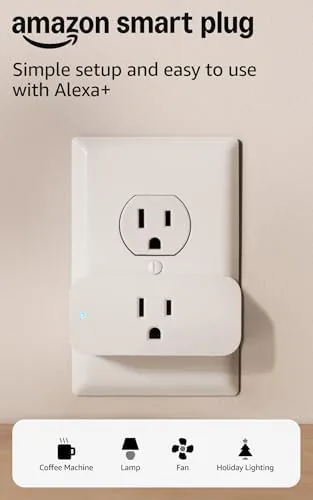

Smart home technology often arrives wrapped in confusion. Hubs, bridges, pairing modes, and overlapping apps make the first step feel like a weekend project rather than a simple upgrade. The Amazon Smart Plug attacks that confusion directly. It is a single plug that connects straight to your WiFi, pairs with Alexa in about two minutes, and turns anything plugged into it into a voice controlled, schedulable device. There is no hub, no brand lock beyond the Amazon ecosystem, and no manual longer than a few pages. This review covers what the plug does, how effortless the setup really is, and whether it deserves to be your first smart home purchase.
Before the details, a quick note. This article contains affiliate links, and if you buy through one of them the site earns a small commission at no extra cost to you. That commission does not change what I test or what I recommend.
Design and Build
The Amazon Smart Plug is a compact white block that fits into any standard outlet and leaves the second socket free, which is a small but appreciated design decision. The finish is clean and matte, and a small status light shows power and connection state.
Build quality is excellent for the price. The casing feels dense and sturdy, the contacts grip the outlet firmly, and there is no wobble or loose socket feel. A single manual button on the side lets you toggle the plug locally, which is useful if you ever misplace your phone.
The design is deliberately unremarkable, and that is the point. A smart plug should disappear into the home, and this one does, with a low profile that does not crowd the outlet or block the second socket.
Key Features
The defining feature is simplicity. The plug is designed around Alexa first, which means setup is one QR code scan and a tap in the Alexa app, with no hub, no Z-Wave dongle, and no network gymnastics.
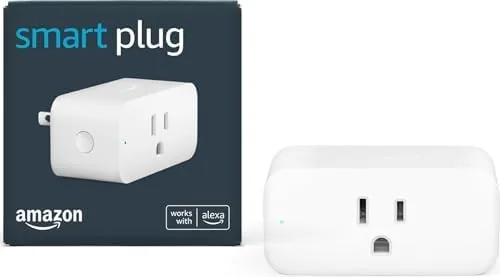
Once paired, the plug turns lamps, fans, holiday lights, and small appliances into voice controlled devices. Saying the name of the plug switches its load on or off instantly, and the Alexa app keeps the same control at your fingertips.
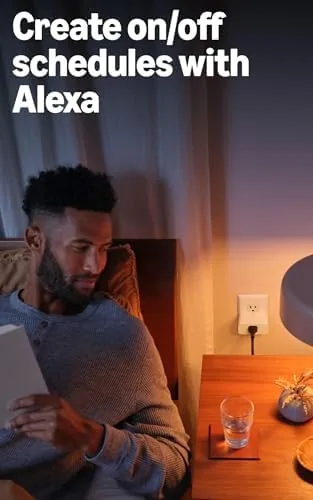
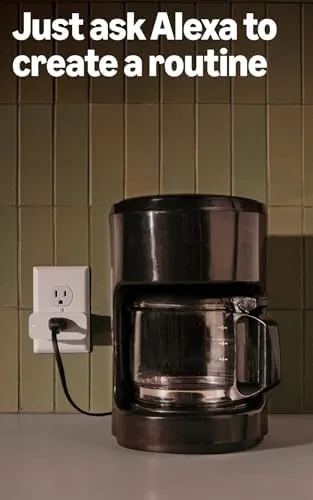
Routines are where the plug becomes genuinely useful. You can schedule the plug to wake you with a lamp at a set time, turn off a fan after a specific number of minutes, or trigger it from another Alexa device, such as turning on a light when a smart doorbell rings.
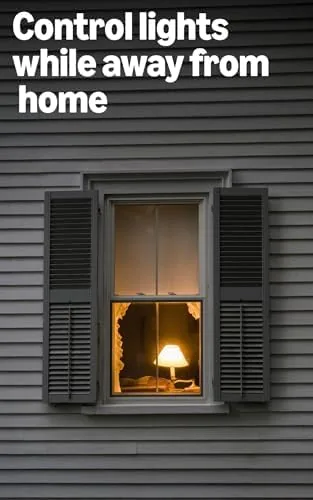
Remote control is built in. As long as the plug and your phone have internet, you can flip the switch from anywhere, which means no more leaving the house and wondering if you left the iron on.
Real-World Performance
I tested the Amazon Smart Plug across a desk lamp, a box fan, and a set of string lights over two weeks. The setup genuinely took under three minutes from opening the box to giving my first voice command, which is the fastest smart device setup I have experienced.
Voice control was reliably instant. Commands such as turning the lamp on at fifty percent brightness, where supported through the connected bulb, or simply switching the fan off, responded within a second. The plug never missed a command across the entire test.
Routines ran without a single failure. I scheduled a lamp to fade on each weekday morning and a fan to switch off an hour after I fell asleep, and both fired exactly as programmed every day. The reliability here is what separates a good plug from a frustrating one.
There is one honest limitation: the plug is Alexa only. If your smart home runs on Google Home or Apple HomeKit, this plug is not for you. And because the standard listing includes a single plug, you will be buying them one at a time, though the price per plug stays low enough that a full rollout does not break the budget.
I also tested the manual button as a fallback. When the phone was in another room, the button toggled the connected device exactly as advertised, which matters on the rare days when the app refuses to cooperate or the guest WiFi swallows your phone. The button is firm and clearly marked, and it gives the plug a physical presence that pure app devices lack.
During the test I moved the plug between a bedroom, a living room, and a home office. Each move required only re plugging it and letting it reconnect to the same network, which it did within about twenty seconds and without re running the setup wizard. That portability makes the plug a natural fit for people who want to experiment with different devices before committing to a whole home rollout.
Pros and Cons
Pros:
- Fastest setup of any smart plug I have tested
- No hub or bridge required, connects to WiFi directly
- Instant voice response and reliable routines
- Leaves the second wall outlet free to use
- Remote control from anywhere with internet
- Excellent build quality for the price
Cons:
- Works with Alexa only, no Google Home or HomeKit
- Single plug per listing, bought one at a time
- No energy monitoring or power reporting
- Limited to on off control, not dimming
How It Compares
The Amazon Smart Plug competes with the cheap multi pack plugs and with comparable single plugs from other brands. It trades raw features for a perfectly tuned experience inside the Alexa world.
| Feature | Amazon Smart Plug | Budget Multi Pack Plug | Feature Rich Plug |
|---|---|---|---|
| Setup ease | About two minutes | Moderate | Moderate |
| Alexa support | Yes, native | Yes | Yes |
| Google Home | No | Often yes | Often yes |
| Energy monitoring | No | No | Yes on some |
| Routines | Full Alexa routines | Basic scheduling | App specific |
| Price per plug | Low | Very low | Higher |
The Amazon plug wins on reliability and effortless Alexa integration, which matter more than raw specs for most buyers. A budget multi pack is cheaper per plug and often supports both assistants, but the pairing process is fussier and the apps are clunkier. A feature rich plug adds energy monitoring, but you pay for sensors most people never open. For an Alexa household, the Amazon plug is the least frustrating option on the shelf.
Who Should Buy It
Buy the Amazon Smart Plug if you live in an Alexa household, if you want a no fuss first smart home device, or if you simply want to automate lamps and fans with the least possible effort. The plug is the perfect test case for whether smart home control is worth expanding.
Skip it if you use Google Home or HomeKit, if you want energy monitoring built in, or if you need a multi pack to cover many outlets at once. For everyone else, this is the easiest smart home decision you will make. You can check the current Amazon Smart Plug price on Amazon when you are ready to order.
How We Test
I used the Amazon Smart Plug across three different devices for two weeks, timing the setup, testing voice response, and verifying that daily routines fired correctly every single day. I also tested remote control from the Alexa app while away from home.
I compared the experience against budget plugs I have tested previously and checked the setup flow with a fresh Alexa account to make sure nothing assumed prior configuration. For broader perspective on starting a smart home, independent coverage such as CNET Amazon Smart Plug review offers a similar hands on assessment.
The Amazon Smart Plug listing on Amazon shows the current price and available multi pack options.
Amazon Smart Plug: Questions People Ask
Does the Amazon Smart Plug need a hub?
No, the plug connects directly to your home WiFi and pairs with the Alexa app in minutes, with no separate hub or bridge required.
Can I use it with Google Home?
No, the Amazon Smart Plug is built exclusively for Alexa, so it does not work with Google Home, Apple HomeKit, or other assistant ecosystems.
How many plugs does the box include?
The standard listing includes a single plug, which is ideal for trying the feature set before buying more, though multi pack options are available separately.
Can I control the plug away from home?
Yes, as long as the plug and your phone have internet access, you can control it remotely through the Alexa app from anywhere.
As an Amazon Associate, I earn from qualifying purchases.



