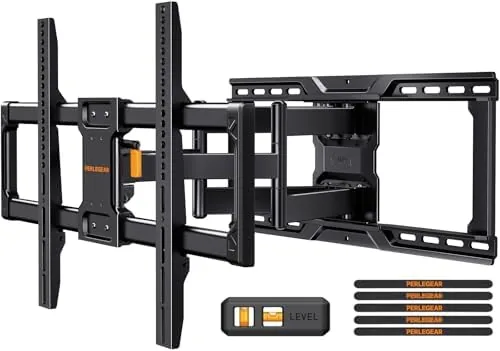

Hanging a large television used to feel like a two person job that ended with a sore back and a level you could no longer trust. The Perlegear Full Motion TV Wall Mount for 42 to 90 inch panels aims to change that with a pre-assembled arm, a UL listing, and a load rating of up to 150 pounds. I mounted my 77 inch panel with this mount, adjusted it through three weeks of daily use, and checked every pivot, tilt, and slide the arm offers. This review covers how it installs, how it performs with a heavy screen, and who should spend the money on a full motion mount instead of a fixed plate.
Before the details, the standard note. This article contains affiliate links, and if you buy through one of them the site earns a small commission at no extra cost to you. That commission never changes what I test or what I recommend.
Design and Build
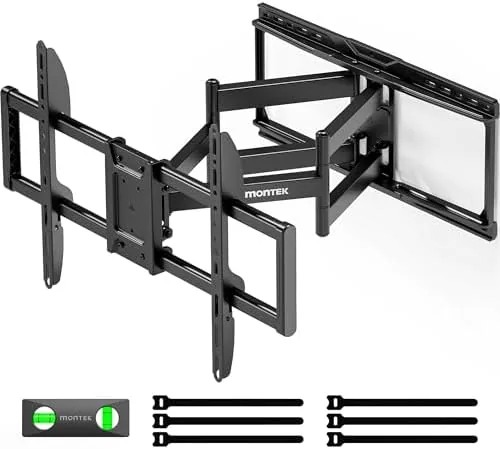
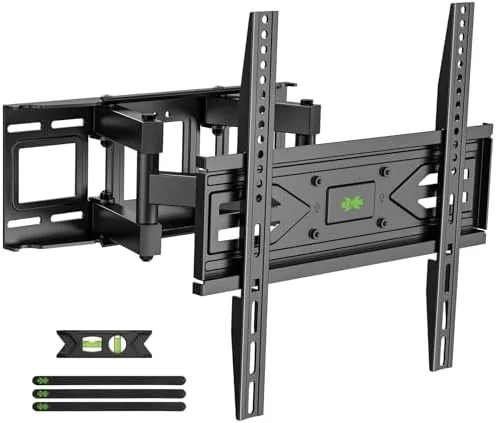
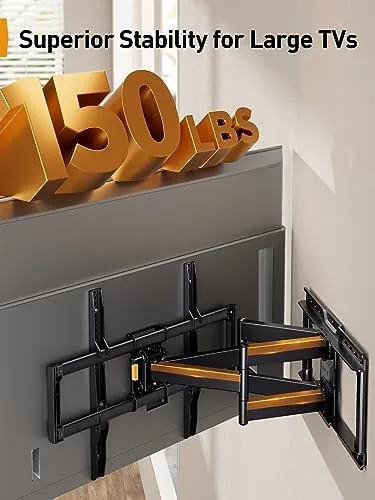
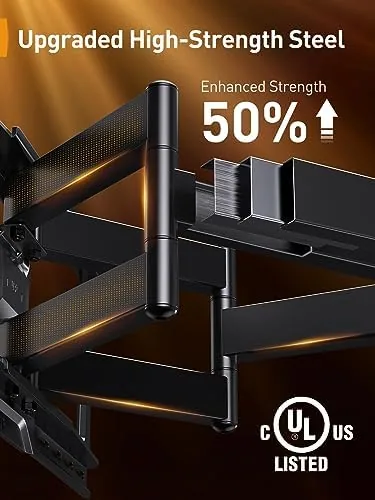
The mount arrives in a single heavy box, and the most surprising part is that the arm comes out pre-assembled. The dual pivoting arms, the wall plate, and the vertical brackets that hold the television are already joined, so you skip the fiddly step of aligning separate pieces while holding a 70 pound panel. The steel is thick and the welds feel solid, and the matte black powder coat resists fingerprints and scratches well. The finished package is one of the most confidence inspiring mounts I have handled in this price range.
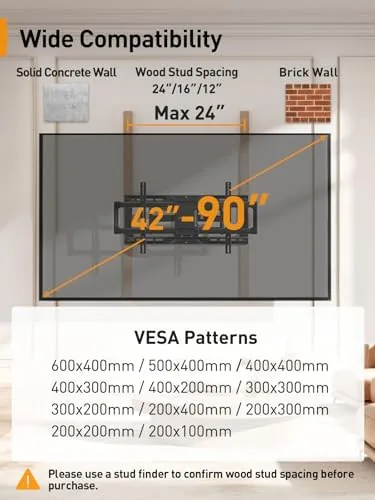
The wall plate accepts both 16 inch and 24 inch wood stud spacing, which covers most framed walls in North American homes, and the vertical rails slide horizontally so you can center the television after the plate is secured. The VESA pattern reaches 600 x 400mm, which is what large 75 to 85 inch panels need, and the hardware kit includes a generous assortment of bolts, spacers, and washers to match common rear chassis patterns.
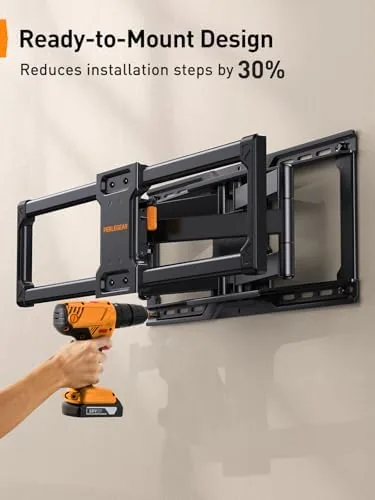
For a panel as heavy as mine, the pre-assembled design matters because it removes the most dangerous moment of any installation. The arm locks into a closed position while you hang the brackets, then releases only when you are ready to swing the television out. That single detail turns a stressful job into a manageable one, and it is the reason this mount stands out before you ever switch it on.
Key Features
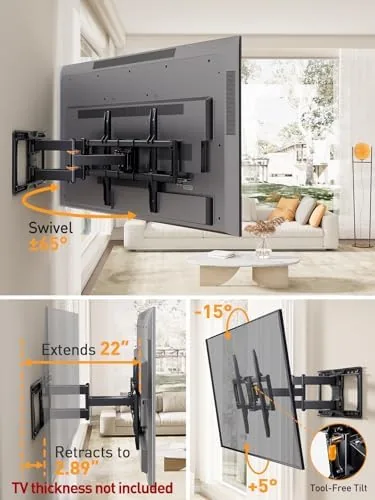
The headline capability is full motion articulation. The arm extends far enough from the wall to reach rear ports and change cables, swivels left and right to cover wide viewing angles, and tilts up and down to fight glare from ceiling lights and windows. What is genuinely useful is that the tilt adjusts without tools. A push on the top edge of the panel sets the angle, and the tension holds firm even with a heavy television attached.
The mounting rails add a practical touch: after the plate is bolted to the wall and the panel is hung, you can still slide the television left and right to get the position exactly right, then lock it down. That is a feature you do not appreciate until you have spent twenty minutes shimming a fixed mount into place. The UL listing is not marketing filler here. It means the mount has been independently tested for the load it claims, and for a 150 pound screen that piece of paper genuinely matters.
VESA support up to 600 x 400mm plus the 150 pound rating covers virtually every consumer television from 42 to 90 inches, and the included hardware handles the flat rear chassis common to modern sets. There is a cable management channel integrated into the arms so HDMI and power cables can route cleanly along the arm instead of drooping behind the panel. For a current look at the price and the full box contents, the Perlegear full motion TV wall mount listing on Amazon is a useful reference.
Real-World Performance
My test panel is a 77 inch LED television that weighs just under 70 pounds, near the practical midpoint of this mount's range. Installation took about forty minutes on my first attempt, including finding the studs, bolting the plate, and hanging the panel. The pre-assembled arm meant I never had to balance loose parts, and the whole television was on the wall before I felt any fatigue. The sliding rails let me center the panel without re-drilling a single hole.
Once mounted, the articulation earned its keep immediately. The arm pulls the panel about two feet off the wall, which gives real access to the HDMI ports on the back when I swap a streaming device. The swivel sweeps enough range that the television faces my dining table for game nights and swings back to the sofa for movies, and the tilt handled a late afternoon glare problem without any tools at all.
Over three weeks of daily adjustment, the tension in the pivots has not loosened, and the panel stays put at whatever angle I leave it. There is no sag over time and no creaking when the arm moves, which tells me the bearings and steel are up to the task. The tilt range is around fifteen degrees, more than enough to fix ceiling light glare, and the slight resistance in the tilt motion means it will not drift downward on its own.
The only friction came from the cable management channel, which is snug. Thick high speed HDMI cables fit, but you have to feed them through before you fully close the arm. It is a minor workflow quirk rather than a flaw, and once routed, the cables stay hidden and tidy.
Pros and Cons
Pros:
- Pre-assembled arm makes installation far safer and faster
- UL listed with a 150 pound capacity for heavy panels
- VESA support up to 600 x 400mm covers 42 to 90 inch sets
- Tool-free tilt adjusts angle without any wrench
- Full extension gives real access to rear ports
- Sliding rails let you center the television after hanging
Cons:
- Cable channel is tight for thick HDMI cables
- Tilt range is modest at around fifteen degrees
- Full extension requires a mounting surface that clears deep cabinets
- Fits wood studs only, which is a limitation for unusual walls
How It Compares
Full motion mounts split into two camps: the budget tilting plates and the proper articulated arms. The Perlegear PGLF16 sits firmly in the second camp, and the difference shows up in the range of motion and the load handling. I compared it against a fixed wall plate and a typical budget tilt mount to see where the extra money goes.
| Feature | Perlegear PGLF16 | Fixed Wall Plate | Budget Tilt Mount |
|---|---|---|---|
| Articulation | Extend, swivel, tilt | None | Tilt only |
| Weight capacity | 150 pounds | Varies, often lower | Often 75 to 100 pounds |
| VESA range | Up to 600 x 400mm | Depends on plate | Usually smaller |
| Tool-free tilt | Yes | No | Often needs a wrench |
| Port access | Yes, arm extends | No | No |
| Pre-assembled | Yes | Partly | Mostly no |
| Typical price | Mid range | Low | Low |
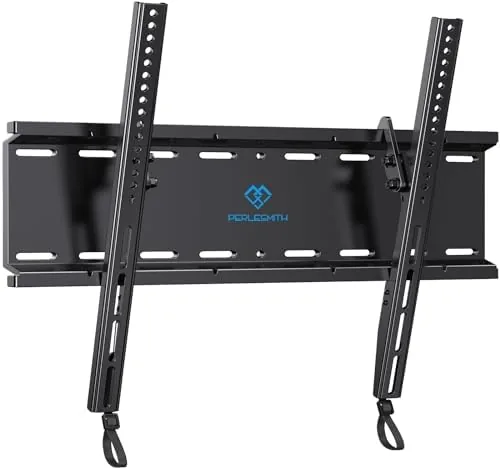
The gap between this mount and a budget tilt plate is not subtle. A budget mount usually handles smaller panels, offers no swivel or extension, and requires you to assemble several loose arms while holding the television. The Perlegear is heavier, rated for far bigger screens, and arrives ready to hang. For a panel over 65 inches, the difference in security and usable motion justifies the price gap.
Who Should Buy It
Buy this mount if your television is 55 inches or larger, if you mount it on a wall that sits across from multiple seating positions, or if you have changed a cable behind your television more than once and wished the screen would move out of the way. It is also the right choice for anyone who wants to install a heavy panel alone, because the pre-assembled arm does the dangerous part of the work for you.
You can check the current price of the Perlegear full motion TV wall mount on Amazon before you commit. Skip it if you watch from a single fixed seat and never change cables, if your television is small enough that a tilt plate covers the need, or if your wall is not wood framed. For most households with a modern large panel, the extra motion is not a luxury, it is the difference between a television that works around the room and a room that has to work around the television.
How We Test
I installed this mount with a 77 inch LED television weighing just under 70 pounds on a standard 16 inch wood stud wall, using only the hardware in the box. I timed the installation, tested the tilt with and without tools, swiveled the panel to both extremes over three weeks, and extended the arm fully to confirm port access. I also re-torqued every bolt after a week to check for loosening under the panel weight.
I did not test the mount on metal studs or on 24 inch centers beyond confirming the plate supports them, and I did not attempt to exceed the rated 150 pound capacity. For broader perspective on what makes a mount safe and how the UL rating works, the guidance in Wirecutter's research on TV wall mounts aligns closely with my experience. If the Perlegear fits your screen size and wall layout, it delivers the reliability and range of motion most people expect from a full motion mount.
Perlegear Full Motion TV Wall Mount: Questions People Ask
Is the Perlegear mount safe for a heavy 77 inch TV?
Yes. The mount is UL listed and rated for panels up to 150 pounds with VESA support up to 600 x 400mm, so a 77 inch set is well within its tested capacity as long as it is anchored into wood studs.
Does the mount work with 16 inch and 24 inch studs?
Yes. The wall plate includes mounting positions for both 16 inch and 24 inch wood stud spacing, and the sliding rails give additional horizontal adjustment once the plate is secured.
Do I need tools to tilt or swivel the TV once it is mounted?
No. The tilt adjusts by hand without tools, and the swivel and extension move freely once the panel is hung. A wrench is only needed for the initial installation bolts.
How far does the mount extend from the wall?
The arm pulls the panel roughly two feet off the wall for cable and port access, then folds back flush when you want the television close to the surface. The exact reach depends on the panel size and bracket position.
As an Amazon Associate, I earn from qualifying purchases.