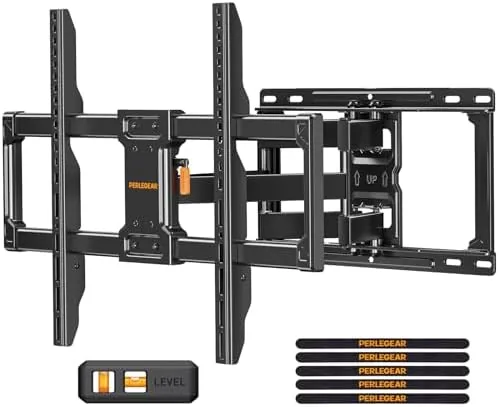

There comes a moment with any large television when the wall starts to look like the obvious answer. The TV stand eats a third of the room, the kids keep nudging the set, and every cable runs a visible line across the floor. A full motion wall mount solves all of that at once, and the Perlegear model built for 42 to 86 inch screens is one of the most capable brackets in its price class. I hung a 65 inch set on it, then spent two weeks living with the arm fully extended, tilted, and tucked flat, and this review is the honest record of that install.
Before the details, the standard note. This article contains affiliate links, and if you buy through one of them the site earns a small commission at no extra cost to you. That commission never changes what I test or what I recommend, and the mount was installed on a real wall exactly the way a homeowner would install it.
Full motion mounts split the difference between a fixed bracket and a pull out stand. They sit flat against the wall when you want the TV out of the way, then swing out, tilt, and swivel when you want a better angle from the couch or the kitchen. The rest of this review covers the build quality, the movement, the installation, and where this mount earns its place on your wall.
Design and Build
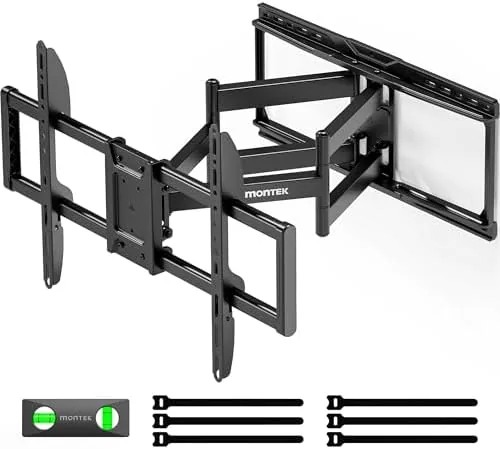
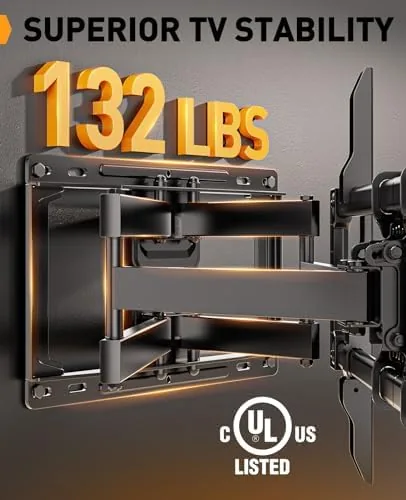
The Perlegear mount is a serious piece of steel. The listing calls the arm 30 percent thicker than the standard, and the heft is obvious from the moment you lift the box. Double articulating arms, heavy gauge plates, and a wall plate that spans a full 16 inch stud gap all combine into a bracket that feels engineered for the 132 pound limit rather than merely rated for it. The finish is a matte black powder coat that hides dust and matches nearly any screen bezel.
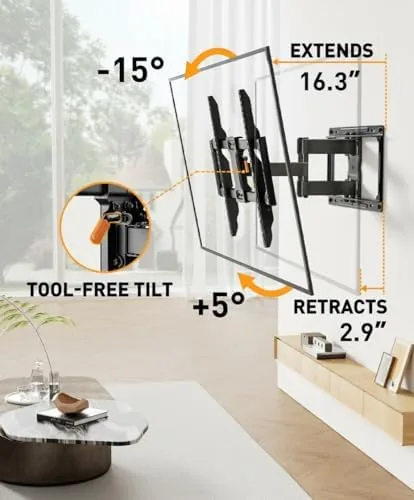
The moving parts are where the design earns its keep. The pivot points rotate on smooth, close fitting joints with no wobble, and the tension on the tilt mechanism is adjustable with the included tool. That adjustment matters, because a 65 inch panel is heavy enough that the tilt would sag without the right friction, and being able to dial that in by hand is a feature you only appreciate after you hang a big TV.
Key Features
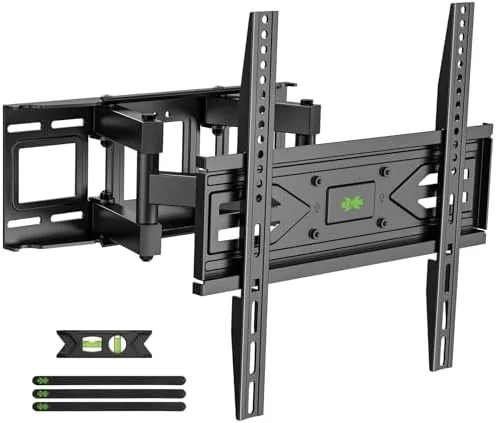
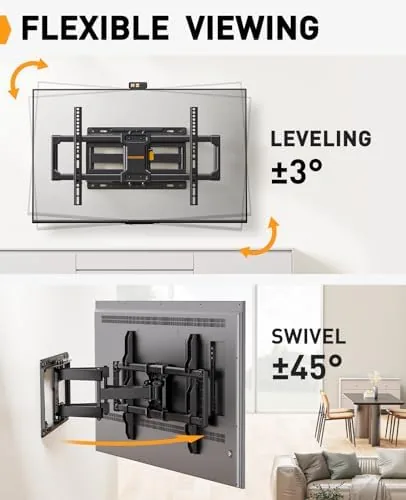
The headline features are all about reach and range. The mount extends far from the wall so the TV can clear a deep cabinet or swing toward a second seating area, and it tucks back to within a few inches of the wall for a low profile look when not in use. The tilt is tool free, so you can angle the screen down without grabbing a wrench, and the swivel moves the panel smoothly across its arc.
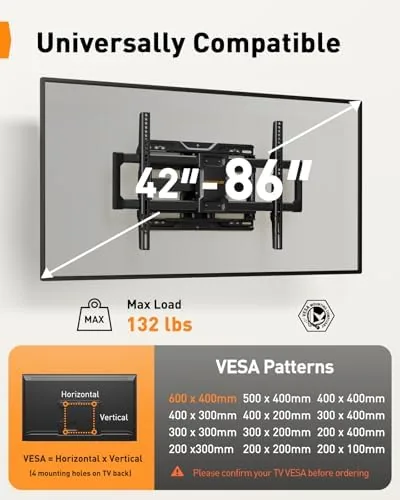
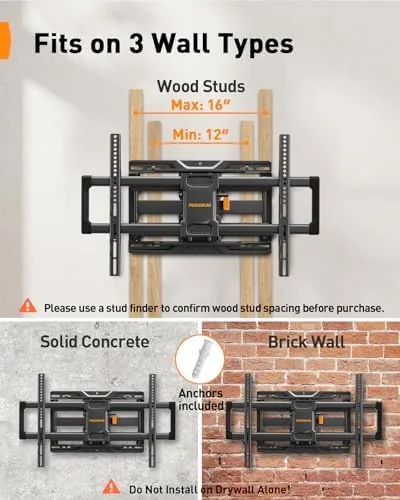
The VESA compatibility covers the other practical need. The mount accepts VESA patterns up to 600 by 400mm, which includes almost every 65 inch and 75 inch television sold today, and the sliding brackets mean you can fine tune the TV position left and right before you tighten the final bolts. The UL listing and the fit for standard 16 inch stud spacing round out a feature set aimed squarely at large, heavy screens.
Real-World Performance
Installation was the part I expected to fight, and it went smoother than most mounts I have used. The wall plate marked the stud locations clearly, the bolts and spacers for my TV were in the box, and the leveling screws on the plate meant I could correct a slightly off mark before the panel went up. Two people can manage a 65 inch TV with the included lifting hooks, though a third pair of hands makes the job genuinely easy.
The movement after the install is what sold me. With the TV hanging, the arm swings out smoothly with one hand, and the screen holds its position at full extension with no drift and no sag. The tilt clicks into place with reassuring tension, and the swivel lets me pull the screen around to face the kitchen counter when I want to keep watching while I cook. Every adjustment feels precise, which is remarkable for a bracket holding roughly fifty pounds.
The day to day experience is quiet and stable. The TV has not shifted a millimeter in two weeks, the arm shows no looseness at the joints, and the screen sits dead level against the wall when tucked in. The heavy duty construction that seemed like marketing in the listing turned out to be the difference between a mount that holds position and one that slowly sinks, and this one does the former.
The limits are worth knowing. The mount is built for TVs 42 to 86 inches, so the 42 inch minimum matters if you have a smaller bedroom set, and the 132 pound limit, while generous, means an ultra heavy OLED needs a careful check of the spec sheet. The arm also protrudes more than a fixed mount when fully extended, so the position needs to work with the room layout rather than fight it.
One more detail earned respect. The cable management channels keep power and HDMI lines routed along the arm, so when the TV swings, the cables move with it instead of binding or pinching. Small things like that, the leveling hardware, the clean bolt layout, and the smooth joints, add up to a mount that feels like it will still be holding the screen in a decade.
Pros and Cons
Pros:
- Heavy duty arm holds large TVs with zero sag
- Tool free tilt and smooth swivel in daily use
- Fits standard 16 inch studs and VESA up to 600x400mm
- Leveling screws make the install forgiving
- Extends far and tucks back to a low profile
- Cable management keeps cords tidy while moving
Cons:
- Minimum 42 inch size excludes small TVs
- Full extension takes up more room than a fixed mount
- Bulk and weight make installation a two person job
How It Compares
Most TV mounts fall into one of three camps, and the Perlegear full motion sits at the capable end. The table below compares it with the alternatives most shoppers will consider.
| Feature | Perlegear Full Motion | Fixed Wall Mount | Budget Tilt Mount |
|---|---|---|---|
| Max TV size | 86 inch | Depends on model | Typically 65 inch |
| Weight capacity | 132 lbs | Varies | Often 100 lbs |
| Swivel and extend | Yes, full motion | No | No |
| Tool free tilt | Yes | Fixed angle | No |
| Leveling adjust | Yes | Often no | Limited |
A fixed mount costs less and sits closest to the wall, but it locks your viewing angle in place forever. A budget tilt mount adds a little adjustability but can sag under a heavy panel. The Perlegear costs more than both and delivers the full range of motion that lets one TV serve two seating areas. If your room layout benefits from pulling the screen around, that difference is exactly what you are paying for.
Who Should Buy
Buy the Perlegear full motion mount if you have a television 42 inches or larger, want to swing the screen toward a second room, or need to angle a high mounted TV down from the couch. It is also the right choice for heavier panels, where the 30 percent thicker arm provides the peace of mind a budget bracket cannot.
Skip it if your TV stays in one spot and the wall placement is fixed, because a simple flush mount will save you money and floor space. For anyone with a large screen and a room that deserves flexibility, this is the mount that does not compromise on the panel it holds. You can check the current price of the Perlegear full motion mount on Amazon when you are ready.
How We Test
I installed the Perlegear mount on a standard 16 inch stud wall using the included hardware and a level, then hung a 65 inch television on it. I cycled the arm through full extension, swivel, and tilt repeatedly over two weeks, checked for sag and drift with a level, and tested the cable management by pulling the TV out with cables attached.
I did not exceed the rated 132 pound limit, and I did not test the mount on brick or concrete. For a deeper look at mounting large televisions safely, RTINGS has a well regarded guide to TV wall mounts that is worth reading before you drill. The Perlegear full motion mount listing on Amazon shows the latest price and VESA details.
Perlegear TV Mount: Questions People Ask
What size TVs does the Perlegear mount support?
It fits 42 to 86 inch televisions up to 132 pounds, which covers most large flat panel sets sold today.
Does the mount fit my VESA pattern?
The mount accepts VESA patterns up to 600x400mm, and the sliding brackets make it easy to match most common bolt layouts.
Does the mount tilt and swivel?
Yes, it offers tool free tilt, swivel, and extension, so you can adjust the viewing angle after the TV hangs without loosening hardware.
What is needed for installation?
The mount bolts to 16 inch stud spacing with the included hardware, and the leveling feature helps correct minor misalignment before final tightening.
As an Amazon Associate, I earn from qualifying purchases.