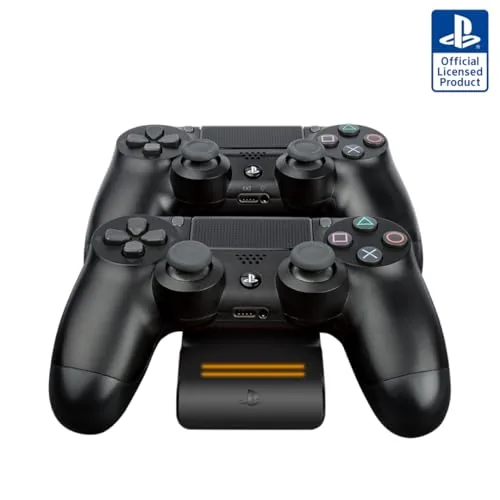
 Charging Dock" width="1200" height="800" loading="lazy" style="height:auto">
There is a ritual in every PlayStation household that nobody likes. The controller dies in the middle of a run, and you either plug it into the console with a cable long enough to trip over or you sit through the loading screen tethered to a wall. I have owned every generation of charging station for the DualShock 4, and the ones that work best are the ones you never think about. The PDP Gaming Magnetic Ultra Slim system is a licensed Sony dock that charges two controllers at once with magnetic alignment, and it promises to end the cable ritual. I ran it for a month next to an active console to find out whether the promise holds.
Before the testing notes, the standard disclosure. This article contains affiliate links, and if you buy through one of them the site earns a small commission at no extra cost to you. That commission never changes what I test or what I recommend.
Design and Build
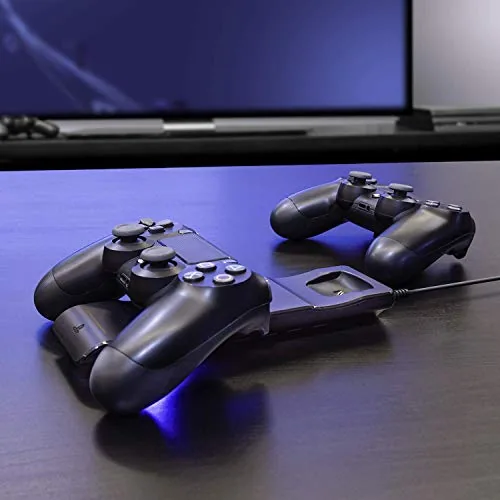
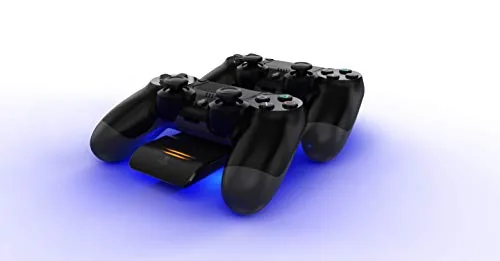
The dock is genuinely slim, a flat black plate with two angled cradles that hold controllers in an upright, slightly tilted stance. It looks like part of the console rather than an accessory bolted on after the fact, and the black finish blends with the PS4 lineup. Two controllers sit side by side, each one resting its front connection port against a magnetic contact plate. The magnetic pull is the key idea: you drop a controller into place and it clicks and stays, no wiggling required.
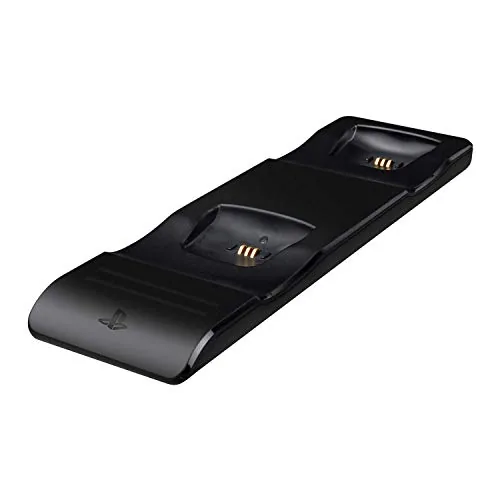
Build quality is solid for the price. The base has enough weight and grip to stay put when you pull a controller off, and the rubber underside holds the dock still on a shelf or media console. The LED charging indicators sit above each cradle, one per controller, and they shift color as charging progresses, which is the kind of at-a-glance feedback a dock really needs. The whole unit is powered by a single USB cable, so there is no bulky wall brick to hide.
Key Features
Magnetic alignment is the headline feature, and it is the reason to pick this dock over a plain USB hub. The controllers snap into place with a satisfying click, and the magnets hold the connection steady even when a cat brushes against the shelf or someone pulls a controller off carelessly. Because the dock is licensed by Sony, the electrical contact matches the official connection standard, which is the difference between a charger that works reliably and one that throws random errors.
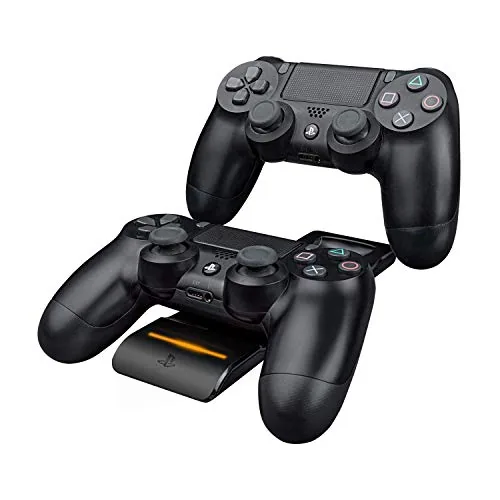
The ambient light feature is the second differentiator. The dock glows softly along its base whenever it is powered, which looks striking on a media shelf and doubles as a low light that helps you find the cradles in the dark. The LED indicators go further, showing red while charging and green when a controller reaches full, so you never have to guess whether a controller is actually topped up. If you want to compare the current price against other PS4 charging docks, the Amazon listing for the PDP magnetic charging system is a useful reference.
Real-World Performance
I placed the dock beside a PS4 Slim in a media cabinet and made it the only charging point for two controllers for a month. The drop-in ritual became second nature, and the magnetic pull did its job every time. A controller slid into a cradle seated itself without fiddling, the LED went red, and a drained controller reached full in roughly two and a half hours, matching the charge time of the official cable. Charging two controllers at once did not slow either one down.
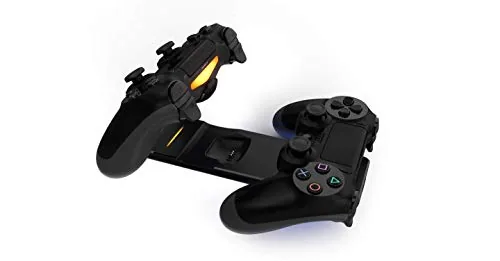
The heat story is the honest one. The dock and the controllers stayed cool to the touch after a full charge, which is exactly what you want from something that sits near electronics for hours. The connection stayed firm all month, and I never saw a controller fail to seat or drop its charge mid-session. The one quirk appeared with older controllers whose ports had collected a layer of dust and grime; the magnetic plate needs a clean connection, and a quick wipe of the controller port fixed the alignment warning.
The ambient light is a double-edged sword. On a shelf in a living room it looks great and helps you find the cradles at night. In a bedroom where the console lives next to the bed, the glow never turns off while the dock is powered, and there is no switch for it. If your setup puts the dock in sleep territory, plan the placement accordingly, because that light is always on.
Pros and Cons
Pros:
- Magnetic alignment makes drop-in charging effortless
- Licensed by Sony for reliable electrical contact
- Ultra slim profile blends with the console setup
- Clear LED indicators show charging and full states
- Single USB power, no separate wall adapter
Cons:
- Ambient light stays on while powered, with no switch
- Dirty controller ports can upset the magnetic connection
- Only suits PS4 controllers, not other devices
How It Compares
PS4 charging solutions fall into a few clear camps, and the differences show up in daily use. I compared the PDP magnetic dock against a plug-in cable dock and a non-magnetic cradle that charges through the headphone jack to see where each one wins.
| Feature | PDP Magnetic Dock | Cable and Hub Dock | Non-Magnetic Cradle |
|---|---|---|---|
| Connection | Magnetic contact plate | Micro USB cable | Headphone jack connector |
| Controllers charged | Two at once | Two at once | One at a time |
| Alignment effort | Drop in and click | Plug in each cable | Slide in carefully |
| LED status | Red and green per cradle | Varies by hub | Single light |
| Profile | Ultra slim | Hub with cables | Slim |
| Cable clutter | One USB cable | Multiple cables | One USB cable |
Against a cable dock, the PDP wins on convenience and tidiness. Magnetic drop-in charging removes the fumbling that comes with plugging a cable into a controller in the dark, and the slim footprint takes up half the shelf space of a hub with dangling leads. The non-magnetic cradle costs less, but it charges a single controller, and its alignment is fussier. For anyone who owns two controllers and wants both ready at the start of a session, the magnetic dock is the balanced buy, and it is the one I kept on the shelf after the month ended.
Who Should Buy It
Buy this dock if you own more than one DualShock 4, if you are tired of tripping over charging cables, or if you want your controllers to look deliberate on a shelf rather than tangled behind the TV. It is a strong fit for families where controllers trade hands, since the drop-in action survives careless usage and the LEDs make charge status obvious at a glance.
Skip it if you need to charge headsets or other devices, if your controllers have chronically dirty ports, or if a glowing light in the bedroom would keep you up. For everyone else, this is the most frictionless way to keep two controllers alive. You can check the current price for the PDP magnetic PS4 charging dock on Amazon when you are ready to cut the cables.
How We Test
I ran the dock for a month beside an active PS4, charging two controllers on a rotating schedule that included full drains, partial top-ups, and overnight sessions. I tracked charge time, connection reliability, heat at the contact points, and how the magnetic alignment behaved with both older and newer DualShock 4 controllers.
I also compared it against a cable hub and a single-slot cradle to place the verdict in context, and I deliberately tested with controllers whose ports had seen real household grime. The test reflects residential gaming use, not tournament or streaming setups with dozens of controllers. For a broader look at charging accessories, TechRadar guidance on charging PS4 controllers is a helpful reference. The PDP magnetic charging system listing on Amazon shows the current price and shipping details.
PDP Magnetic Ultra Slim PS4 Charger: Questions People Ask
Does the PS4 charging dock work with any DualShock 4 controller?
Yes. The dock charges standard DualShock 4 controllers from the first and second generations through the magnetic contact plate, and it works with both the standard and slim PS4 models.
How long does it take to fully charge two controllers?
A drained controller reaches a full charge in roughly two to three hours through the dock, and you can charge one or both controllers at the same time without slowing the process.
Does the dock need a separate power adapter?
The dock is powered through the included USB cable and the console or any USB power source, so there is no separate wall adapter to hunt for when you set it up.
Can the ambient light be turned off?
The ambient light glows whenever the dock is powered. It is not switchable on this model, so plan the placement if you game in a dark room.
As an Amazon Associate, I earn from qualifying purchases.



