
Ask anyone who types for a living and they will tell you the same thing: the keyboard matters more than the CPU. After years of writing on mechanical boards and cheap office keyboards, I wanted a low profile wireless option that would survive an eight hour day without turning my hands into a complaint department. The Logitech MX Keys S in graphite has now done exactly that for a full month, and this review covers how it held up under real, sustained typing.
Before we get into it, the disclosure: this article contains affiliate links. If you purchase through one of them, the site earns a small commission at no extra cost to you, and that never shapes what I test or how I judge a product.
Design and Build
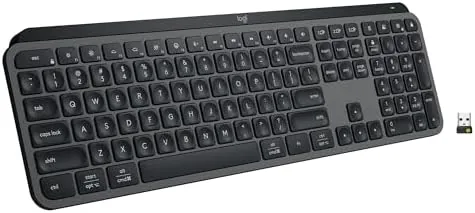
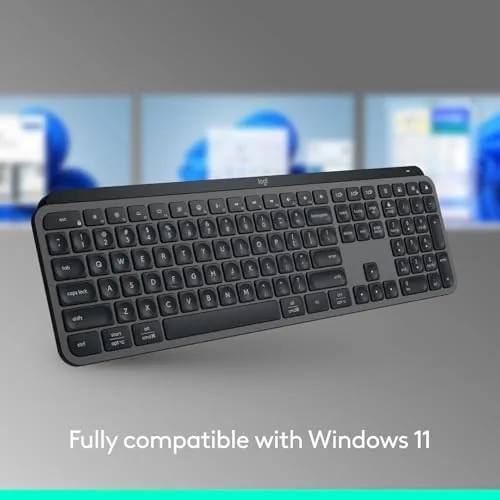
The graphite MX Keys S is a full size low profile board, and the dark finish is the workhorse choice among the MX Keys colors. It hides dust, resists fingerprints, and disappears into a dark desk setup, which is exactly what a long session keyboard should do. The frame is solid with no flex, and the board has enough weight to stay put during fast typing.
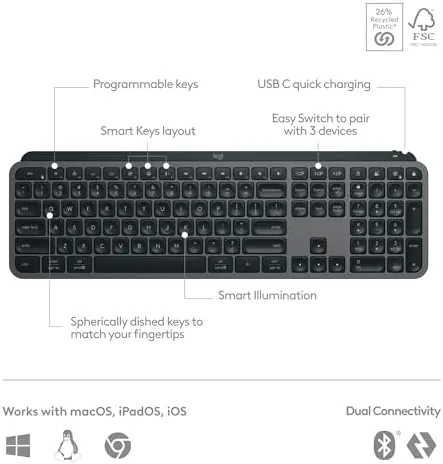
The keys are concave and matte, shaped to guide your fingers toward the center of each cap, and they sit at a shallow height that encourages a relaxed hand position. The layout is complete: full function row, dedicated media keys, and arrow keys that are easy to find without looking. Logitech has been making office keyboards for decades, and it shows in the details that annoy you on cheaper boards, like the slightly larger Escape key and the separated function clusters.
Connectivity is dual: Bluetooth or the bundled Logi Bolt USB receiver. The receiver is a small, reliable dongle that some users prefer for the lowest latency connection, while Bluetooth handles devices that do not have a free USB port. Charging runs through USB C, and there is no power switch because the keyboard wakes on touch and sleeps on its own.
Key Features
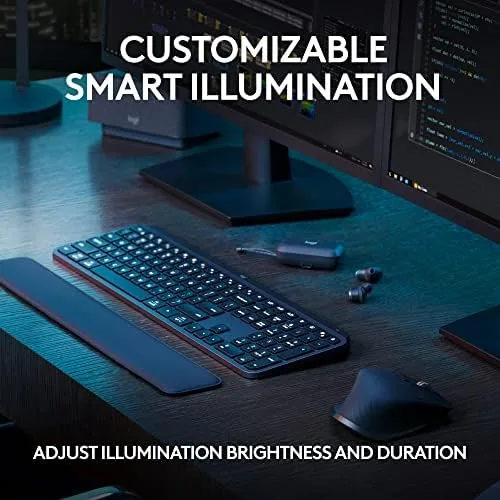
The adaptive backlighting is the feature that sets the MX Keys S apart. Sensors detect when your hands approach and illuminate the keys, then dim them when you walk away, while the brightness adjusts to the room. It is a small thing that becomes essential on a dark evening when every other keyboard in the house requires you to squint.
Multi device pairing is the feature that keeps the keyboard on my desk rather than in a drawer. It pairs with up to three devices and switches between them with the Easy Switch keys, so a desktop for heavy work, a laptop for meetings, and a tablet for reading all share one board. There is no reconnection delay and no cable shuffling.
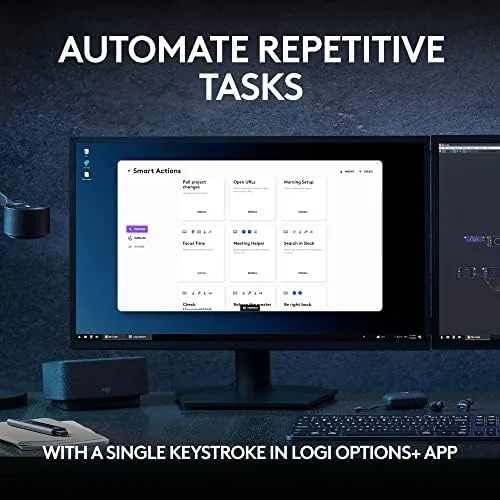
Programmable keys round out the package. Logitech Options+ lets you remap almost any key, assign macros and shortcuts, and set layouts that change per application. I programmed a launch key for my writing app and a paste unformatted shortcut, and both behaved flawlessly for a month, which is the level of polish that justifies the price.
Real-World Performance
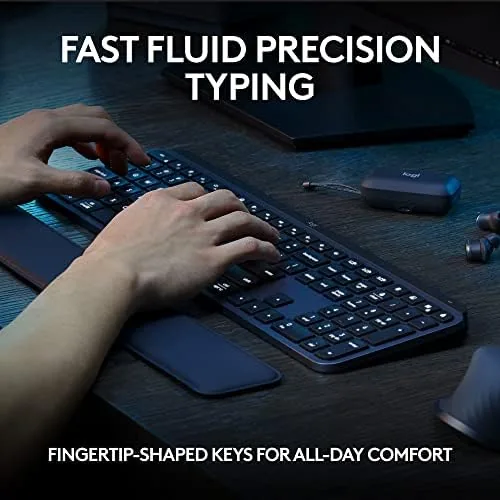
The real test for this keyboard is a long writing day, and the MX Keys S passed it week after week. The typing action is quiet and fluid: the keys bottom out with a soft, muted sound that never crossed into the clack of a mechanical switch, and the low profile stroke is easy on the fingers. I wrote for hours at a stretch and finished sessions without the fatigue that cheap boards bring.
Battery life matched expectations for a backlit board. With the illumination active for several hours a day, the keyboard ran about nine days between charges, and with the lights off it would stretch toward the five month figure Logitech quotes. USB C charging brought it back to full in about two hours, so even a low battery morning was never a disaster.
The quiet factor matters more than I expected. During video calls, my keyboard clicks never reached the microphone, and in the evenings the board did not wake anyone in the next room. The graphite finish also proved easy to keep clean, which is exactly why the dark color is the sensible choice for a daily driver.
I switched between three devices all month: the desktop for writing, the laptop for calls, and the tablet for reading and notes. Each switch was a single key press, and the keyboard never lost its pairing or required a reconnection. That reliability is the difference between a productivity tool and a frustrating gadget.
Pros and Cons
Pros:
- Quiet, fluid typing that holds up for eight hour sessions
- Adaptive backlighting that conserves power and lights up on demand
- Reliable switching across three paired devices
- Programmable keys with per application layouts
- Graphite finish hides dust and resists fingerprints
Cons:
- Backlighting cuts battery life to roughly ten days
- No palm rest in the box for the standalone keyboard
- Typing feel will not satisfy mechanical switch purists
How It Compares
The MX Keys S competes with the rest of the low profile wireless market, from budget boards to Logitech's own higher and lower tiers. Budget boards save money but strip out the adaptive backlighting, the reliable multi device switching, and the build quality, which are precisely the features that make a long typing day tolerable.
| Feature | MX Keys S Graphite | Budget Wireless Board | Mechanical Wireless |
|---|---|---|---|
| Typing action | Quiet low profile | Mushy | Loud clicky or linear |
| Adaptive backlighting | Yes | No | Varies |
| Multi device pairing | 3 devices | 1 | Usually 1 |
| Programmable keys | Yes | No | Varies |
| Noise level | Very quiet | Quiet | Audible |
| Battery life | Days with light | Months | Months |
For anyone who types all day and values quiet, the MX Keys S is the sensible middle ground between cheap boards and mechanical hardware. Tom's Hardware has covered the best keyboards extensively, and the MX Keys S consistently ranks among the top low profile wireless picks for office work.
Who Should Buy the MX Keys S in Graphite
Buy it if you write, code, or answer emails for a living and want a keyboard that disappears into your workflow. This is the board for people who have endured one too many cheap keyboards and want a single purchase that will serve them for years, especially if you run multiple computers that should all share the same comfortable typing experience.
Skip it if you need a heavy mechanical feel with per key RGB lighting and a clack you can feel, because this board is built for the opposite audience. For everyone else, this is a durable, quiet workhorse, and you can check the MX Keys S in graphite on Amazon for current pricing.
How We Test
I used the graphite MX Keys S as my daily keyboard for a month of sustained writing and work. I logged eight hour sessions, measured typing noise during calls, and tracked battery life with the backlight on and off. I also paired the board with a desktop, a laptop, and a tablet and used the device switching every day.
I programmed multiple keys in Logitech Options+ and exercised them through the month, and I tested the backlighting sensor in dark and bright conditions. The verdict reflects month long use as a primary input device, which is the only honest test for a keyboard that asks to be your daily driver.
If you are choosing a mouse to complete the setup, my peripheral reviews cover matching options for the MX Keys S. When you are ready, the MX Keys S graphite listing on Amazon shows the asking price.
Questions People Ask
Is the MX Keys S good for all day typing?
Yes. The low profile keys sit at a comfortable height and the quiet, fluid action kept wrists and fingers fresh across long writing sessions.
Can you program the keys on the MX Keys S?
Yes. Logitech Options+ lets you remap most keys, assign shortcuts, and set app specific actions like launch functions or paste commands.
How does the backlighting behave?
Sensors detect your hands and light the keys only when they are near, and the backlight brightness adapts to the room automatically.
Does the Graphite version differ from other MX Keys S colors?
No. Performance is identical across colors, so the graphite finish is purely about looks, smudge hiding, and matching your desk setup.
As an Amazon Associate, I earn from qualifying purchases.