
The budget gaming headset aisle is crowded with promises that rarely survive a weekend of use. A headset that sounds muddy, a microphone that picks up every click of your keyboard, or ear pads that feel like plastic after an hour are all common failures at this price. The Logitech G432 aims to be the exception, a wired headset that packs 50 millimeter drivers, DTS surround sound, and a flip to mute microphone into a package that stays firmly on the affordable side of the market. I spent weeks with it in ranked matches, long sessions, and cross platform play, and this review is the honest record of whether it holds up.
Before the details, the standard note. Some links in this article are affiliate links, and if you buy through them the site earns a small commission at no extra cost to you. That commission never changes what I recommend.
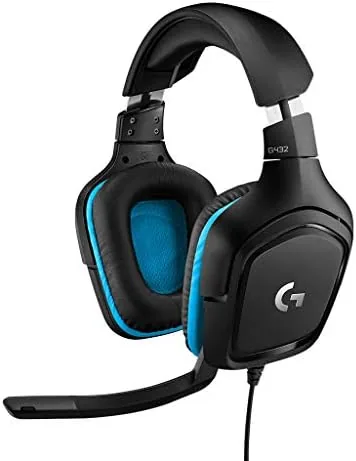
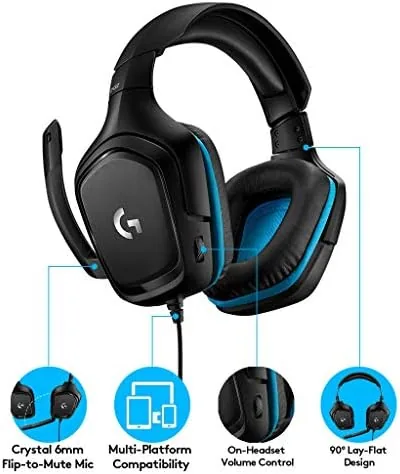
The G432 is a Wired Headset With a comfortable over the ear design, and it connects to a PC through USB for the full surround sound experience or through a standard 3.5 millimeter jack for consoles and mobile devices. The flip to mute microphone is the feature that gets the most attention, and it earns it, because muting yourself before a teammate speaks is the single most useful habit in competitive play.
Design and Build
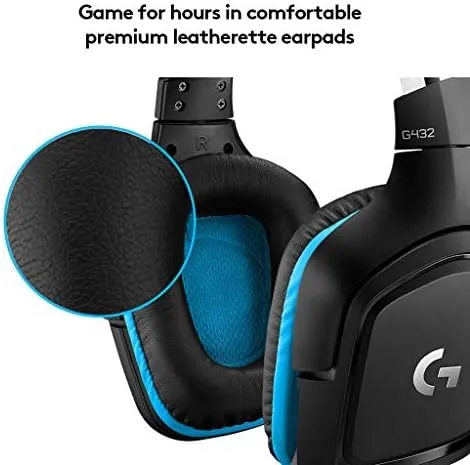
The headset uses a classic over the ear design with plush memory foam ear pads that wrap around your ears completely. The headband is adjustable with a generous range, and the whole unit is lightweight enough to wear for hours without the weight settling into your head. The build is mostly plastic, which is expected at this price, but the hinges and the adjustment mechanism feel solid rather than flimsy.
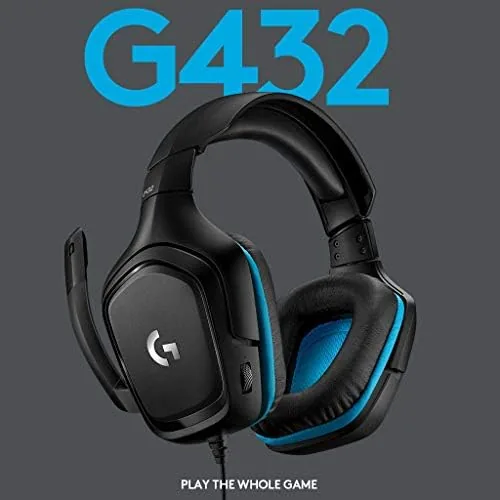
The microphone is the standout physical feature. It flips up out of the way when not in use and automatically mutes when you do, with a small red light showing the mute state. The boom is flexible enough to position exactly at your mouth, and the design means you never have to search for a mute button mid firefight. The ear cups rotate to lay flat when you take the headset off, which is a small touch that makes transport and storage easier.
Key Features
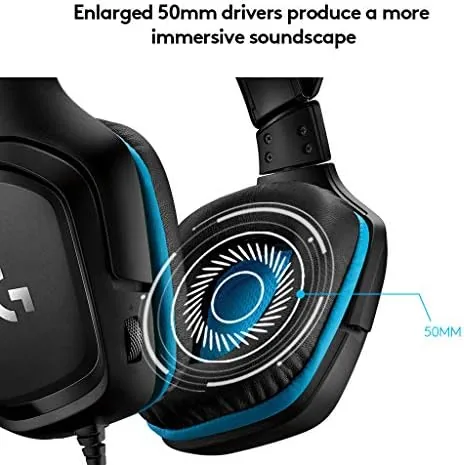
The audio core is a pair of 50 millimeter drivers, which are larger than the 40 millimeter drivers found on many budget headsets. Larger drivers generally mean more headroom and better bass response, and in practice the G432 produces a full, punchy sound that handles gunfire, music, and dialogue without straining. The sound stage is wide enough to locate enemies by ear, which is the fundamental requirement for competitive play.
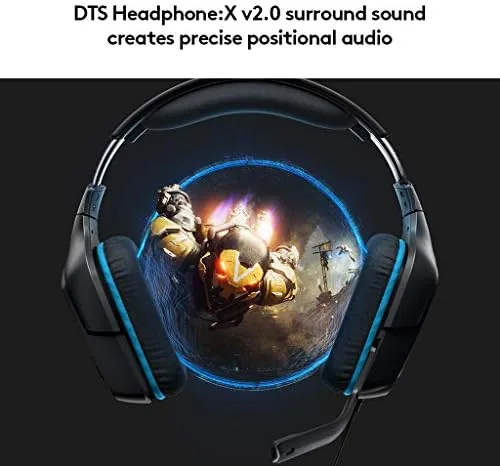
The headline feature is DTS Headphone:X 2.0 surround sound, which is unlocked when the headset is connected through USB on a PC. The virtual surround processing creates a believable sense of direction, so footsteps, gunshots, and vehicles have spatial presence rather than sitting flat in the stereo field. It is not a replacement for a true multi speaker system, but for a headset it adds a genuine competitive edge.
The connection flexibility rounds out the feature set. The headset ships with both a USB connection, which carries the surround sound and works with the Logitech G Hub software, and a 3.5 millimeter jack, which lets you use it with PlayStation, Xbox, Nintendo Switch, and mobile devices. The flip to mute microphone works on all connections, and the whole package is compatible with the major platforms out of the box.
Real-World Performance
The G432 delivered in the situations that matter most. In competitive shooters, the DTS surround sound gave me reliable directional cues, and I could hear footsteps approaching from behind and gunfire to the side with enough clarity to react. The 50 millimeter drivers handle loud, chaotic moments without distortion, which is a common failure point on cheaper headsets.
The microphone is where this headset earns its reputation. My teammates heard me clearly through the boom mic, and the flip to mute feature worked instantly and reliably, with no accidental unmuting during intense moments. The mic does pick up some background noise if your room is loud, but in a normal room it is more than good enough for team chat and voice calls.
Comfort held up across long sessions. The memory foam ear pads and the light weight meant I could wear the headset for several hours of gaming and calls without the pressure points or sweating that plague cheaper designs. The ear cups seal well enough to block out room noise without feeling like they are squeezing your head, and the clamping force is moderate and adjustable to fit. I am a glasses wearer, and the ear pads pressed around the temples gently enough that I never needed to take the headset off between matches to relieve pressure, which has been a recurring problem with other headsets in this price range.
Pros and Cons
Pros:
- Clear directional audio from DTS surround sound
- Powerful 50 millimeter drivers with good bass
- Flip to mute microphone works instantly
- Comfortable for long gaming sessions
- Works on PC, console, and mobile
- Great value for the price
Cons:
- Plastic build feels less premium than metal options
- Surround sound requires USB connection on PC
- Mic picks up some background noise in loud rooms
How It Compares
To judge the G432 fairly, I compared it against two common alternatives: the HyperX Cloud Stinger and a generic budget headset at a similar price. The table below shows how they stack up.
| Feature | Logitech G432 | HyperX Cloud Stinger | Generic Budget Headset |
|---|---|---|---|
| Driver size | 50 mm | 50 mm | 40 mm |
| Surround sound | DTS via USB | None | None |
| Flip to mute | Yes | No | No |
| Platform support | PC, console, mobile | PC, console | PC, console |
| Comfort | Excellent | Good | Average |
| Price | Budget | Budget | Very low |
Against the HyperX Cloud Stinger, the G432 wins on surround sound and the flip to mute mic, while the Stinger counters with a slightly more refined microphone voice quality in some cases. Against a generic budget headset, the G432 is in a different league entirely for audio clarity and build quality. For most budget conscious gamers, the G432 is the stronger overall package, and the DTS surround sound gives it a genuine competitive advantage. You can check the current price for the Logitech G432 gaming headset on Amazon to judge the value.
Who Should Buy It
Buy the Logitech G432 if you play competitive games on PC and want clear directional audio without spending flagship money, if you need a headset that works across your PC, console, and phone, or if you want a dependable, comfortable headset for both gaming and everyday calls.
Skip it if you want a wireless headset, if you need a premium metal build, or if you do not game on a PC, because the DTS surround sound and the G Hub software are the biggest reasons to choose this headset over a plain 3.5 millimeter model. For everyone else, this is one of the best values in the budget gaming audio category. You can compare the price for the Logitech G432 on Amazon when you are ready.
How We Test
I tested the Logitech G432 across several weeks of competitive gaming on PC with the DTS surround sound enabled, plus sessions on console and mobile through the 3.5 millimeter jack. I evaluated audio clarity, directional accuracy, microphone quality, and comfort over sessions that lasted several hours.
I also used the headset for video calls and music to test it outside gaming, and the built in EQ presets in the G Hub software let me tune the bass and treble for music without losing the spatial cues that matter in shooters. For independent perspective on budget gaming headsets, Tom's Hardware's review of the Logitech G432 is a useful reference. The Logitech G432 listing on Amazon shows the current price and availability.
Questions People Ask
Does the Logitech G432 work on PS4 and Xbox?
Yes, the headset works across PC, PS4, PS5, Xbox, and Nintendo Switch through the 3.5 millimeter jack, though the DTS surround sound feature requires the USB connection on a PC.
How does the flip to mute microphone work?
The microphone automatically mutes when you flip it up out of the way and unmutes when you flip it down, with a small light showing the mute state, which makes muting fast and foolproof.
Do I need DTS Headphone:X 2.0 enabled?
The surround effect adds spatial awareness for footsteps and gunfire, so enabling it through the Logitech G Hub software is worth doing on a PC, where it gives a genuine competitive edge.
Is the G432 comfortable for long gaming sessions?
The plush memory foam ear pads and lightweight frame keep the headset comfortable for hours, and the over the ear design seals well enough to block room noise without squeezing your head.
As an Amazon Associate, I earn from qualifying purchases.