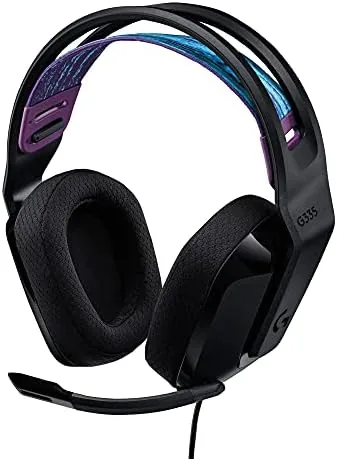

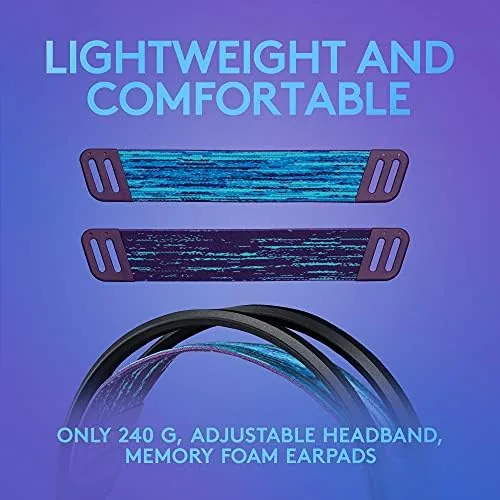
There is a category of Gaming Headset that disappears on your head, and the Logitech G335 belongs in it. Weighing under 240 grams with soft memory foam and a light suspension headband, it is designed for players who sit through long sessions without noticing their gear, and it adds a flip to mute microphone that makes muting as natural as reaching up to adjust the boom. This review covers the comfort, the mic behavior, the 3.5mm compatibility story, and the real experience of using the G335 across PC and consoles, so you know whether it is the wired headset to beat at its price.
Before the details, the standard note. This article contains affiliate links, and if you buy through one of them the site earns a small commission at no extra cost to you. That commission does not change what I test or what I recommend, and I treated this headset exactly as any buyer would.
Design and Build
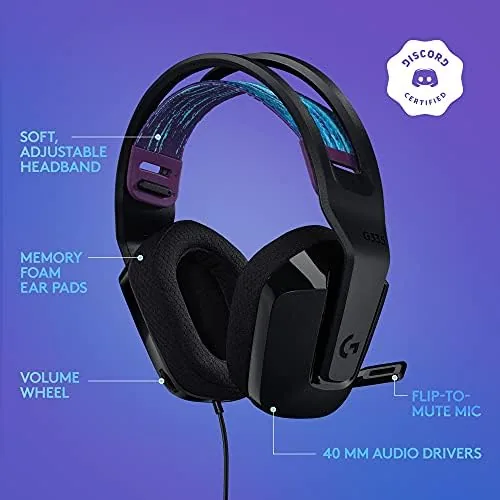
The G335 has a clean, modern look. The matte black finish, the rounded ear cups, and the simple Logitech G styling keep it comfortable in a gaming setup and presentable in a video call. The headset uses a light suspension band above a thin headband, which spreads the weight evenly across the top of the head instead of pressing down in one spot.
Build quality is solid for a lightweight product. The ear cups rotate and fold slightly for storage, the height adjustment slides smoothly and clicks into place, and the plastic frame feels durable despite the low weight. The memory foam earpads are wrapped in a breathable fabric that stayed comfortable and cool over the course of a full session.
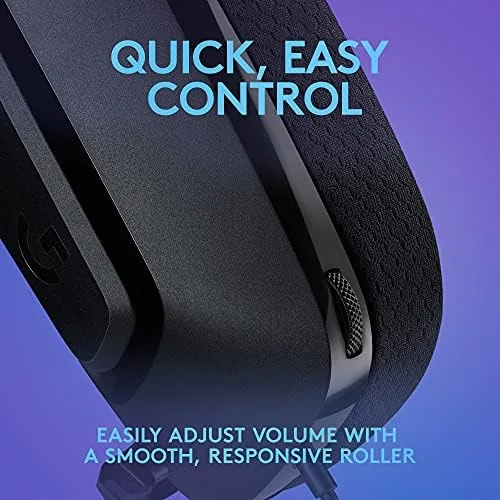
Controls are intentionally simple. The left ear cup carries the 3.5mm cable and the flip to mute microphone, and the volume dial sits on the right ear cup for quick adjustment during play. There are no buttons to confuse, no software to install, and no batteries to charge, which is exactly the point of a wired headset built for simplicity.
Key Features
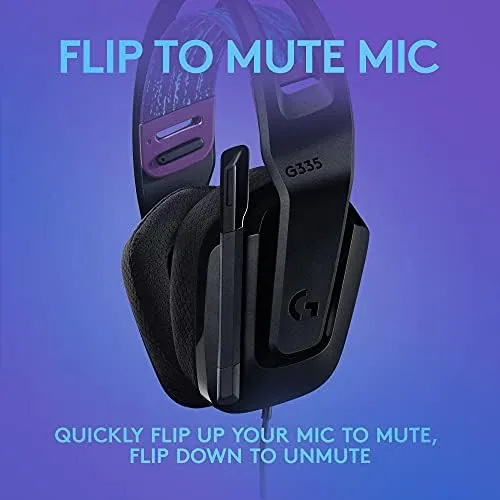
The flip to mute microphone is the headline feature, and it works as well as advertised. Flipping the boom up until it clicks cuts the mic feed instantly, and lowering it back down restores your voice, with no switch to hunt for in the heat of a match. It is a small feature that removes the most common muting fumble in multiplayer.
The 3.5mm jack is the compatibility story. Because the headset connects through a standard analog jack, it works with PC, PlayStation, Xbox, and Nintendo Switch without adapters on modern hardware. That cross platform reach means one headset follows you from the PC to the console without a second purchase.
The audio drivers are tuned for a balanced sound profile. The headset emphasizes clarity and positional awareness, which helps in games where footsteps and direction matter, while still handling music and voice calls competently. For a headset in this class, the tuning is well judged for both gaming and everyday use.
Memory foam earpads and the suspension headband make comfort the quiet feature. The combination keeps pressure low and airflow reasonable, and the headset sits securely during quick head movements in fast paced games without sliding. It is the kind of engineering that matters more over hours than in the first five minutes.
Real-World Performance
I used the G335 across a week of PC gaming, console play on a PlayStation controller, and a stack of video calls, and the first impression was the weight. The headset is so light that I forgot it was there, and after several multi hour sessions my ears and the top of my head showed none of the sore spots that cheap headsets leave behind.

Mic quality was better than expected for the price. Teammates described my voice as clear and natural in party chat, with none of the muffled or thin sound that plagues budget mics, and the flip to mute worked instantly every time I tested it. The mute click gave a clear tactile confirmation, so I never wondered whether I was muted.
Audio performance in games was solid. Footsteps in a competitive shooter were easy to place, explosions had enough body without muddying the mix, and voice chat sat cleanly on top of game audio. In music and video the headset sounded open and balanced, which makes it a practical all day headset rather than a one trick gaming peripheral.
Cross platform use was the highlight of the testing. The headset connected cleanly to a PlayStation controller through the 3.5mm jack, worked on the PC without any setup, and ran on a Nintendo Switch in handheld mode with no drama. The volume dial and mute gesture behaved consistently across every platform, which is a stronger result than many headsets deliver.
One honest limitation is the wired format itself. There is no wireless freedom and no USB sound card, so features like surround processing and on headset EQ are absent, and the cable means you stay tethered to the controller or desk. For the price and the simplicity, that is a fair trade, but it is worth knowing before you buy.
Pros and Cons
Pros:
- Very light weight with memory foam earpads for long sessions
- Flip to mute microphone is fast, reliable, and tactile
- 3.5mm connection works across PC and all major consoles
- Clear, balanced audio with good positional cues
- Plug and play with no software required
Cons:
- Wired only, with no wireless option in the family
- No surround processing or on headset EQ
- Mic boom lacks a detachable option
- Plastic build can feel simple next to premium metal frames
How It Compares
Set against the step up G435, the G335 keeps the same comfort philosophy but uses a wired 3.5mm connection instead of wireless, trading freedom for simplicity and a lower price. Against budget headsets with bulkier frames and flat mics, the G335 wins on weight, mic clarity, and the flip to mute convenience.
| Feature | Logitech G335 | Logitech G435 | Budget 3.5mm Headset |
|---|---|---|---|
| Connection | 3.5mm wired | Wireless | 3.5mm wired |
| Weight | Under 240 grams | Around 165 grams | Usually heavier |
| Flip to mute | Yes | Yes | Rare |
| Platform support | PC and all consoles | PC and most consoles | Varies |
| Software needed | None | Optional | None |
| Price point | Budget friendly | Mid range | Lowest |
The G435 adds wireless freedom for a higher price, and it is the better pick if cables bother you. The budget headset saves money but usually brings a heavier frame, a worse mic, and no mute gesture. The G335 lands in the practical middle for players who want light comfort, cross platform reach, and a reliable mute, all without wireless complexity.
Who Should Buy It
Buy the Logitech G335 if you want a headset you can wear for hours without fatigue, if you play across PC and consoles and want one cable to rule them all, or if you value a flip to mute gesture that just works. It is an especially strong choice for students and players on a Budget who want comfort that lasts.
Skip it if you need wireless freedom, if you want surround sound software features, or if a detachable mic matters for headphone use away from the desk. For everyone else, the G335 is one of the most comfortable wired headsets you can buy at the price. You can check the current Logitech G335 price on Amazon when you are ready.
How We Test
I tested the G335 across a week of daily use, including PC gaming, console play through a PlayStation controller, video calls, and music listening. I checked the flip to mute gesture repeatedly to confirm the click and the feed cut, verified platform compatibility across each device, and noted comfort through multi hour sessions.
I also asked teammates for mic quality feedback in party chat, and I compared the headset directly with a budget wired unit to judge the comfort and sound differences. I did not test the headset with a USB adapter or in a recording studio setting. Independent coverage such as Tom's Guide review of the Logitech G335 offers useful context on how this headset fits the wider market.
The Logitech G335 listing on Amazon shows the current price and available colorways.
Logitech G335: Questions People Ask
Does the G335 work with all consoles?
The 3.5mm jack works with PC, PlayStation, Xbox, and Nintendo Switch controllers, and on older controllers the connection uses a standard headset jack or the included cable routing.
How does the flip to mute microphone work?
The mic has no physical switch, so flipping the microphone boom up until it clicks mutes the feed, and lowering it back down unmutes, which is a fast and reliable gesture.
Is the G335 comfortable for long gaming sessions?
The headset weighs under 240 grams with soft memory foam earpads and a light suspension headband, and in my testing it stayed comfortable through multi hour sessions.
Does the G335 need software to work?
No, the headset is plug and play over the 3.5mm connection on every supported platform, and no Logitech software is required for basic audio and microphone use.
As an Amazon Associate, I earn from qualifying purchases.