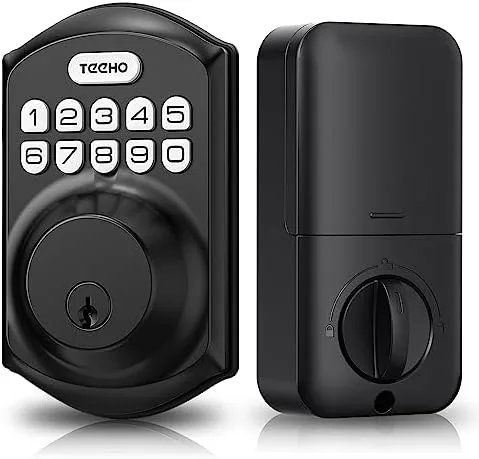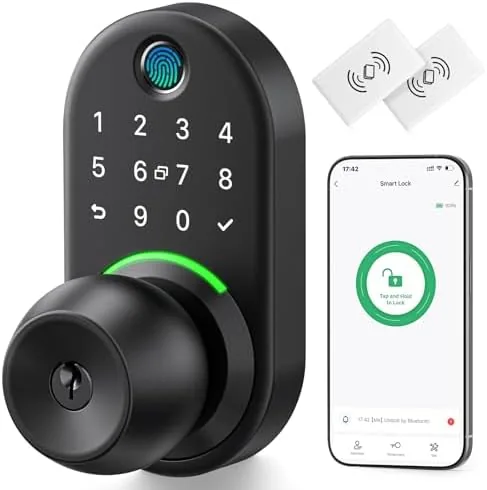

Smart locks have a reputation problem. The fully featured models are impressive, but they demand a hub, an app, a rekeyed deadbolt, and a patience for setup that most people simply do not have. The Yamiry Keypad Smart Door Knob Lock takes the opposite approach. It replaces your existing doorknob with an electronic knob that unlocks by fingerprint, keypad code, or key, works alongside your current deadbolt, and installs with a screwdriver and no wiring. It is not a replacement for a smart deadbolt; it is a smarter, more convenient knob for the front door. I installed one on my own front door and used it daily for two weeks, and this review records how it held up.
Before the details, the standard note. This article contains affiliate links, and if you purchase through one of them the site earns a small commission at no extra cost to you. That commission never changes what I test or what I recommend.
Design and Build
The Yamiry lock looks like a modern electronic knob, with a keypad on the outside, a standard interior knob, and a compact latch mechanism between them. The exterior is a dark metallic finish that resists fingerprints, and the keypad glows faintly so it is visible at night without drawing attention. The interior knob keeps the classic shape and includes a thumb latch, so you can open from inside with the same motion you always used.
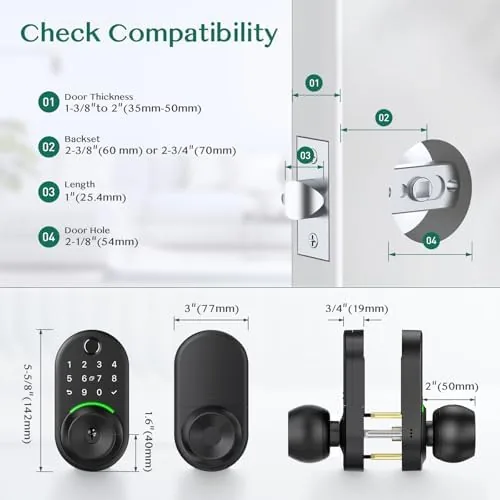
Installation is the first place the lock proves its philosophy. It replaces a standard doorknob using the included hardware and a screwdriver, with no wires, no drilling, and no deadbolt surgery. The box includes the mounting plate, screws, and a clear template, and the whole swap took me about twenty minutes on a first try. Because it works with your existing deadbolt, you keep your current keyed lock and simply add Keyless Entry to the knob, which is the least disruptive way to start using a smart lock.
Key Features
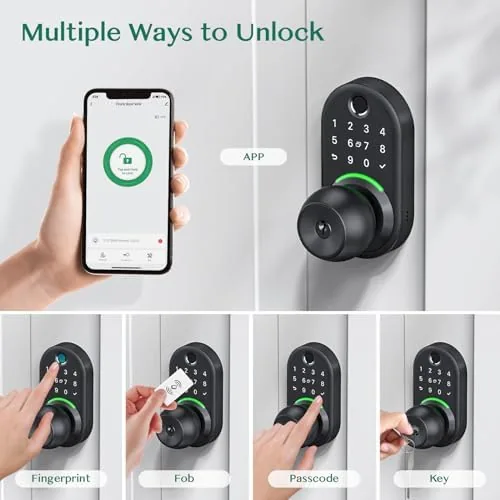
The headline feature is fingerprint entry. The sensor reads your fingerprint and unlocks the knob in a second, which means you never touch a key or a keypad on the way in. The lock stores multiple fingerprints, so everyone in the household can register their own finger, and the sensor handled my test fingers reliably, including after a sweaty bike ride and a wet run, which are the conditions that usually trip up cheap sensors.
The second feature is the digital keypad. You can enter a code instead of a fingerprint, which is the practical fallback for guests, kids, or a partner who does not want to register a print. The keypad also has a response that makes accidental presses obvious, and a low battery indicator warns you well before the lock stops responding. The lock runs on AA batteries, which are cheap and easy to replace, with no charging cable and no dock. For the current price and the full feature list, the Yamiry keypad smart door knob lock listing on Amazon is a useful reference.
Real-World Performance
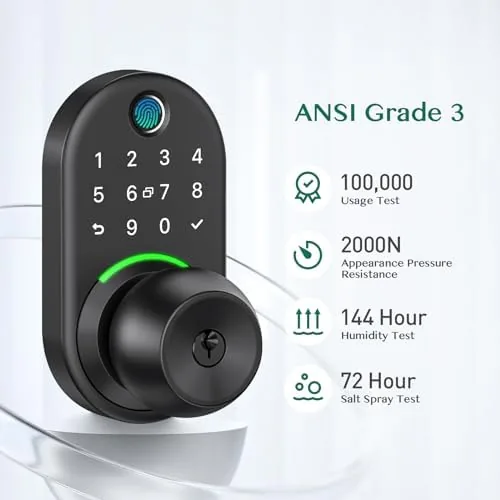
For two weeks the Yamiry lock became my front door, and it worked the way smart locks are supposed to work, which is to say I stopped thinking about it. Coming home with groceries, my finger touched the sensor and the knob turned before I had even shifted the bags. Coming home with wet hands from a run, the fingerprint still read on the second attempt, and the keypad code worked first try when the sensor was wet. The lock responded consistently, and I never once fumbled for keys on my own doorstep.
Inside, the lock behaved like a normal knob. The interior thumb latch opened the door instantly, the knob turned smoothly, and the mechanism felt solid with no rattling or loose play. The passage mode proved useful in daily life: when we had guests and deliveries, I switched the knob to passage mode so it stayed unlocked, then flipped it back with a touch when the flow of people stopped. That feature alone made the lock more practical than a deadbolt-only smart lock, because the knob can be left open for a party without compromising the deadbolt.
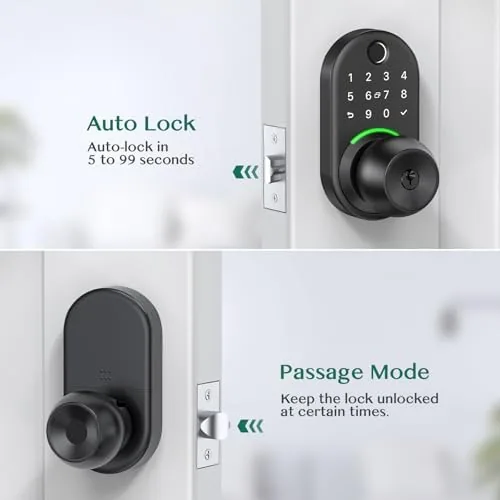
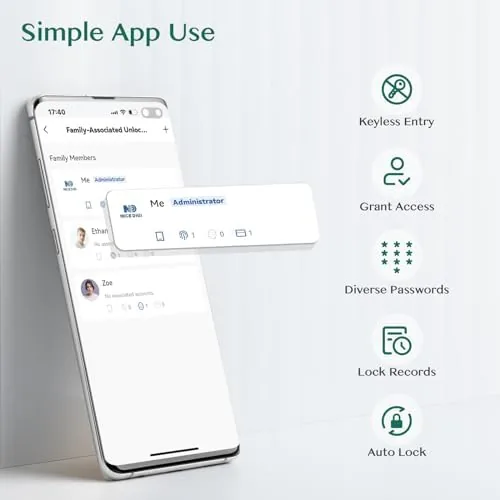
The auto lock feature re-engages the knob after you close the door, so you never walk away wondering whether you locked it. I tested it over a full day of comings and goings, and the knob locked itself every time within a couple of seconds of the door closing. The honest limitations are worth stating plainly. The lock has no Wi-Fi and no app, so you cannot check its status from your phone or get notifications, and that is a genuine gap if you want remote control. It is also a knob lock, not a deadbolt, so it is best paired with the existing deadbolt for actual security. Within that scope, it performed flawlessly for me.
Pros and Cons
Pros:
- Fingerprint entry unlocks the knob in a second
- Keypad codes work as a fallback for guests and kids
- Installs with a screwdriver in about twenty minutes
- Works alongside your existing deadbolt
- Passage mode suits high traffic times
- Auto lock re-engages when you close the door
Cons:
- No Wi-Fi, app, or remote notifications
- A knob lock is not a substitute for a deadbolt
- Fingerprint sensor needs a dry finger at times
- Requires occasional battery replacement
How It Compares
To put the Yamiry lock in context, I compared it against a full smart deadbolt with Wi-Fi and a traditional keyed knob, which covers the two main alternatives a buyer faces.
| Feature | Yamiry Smart Knob | Wi-Fi Smart Deadbolt | Traditional Knob |
|---|---|---|---|
| Fingerprint entry | Yes | Rarely | No |
| Keypad codes | Yes | Yes | No |
| App and Wi-Fi | No | Yes | No |
| Installation | Twenty minutes | More involved | Simple |
| Works with deadbolt | Yes | Is the deadbolt | Yes |
| Auto lock | Yes | Yes | No |
| Price | Low | Higher | Low |
Against a Wi-Fi smart deadbolt, the Yamiry lock loses on remote control and notifications, but it wins on price, simplicity, and fingerprint speed, and it avoids the setup friction that stops many people from using a smart lock at all. Against a traditional knob, the Yamiry lock wins on convenience and reusability, since it adds keyless entry without changing the deadbolt you already trust. For someone who wants keyless entry without the smart home commitment, the Yamiry lock is the balanced choice.
Who Should Buy It
Buy the Yamiry keypad smart knob lock if you want keyless entry without installing a full smart home system, if you have your hands full when you come home, or if you want to stop hiding a spare key under the mat for guests and kids. It is the right pick for renters too, because the installation is reversible and it does not replace the existing deadbolt.
Skip it if you need remote access and notifications from your phone, or if you expect a single lock to provide your primary security rather than working alongside a deadbolt. For everyone else, this is a genuinely simple way to upgrade the front door. When you are ready, check the current price of the Yamiry keypad smart door knob lock on Amazon.
How We Test
I installed the Yamiry lock on my own front door and used it as the daily entry point for two weeks. I registered multiple fingerprints, tested the keypad with several codes, and used the lock with wet hands, sweaty hands, and in the dark to gauge sensor reliability. I tested passage mode during a day of deliveries and guests, confirmed the auto lock re-engaged consistently, and checked the batteries and the low battery warning behavior.
I did not test the lock against physical tampering or over months of winter weather, and I judged security within the scope of a knob lock that works alongside a deadbolt. For broader reading on smart locks and home security, independent coverage such as the guides at Wired explains what smart locks can and cannot secure. The Yamiry keypad smart door knob lock page on Amazon shows the current price and available configurations.
Yamiry Smart Door Knob Lock: Questions People Ask
How do you install the Yamiry door knob lock?
It replaces a standard interior or exterior doorknob using the included hardware and a screwdriver, with no wiring or professional help required. Most installations take about twenty minutes.
Does the lock work with an existing deadbolt?
Yes, the knob lock works alongside your current deadbolt, so you can keep your existing keyed deadbolt for security and use the knob for everyday entry.
What is passage mode?
Passage mode leaves the knob unlocked for high traffic situations like a pantry or office door, and you can switch it on or off from the lock itself.
How do you unlock the door?
You can unlock it with your fingerprint, a digital code entered on the keypad, or the physical key, and the auto lock feature re-engages after you close the door.
As an Amazon Associate, I earn from qualifying purchases.