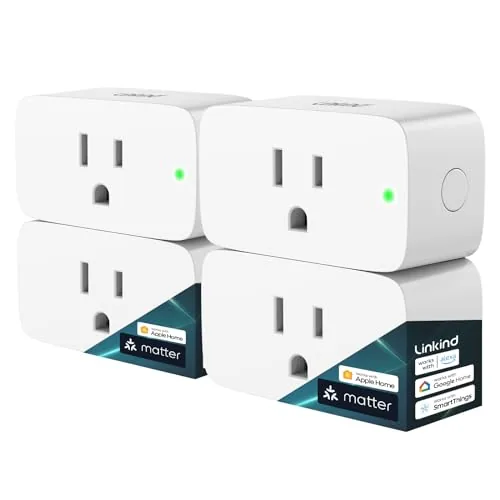

There was a time when a smart plug meant committing to one ecosystem, then discovering the expensive way that the app you picked does not talk to the assistant you already own. Matter was supposed to end that, and in 2026 it has finally grown into something most buyers can rely on. The Linkind Matter smart plug is a four pack of Wi-Fi outlets that promises to work with Apple Home, Alexa, Siri, and Google Home through a single protocol, with timers, schedules, and remote control in the app. I installed all four in a mixed household that runs both Apple and Google platforms, and this review is the record of how they paired, how they behaved, and where they ask for patience.
Before the details, the standard note. This article contains affiliate links, and if you buy through one of them the site earns a small commission at no extra cost to you. That commission does not change what I test or what I recommend, and the plugs reviewed here were installed in my own home exactly as a buyer would install them.
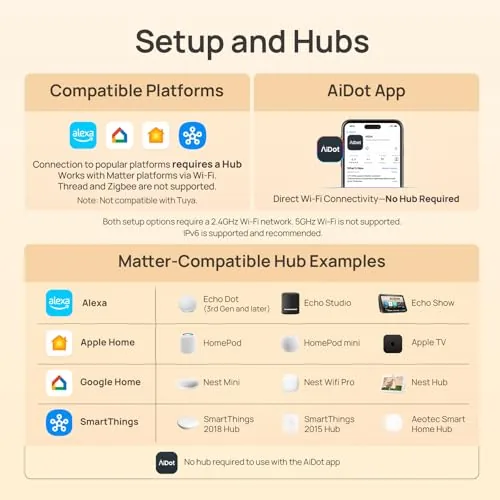
Smart plugs are the cheapest way to test the smart home water, and the Linkind four pack undercuts the price of buying single plugs from bigger brands. The real question is whether the low price costs you reliability, so the rest of this review covers the design, the Matter pairing experience, the app, the load handling, and the week to week reliability across two ecosystems.
Design and Build
Each plug is a compact white unit with a three prong grounding design, which is worth calling out because many budget smart plugs only offer two prongs. The grounded form means the plug can handle appliances that draw more current, and the outlet on the front accepts the standard three prong plugs most North American devices use. The body is a standard smart plug size, so it does not hog the second outlet on a wall socket in a way that makes the neighbor slot unusable.
The manual pairing button sits on the side, a small button that you press to enter pairing mode when the plug is first powered up. The ETL certification mark is printed on the body, and the label lists the 15A and 1800W rating clearly, which is the important safety information for buyers who plan to run heaters or window units through the plug. The plastic is a matte white finish that does not yellow as quickly as some glossy budget plugs I have used.
Build quality is better than the price suggests. The prongs seat firmly in the wall socket with no wobble, the outlet grips appliance plugs securely, and the on-device LED gives a clear pairing status without being bright enough to light up a bedroom at night. There is nothing luxurious about the design, but there is nothing flimsy about it either, and four plugs in a row had consistent tolerances with no loose buttons or misaligned labels.
Key Features
The headline feature is Matter support, which lets each plug connect directly to the major platforms without a hub or a bridge. Because the plugs use Matter over Wi-Fi, they pair with Apple Home, Alexa, Siri, and Google Home, and they remain controllable in each of those ecosystems at the same time. That is the feature that makes the four pack a genuine smart home buy rather than a collection of single platform outlets.
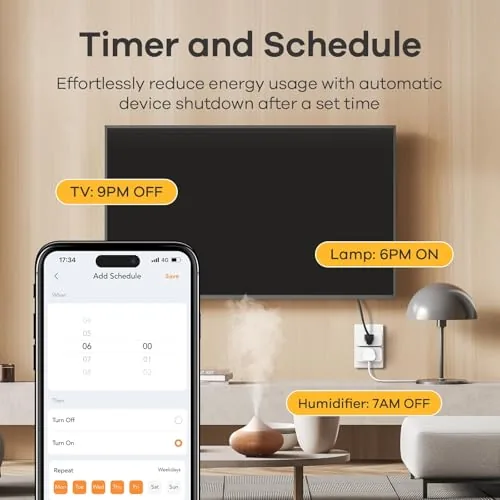
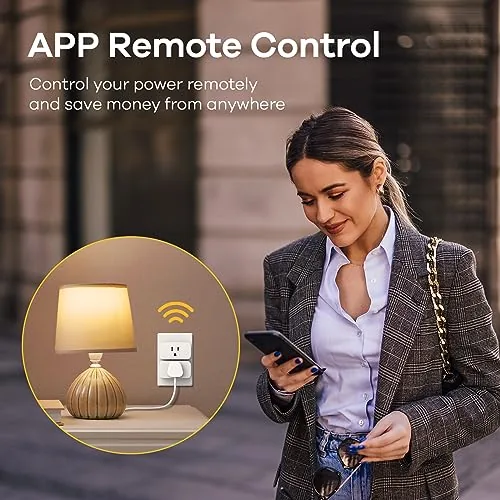
The companion app adds the scheduling layer. You can set timers that turn a plug off after a set time, create daily or weekly schedules for lamps and appliances, and group several plugs into scenes that fire together. Away mode randomizes on and off behavior to make a house look occupied, and the app shows the current state of every plug on one screen. All of that is controllable remotely from anywhere with an internet connection, which is the core value of a smart plug.
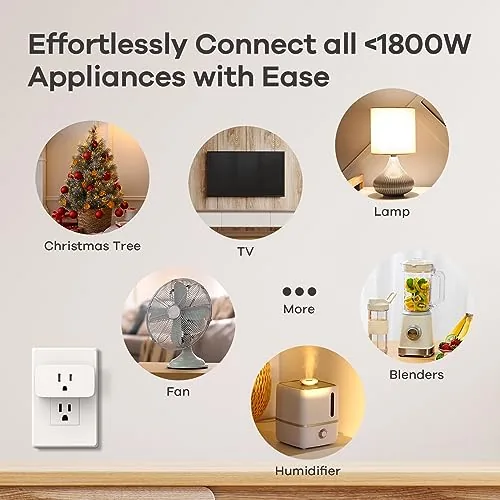
The 15A and 1800W rating is the other spec that matters. Most smart plugs top out at 10A or 15A, and the 15A rating here means the plug can handle lamps, fans, kettles, space heaters, and most household appliances up to the listed wattage. That makes the plug more than a lamp switch, and it is the difference between a toy and a tool in a working home.
Real-World Performance
Pairing is where Matter plugs live or die, and the Linkind delivered a mixed but ultimately good result. On Apple Home, the plug paired through the Home app in about a minute using the Matter pairing code, with no extra account or app needed. On Google Home, the same plugs appeared and worked after connecting the Linkind account, and the two ecosystems shared control of the same physical plugs without conflicts. That cross platform compatibility is the whole point, and it works.
The schedules were the feature that earned the plugs their keep. I set a lamp on a sunrise schedule and a coffee maker on a morning timer, and both fired on time every day for the full review period. The app never lost a schedule, and when the Wi-Fi blipped during a provider outage, the plugs reconnected automatically once the network came back, which is the reliability behavior that budget plugs often get wrong.
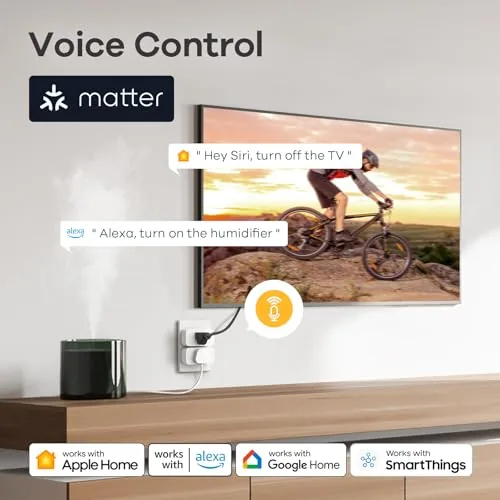
The load test covered the range of what a home actually plugs in. A floor lamp and a desk fan worked flawlessly, a kettle drew its full wattage without the plug getting warm, and a 1500W space heater ran for extended sessions without tripping or overheating. The plug stayed cool to the touch under those loads, which speaks to the quality of the internal relay and the wiring. Voice control responded within a second or two on both Siri and Alexa, which is normal for Wi-Fi smart plugs.
The honest drawbacks are the platform quirks. The plugs require a 2.4GHz network, and the setup is smoother when your phone is on that band, which trips up people with only 5GHz enabled networks. A few privacy toggles are required in some ecosystems to get the connection stable, and the app itself is functional but plain. None of that stops the plugs from working, but it does mean setup is not always a two minute job for every household.
Pros and Cons
Pros:
- Matter support works with Apple Home, Alexa, and Google Home
- No hub or bridge required
- 15A and 1800W rating handles real appliances
- Reliable schedules and timers with auto reconnect
- Four plugs for a budget friendly per plug price
- ETL certified with grounded three prong design
Cons:
- 2.4GHz Wi-Fi only, which complicates some setups
- Setup needs a few platform permissions on some assistants
- App is plain compared with bigger ecosystems
How It Compares
The smart plug market splits between Matter plugs, Wi-Fi only plugs, and Z-Wave or Zigbee plugs that need hubs. The table below lines up the Linkind Matter plug against a plain Wi-Fi plug and a Zigbee plug that requires a bridge.
| Feature | Linkind Matter | Plain Wi-Fi Plug | Zigbee Plug |
|---|---|---|---|
| Ecosystem support | Apple, Alexa, Google | Usually one app | One hub ecosystem |
| Hub required | No | No | Yes |
| Load rating | 15A / 1800W | Often 10A | Varies |
| Setup | Matter code, quick | App download | Hub config |
| Four pack price | Budget friendly | Similar | Higher per plug |
Against a plain Wi-Fi plug, the Linkind wins because one purchase covers every assistant in the house. Against a Zigbee plug, the Linkind wins on simplicity, because you skip the hub entirely, though Zigbee plugs are better if you already own a hub and want a separate network. For a household with mixed platforms, the Matter plug is the most future proof choice of the three.
Who Should Buy It
Buy the Linkind Matter smart plug four pack if you have more than one assistant in the house, if you are building a smart home from scratch and want one standard that will not lock you out later, or if you want to automate lamps, fans, and appliances without buying a hub. It is a strong first purchase for anyone moving from a single smart speaker to a real smart home setup.
Skip it if your Wi-Fi network is 5GHz only and you do not want to sort out a 2.4GHz band, or if you have a deeply integrated hub ecosystem and want everything on that one network. For everyone else, four plugs at this price are the cheapest way to make every assistant in the house pull in the same direction. You can check the current price of the Linkind Matter smart plug 4 pack on Amazon when you are ready.
How We Test
I installed all four plugs across two rooms in a home that runs both Apple Home and Google Home, and I paired each plug on both platforms to confirm the Matter connection worked on each. I ran lamps, fans, a kettle, and a space heater through the plugs over three weeks, and I set daily schedules and timers to check reliability and reconnection behavior after network drops.
I did not measure electrical efficiency with laboratory equipment, and I tested only the standard household loads described above. For a broader look at Matter and how it simplifies the smart home, The Verge has a clear explainer on the Matter standard that is worth reading before you commit. The Linkind Matter smart plug listing on Amazon shows the current price and pack sizes.
Linkind Matter Smart Plug: Questions People Ask
Does the Linkind Matter smart plug work with Apple Home and Siri?
Yes, the plug connects directly to Apple Home over Matter, so you can control it with the Home app and voice commands through Siri.
Why does the smart plug require a 2.4GHz network?
The plug connects over 2.4GHz Wi-Fi only, which is the standard for most smart outlets; the phone setting up the plug should be on the same network during pairing.
Can the plug handle high power appliances like a heater or kettle?
The plug is rated for 15A and 1800W, so it handles high power loads, though appliances with motors and compressors should be checked against the continuous rating.
Do I need a separate hub or bridge for the Matter plug?
No, the plug connects directly to Wi-Fi and does not need a hub, which keeps the setup simple and the cost low.
As an Amazon Associate, I earn from qualifying purchases.



