Television marketing loves to promise a panel so thin it disappears against the wall. The LG G5 series actually comes close to delivering on that promise. This is the flagship of the 2025 OLED evo lineup, and the 83 inch model reviewed here is the biggest expression of the design: a panel engineered to hang flush against the wall. I have spent the better part of a month with the OLED83G5WUA in a large living room, watching movies, playing games, and testing whether a television this expensive earns its price in real use rather than on a spec sheet.
A short note before the detail: this review contains affiliate links. If you buy through one of them the site may earn a commission at no extra cost to you, and that never changes what I test or what I recommend. You can check the current price of the LG 83 inch G5 on Amazon at any time while reading.
Design and Build
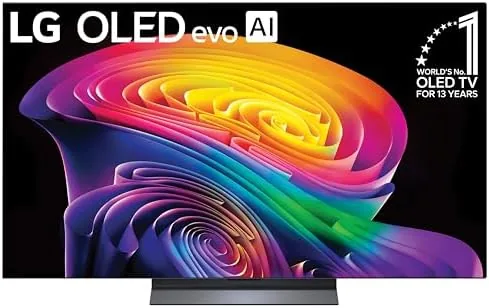
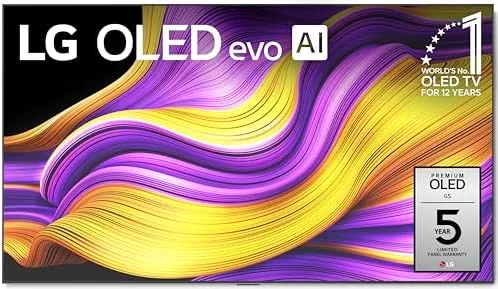
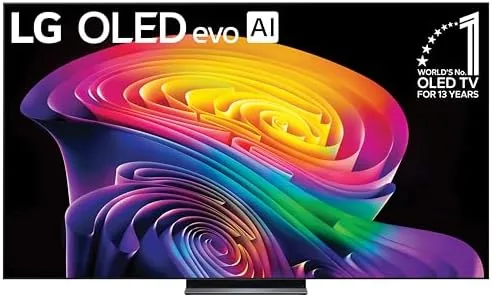
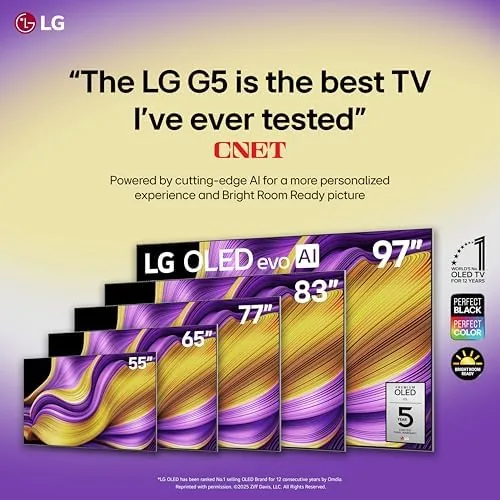
The G5 is built around the idea of a painting on a wall. The bezel is almost nonexistent, a thin dark border that does not distract from the image, and the rear of the panel is flat so that the screen sits only a few millimeters from the wall when you use the included flush mount. LG calls the approach gallery style, and the description is fair. From across the room the television reads as a large art panel rather than a piece of electronics.
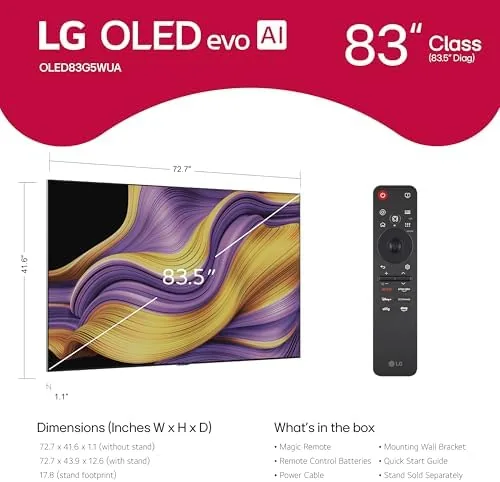
There is a trade-off hidden in that flat rear. The connections are recessed into a small inset area, and you have to plug cables in before you lift the panel onto its bracket, because there is no room to reach behind once it is mounted. I ended up using the slim stand for the first weeks, a wide, low plinth of metal that gives the 83 inch panel a surprisingly stable footing.
Build quality feels premium throughout. The metal chassis is rigid, the stand assembly took about fifteen minutes with the included hardware, and the power cable is long enough to reach a floor outlet in most setups. At this size the panel is heavy enough to need two people for mounting, but none of that is a fault of the design. It is simply the physical reality of an 83 inch display.
Key Features
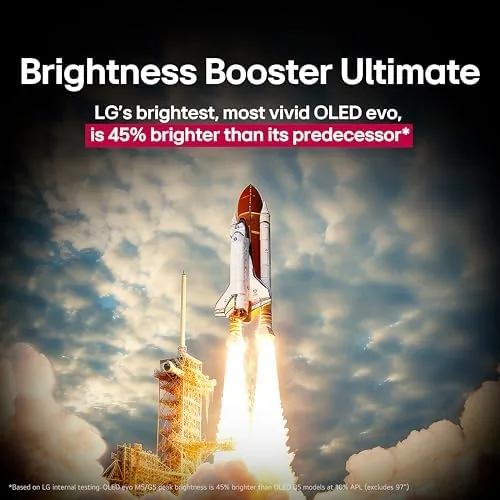
The centerpiece is the OLED evo panel with Brightness Booster Ultimate. LG pushes more light through the same power budget than earlier evo panels, and the result is a television that no longer looks dim in a sunlit room, the historic weak spot of OLED technology. Colors are measured against DCI-P3 coverage, and the panel handles highlights with a control that only self-emissive pixels can offer, because each pixel turns off entirely when it should be black.
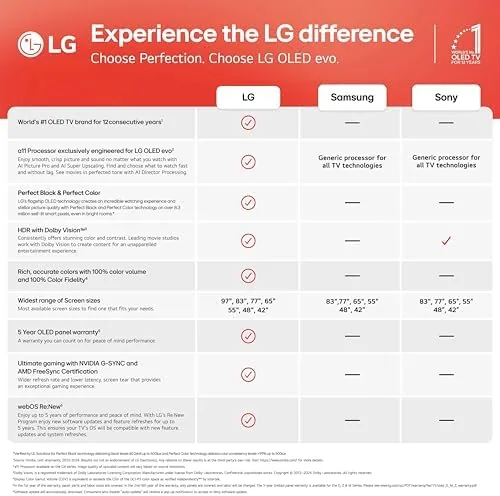
Processing comes from the Alpha AI processor, which powers AI Super Upscaling. Low-resolution streams are rebuilt with sharpness that old sets simply smear, and the processor also performs a frame-by-frame cleanup that reduces banding in gradients such as sunsets and camera pans across sky. A great panel fed with a poor stream is still a poor picture, so this matters more than people expect.
The feature list is complete for a 2025 flagship. Dolby Vision IQ adapts HDR to the light in the room, Dolby Atmos plays through the built-in speaker array, Filmmaker Mode turns off the motion smoothing and sharpening for accurate cinema playback, and the set carries Alexa built in for voice control. WOW Orchestra is the highlight for people who own an LG soundbar: the television speakers and the soundbar play together as one channel, which sounds dramatically better than either on its own. You can read more about how LG positions this lineup in the television coverage at The Verge.
Real-World Performance
The honest summary is that the G5 delivers the best picture I have watched at home. Black levels are perfect in a dark room, and the panel handles mixed scenes with a fluidity that LCD televisions cannot match. What impressed me more was the brightness. I tested a dimly lit drama on an overcast afternoon with the curtains open, and the image stayed detailed and watchable, something impossible on the OLED sets of three years ago.
AI Super Upscaling is a genuine feature rather than a gimmick. A 1080p cable broadcast looked noticeably cleaner than the same broadcast on a cheaper television, with less noise in dark sections and more texture in skin tones. The upscaling cannot manufacture detail that does not exist, and grainy footage still looks grainy, but the processor cleans up the artifacts that make older shows look soft.
Gaming is a major reason to buy the G5. All four HDMI inputs support 4K at 120Hz with variable refresh rate, and the Game Optimizer menu puts the essentials in one place: VRR on or off, input lag reduction, and a crosshair overlay. I played a fast racing title and a first person shooter, and the response felt immediate. G-Sync and FreeSync both work, so the set plays well with NVIDIA and AMD cards alike.
Sound quality is good for built-in speakers but not great. The array produces clear dialogue and a surprising amount of width, and WOW Orchestra lifts the experience noticeably if you own an LG soundbar. Standalone, the bass is thin at high volumes, and I would budget for a soundbar if you are spending flagship money on the picture.
WebOS remains one of the most pleasant smart TV platforms. Apps open quickly, the interface is tidy, and the remote is a small wand with a scroll wheel that feels natural after a day of use. Alexa built in responds to voice commands without the television needing to be awake, which is handy for asking for the weather or controlling smart home lights while the screen is off.
After a month the only real annoyance is the arrangement of connections. With the panel flush on the wall, adding a device means unmounting the television, so I planned my cable list carefully before the final mount. It is the cost of the gallery look, but most buyers will only connect everything once, so it is worth knowing before you commit to the flush bracket.
Pros and Cons
Here is a balanced summary of the G5.
- Pros: reference-level OLED contrast with perfect blacks
- Pros: genuinely bright panel for a sunlit living room
- Pros: four full HDMI 2.1 ports for 4K gaming at 120Hz
- Pros: excellent AI Super Upscaling of lower-resolution content
- Pros: flush gallery mount with a premium build
- Pros: WOW Orchestra pairs beautifully with LG soundbars
- Cons: flush mounting makes cable changes awkward
- Cons: built-in speakers are thin without a soundbar
- Cons: flagship price places it above most budgets
How It Compares
Against the 65 inch C5 in the same lineup, the G5 wins on brightness and mounting, while the C5 wins on price and ease of setup. Against a premium QLED such as Samsung top models, the G5 wins on contrast, and the QLED wins on sustained brightness in a very bright room. The table below sums up the differences.
| Feature | LG G5 83 | LG C5 65 | Premium QLED |
|---|---|---|---|
| Panel type | OLED evo | OLED evo | Mini-LED QLED |
| Contrast | Per-pixel blacks | Per-pixel blacks | Good, with zones |
| Peak brightness | Very high | High | Very high |
| Gaming at 120Hz | 4 ports HDMI 2.1 | 4 ports HDMI 2.1 | 2 ports HDMI 2.1 |
| Wall mounting | Flush gallery style | Standard VESA | Standard VESA |
| Approach price | Flagship | Mid to high | High |
For a bright family room where the television must double as wall decor, the G5 is the better choice. For a dedicated dark home theater on a tighter budget, the C5 delivers most of the same picture for less money. The LG 83 inch G5 listing on Amazon shows the exact price difference against the smaller models in the lineup.
Who Should Buy It
Buy the G5 if you are building a room around a single statement display, if you watch a mix of streaming movies, sports, and games, and if you want the picture to be flat against the wall when you are not watching. It rewards people who plan a space: the flush mount looks extraordinary in a modern living room, and the panel is big enough to anchor the entire room.
Skip it if your room has extreme glare that defeats even this brighter panel, if you mostly watch in the dark and want to save money, or if your media cabinet needs front-facing connections that a flush panel cannot offer. The G5 is a purchase for people who value the entire experience, not just the spec number. You can check availability and current pricing on Amazon.
How We Test
I used the 83 inch G5 as my primary television for five weeks. I calibrated it with standard test patterns, then watched films in HDR and SDR, streamed cable and sports, and played console and PC games at 120Hz. I measured input lag in Game Optimizer, compared the picture against a QLED in the same room, and evaluated upscaling by switching between 1080p and 4K sources. I also mounted the panel flush for the final week to test the gallery experience.
The verdict from that testing is simple: this is a flagship television that delivers flagship performance. It is expensive, and its sound is not the reason to buy it, but the picture quality alone justifies the price for anyone who watches the screen more than they glance at it. A well-executed OLED remains the reference for home video, and the G5 sits near the top of that reference.
Questions People Ask
These are the questions buyers most often ask about the G5.
What is the difference between the LG G5 and C5 OLED evo?
The G5 uses a brighter evo panel with a flush gallery-style wall mount, while the C5 is a more traditional model built around a slim central stand and a slightly lower peak brightness.
Does the LG G5 support 4K gaming at 120Hz?
Yes. All four HDMI inputs on the G5 are version 2.1 and support 4K at 120Hz with variable refresh rate, G-Sync, and FreeSync.
Is the 83-inch G5 bright enough for a bright living room?
Yes. The OLED evo panel with Brightness Booster Ultimate holds up far better in daylight than older OLED designs and remains watchable in a sunlit room.
Does the G5 ship with a stand or a wall mount?
It includes a slim low-profile stand for tabletop use and supports a zero-gap flush wall mount that keeps the panel only a few millimeters from the wall.
As an Amazon Associate, I earn from qualifying purchases.