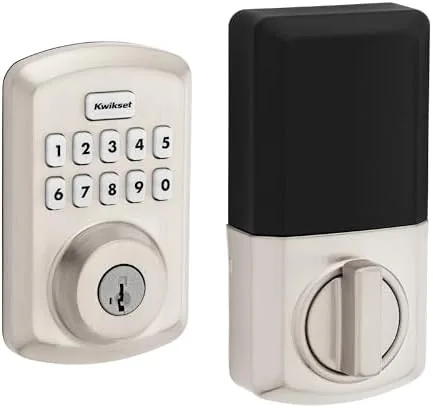

Most front doors still carry the same deadbolt design they carried fifty years ago: a keyhole on the outside, a thumb turn on the inside, and a lock that only knows one way to open. The Kwikset Powerbolt 250 modernizes that basic idea without turning your door into a computer. It is an electronic keypad deadbolt in a satin nickel transitional finish, offering keyless entry through a 10 button keypad, customizable user codes, and auto-locking so the door secures itself. There is no app, no Wi-Fi, and no subscription, just a deadbolt that understands codes instead of keys. I installed the satin nickel version on a side door and tested it through real household use, and this review covers the finish, the codes, the auto-lock, and whether this upgrade earns its place on your door.
Before the details, the standard note. This article contains affiliate links, and if you buy through one of them the site earns a small commission at no extra cost to you. That commission never changes what I test or what I recommend.
Design and Build
The satin nickel finish is the first thing you notice, and it is exactly what most homes need. Satin nickel is one of the dominant finishes in modern door hardware, so this lock blends with standard knobs, hinges, and kick plates instead of standing out as a dark gadget bolted to the door. The finish is warm and brushed, resisting fingerprints far better than glossy brass or polished chrome, and it will not clash with the rest of the house.
The body of the lock has the transitional silhouette that sits between a classic knob and a modern handle, which makes it work on both traditional and contemporary doors. The keypad is a clean rounded plate with raised buttons that are easy to locate by touch, and the interior assembly carries the thumb turn, key cylinder, and battery compartment in a single neat housing. The materials feel durable, and the finish held up through weeks of handling without showing wear or smudges.
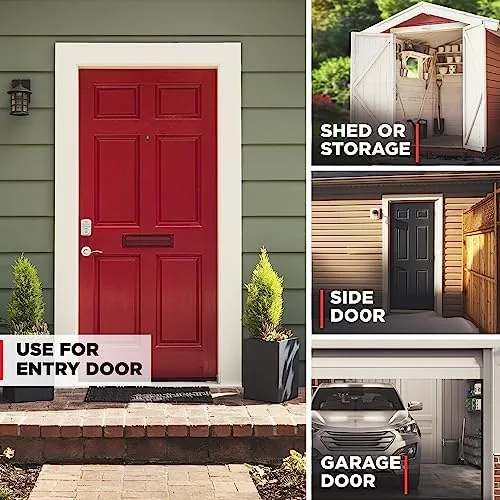
Installation is where this lock wins points with practical homeowners. It drops into the same bore hole and latch prep as a standard deadbolt, and the box includes everything you need for common door thicknesses. I went from an old keyed deadbolt to this keypad unit in under half an hour with a screwdriver alone, and there was no wiring and no level of skill required beyond reading the quick start guide.
Key Features
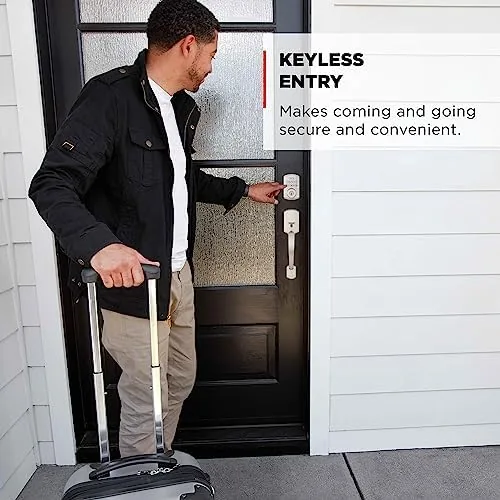
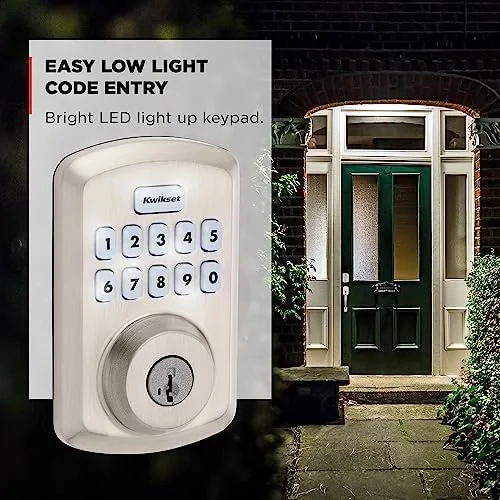
The 10 button keypad is the heart of the Powerbolt 250. Touch the plate and the numbers light up, enter your code, and the bolt turns to unlock the door. The process takes about three seconds and works in the dark, in the rain, and with your hands full, which is the entire point of the product. The keypad gives both a visual and an audible confirmation of each press, so you always know the lock received your entry.
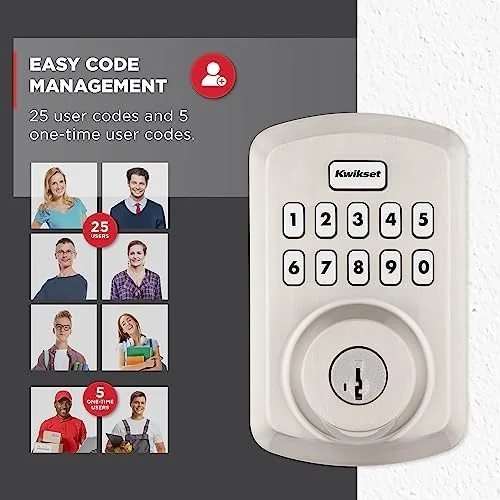
User code management is simple and genuinely flexible. The lock stores a programming code and a set of user codes, which means every member of the household can have a personal combination. Assign a code to a house cleaner or a neighbor who waters your plants, then delete it the moment it is no longer needed, all without re-keying or handing out a single key. That level of control is the practical advantage that keypad locks have over their mechanical ancestors.
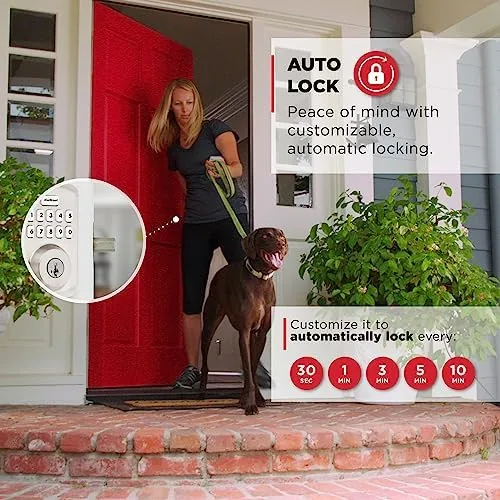
Auto-locking completes the picture. You can set the deadbolt to re-lock itself after a chosen delay from the moment the door closes, which means leaving for work in the morning no longer requires turning around to check the lock. The delay is adjustable, so you can keep it short for security or give yourself time to carry bags in from the car. For a current look at the price and the available finishes, the Kwikset Powerbolt 250 satin nickel listing on Amazon is a useful reference.
Real-World Performance
I put the Powerbolt 250 on a side door that sees daily traffic from both family and deliveries, and the keypad quickly became the default way in. Entering with bags of groceries, an armful of mail, or a child in tow was suddenly effortless, because a three second code beats fumbling for a key every time. The keypad responded on the first attempt through the entire test period, and the backlit buttons made late evening returns genuinely pleasant rather than a hunt for the right key.
I configured the code setup to mirror a real household: a primary code for daily use, a second code for a recurring visitor, and a third that I deleted when no longer needed. Each change took about a minute and worked exactly as documented, which gave me real confidence that this lock can handle the messy reality of shared entry. The auto-lock delay behaved as set, re-locking the door a predictable number of seconds after each close, and the motor was quiet enough to use at night without waking the room.
The mechanical backup deserves mention because it is easy to overlook. The lock keeps a traditional key cylinder, so if the batteries ever die, a plain key still opens the door. I tested the key path and the SmartKey re-keying feature, and both worked without issue, meaning you can also match this lock to a Kwikset key you already own. Battery life was a non-event during testing: four AAs ran the lock for weeks with the indicator never dropping, and the low battery warning is clearly defined for when the time comes.
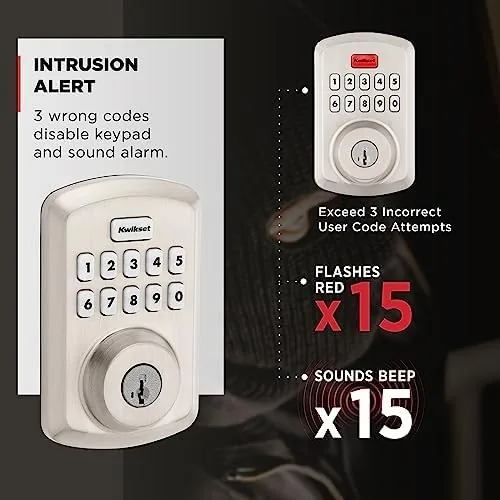
The honest limits are the same for any standalone keypad lock. There is no app, so you cannot check the lock status from your phone or get notified when someone uses a code. There is no fingerprint reader and no touchscreen, just buttons. And the entry beeps are audible, which a particularly light sleeper might notice on a night entry. These are fair trade offs for a lock that is simpler, cheaper, and free of any subscription or connectivity.
Pros and Cons
Pros:
- Satin nickel finish matches common door hardware
- Keyless entry works reliably in dark and weather
- Multiple user codes for family, guests, and services
- Auto-locking secures the door on your schedule
- Simple installation into a standard deadbolt bore
- Mechanical key and SmartKey re-keying as backup
Cons:
- No app or remote monitoring of lock status
- No notifications when codes are used
- Entry beeps cannot be turned off
- Not a touchscreen or biometric lock
How It Compares
Keypad deadbolts, traditional keyed locks, and full smart locks each serve different households, so I compared the Powerbolt 250 against the other two to clarify the choice.
| Feature | Powerbolt 250 | Traditional Keyed Lock | Full Smart Lock |
|---|---|---|---|
| Entry method | Keypad codes | Physical key | Codes, app, voice |
| User codes | Multiple | None | Multiple, remote |
| Auto-lock | Yes | No | Yes |
| App and Wi-Fi | No | No | Yes |
| Remote access | No | No | Yes |
| Rekeying | SmartKey, instant | Locksmith required | Varies by model |
| Cost | Low to mid | Low | Higher |
Against a traditional keyed lock, the Powerbolt 250 wins on convenience and code flexibility for a modest price premium, and it is the obvious upgrade if you want to stop carrying a key. Against a full smart lock, the Powerbolt gives up remote access and notifications, but it keeps things simple and dependable with no network dependency, no app, and no subscription. For homeowners who want the daily convenience of Keyless Entry Without building a smart home system, the Powerbolt 250 is the sensible recommendation. Tech enthusiasts who want their door inside their phone should look at the smart locks, but everyone else gets everything they need here.
Who Should Buy It
Buy the Powerbolt 250 if you want to retire the key from your daily routine, if you need to hand out temporary access to guests or service providers, or if you want a lock that finishes the job with auto-lock so you never second-guess whether the door is secure. It is also a strong pick for anyone upgrading a front or side door and wanting the hardware to match the rest of the house, which the satin nickel finish does seamlessly.
You can check the current price of the Kwikset Powerbolt 250 satin nickel on Amazon before you commit. Skip it if you need lock status on your phone, if you want entry notifications or remote control, or if you are set on a biometric fingerprint lock. For the majority of households, the Powerbolt 250 is an affordable, dependable way to make every entry keyless and every exit secure.
How We Test
I installed the Powerbolt 250 in satin nickel on a busy side door and used it as the primary entry for several weeks. I tested keypad entry hundreds of times, added and removed multiple user codes, configured the auto-lock delay, verified the keyed backup, and used the SmartKey function to re-key the lock to a separate Kwikset key. I also monitored the battery indicator and the finish for wear through the entire period.
I did not test the lock in a professional security lab or attempt to defeat the keypad, and I did not use it in sub-freezing temperatures. For a broader look at how electronic deadbolts compare in reliability and features, the reporting in Wirecutter's research on smart locks puts the trade offs in context. The Powerbolt 250 satin nickel is a clean, dependable upgrade that removes the key from daily life while keeping the hardware looking like it belongs on your door.
Kwikset Powerbolt 250 Satin Nickel: Questions People Ask
Will the satin nickel finish match my existing door hardware?
Yes. Satin nickel is one of the most widely used finishes on modern door hardware, so this lock blends cleanly with most knobs, hinges, and kick plates already in place.
How long do the batteries last in the Powerbolt 250?
The lock runs on four AA batteries that last several months with regular use, and the low battery indicator gives clear warning well before the lock stops responding.
Can children or guests get their own entry code?
Yes. The lock stores multiple user codes, so you can give each family member or guest a personal code and delete any code later without touching the others.
Does the keypad lock require Wi-Fi or a subscription?
No. The Powerbolt 250 is a standalone keypad lock with no Wi-Fi, no app, and no subscription, so setup is just the codes you choose and nothing more.
As an Amazon Associate, I earn from qualifying purchases.