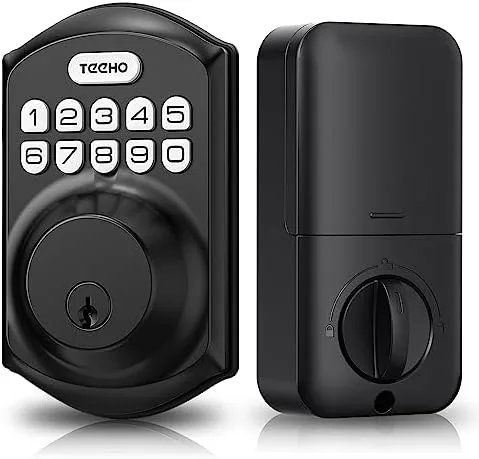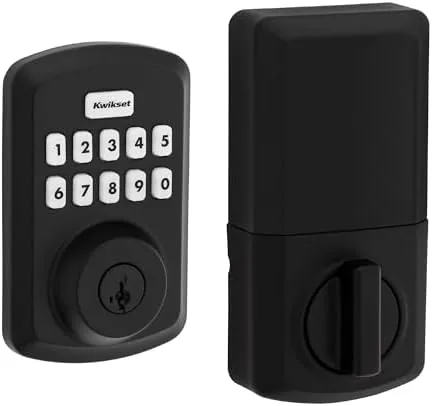

There is a moment in every busy household when a hand full of groceries meets a locked front door and a pocket that does not have the key where it should be. The Kwikset Powerbolt 250 exists to retire that moment. This transitional electronic deadbolt replaces the everyday key routine with a 10 button keypad, programmable user codes, and an auto-locking feature that secures the door for you. It does not connect to an app, call your phone, or require a subscription, which is exactly why a lot of homeowners prefer it. I installed the matte black version on a front door and lived with it for several weeks, and this review covers the keypad, the codes, the auto-lock, and whether this simpler approach still delivers real convenience.
Before the details, the standard note. This article contains affiliate links, and if you buy through one of them the site earns a small commission at no extra cost to you. That commission never changes what I test or what I recommend.
Design and Build
The Powerbolt 250 has a transitional design that sits comfortably between traditional and modern. The matte black finish looks sharp against both painted wood and modern steel doors, and the rounded keypad shape avoids the industrial look of some electronic locks. The keypad sits on the exterior, the thumb turn and key cylinder occupy the interior, and the whole assembly reads as a conventional deadbolt until you look closely at the glowing numbers.
The build quality is solid for the price. The zinc construction feels substantial in the hand, the keypad buttons have a clean, positive press, and the matte black coating resists the fingerprints that plague glossy finishes. The unit is powered by four AA batteries, which are easy to replace through a small access on the interior, and the low battery indicator gives plenty of warning before the power runs out. This is a lock designed for simple, dependable service rather than gadgetry.
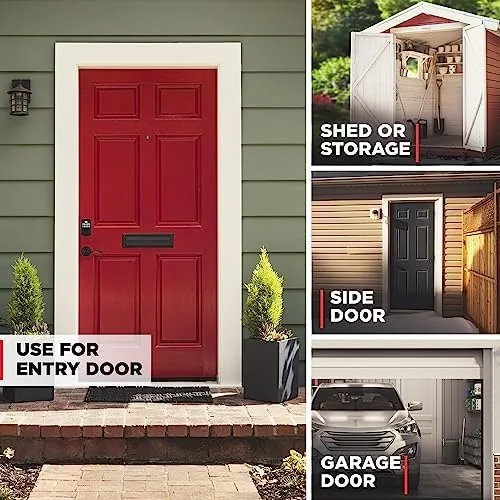
Installation is genuinely straightforward. The deadbolt fits the standard 2 1/8 inch bore and 1 inch latch holes that most American doors already have, and the included hardware covers common backset and door thickness combinations. I completed the swap from a standard keyed deadbolt in under thirty minutes with nothing more than a screwdriver, which is the experience most homeowners will have.
Key Features
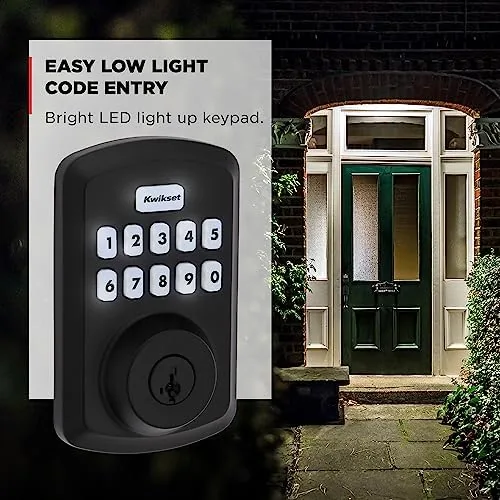
The 10 button keypad is the front door to the whole product, and it works exactly as advertised. Enter your code, wait for the audible and visual confirmation, and the bolt retracts with a smooth mechanical turn. The keypad lights up when touched so evening entry is easy, and the layout is standard enough that you can enter your code in the dark by feel once you learn it. The response is immediate and reliable, with no lag between the final button press and the lock opening.
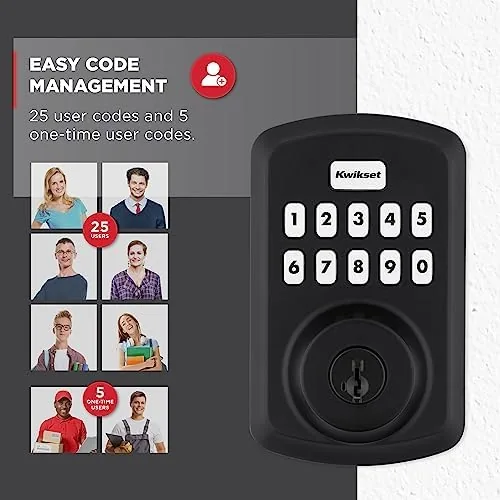
Customizable user codes are where the real flexibility lives. The lock stores a programming code plus multiple user codes, so each household member can have their own combination. That means you can give a code to a dog walker or a cleaner and delete it the day they leave, without changing the lock or handing out keys. The programming sequence is simple and documented on the quick start guide, and I set up and removed codes several times without needing the manual again.
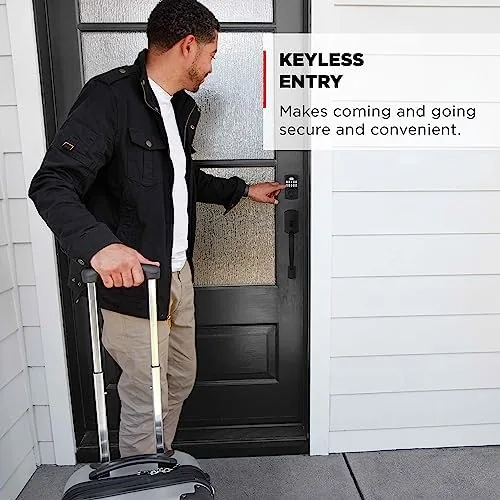
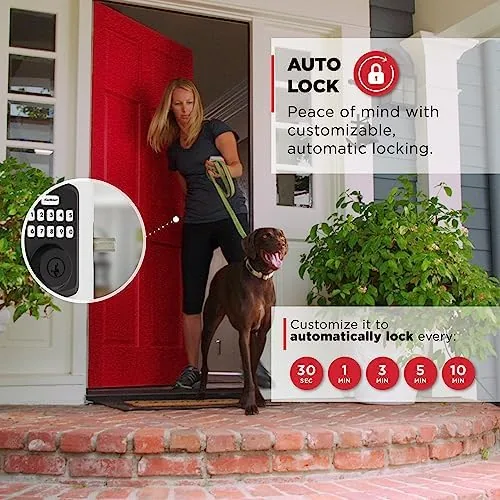
Auto-locking is the feature that quietly transforms daily life. Set a delay and the deadbolt re-locks itself after the door closes, so you never walk away wondering whether you turned the lock. The delay is configurable, which lets you balance security against the seconds you need to grab a bag from the car. Combined with the keyless entry, the Powerbolt 250 removes the key from both directions of your day: no fumbling to get in, and no doubt that the door is locked when you leave. For a current look at the price and finishes, the Kwikset Powerbolt 250 listing on Amazon is a useful reference.
Real-World Performance
I installed the Powerbolt 250 on my front door and used it as the only entry method for three weeks. The daily routine became genuinely frictionless: come home with groceries, tap the code, and the door opens without setting anything down. On the way out, auto-lock meant I never thought about the lock at all. The keypad read every entry reliably, even in cold weather and through a few days of rain, and the button backlight made evening returns easy.
I tested the code management with a realistic household setup: my own code, a second user code for a guest, and a third that I deleted after the guest left. Adding and removing codes took about a minute each and worked without error, which is the flexibility that makes keypad locks worth owning. The auto-lock delay responded as configured, re-locking the door the set number of seconds after each close, and the motor turn was quiet enough not to wake the house at night.
The SmartKey re-keying feature proved its value when I tested it. In under a minute, I re-keyed the cylinder to a different Kwikset key I had on hand, and the lock worked with the new key immediately. That means you can move this deadbolt to a new door and make it match your existing house key without a locksmith, which is a genuine advantage over many electronic locks. The mechanical key backup also works flawlessly, so a dead battery is an inconvenience rather than a lockout.
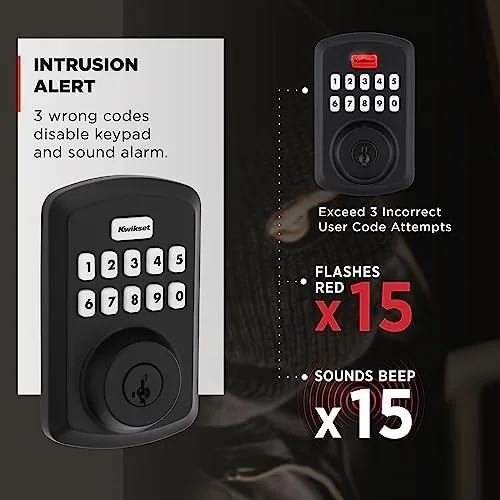
The limitations are honest ones. Without app connectivity, there is no remote access, no lock status check from your phone, and no notification when a code is used. The audible beeps cannot be silenced on the basic model, which a light sleeper might notice. And the deadbolt responds to entry codes, but it does not integrate with any smart home system, so it is the wrong choice if you want the lock to talk to your other devices.
Pros and Cons
Pros:
- Keyless entry removes the key from the daily routine
- Multiple customizable user codes for family and guests
- Auto-locking secures the door automatically on a delay
- SmartKey re-keying matches your existing Kwikset key
- Straightforward installation with basic tools
- Mechanical key backup covers a dead battery
Cons:
- No app, Wi-Fi, or smart home integration
- No lockout or entry notifications
- Audible beeps cannot be silenced
- Basic model lacks a touchscreen and fingerprint reader
How It Compares
The keypad deadbolt market splits between standalone locks like the Powerbolt 250 and app-connected smart locks, so I compared them directly to see what the extra connectivity buys you and what it costs.
| Feature | Kwikset Powerbolt 250 | Basic Keyed Deadbolt | App-Connected Smart Lock |
|---|---|---|---|
| Keyless entry | Yes, keypad codes | No | Yes, plus app |
| User codes | Multiple | None | Multiple, remote |
| Auto-lock | Yes | No | Yes |
| App and Wi-Fi | No | No | Yes |
| Remote control | No | No | Yes |
| Rekeying | SmartKey, instant | Key change by locksmith | Usually not needed |
| Installation | Easy, standard bore | Easy | Easy |
Against a basic keyed deadbolt, the Powerbolt 250 wins on convenience and code management, and it costs only modestly more while removing the key from daily life. Against an app-connected smart lock, the Powerbolt gives up remote access, notifications, and smart home integration, but it gains simplicity, lower cost, and no reliance on a Wi-Fi network or a companion app. For homeowners who want keyless entry without turning their door into an internet-connected device, the Powerbolt 250 is the sensible middle ground. It is not the right lock for tech enthusiasts who want their door in their phone, but it is exactly right for everyone who just wants the key gone.
Who Should Buy It
Buy the Powerbolt 250 if you want Keyless Entry Without the complexity of a smart home setup, if you regularly hand temporary access to guests or service providers, or if you are tired of fumbling for keys with full hands. It is also an excellent choice for anyone moving into a home with unknown key copies floating around, since SmartKey lets you re-key the lock to your own key in under a minute.
You can check the current price of the Kwikset Powerbolt 250 on Amazon before you decide. Skip it if you need remote access and lock status from your phone, if you want your lock integrated with a smart home hub, or if you prefer a fingerprint or touchscreen interface. For the large majority of households, the Powerbolt 250 delivers dependable, affordable keyless entry with a set of features that covers the essentials.
How We Test
I installed the Powerbolt 250 in matte black on a standard front door using only the included hardware and a screwdriver, then used it as the primary entry method for three weeks. I tested keypad entry hundreds of times, added and deleted multiple user codes, configured the auto-lock delay, re-keyed the cylinder with SmartKey, and verified the mechanical key backup. I also confirmed the low battery warning behavior by monitoring the indicator through the test period.
I did not test the lock in freezing weather below typical winter use, and I did not attempt to bypass the keypad or force the bolt, which is beyond any residential lock. For independent perspective on keypad deadbolt reliability, the guidance in CNET's coverage of electronic door locks frames the trade offs well. The Powerbolt 250 is a dependable, uncomplicated keyless upgrade that delivers exactly what it promises: the key disappears, and the door takes care of itself.
Kwikset Powerbolt 250: Questions People Ask
How many user codes can the Powerbolt 250 store?
The deadbolt supports multiple user codes plus a separate programming code, so several household members can each have their own combination, and individual codes can be deleted without affecting the others.
Does the Powerbolt 250 have auto-lock?
Yes. You can set the lock to re-lock automatically after a chosen delay once the door closes, so the deadbolt secures itself without any action on your part.
Can I re-key the lock to match my existing Kwikset key?
Yes. The SmartKey feature lets you re-key the cylinder to your current key in seconds, without removing the lock from the door or calling a locksmith.
What happens if the batteries die?
The Powerbolt 250 keeps a traditional keyed cylinder as a backup, so a mechanical key still opens the door if the four AA batteries run out, and the low battery indicator warns you well in advance.
As an Amazon Associate, I earn from qualifying purchases.