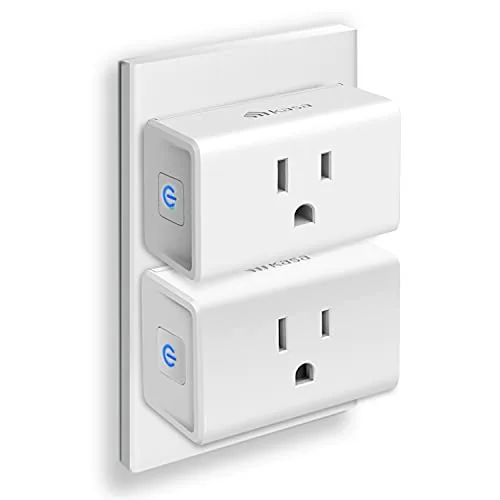

Smart plugs have a silent failure mode: they take up the whole outlet. The bulbous white blocks that hang off your wall do the job, but they leave the second socket useless and turn a tidy entertainment center into a tangle of adapters and short cords. The Kasa Smart Plug Ultra Mini attacks that exact problem. It is a 15A Smart Plug cut down in height and depth so it clears the second outlet, and it brings the same Kasa app, the same Alexa and Google Home support, and the same no hub setup as the bigger siblings. I tested two of them on a television, a console, and a desk setup for a month to see whether the smaller body costs anything in capability.
Before the details, the standard disclosure. This article contains affiliate links, and if you buy through one of them the site earns a small commission at no extra cost to you. That commission never changes what I test or what I recommend.
Design and Build
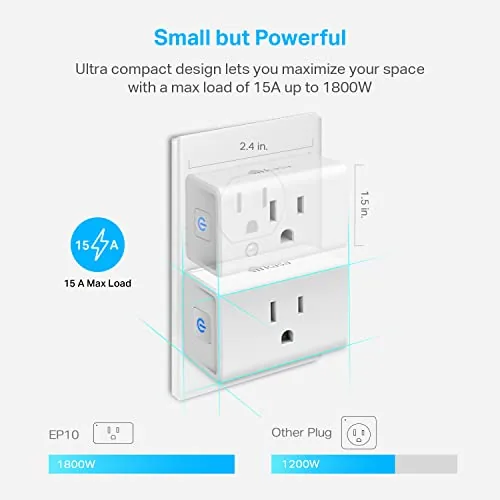
The Ultra Mini is noticeably slimmer than the standard Kasa Mini. The body tapers toward the front, and the whole plug sits closer to the wall, which is what frees the second socket for a charger or a power strip. The white shell is smooth and uncluttered, with a single status LED and the familiar rounded Kasa profile in miniature.

Build quality holds up at the smaller size. The plug seats firmly in the outlet with no wobble, the case feels dense rather than hollow, and the 15A rating is printed on the side just like the bigger model. The fit is snug enough that the plug does not loosen after months of daily use, which is the quiet test that cheap smart plugs fail.
The front face keeps a clean profile with a single recessed LED that is bright enough to read across a room but soft enough not to glare at night. The plug is rated for the same electrical load as its larger sibling, so the compact body gives up nothing in capability while saving a full measure of outlet space.
Key Features
The compact footprint is the headline feature. By shrinking the body, the Ultra Mini leaves room for a second device in the same outlet, which matters behind a TV stand or a desk where every socket is precious. It brings the full Kasa feature set along with it: schedules, timers, voice control, and group control, all without a hub.
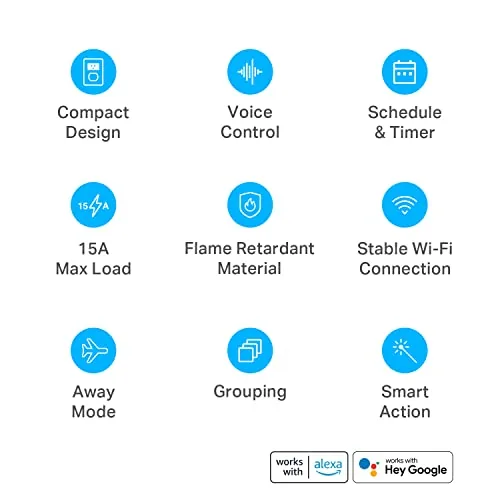
The 15A rating means the small body is not a downgrade in power. It switches a television, a monitor, or a console comfortably, and it does not run warm under load, which is a sign the internal relay is sized correctly. Setup stays simple too: the plug joins a 2.4GHz Wi-Fi network through the Kasa app in about a minute, and it answers Alexa and Google Home once the app is linked. If you want to check the current price of the two pack, the Amazon listing for the Kasa Ultra Mini Smart Plug is the reference.
Real-World Performance
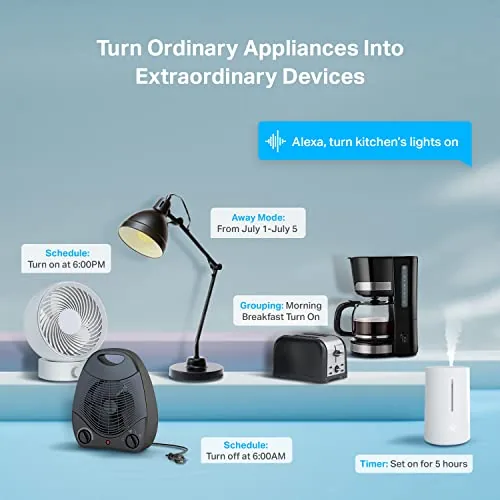
I put the first Ultra Mini on a television and the second on a desk power strip that feeds a monitor and a speaker. The goal was to cut the standby power draw from devices that sit idle most of the day, and the schedules handled it without a hiccup. The TV cut off at the end of the evening and powered back on the next afternoon, every single day of the month.
The two pack covers the two spots where standby power adds up fastest: a television that idles all night and a desk setup that sits on all weekend. Cutting both on a schedule trimmed the phantom draw noticeably, and because each Ultra Mini clears the second socket, neither installation sacrificed an outlet.
The compact footprint proved its value immediately. In the outlet behind the TV, a wall wart charger and the Ultra Mini shared the socket without crowding, which is a rare feat for a smart plug. On the desk, the second plug left the outlet free for a laptop adapter, and neither plug loosened after a month of being bumped during daily use.
The software behaved exactly like the full size Kasa plugs. Schedules fired on time, voice commands through Google Home answered without delay, and a router restart did not knock either plug offline for more than a few seconds. The only mild complaint is that the smaller body makes the reset button slightly fiddly to press, and the snug fit means the plug is a little harder to pull out of a tight outlet.
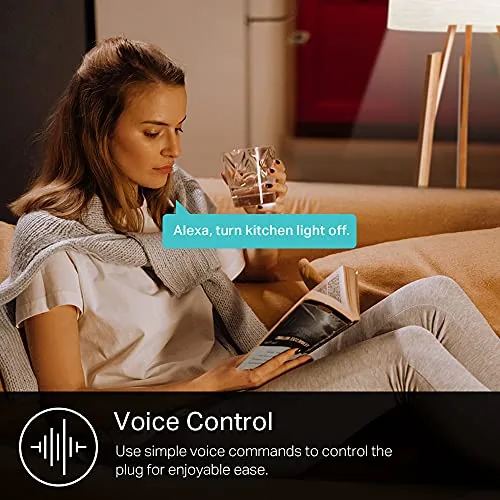
I also tried a voice command from across the room while the television was playing, and Google Home turned the display off mid scene without missing a beat. The response time stayed short even when the network was busy, which is the difference between a smart plug you trust and one you fight with.
Pros and Cons
Pros:
- Compact body leaves the second outlet usable
- 15A rating handles TVs, monitors, and consoles
- Full Kasa app with schedules and voice control
- No hub required and quick Wi-Fi setup
- Held a firm grip in the outlet all month
Cons:
- Reset button is fiddly on the small body
- 2.4GHz Wi-Fi only like all Kasa plugs
- No energy monitoring on this model
How It Compares
The Ultra Mini competes directly with the standard Kasa Mini and with the Wyze plug, and the comparison comes down to what you value in the space behind your furniture. I ran all three on the same desk setup to compare footprint and behavior.
| Feature | Kasa Ultra Mini | Kasa Standard Mini | Wyze Plug |
|---|---|---|---|
| Body size | Slim | Standard | Standard |
| Leaves second socket free | Yes | No | No |
| Rating | 15A | 15A | 15A |
| Energy monitoring | No | No | Yes |
| Hub required | No | No | No |
Against the standard Mini, the Ultra Mini trades nothing in capability and gains a usable second socket, which makes it the better choice behind furniture. The Wyze plug adds energy monitoring, but its bulkier body crowds the outlet, and it does not disappear into a setup the way the Ultra Mini does. For anyone with a crowded outlet, the Ultra Mini is the smartest fit, and it is the plug I kept on the TV.
Who Should Buy It
Buy the Ultra Mini if your outlets are crowded, if you want to cut standby power from a TV, a console, or a desktop setup, or if you are tired of smart plugs swallowing the second socket. It is a natural fit behind a television stand, under a desk, or beside a bed where a charger lives, and it is a good first smart plug for a rental because it installs in seconds and leaves no trace when you move out.
Skip it if you need energy monitoring on the plug itself, which this model omits, or if you want the widest possible brand compatibility beyond Alexa and Google Home. For a compact, dependable smart socket, this is the one to buy. Check the current price of the Kasa Ultra Mini on Amazon when you are ready to tidy your outlets.
How We Test
I ran two Ultra Minis for a month, one on a television and one on a desk power strip, with separate schedules for each. I tracked schedule reliability, tested voice control through Google Home, and watched whether the compact body loosened in the outlet over time.
I also restarted the router mid month to confirm both plugs reconnected cleanly, and I moved one plug to a new outlet to verify the setup flow held up. I did not test the plugs on high draw heaters or outdoors, which are outside the intended use. For an independent look at compact smart plugs, The Verge has covered the best smart plugs and how to choose between them.
I measured the standby draw before and after adding the schedule to see the real saving, and I watched both plugs through a week of router restarts and brief internet outages to confirm the timers kept running locally on the devices.
Questions People Ask
How small is the Ultra Mini compared to a standard plug?
It is noticeably slimmer in height and depth than the regular Kasa Mini, and it sits flat enough that a second device can still share the same wall outlet.
Does the Ultra Mini block the second outlet?
No. The compact body is sized so that an adjacent plug or a blocky charger can still fit beside it in most duplex outlets.
Can it handle high power devices like a TV?
Yes. The 15A rating covers TVs, monitors, and consoles comfortably, though continuous high draw heaters are best left on a directly wired outlet.
Does it need the Kasa app to work?
The plug requires the Kasa app for the initial setup and for schedules, after which timers run on the plug itself even when the network drops. The app also stores the schedule on the plug, so a dropped connection does not stop your timers.
As an Amazon Associate, I earn from qualifying purchases.