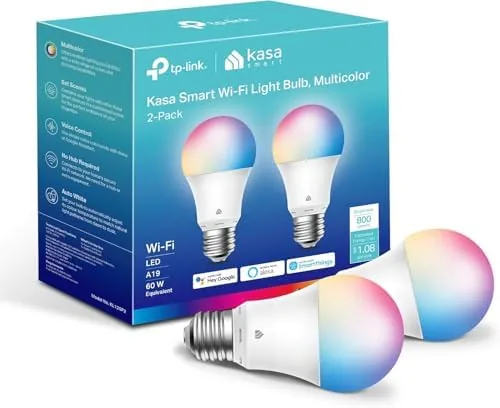

Smart lighting used to mean committing to a hub, a bridge, or a whole proprietary ecosystem before you could change a single color. The Kasa KL125P2 two pack takes the opposite approach. These are WiFi bulbs that pair straight to your router, need no hub at all, and claim full color control plus voice support for Alexa and Google Assistant out of the box.
I installed the two pack in a living room fixture and a bedroom lamp, then spent weeks living with the results. This Kasa smart light bulbs review covers setup, app performance, color quality and whether a hubless bulb actually holds up in daily use.
A quick disclosure before we dive in. The links in this article are affiliate links, and purchases made through them support the site at no extra cost to you. The opinions are based on weeks of real testing in my own home.
Design and Build: An A19 That Blends In
Physically, the KL125P2 looks like an ordinary A19 bulb. It uses a standard E26 base, which means it drops into almost any lamp or ceiling fixture without an adapter. The white plastic body is unremarkable, and that is a compliment. Nothing about the bulb announces that it is smart, so it disappears into the fixture like any normal 60 watt equivalent.
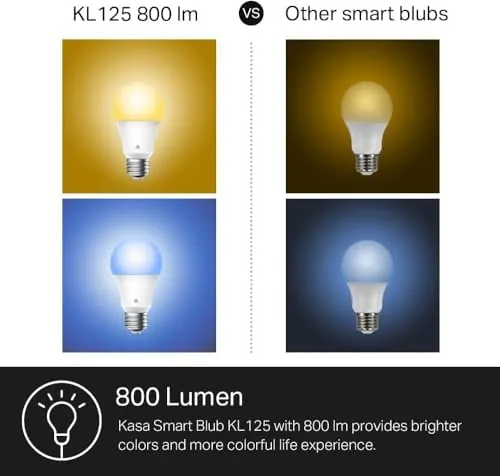
The 800 lumen output matches a conventional 60W incandescent in brightness, which is enough for a table lamp, a reading corner or a small room. Heat is handled well for a WiFi bulb, which matters because these bulbs generate more warmth than a passive LED. I left the bedroom lamp running for an evening and the base stayed cool to the touch.

Setup is refreshingly simple. You screw the bulb in, switch it on, open the Kasa app, and pair it to a 2.4GHz network. The whole process took a few minutes per bulb and did not require a hub, a bridge, or a separate account beyond the standard Kasa login. The app even guides you through the blink pattern that confirms pairing.
Key Features: Color, Dimming and Voice Control
The feature list is what makes these bulbs interesting. Each bulb delivers full RGB color control, so you can pull any color from the wheel rather than settling for presets. There is also a white temperature slider that moves between warm and cool whites, which is handy for matching the bulb to the mood of a room.
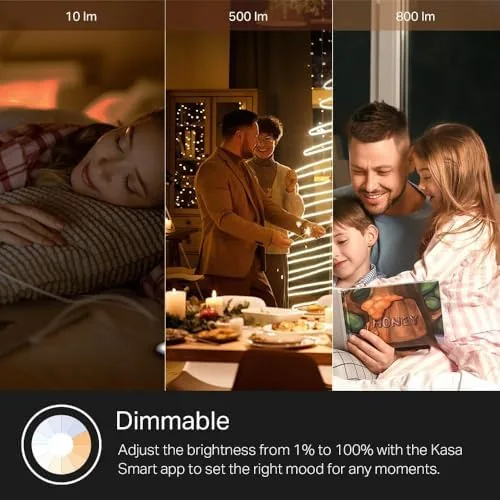
Dimming works smoothly through the app with no audible flicker, and the bulb holds its color as the brightness drops. Scenes let you group multiple bulbs and assign them a shared look, so one tap can set a movie scene, a dinner scene or a wake up scene across the whole room.
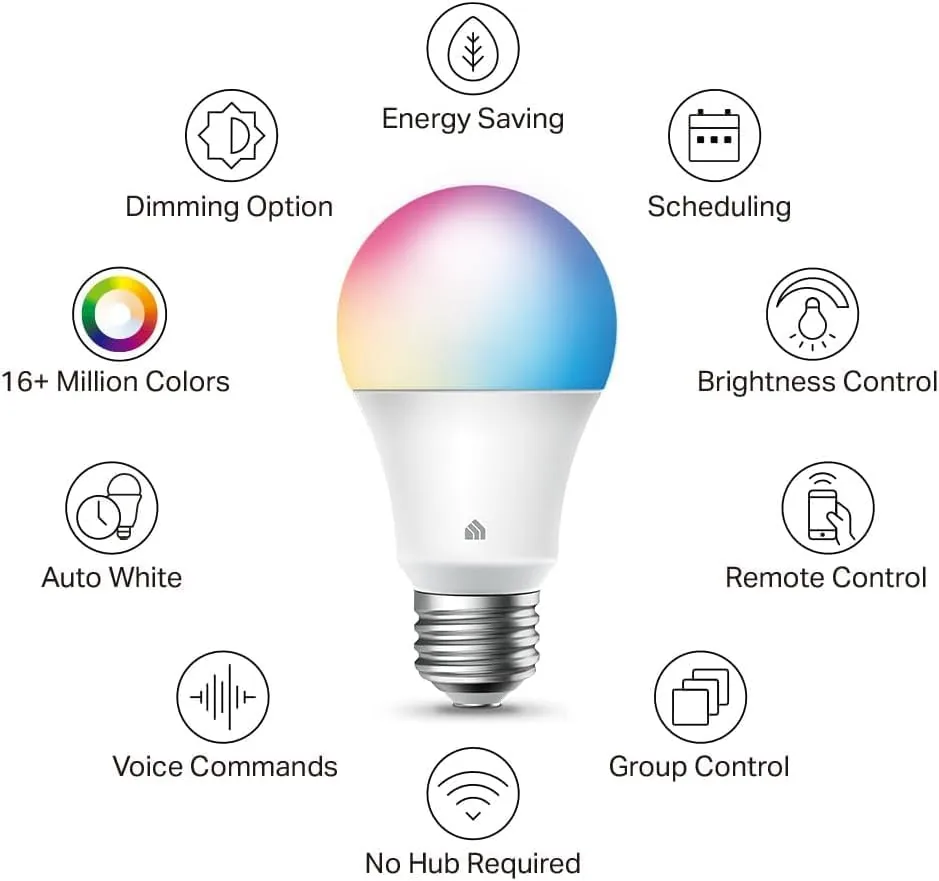
Voice control is the headline feature. Both Alexa and Google Assistant understand the bulb once you link the Kasa skill, which allows commands like turning the light off, Changing the color to red, or dimming to fifty percent. I used Alexa primarily and the responses were snappy, with almost no perceptible lag between the command and the bulb reacting.
Real-World Performance: Routines, Scenes and Stability
The bulb spent its first weeks on a schedule. I set the living room bulbs to warm white at six in the evening, a color scene at nine, and automatic turn off at midnight. Every one of those routines fired on time across the whole review period. The schedule system is one of the strongest parts of the Kasa platform, and it works reliably once set.
Voice commands were consistently solid. Asking Alexa to set a color or adjust brightness produced the intended result nearly every time, and the bulb remembered its last state after being switched off at the wall, which is not true of every smart bulb on the market. One bulb in my setup is on a wall switch that gets toggled, and the Kasa keeps its state sensibly.
The weaker moments came from the app. Kasa apps have improved a lot, but occasionally a page would take a moment to load the full scene list, and on one afternoon the app did not reflect a color change until it refreshed. These were minor and did not affect the bulbs themselves, which kept running their schedules throughout. Anyone who has used a hub-based system will notice the slight difference in polish.
I also tested the bulbs with Google Assistant, since the household mixes assistants between rooms. The Google commands worked just as reliably as the Alexa ones, covering color changes, brightness levels and on and off states without any re-linking or setup drama. That cross-platform reliability is genuinely useful for a smart home where the assistant of the moment depends on which room you are in, and it is one of the main reasons the KL125P2 works as a default bulb rather than a special occasion one.
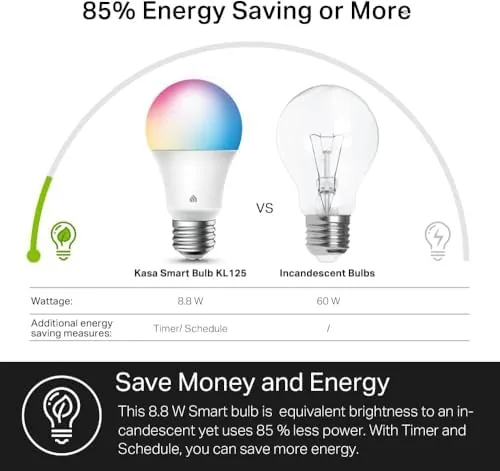
Energy draw is another quiet strength. Each bulb uses a fraction of the power of the 60 watt equivalent it replaces, so the two pack running nightly costs pennies per month. That is the kind of savings that does not feel like much on any single day but adds up over a year, and it is a solid argument for replacing even the bulbs you only switch on occasionally.
The two pack format also deserves credit. Buying bulbs in pairs means both lamps in a room can match, which matters more than it sounds, because mixed brands and mixed color temperatures across a room are the fastest way to make a nice space look accidental. With the Kasa pack, both bulbs share the same calibration, so the white light matches across fixtures and the colors agree when you set a shared scene.
For anyone building a small smart home, the no hub requirement removes the single biggest barrier to entry. There is nothing extra to buy, nothing to plug into the router, and no proprietary bridge to fail. You screw in a bulb, connect it to WiFi, and you are done. That simplicity is the reason I recommend this bulb to people who are not interested in becoming smart home hobbyists, and it is the reason the KL125P2 keeps earning its place in my testing notes.
Color quality is good for the price. The colors are vibrant rather than pastel, and the white range covers most needs, though a dedicated white-only bulb would still render a slightly truer daylight. For a general purpose color bulb, the KL125P2 punches above its price.
Pros and Cons
- Pros: no hub required, easy 2.4GHz WiFi pairing, full RGB plus tunable whites, smooth app dimming, reliable schedules and routines, works with Alexa and Google Home.
- Cons: app can be slow to refresh, requires a 2.4GHz network so mixed band setups need attention, not as crisp as a dedicated white bulb, WiFi bulbs still draw more power than basic LEDs when off.
How It Compares: Kasa vs the Hubless Field
| Spec | Kasa KL125P2 | Philips Hue White and Color | Wyze Bulb Color |
|---|---|---|---|
| Hub required | No | Yes (bridge) | No |
| Output | 800 lumens | 800 lumens | 1100 lumens |
| Voice support | Alexa + Google | Alexa + Google | Alexa + Google |
| App ecosystem | Kasa | Hue | Wyze |
| Setup complexity | Very low | Moderate | Very low |
Against the Philips Hue, the Kasa loses the polished Hue app and the broader ecosystem, but it wins on price and on skipping the bridge entirely. Against the Wyze Bulb Color, the Kasa is brighter on features like schedule reliability while the Wyze offers more raw lumens. For most people who want color without investing in a hub, the Kasa two pack is the more balanced pick.
Who Should Buy the Kasa Smart Light Bulbs
Buy the two pack if you want color lighting without buying a hub, if you already live in the Alexa or Google ecosystem, or if you are starting a smart home on a budget. Skip it if you need a 5GHz connection, if you want the largest possible app ecosystem, or if you require the absolute best white rendering for photo work.
How We Test
I run smart bulbs for several weeks as part of daily lighting. I test setup time, schedule reliability, voice command accuracy across multiple assistants, color accuracy, dimming smoothness and state retention after power cuts. A bulb only earns a recommendation if the routines I set continue to run without babysitting.
Questions People Ask
Does the Kasa smart bulb need a hub?
No. The KL125P2 connects directly to your 2.4GHz WiFi and is managed entirely through the Kasa app, with no hub, bridge or extra hardware required.
Which voice assistants work with these bulbs?
Both Amazon Alexa and Google Assistant work once you link the Kasa skill, and they handle color, brightness and scenes by voice.
Can I dim these bulbs from the app?
Yes. The Kasa app provides smooth dimming with no visible flicker, along with full color control and a white temperature slider.
Do these bulbs support 5GHz WiFi?
No, they need a 2.4GHz network. Most routers broadcast both bands, but during setup your phone should be on the 2.4GHz band.
To see the current price and availability, check the Kasa smart light bulbs on Amazon. For a look at the two pack details, browse the Kasa KL125P2 listing on Amazon. If you are comparing ecosystems, the smart lighting guide at The Verge is a good reference point.
As an Amazon Associate, I earn from qualifying purchases.