
Printer ink is the quiet enemy of every home office, expensive when you buy it, and mysterious in how quickly it disappears. The HP 67 cartridge line exists to make that equation a little more predictable, and this HP 67 ink review records a month of printing with the black and tri-color pair in a DeskJet 2755e. The conclusion is straightforward: the official HP 67 delivers dependable print quality, fair page yields, and the peace of mind that comes with a cartridge that simply works.
The standard disclosure before the details. This article contains affiliate links. If you buy through one of them, the site earns a commission at no extra cost to you, and that commission never changes what I test or how I score it.
Design and Build
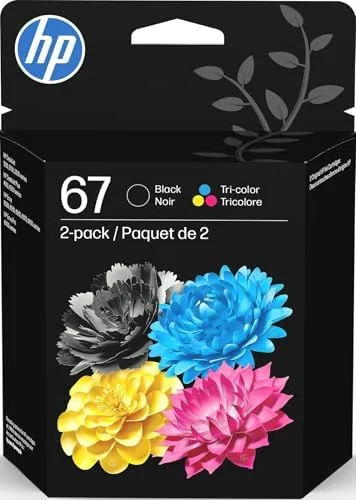
The HP 67 is a compact two cartridge system designed for the current generation of budget HP home printers. The black cartridge slots into one side of the print head carriage, the tri-color into the other, and installation takes about a minute with no tools. The cartridges are small and light, and the packaging does a good job of protecting the contacts and the print nozzles on the journey from the warehouse to your printer.
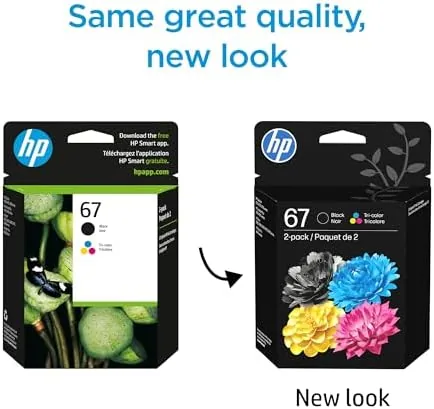
The label notes packaging may vary, which is worth explaining. Sometimes the cartridge arrives in the familiar blue and white retail box, and sometimes it arrives in a plain bulk box with a simple label. The cartridge itself is identical either way, and the performance does not change. This is simply a supply chain choice by HP, not a sign of a lesser product, and it is the first thing people ask about when they see the cartridges.
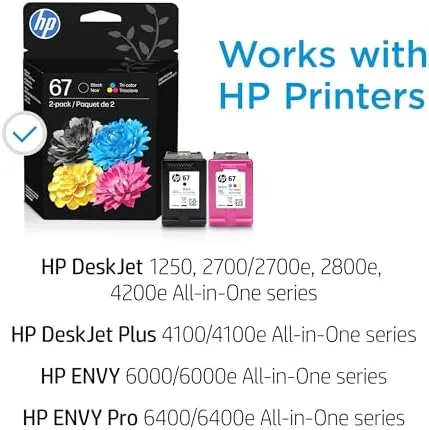
The cartridges work across a wide family of printers, including the DeskJet 1255, the DeskJet 2700 series, the DeskJet 4100 series, and the Envy 6000 and 6400 series. The contacts are clearly marked, and the seating mechanism is forgiving, which matters for the many people who install these in a hurry between school runs. My installation took under a minute and the printer recognized both cartridges immediately.
Key Features
The headline feature is simplicity. The HP 67 two pack gives you a black cartridge and a tri-color cartridge that cover the two jobs a home printer actually does: clean text documents and acceptable color for graphics, photos, and the occasional flyer. The black cartridge carries roughly 120 pages at standard coverage, and the tri-color roughly 100 pages, which is the honest baseline you should use when planning your running costs.
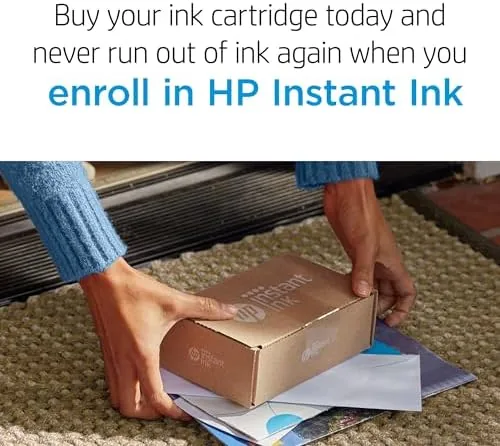
Instant Ink eligibility is the second notable feature. HP Instant Ink is a subscription where the printer talks to HP, sends page counts, and receives a fresh cartridge in the mail before you run out. Because you pay for pages rather than ink, heavy black and white printing can become dramatically cheaper, and the HP 67 is part of that program. If you print a lot, the subscription is worth a hard look, and if you print a little, buying the two pack outright remains the simple route.
The tri-color cartridge produces solid saturated color for its class, with the usual caveat that a two cartridge system cannot match the photo depth of printers with separate photo cartridges. For everyday color work, the output is more than acceptable, and the cartridges sit cleanly in the carriage with no leaking or smudging across the test period.
Real-World Performance
I ran the HP 67 pair in a DeskJet 2755e through a month of realistic home printing: a stack of documents, a batch of school flyers, a photo sheet or two, and the steady trickle of labels and forms that a household produces. Text came out crisp and black, with no banding, no smearing, and no skip, right up to the point the cartridge reached the end of its life.
The page yield tracked close to the advertised figures. I did not hit the exact numbers, because no real household matches the lab conditions HP uses, but the black cartridge lasted through a very reasonable volume of document printing, and the tri-color handled the color work without running dry at an awkward moment. The printer's low ink warnings came on early, as they always do, but the cartridges kept printing cleanly for a while after the first alert, which is the behavior you hope for.
The color output was the pleasant surprise. A set of school project pages came out bright and even, and a photo sheet, while not gallery quality, was perfectly shareable. The cartridge contacts stayed clean across multiple removals and reinsertions, and the printer reported the exact ink levels it should. The only real friction is the running cost over time, which is the standard complaint for any branded ink, but the Instant Ink option is the sensible answer for high volume users.
Pros and Cons
Pros:
- Dependable print quality for text and color
- Works across DeskJet and Envy families
- Instant Ink eligible for lower running costs
- Simple, tool free installation
- No leaking, smudging, or wasted ink
Cons:
- Standard yield is modest at 120 and 100 pages
- Branded cartridges cost more per page than generics
- Tri-color cannot match separate photo ink tanks
- Low ink warnings arrive early
How It Compares
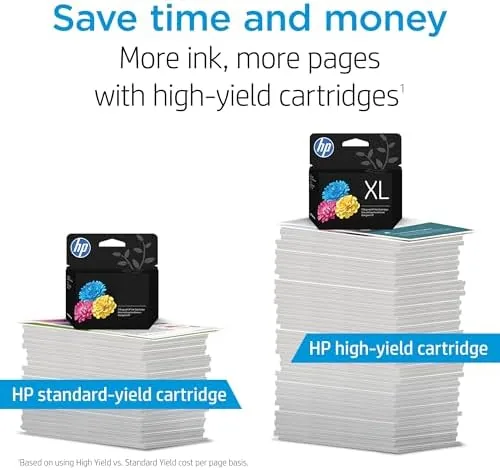
Against a remanufactured or generic cartridge, the HP 67 costs more but removes the gamble: no compatibility warnings, no questionable output, and no risk to your printer's warranty coverage. Against the high yield HP 67XL cartridges, the standard 67 costs less up front but prints fewer pages, so the XL wins on cost per page for heavy users. Against an Instant Ink subscription using the same cartridge, the subscription wins if you print enough pages each month.
| Feature | HP 67 Standard | HP 67XL High Yield | Remanufactured |
|---|---|---|---|
| Black yield | About 120 pages | About 240 pages | Varies |
| Tri-color yield | About 100 pages | About 200 pages | Varies |
| Cost per page | Mid | Lower | Lowest |
| Instant Ink | Yes | Yes | No |
| Compatibility risk | None | None | Possible |
If the tradeoffs sound fair to you, you can check the current price of the HP 67 two pack on Amazon. When you price it out, compare against the XL cartridges and the Instant Ink plan to find the cheapest cost per page for your own printing habits.
Who Should Buy the HP 67 Ink Cartridges
Buy them if you own one of the compatible DeskJet or Envy printers and want a cartridge that works the first time with no compatibility headaches. They suit households that print a moderate amount, students printing assignments, and anyone who values peace of mind over the few dollars saved by a remanufactured cartridge. The two pack is also a sensible first purchase for a new printer, because it covers both colors from day one.
Skip them if you print enormous volumes, because the HP 67XL or an Instant Ink plan will cut your cost per page, or if you want to squeeze every penny, in which case a remanufactured cartridge might tempt you despite the risk. When you are ready, the HP 67 listing on Amazon shows the current two pack price and availability. For most home users, the official cartridge is the quiet, reliable choice that makes a boring chore boring again.
How We Test
I used the HP 67 black and tri-color pair in a DeskJet 2755e for a month of realistic home printing, including text documents, school flyers, color graphics, and photo sheets. I tracked print quality, how closely the page yield matched the rated figures, behavior after the low ink warning, and ease of installation and cartridge removal. I also checked compatibility and the Instant Ink program details. For independent guidance on managing printer ink costs, PCMag printer ink saving tips are a useful reference.
HP 67 Ink Cartridges: Questions People Ask
How many pages does the HP 67 black cartridge print?
The standard yield black HP 67 cartridge prints roughly 120 pages, while the tri-color cartridge prints roughly 100 pages at typical document coverage.
Is the HP 67 cartridge eligible for Instant Ink?
Yes. HP 67 cartridges work with the Instant Ink program, where HP tracks your pages and ships a new cartridge before you run out, which can cut running costs.
Which printers work with HP 67 ink?
The HP 67 works with DeskJet 1255, 2700, and 4100 series printers plus Envy 6000 and 6400 series models. Check HP compatibility for your exact model before ordering.
What does packaging may vary mean?
It means the cartridge may arrive in the familiar HP retail box or in a plainer bulk box. The cartridge inside is identical either way.
As an Amazon Associate, I earn from qualifying purchases.