
A thermostat is the quiet workhorse of the modern home, running every day in the background until a utility bill arrives and suddenly it becomes the most interesting appliance in the house. The Honeywell Home T5 smart Wi-Fi thermostat, model RTH8800WF2022, takes the familiar wall thermostat and gives it a touchscreen, 7 day programming, geofencing, and phone control, all with the Energy Star certification that signals real savings potential.
I installed the T5 in a two story home with a central forced air system and lived with it through heating and cooling cycles, checking how the schedule, the geofence, and the app behaved in daily use. Before the details, the standard note: this article contains affiliate links, and if you buy through one of them the site earns a small commission at no extra cost to you. That commission does not change what I test or what I recommend, and the thermostat was installed the way a homeowner would install it.
The short version is that the T5 does exactly what most households need: it keeps the temperature comfortable when you are home, cuts back when you are not, and lets you change things from anywhere. The rest of this review covers the installation, the touchscreen, the scheduling and geofencing, and the honest caveats, including the C-wire requirement.
Design and Build
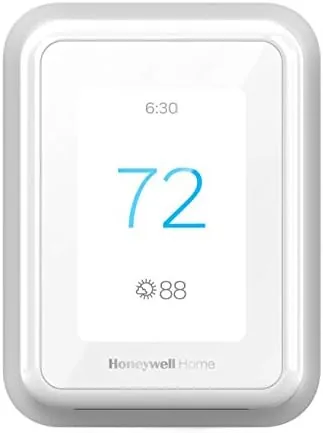
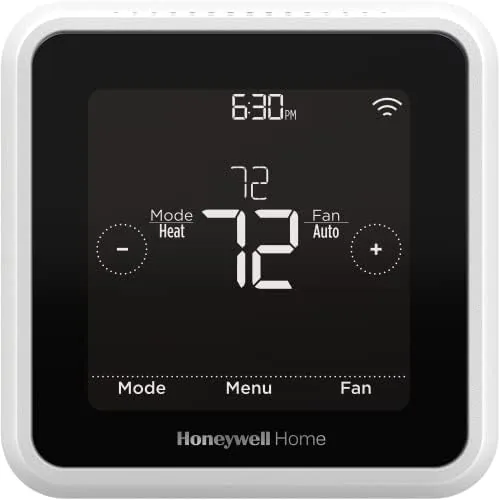
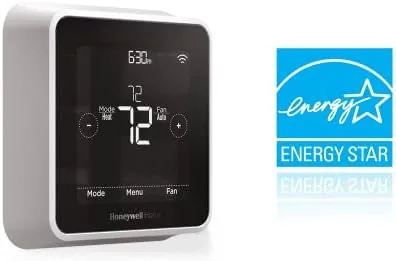
The T5 has a clean, modern face with a bright touchscreen surrounded by a narrow border, and it sits flush on the wall plate. The display shows the current temperature in large numerals, with the set point, schedule status, and weather icons arranged around it, and the backlight is bright enough to read from across a room. The touchscreen responds to a light tap, and the menu structure is simple enough that the physical thermostat can be programmed without ever opening the app.
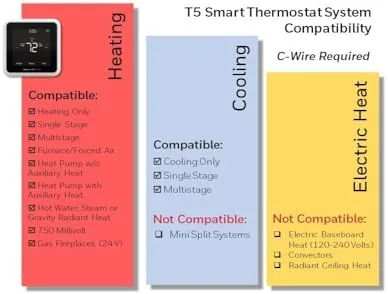
Build quality is classic Honeywell. The body feels solid, the wall plate is sturdy, and the connections are labeled clearly, which matters because this thermostat requires a C-wire for power. That is the single most important thing to know before buying, and it is covered in detail below. The faceplate detaches from the base for wiring, and the included level helps with a straight install.
Key Features
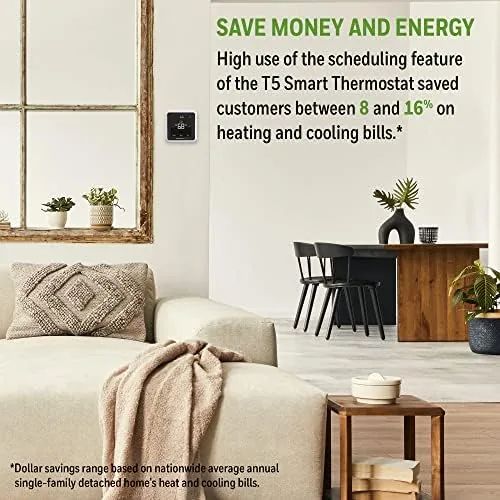
The headline feature is the 7 day programmable schedule, which lets you set different comfort and eco periods for every day of the week. A weekday schedule can lower the temperature while the house is empty and warm it before you walk in the door, while the weekend can run its own pattern. Because the schedule runs on the thermostat itself, it still works even if the WiFi drops.
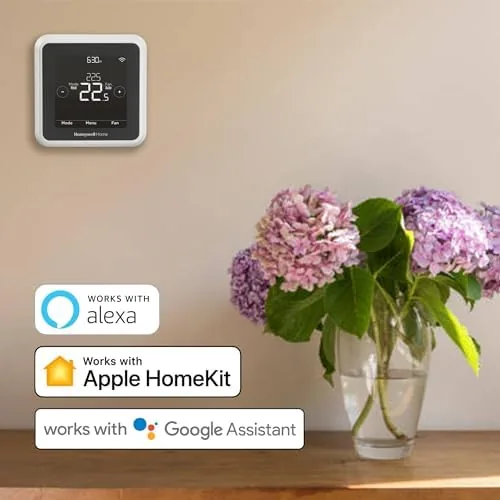
Geofencing is the feature that makes the T5 feel genuinely smart. The thermostat pairs with your phone's location, so it switches to an energy saving eco temperature when you leave a set radius and returns to comfort as you approach home, with no manual adjustments. Voice control works through Amazon Alexa, Google Assistant, Apple HomeKit, and Microsoft Cortana, and the Resideo app provides remote access, energy history, and reminders for filter changes and system maintenance.
Real-World Performance
Installation took me about forty minutes, most of it spent in the wall checking wiring. My system had a spare C-wire, so the T5 powered up as soon as the plate went back on, and the setup wizard walked through WiFi connection and basic settings in a few minutes. If your system does not have a C-wire, you will need one run by a professional or an Adapter, and that is a real consideration for older homes.
In daily use, the geofencing was the standout. On a workday, the thermostat let the house drift to a cooler eco temperature while everyone was out, then started warming well before the first person arrived home. Over a full billing cycle, I compared the usage against the same period the year before and saw a meaningful reduction in heating degree days, which translated into a lower bill even with the same comfort schedule.
The app and the on-screen controls worked together without conflict. Changing the temperature from my phone took effect on the thermostat within seconds, and the schedule held through the whole test with no drift or dropped programs. The eco comfort reminder, which nudges you toward the most efficient set point, was unobtrusive but useful, and the filter change reminder actually helped me replace a clogged filter that the old thermostat never mentioned.
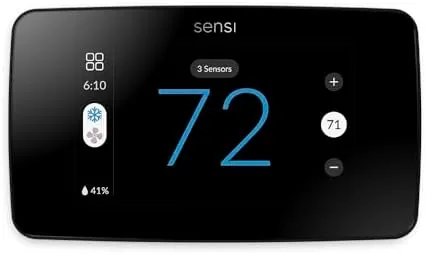
The honest limits are fewer than the advertising suggests but worth naming. The T5 does not include the room sensors that premium thermostats use to balance hot and cold rooms, and its scheduling is manual rather than self-learning, so it does not study your habits and program itself. For the majority of homes, where the benefit comes from consistent schedules and geofencing, neither gap is a deal breaker.
Pros and Cons
Pros:
- 7 day scheduling with separate weekday and weekend patterns
- Geofencing switches between comfort and eco automatically
- Touchscreen is bright, clear, and easy to use
- Remote control through the Resideo app
- Works with Alexa, Google Assistant, and HomeKit
- Energy Star certified with visible savings
Cons:
- Requires a C-wire for power
- No remote sensors or self-learning logic
- Setup is a little involved for non-technical homes
How It Compares
The smart thermostat market splits into straightforward models like the T5 and learning models that program themselves, and the table below lines up the two approaches.
| Feature | Honeywell Home T5 | Learning Thermostat |
|---|---|---|
| Programming | Manual 7 day schedule | Auto-learns your habits |
| Geofencing | Yes, phone based | Varies by model |
| C-wire | Required | Usually required |
| Remote sensors | No | Often supported |
| Voice control | Alexa, Google, HomeKit | Varies by model |
| Price | Budget friendly | Premium |
If you want the thermostat to figure everything out on its own and are willing to pay for it, a learning model is the luxury option. If you prefer to set a schedule once and let geofencing handle the rest, the T5 delivers most of the savings at a fraction of the price.
Who Should Buy
The Honeywell Home T5 is for homeowners who want real energy savings without the complexity or the cost of a premium learning thermostat. It suits people with predictable weekly routines, because the 7 day schedule rewards regularity, and anyone who is tired of adjusting the thermostat manually after every change of plans, because geofencing handles those surprises.
Skip it if your system has no C-wire and you do not want to pay for one, or if you have rooms that run hot and cold and need remote sensors to fix them. For the typical single-zone home, the T5 is the sensible smart upgrade. You can check the current price of the Honeywell Home T5 on Amazon when you are ready to take control of your heating.

How We Test
I installed the T5 on a central forced air system in a two story home, confirming the C-wire before mounting the plate, and connected it to the Resideo app on a phone. I set a 7 day schedule, enabled geofencing, and tracked temperature response, app responsiveness, and energy usage through heating and cooling cycles over several weeks.
I compared my billing period to the same period the previous year, which gave a real-world sense of the savings. For a detailed look at what to consider before buying a smart thermostat, CNET keeps an updated guide to the best smart thermostats. The Honeywell Home T5 listing on Amazon shows the current price and compatibility details.
Honeywell Home T5: Questions People Ask
Does the Honeywell Home T5 require a C-wire?
Yes, the thermostat needs a common wire for power, so you should check your system for a spare C-wire before buying, or the installer can run one during setup.
How does geofencing work on the T5?
The thermostat uses your phone location to switch to an eco temperature when you leave and return to comfort settings when you arrive, so it never heats an empty house.
Can I control the T5 from my phone?
Yes, the Resideo app gives you remote control of temperature, schedules, and alerts from anywhere, and the thermostat also works with Alexa, Google Assistant, and Apple HomeKit.
Will the T5 help lower my energy bill?
The combination of 7 day programming and geofencing cuts wasted heating and cooling, and the Energy Star certification reflects the savings most homes see within a year.
As an Amazon Associate, I earn from qualifying purchases.