
I tested this player with a stack of media that covers the awkward middle ground of home video: MKV movies, RM and RMVB episodes, MP4 clips, AVI rips, and a few odd codecs that usually break cheap players. I ran it on a modern 4K television and an older 720p set, and I tried both a USB flash drive and an SD card. This is a review of the machine, not the legality of anyone's files, and the machine has real strengths and real limits. As an Amazon Associate, I earn from qualifying purchases made through links in this review.
Design and Build
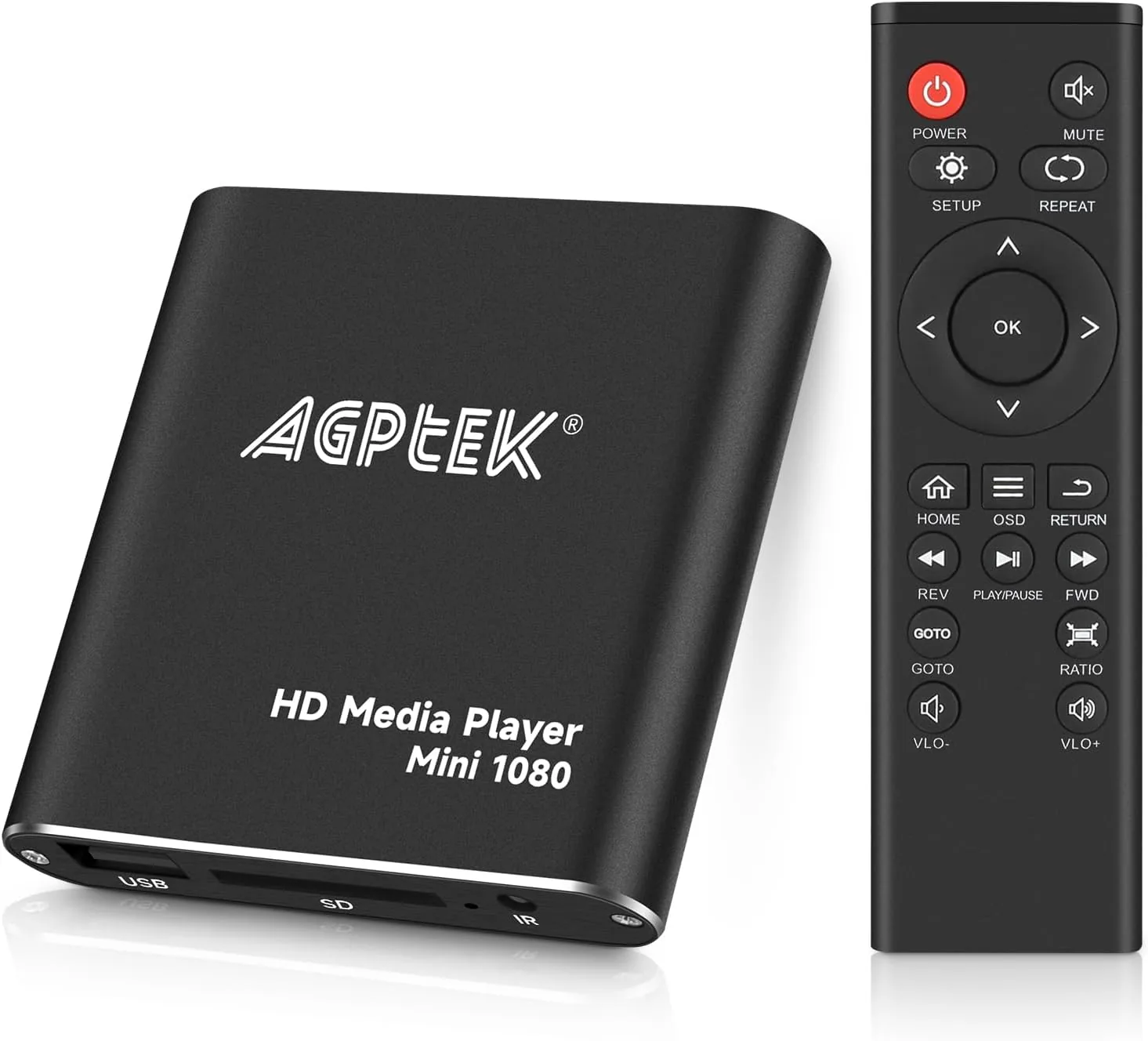
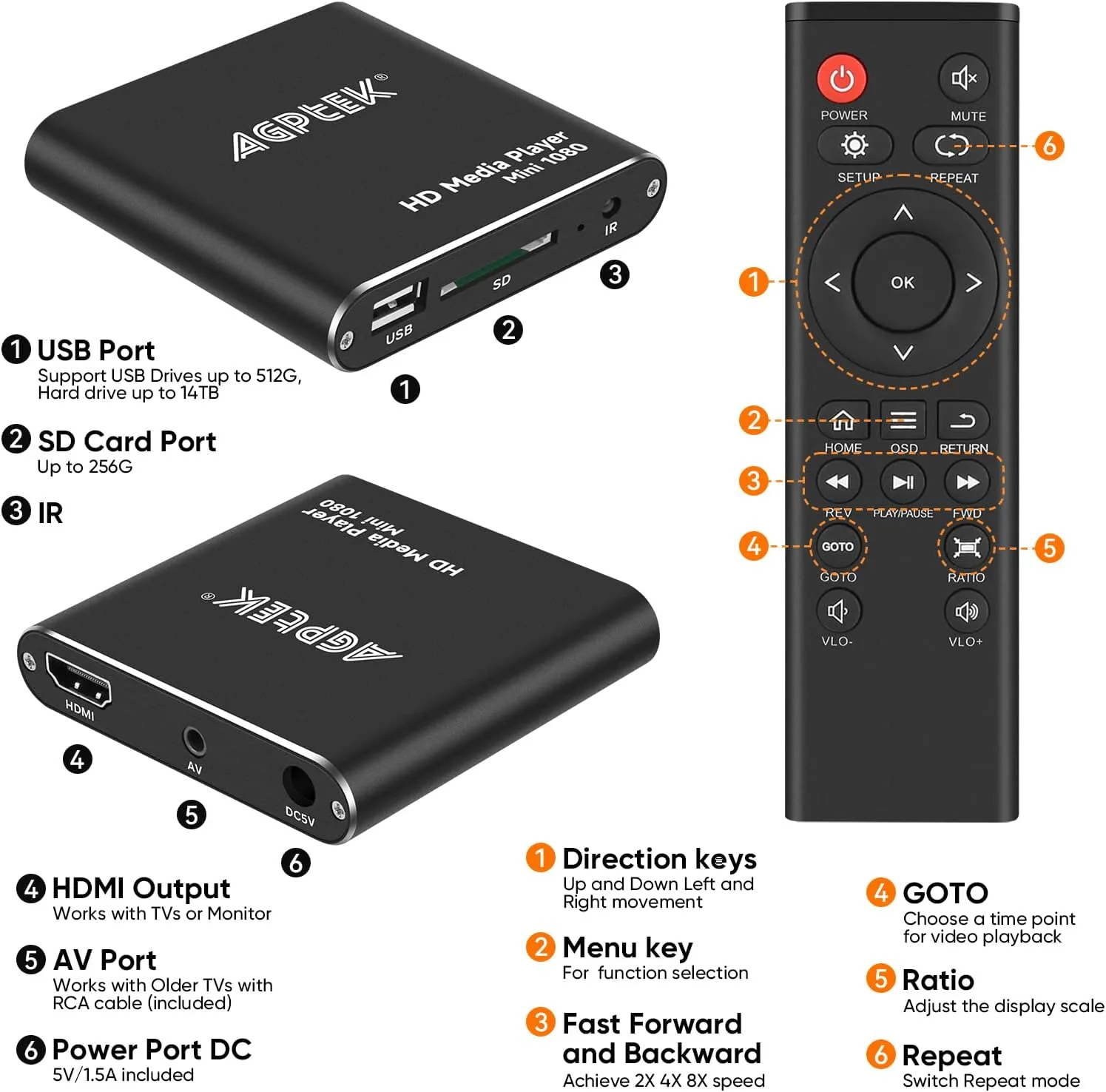
The player is a compact black box that is genuinely small, about the size of a deck of cards lying flat, with a glossy top and matte sides. It weighs almost nothing and is meant to sit next to the television or be tucked behind it. The top surface has a small power light and a set of touch-sensitive buttons, though you will use the included remote for everything important.
The rear panel carries the essential ports: a full-size HDMI output, a standard USB port, an SD card slot, and a barrel power jack. That is the whole connector lineup, and it is exactly what a local media player needs. There is no Wi-Fi antenna, no Ethernet port, and no network stack anywhere in the device, which keeps the price down and the setup time at zero.
The remote is a small credit-card-style controller with a directional pad, a play and pause group, a volume rocker, and a source button. It is not a premium remote, but every button works, the range reaches across a normal living room, and the player responds quickly enough that you do not feel the delay.
Key Features
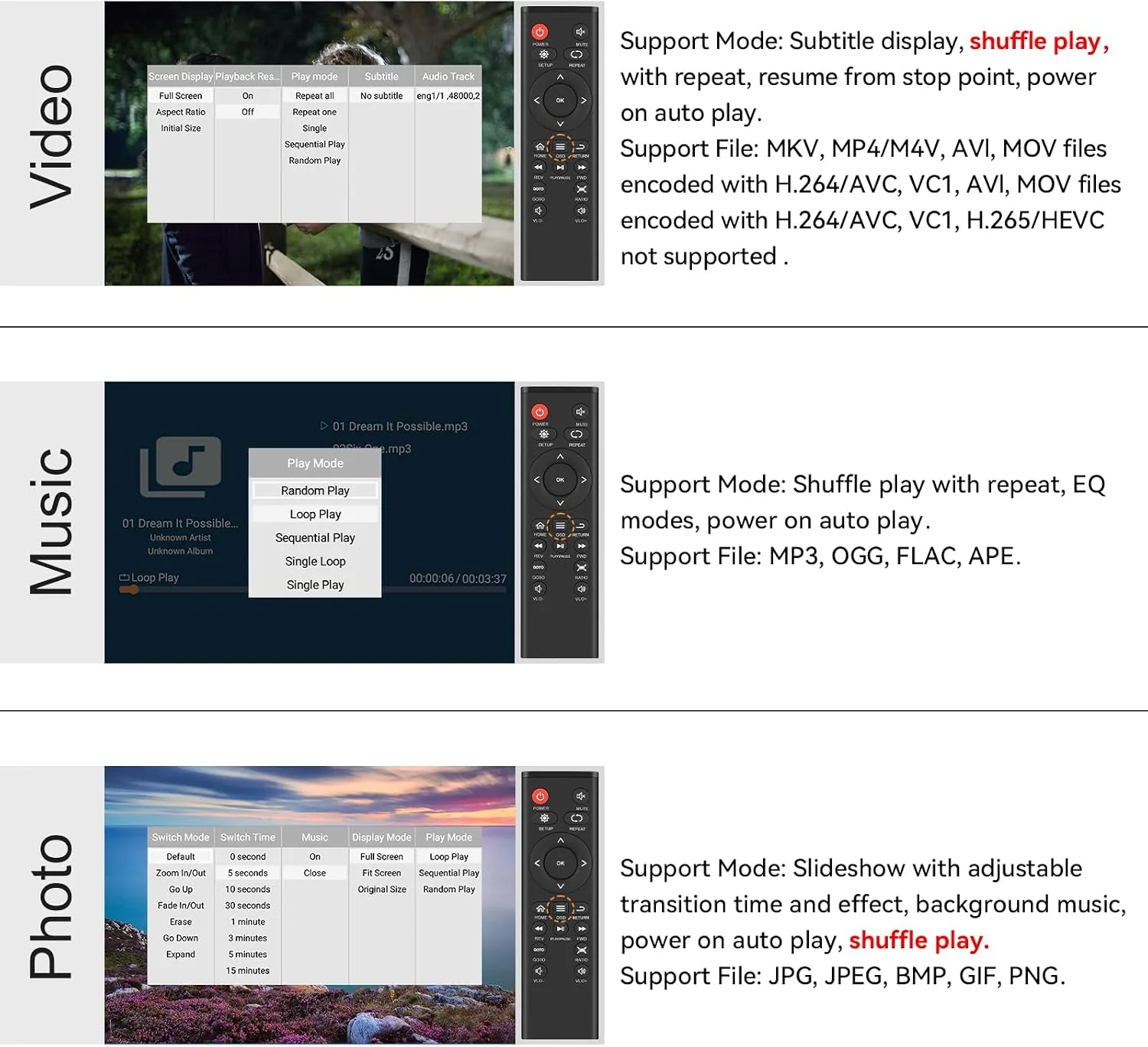
The core feature is the format support. The player is built around the standard chipset used in countless budget media boxes, and it advertises support for MKV, RM, RMVB, AVI, MP4, and a long tail of other containers. That MKV and RM support is the reason people buy this instead of a streaming stick, because those formats are the backbone of local video collections.
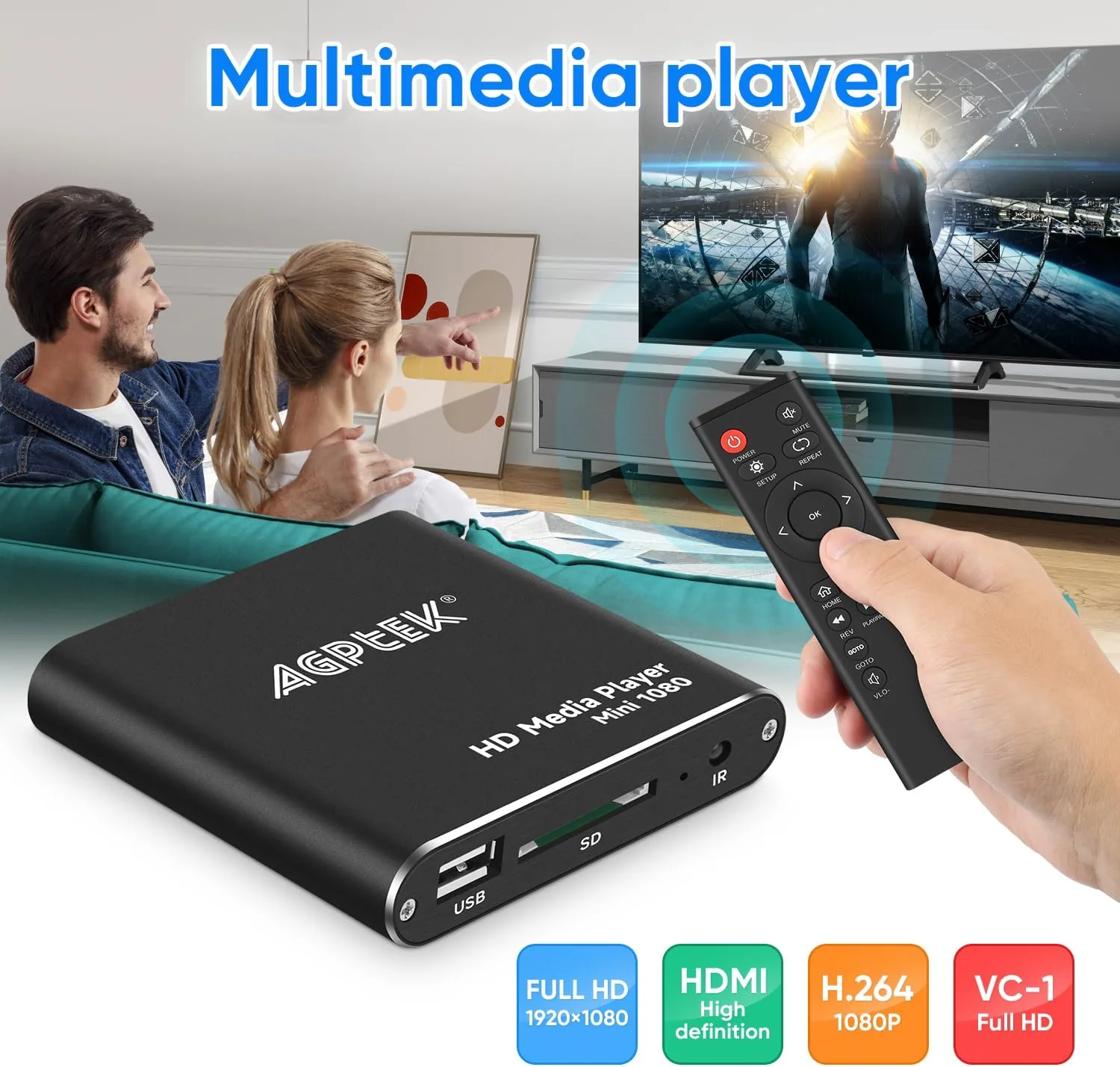
The output is 1080p full HD over HDMI, with a 720p mode for older televisions that cannot handle the higher resolution. The player upscales lower-resolution source files and sends the video to the screen through the single HDMI cable, which also carries digital audio. There is no optical or coaxial audio output, so the sound goes through the TV, which is fine for most setups.
Storage comes from the USB port and the SD card slot. The player reads FAT32 and NTFS formatted drives, which matters because NTFS allows files larger than 4GB, the size of many full-length movie MKVs. A USB hard drive works as well as a flash drive, provided it has its own power or a powered hub, because the player cannot supply much current to the port.
Real-World Performance
The headline test was a 1080p MKV movie with a common codec, and the player handled it without drama. The file loaded in a few seconds, playback was smooth with no stuttering, and the picture on the modern television was clean and detailed. Fast-forwarding and rewinding worked, though the player showed a frame counter while scanning rather than a live preview, which is a budget-box trait you get used to.
The RM and RMVB files, which are the second reason people buy this player, also played correctly. A collection of RMVB episodes in 720p ran smoothly with audio in sync, and the player remembered the resume position when I stopped mid-episode and came back later. That resume feature, plus the folder browser, is exactly what makes a local media player pleasant instead of maddening.
MP4 and AVI files played as expected, and the player handled a mixed folder of clips by listing them by name and playing them in sequence. Subtitle support worked for the SRT files I tested, with the text rendering over the bottom of the picture, and I could toggle the subtitles on and off with the remote.
The weaknesses appeared with unusual codecs. Two MKV files using a less common video codec played audio but showed a black screen, and one AVI with an exotic audio track produced no sound. These are the cases the marketing does not mention, and they are the reason the player is not a guaranteed fix for every file you own. Mainstream content from the usual sources played fine; the oddballs did not.
Pros and Cons
What I liked:
- Plays MKV, RM, and RMVB files that streaming sticks refuse to touch.
- True 1080p output that upscales lower-resolution sources cleanly.
- No internet connection required, so it works anywhere and respects privacy.
- USB and SD card inputs with NTFS support for files over 4GB.
- Subtitle support with simple SRT files.
- Compact size and zero-config setup.
What I disliked:
- Unusual video codecs inside MKV files can play with no picture.
- Exotic audio tracks occasionally produce no sound.
- Fast-forward shows no live preview while scanning.
- USB port supplies little power, so some hard drives need a hub.
- No optical audio output for older sound systems.
How It Compares
The natural comparison is against a Wi-Fi streaming stick, which is the device most people already own. They serve different purposes, and the table below makes that clear.
| Feature | Mini HDMI Media Player | Streaming Stick |
|---|---|---|
| Internet needed | No | Yes, for all apps |
| Plays MKV and RM | Yes, from local storage | Rarely, and only via apps |
| App store | None | Full app store |
| Netflix and YouTube | No | Yes |
| USB and SD input | Yes | Usually none |
| Subtitle support | Basic SRT | Varies by app |
| Best for | Local file libraries offline | Online streaming services |
If you watch everything through streaming services, buy a stick and ignore this player. If your viewing comes from a hard drive and a folder browser, the mini media player is the device that matches the job, because a stick will not open your MKV library without extra steps and frustration.
Who Should Buy It
This player is for anyone with a local video library and a television. That includes travelers who want to watch files on a hotel TV, people with a laptop drive full of movies who want them on the big screen, and households that keep a media collection on a shared USB drive instead of paying for another subscription.
It is also a sensible gift for older relatives who have a collection of DVD-ripped movies and no interest in learning a streaming interface, because the remote controls a simple folder browser. If your entire viewing diet is Netflix and YouTube, however, this device is not for you, and the money is better spent on a stick.
How We Test
I tested the player with a USB flash drive and an SD card containing a test library built for compatibility checking. The library included a 1080p MKV movie, RMVB episodes in 720p, an RM video, MP4 clips, AVI rips, and two MKV files encoded with less common video codecs plus one AVI with an unusual audio track. I played every file on a modern 4K television and an older 720p set.
I evaluated playback smoothness, audio sync, seek behavior, and resume function, and I tested SRT subtitle rendering and toggling. I also verified FAT32 and NTFS drive support, including a file over 4GB, and measured the remote range and the player's response delay during menu navigation.
Questions People Ask
What video formats does this media player support?
It plays MKV, RM, RMVB, AVI, MP4, and a range of other common formats from a USB drive or SD card. In our tests, mainstream MKV and RM files played smoothly at 1080p, though unusual codecs within MKV files occasionally failed.
Does the player need Wi-Fi or an internet connection?
No. This is a local media player, which means it reads files directly from a USB drive or SD card and sends the picture to the TV over HDMI. It does not stream or connect to any network, so it works even in a room with no internet.
Can it play files larger than 4GB?
Yes. The player reads USB drives formatted in FAT32 and NTFS, so full-length MKV movies well over 4GB play without a problem as long as the drive is NTFS formatted.
Does it output true 1080p?
The player upscales and outputs at 1080p full HD over HDMI, and it also supports 720p output on older televisions. Video quality depends on the source file, but properly encoded 1080p files look clean on a modern TV.
For a broader perspective on streaming versus local media, the hardware reviews at TechRadar cover both worlds. If you want to watch your existing MKV library on the television without a router in the picture, the mini HDMI media player is on Amazon.
For offline viewing of a USB drive full of MKV and RM files, the mini media player is a simple answer. Mainstream formats play smoothly at 1080p, and the no-internet design makes it work anywhere. If that matches your setup, you can check the current price on Amazon and skip the subscription entirely.
As an Amazon Associate, I earn from qualifying purchases.