
Lighting is the fastest way to change how a room feels, and a pair of smart light bars can do more for a space in minutes than any paint or furniture. The Govee Smart Light Bar takes that idea and gives it a serious feature set: RGBICWW color control that lets each segment of the bar show a different shade, Matter and Alexa compatibility for voice control, and scene and music modes that turn the lights into part of the entertainment. I set this pair up behind a television and beside a gaming PC over the course of two weeks, and this review records how it looks, how it behaves, and whether it earns its place in a modern living room.
Before the details, the standard note. This article contains affiliate links, and if you buy through one of them the site earns a small commission at no extra cost to you. That commission never changes what I test or what I recommend.
Design and Build
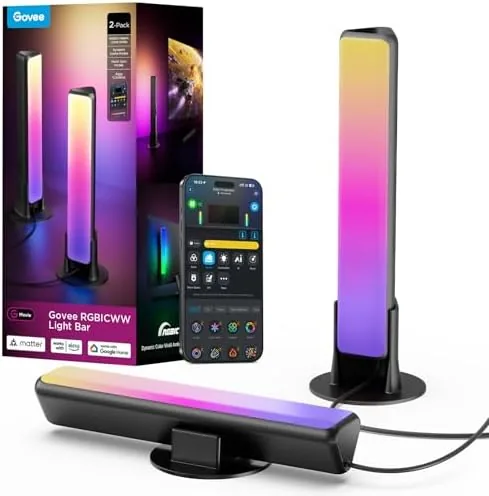
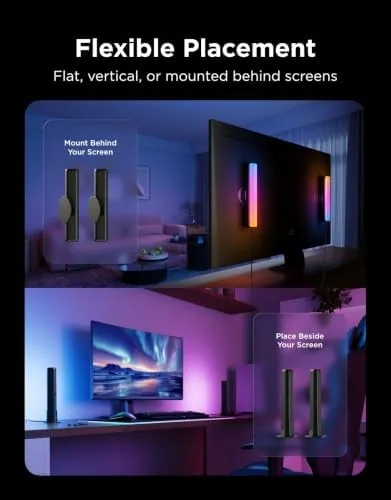
Each light bar is a slim, black, rounded unit roughly the size of a small desk lamp, designed to stand on a surface or sit behind a monitor. The diffuser runs the full length of the front face, which spreads the LED light into a soft, even glow rather than a row of visible dots. The base is flat and stable, with a weighted foot that keeps the bar upright on a desk or shelf, and there is a small button on the back for a quick power toggle without reaching for an app.
The build quality is good for the price. The plastic housing feels solid, the diffuser is secured cleanly with no gaps, and the bars do not rattle when moved. Each bar connects to a barrel plug power supply, and the two bars link together so they run from a single controller. That reduces cable clutter, which matters when you are tucking the bars behind a TV stand.
Setup is genuinely painless. You download the Govee Home app, power the bars, and the app walks you through pairing over Bluetooth first and then WiFi for remote control. In my test the whole process took under ten minutes for both bars, with no reset loops and no confusing steps, which is not something every budget smart light can claim.
Key Features
The RGBICWW acronym is the heart of the feature set. Unlike a strip where the whole run is one color, RGBIC lets individual segments of each bar be controlled independently, so you can create gradients with two or more colors on a single bar. The WW part adds dedicated warm white channels, which means you are not mixing colors to fake a white light. That combination gives you rich saturated color for gaming and clean, natural white for everyday use.
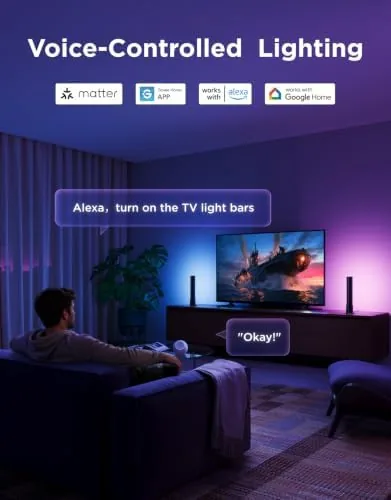
Compatibility is a major strength. The bars work with Matter, which is the smart home standard that lets devices talk across platforms, and they respond to Alexa, Google Assistant, and SmartThings. In practice that means you can turn the lights on by voice, group them into routines, and control them through your existing smart home hub without a separate bridge.
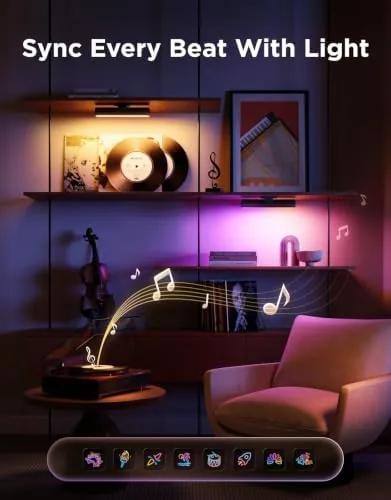
The scene and music modes round out the package. The app ships with a library of preset scenes, from calm gradients for movie nights to energetic multi color sweeps for parties. The music mode uses the built in microphone to pick up sound and shift the colors in time with the beat, and you can set it to react to ambient sound or to sound coming through your TV.
The app is the real control center. Beyond scenes and music, it offers color wheel selection, brightness, saturation, and even DIY modes where you draw your own segment patterns. You can sync two bars together so they mirror each other, or run them independently for asymmetric looks.
Real-World Performance
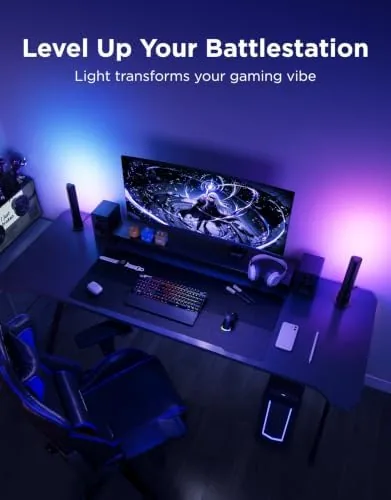
I started with the classic use case: bias lighting behind a television. I placed one bar on each side behind the screen, set a warm neutral white, and watched a movie in a darkened room. The result was exactly what bias lighting should do: the ambient glow softened the contrast between the bright screen and the dark wall, reducing eye strain without drawing attention to itself.
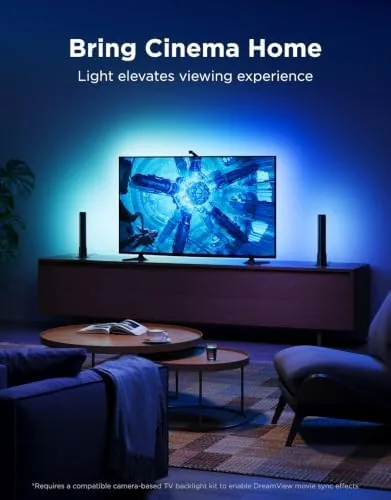
For gaming, the RGBICWW capability came into its own. I built a scene with a cool blue sweep across both bars to match a snowy game environment, then a fiery orange and red gradient for a different title. The color transitions were smooth with no visible stepping between shades, and the segmented control meant I could create looks a single color strip simply cannot manage. The effect made the whole desk area feel part of the game rather than separate from it.
The music mode was the biggest surprise. Playing a bass heavy track, the bars pulsed and swept in time with the rhythm with convincing responsiveness. The built in microphone caught the audio clearly, and while it is not as precise as a hardwired audio sync, it was easily good enough for a casual party or a gaming session. There is a sensitivity adjustment in the app if the reaction feels too strong or too weak.
Voice control through Alexa worked reliably throughout the test. Saying the lights on or off, or asking to set them to a specific color, returned a response within a second or two. The Matter setup connected without the dropouts that used to plague budget smart lighting, and the bars stayed connected to WiFi for the entire two weeks with no re pairing required. The one minor annoyance is that the physical power button is on the back, which is awkward to reach if the bars sit flush behind a monitor.
Pros and Cons
Pros:
- RGBIC segments allow multiple colors on a single bar
- Dedicated warm white channels produce clean natural light
- Matter, Alexa, Google, and SmartThings compatibility
- Responsive music sync via the built in microphone
- Easy setup and reliable WiFi connection
- App offers scenes, routines, and DIY color control
Cons:
- Two bars is a modest spread for very large TVs
- Physical power button sits on the rear of the unit
- Music mode is microphone based rather than exact audio sync
- App is required for full scene and mode control
How It Compares
Smart light bars face competition from basic LED Strip kits and from single color light bars. I compared the Govee against both so you can see what the extra features buy you.
| Feature | Govee RGBICWW Bar | Single Color Light Bar | LED Strip Kit |
|---|---|---|---|
| Color zones per unit | Independent segments | One color only | Varies by controller |
| Warm white | Dedicated channels | Mixed or absent | Often absent |
| Matter support | Yes | Usually no | Model dependent |
| Music sync | Microphone based | Rare | Some kits |
| Mounting | Stand alone bars | Stand alone bars | Adhesive strip |
| Best use | TV and desk accent | Simple accent glow | Perimeters and contours |
A single color bar is cheaper and simpler, but it cannot do gradients, clean white light, or segmented effects, which are most of what makes smart lighting interesting. An LED strip is better for running along the back edge of a TV or under a desk, but strips are harder to place as freestanding accent lights and often lack Matter support. The Govee bars win for anyone who wants a standing light that does everything: bias lighting, gaming color, white ambient, and music reaction, all without a bridge and all controllable by voice.
Who Should Buy It
Buy these light bars if you watch TV or movies in a dim room, if you game at a desk and want the environment to react to what is on screen, or if you already live in the Alexa or Matter ecosystem and want lighting that obeys your voice. They are also a strong pick for anyone setting up a small recording or streaming corner who needs flexible accent lighting that does not wash out a subject.
Skip them if you only want a simple on and off glow with no color control, because a cheaper single color bar will cover that, or if your TV is very large and you want light running along the entire edge, where a strip kit fits better. For the majority of living rooms and gaming setups, this pair of bars delivers a surprising amount of atmosphere. You can check the current price of the Govee smart light bar on Amazon when you are ready to brighten your setup.
How We Test
I ran the Govee bars for two weeks behind a television and beside a gaming PC, testing bias lighting, gaming scenes, music sync, voice control through Alexa, and the Matter connection. I checked color accuracy across the RGBIC segments, timed the pairing and setup, and watched for connection drops across the full test period.
I did not measure light output in lumens with lab equipment, and I did not test every preset scene in the library, so brightness notes reflect visible performance rather than meter readings. For a broader look at how smart lighting fits into a connected home, The Verge offers a practical guide to smart lighting. The Govee smart light bar listing on Amazon shows the current price and supported platforms.
Govee Smart Light Bar: Questions People Ask
Does the Govee light bar work with Alexa and Google Assistant?
Yes, it pairs through the Govee Home app and responds to voice commands through Alexa, Google Assistant, and SmartThings.
What does RGBICWW mean on this light bar?
It means each segment of the bar shows its own color while dedicated warm white channels add brightness, allowing multiple colors on a single bar.
Can the light bar sync to music?
Yes, the built in microphone and app-based music mode react to sound and shift colors in time with the beat.
Does it support the Matter standard?
Yes, the bar works with Matter, so it integrates with compatible smart home hubs and platforms that support the standard.
As an Amazon Associate, I earn from qualifying purchases.