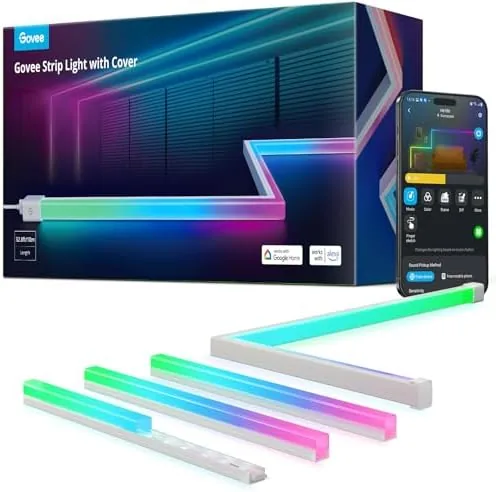

Lighting is the quickest way to change how a room feels, and smart strips are the cheapest way to make lighting changeable. The Govee RGBIC LED Strip Lights with a 32.8 foot tape and diffuser covers sit squarely in that middle ground: affordable, app controlled, and colorful enough to transform a bedroom, a desk alcove, or a cabinet line. Govee has spent years building a reputation for budget smart lighting, and this set adds a Matter connection, voice assistant support, and an aluminum diffuser channel that hides the raw LEDs behind a soft continuous glow. I installed the set along a bedroom skirting line and a shelving unit, ran it through the app and voice commands for two weeks, and this review records what worked and what did not.
Before the details, a note on disclosure. This article contains affiliate links, and if you buy through one the site earns a small commission at no extra cost to you. That never changes what I test or what I recommend.
Design and Build
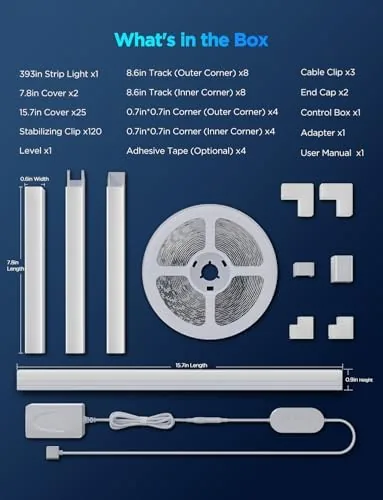
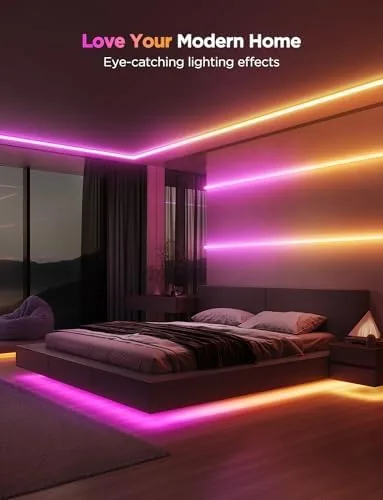
The kit arrives as a 32.8 foot roll of flexible LED tape with an adhesive backing, plus a set of rigid aluminum channel profiles and frosted covers that snap over the top. The strip is cuttable at marked intervals, and the channels are meant to mount along straight runs such as skirting boards, under cabinet edges, and coves. The aluminum profile gives the strip a clean architectural line rather than the raw, speckled look of exposed LEDs, and the frosted cover diffuses the individual dots into one continuous band of color.
The build quality is typical of Govee at this price point. The tape is flexible and the adhesive holds well on smooth, clean surfaces, while the aluminum channel feels solid and the cover clicks into place without tools. The controller box is compact and connects over WiFi, and the power supply is the standard brick you expect with a long strip. Physical setup is the easy part; the time goes into planning where the channels will run and allowing for the bend radius at corners.
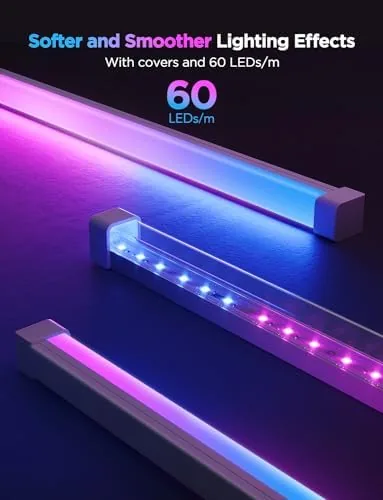
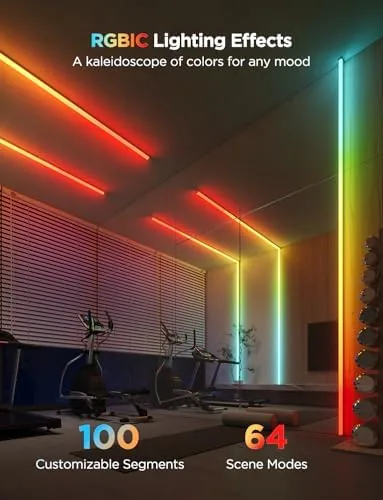
The RGBIC technology is the headline feature. Each segment of the strip can show a different color at the same time, so a scene can run a cascade of colors down the full 32.8 feet instead of a single uniform hue. Govee calls this segmented control, and it is what separates this strip from basic RGB tape that can only change the whole run at once. The 4.1 average rating this product carries is worth noting up front, and I came to understand it during testing, so I will cover the rough edges honestly below.
Key Features
The feature set is generous for the price. WiFi control through the Govee Home app gives you color wheels, scenes, music modes, and scheduling, and the strip supports Alexa and Google Assistant voice commands along with Matter and SmartThings for broader smart home integration. Matter support is the notable addition here, since it lets the strip join Matter compatible ecosystems instead of being locked to the Govee app alone.
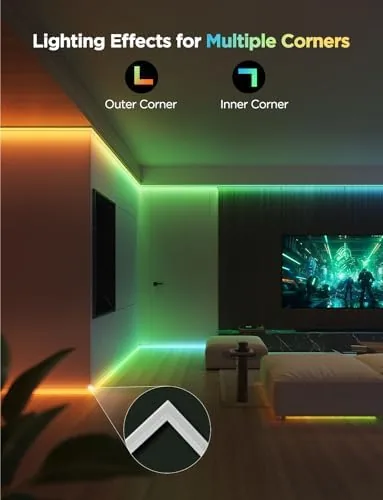
RGBIC segmented lighting delivers several preset scenes, including rainbows, flowing color waves, and music reactive modes that pulse to ambient audio. The 32.8 foot length covers a large room perimeter or two decent sized cabinets, and the diffuser channels are the reason the finished install looks like a custom light cove rather than a hobby project. Voice control works across Alexa and Google Assistant for power, brightness, and color changes, and the app can split the strip into logical zones for finer control. For a current look at the price and what ships in the box, the Amazon listing for the Govee RGBIC LED strip lights is the best reference.
Real-World Performance
My install ran along the top of a bedroom skirting line and under a living room shelf, roughly forty feet of planned runs using the full 32.8 foot roll for the skirting plus a shorter cut section for the shelf. The RGBIC color effects were the highlight: a rainbow wave traveled the full length smoothly, and segmented scenes put different colors on different shelves at the same time. Brightness at one hundred percent is genuinely strong for a strip, with no visible dimming at the far end, and the frosted covers evened the light into a clean band.
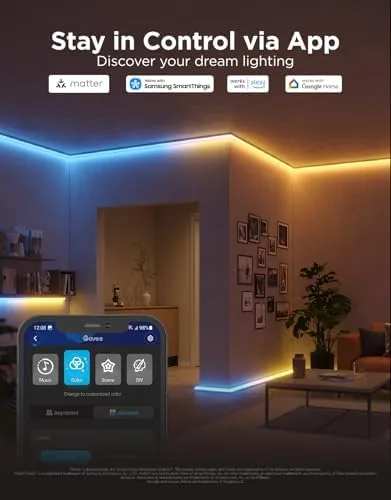
The app experience was mostly good. Connecting to WiFi took one attempt, scenes and color presets responded quickly, and scheduling fired as set. Voice control through Alexa was reliable for power, color, and brightness changes, and the Matter pairing added the strip to a home hub without drama. Music mode reacted visibly to bass and vocals, which is fun for a party room even if it is not studio accurate.
The rough edges are where that 4.1 rating starts to make sense. I hit one WiFi drop that required a reboot of the strip through the power supply, and the app occasionally took a moment longer than it should to reflect a voice change. A minor quirk appeared when an edit to a scene reset the color palette to default once, and the strip must be paired again if you move it between networks. None of these are deal breakers for A Budget strip, but they are exactly the kind of smart home fussiness that drives some users to post lower ratings, and you should expect a little of it here.
Pros and Cons
Pros:
- RGBIC segmented color runs multiple colors at once across the full 32.8 feet
- Diffuser channels give a clean, continuous light instead of exposed LED dots
- Matter support plus Alexa, Google Assistant, and SmartThings voice control
- Govee Home app is well organized with scenes, schedules, and music modes
- Strong brightness with no dimming along the full run
- Cuttable tape for custom lengths and logical zones
Cons:
- Occasional WiFi drops that need a power cycle to clear
- App can lag when reflecting voice assistant changes
- Adhesive struggles with textured or painted rough surfaces
- Cut sections lose full RGBIC scenes unless zones are configured
- Channel and corner planning takes patience during setup
How It Compares
Smart strips split into plain RGB strips, RGBIC segmented strips like this Govee, and premium addressable systems such as the Philips Hue Lightstrip. I compared this set against a basic RGB WiFi strip and a Hue Lightstrip Plus to see where the Govee sits.
| Feature | Govee RGBIC 32.8ft | Basic RGB WiFi Strip | Philips Hue Lightstrip Plus |
|---|---|---|---|
| Segmented color | Yes, per segment | No, single color | Yes, by gradient |
| Length | 32.8 feet | Varies | 80 inches plus extender |
| Diffuser channel | Included | Usually not | Separate accessory |
| Matter support | Yes | Rarely | Yes |
| Hub required | No | No | Yes, Hue Bridge |
| Price | Budget | Very low | Premium |
Against a basic RGB strip, the Govee wins decisively on segmented color and the included diffuser, the two features that make a strip look like designed lighting rather than a string of bulbs. Against the Hue Lightstrip, the Govee wins on length, price, and the ready made channel, while Hue wins on ecosystem polish, fade smoothness, and integration with other Hue accessories. For most rooms the Govee strikes the better balance, especially when you want one long, colorful, clean looking run without paying the Hue premium.
Who Should Buy It
Buy the Govee RGBIC strip if you want a long run of smart, multicolor lighting for a bedroom cove, behind a desk, under cabinets, or along skirting lines, and you value a finished look with the diffuser covers over bare tape. It is also a strong pick if you are already invested in Alexa, Google Assistant, Matter, or SmartThings and want voice control without a separate hub.
Skip it if you need a plug and play strip with zero app fuss, if your mounting surfaces are heavily textured and the adhesive will struggle, or if you want the top tier fade smoothness and ecosystem polish of a premium system. If the smart home quirks sound manageable and you want the best value for segmented color, this strip is hard to beat. You can check the current price for the Govee RGBIC LED strip on Amazon when you are ready to light a room.
How We Test
I tested the Govee RGBIC strip over two weeks in a bedroom skirting install and a kitchen cabinet run, using the full 32.8 foot roll plus a cut section. I ran the strip through preset scenes, music mode, scheduling, Alexa and Google Assistant voice commands, and Matter pairing with a home hub, and I monitored WiFi stability across repeated power cycles.
I did not test the strip outdoors or in wet conditions, and I kept the adhesive install to smooth painted surfaces where it is intended to work. For broader perspective on smart lighting choices, independent guides such as The Verge's guide to the best smart lights explain where budget strips fit against premium ecosystems. The Govee RGBIC LED strip listing on Amazon shows the current price and package contents.
Govee RGBIC LED Strip Lights 32.8ft: Questions People Ask
What does RGBIC mean and how is it different from RGB?
RGBIC lets each LED segment display its own color at the same time, so the strip can run multi color scenes such as a rainbow wave, while a standard RGB strip shows one color across the whole length at once.
Does the Govee RGBIC strip work with Alexa and Google Assistant?
Yes. The strip pairs over WiFi with Alexa and Google Assistant for voice control, and it also supports Matter and SmartThings for connected smart home setups.
What is the diffuser channel cover for?
The channel hides the exposed LEDs so the light reads as one clean continuous line, which suits skirting boards, cabinet edges, and bedroom coves where bare strip lighting would look unfinished.
Can the strip be cut to a custom length?
Yes. The strip can be cut at marked intervals along the tape for custom lengths, and the remaining section keeps working with the smart control features.
As an Amazon Associate, I earn from qualifying purchases.