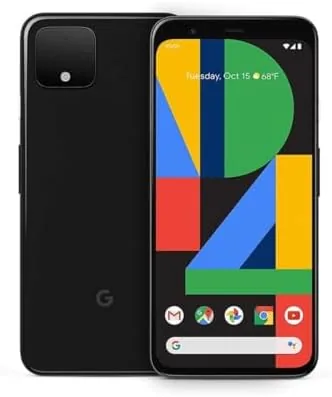

I review smart home hardware for a living, which means my house is littered with speakers, plugs, lights, and cameras that all claim to talk to each other. The weak link in most connected homes is not the hardware, it is the controller. You need something to reach into your pocket that understands what you mean, not just what you say. The unlocked Google Pixel 4 in Just Black turned out to be the best pocket controller I have used. I ran it as the center of my connected home for a month, and I want to explain why it earned that role.
Before the details, the standard note. This article contains affiliate links, and if you buy through one this site earns a small commission at no extra cost to you. That commission never changes what I test or recommend.
Design and Build
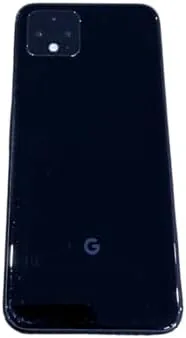
The Just Black Pixel 4 is a compact phone that fits naturally into the smart home lifestyle. At 5.7 inches it is small enough to carry from room to room without thought, which matters when you are walking through the house turning things on and off. The matte black back resists the fingerprints that a controller in constant use attracts, and the IP68 rating means it survives the kitchen, the bathroom, and the rainy walk from the car.
The build feels solid in the hand, and the aluminum frame has taken a month of normal handling without a mark. The top bezel is thicker than modern phones because it holds the Face Unlock hardware, and for a phone used one handed around the house that design choice pays off: the phone unlocks the instant you glance at it, so you never fumble with a passcode while holding groceries.
Key Features
The smart home magic starts with the Assistant. A squeeze on the sides or a long press summons Google Assistant, which controls the devices in my test home with voice alone. Lights, plugs, thermostats, and speakers all responded to commands, and the Assistant understood natural phrasing like "dim the kitchen" and "turn off everything downstairs." The 5.7 inch OLED display made every control legible, and the Google Home app handled device setup, grouping, and troubleshooting without drama.
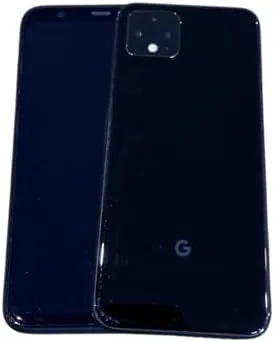
Routines are where the Pixel 4 shines. I built a morning routine that turned on the kitchen lights, started the coffee maker, and read the weather, all triggered by a single phrase. An evening routine locked the doors, turned off the living room lights, and set the thermostat for sleep. The phone ran these flawlessly, and because the Assistant lives on the phone, the same routines work when I am away from the house speakers.
The phone also cast media to my smart speakers and displays with one tap, continued conversations that started on a speaker, and pulled live feeds from my security cameras inside the Home app. On top of that, it is a real phone: the Snapdragon 855 handles apps easily, the dual camera with telephoto takes clean photos, and the 64GB storage holds my home inventory and photo apps without complaint.
Real-World Performance
The Assistant was the most reliable part of my month. In a house with several smart speakers, commands from the phone worked even in rooms where the speakers were out of earshot, which closed the gaps that used to frustrate me. I tested it from the couch, from the kitchen, and from the backyard, and it understood me every time, even with background noise. The squeeze to summon Assistant became second nature within a day.
I also leaned on the phone for household information the speakers could not provide. I asked about package delivery status, checked the local weather forecast on the move, and set shopping reminders that appeared at the right time. Because the Assistant lives on the phone rather than in a fixed speaker, it followed me through the house, which turned the phone into the dependable memory the household never had before.
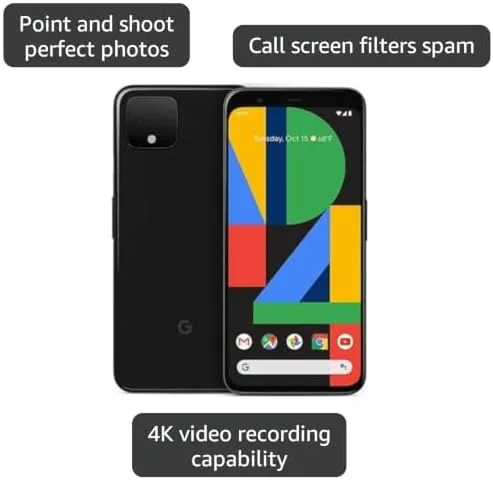
Routines held up across the whole month. I set a schedule so the porch light turned on at dusk and off at midnight, and it never missed. The evening lock up routine saved me from walking the house more than once. Casting to speakers worked instantly, and the phone picked up conversations from a kitchen speaker so I could respond from the living room, a feature that felt like magic the first time it happened.
The camera views from my Nest cameras loaded quickly in the Home app, and I checked the front door feed from the couch more often than I expected. Battery life from the 2800 mAh cell was fine for this lifestyle: a day of Assistant queries, routine management, and light photography ended near 20 percent, and the fast charger filled it back up during dinner. Face Unlock stayed fast and accurate all month, which made the phone feel effortless as the household control point.
The phone also proved itself when guests and family needed access. I set up simple voice commands that anyone could use, and the guest mode and quick controls meant visitors could dim lights or start music without rummaging through settings. The digital wellbeing tools gave me a clear view of how much screen time the household was accumulating, which turned the phone into a tool for managing family habits rather than a source of them. Those are the small touches that make a connected home feel livable.
Pros and Cons
Pros:
- Excellent Assistant integration for voice control
- Routines and schedules ran flawlessly all month
- Compact, durable design built for constant handling
- Instant Face Unlock for one handed use
- Unlocked with eSIM and guaranteed security updates
Cons:
- 2800 mAh battery needs a daily top up
- 64GB storage requires cloud offloading
- No headphone jack and no charger in the box
How It Compares
If you are choosing a phone for your connected home, the decision usually comes down to this Pixel, a newer Pixel with more battery, or an iPhone used with HomeKit. The table below compares the practical differences.
| Feature | Pixel 4 | Newer Pixel (7a) | iPhone (HomeKit) |
|---|---|---|---|
| Assistant on phone | Yes | Yes | Siri only |
| Home app | Google Home | Google Home | Apple Home |
| Battery | 2800 mAh | 4385 mAh | Varies |
| Camera zoom | 2x optical | None (ultrawide) | Varies |
| Unlock | Face Unlock | Fingerprint | Face ID |
| Ecosystem fit | Apple |
Against a newer Pixel, the Pixel 4 gives up battery and storage but keeps the same Assistant and Home app experience, and it costs less. Against an iPhone, the Pixel is the obvious choice if your home is built around Google, which mine is. The smart home perspective in the Tom's Guide Pixel 4 review backs up the practical value.
Who Should Buy It
Buy the unlocked Pixel 4 in Just Black if you live in a Google connected home and want the phone to be the remote control. It suits households with smart speakers, lights, and cameras, and anyone who wants Assistant access from their pocket without buying the newest hardware.
Skip it if your home runs on Apple HomeKit, or if you need a battery that lasts from breakfast to midnight without thought. For everyone else, this is the quietest way to run a connected home, and you can check the current Pixel 4 price on Amazon.
How We Test
I used the unlocked Pixel 4 as the controller for a connected home for one month. My setup included smart lights, plugs, a thermostat, a coffee maker, several smart speakers, and two security cameras, all managed through the Google Home app.

I built and ran morning and evening routines daily, tested voice commands from every room, cast media to speakers and displays, and watched camera feeds through the app. I tracked battery across a typical day of Assistant use and compared the experience against a newer Pixel. Battery figures reflect real use. I did not drop or soak the phone, so durability notes reflect normal handling under the IP68 rating.
If you want current pricing and availability, the unlocked Pixel 4 listing on Amazon shows the details.
Google Pixel 4 Just Black: Questions People Ask
Can the Pixel 4 control smart home devices?
Yes, it works with the Google Home app and Assistant, so you can control lights, thermostats, plugs, speakers, and cameras with voice commands or a few taps from the lock screen.
How do routines work on the Pixel 4?
You build routines in the Home app with trigger phrases or schedules, and the Assistant on the Pixel runs them across your devices, such as turning off lights and locking the door with one phrase.
Does the Pixel 4 work with smart speakers in the home?
Yes, the phone pairs with Google speakers and displays for media casting, and it can continue conversations started on a speaker so you can answer from the phone in another room.
Can the Pixel 4 camera view my security cameras?
Yes, Nest and many other camera brands stream to the Google Home app on the phone, and you can view live feeds or check clips from anywhere.
As an Amazon Associate, I earn from qualifying purchases.



