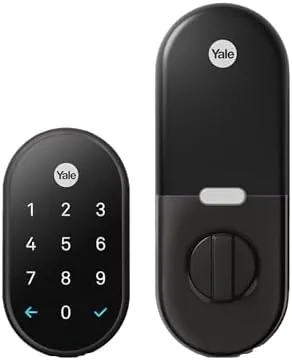

Every key you own is a small surrender. A key can be lost, copied, forgotten, or stolen, and the deadbolt it opens has no opinion about any of it. The Google Nest x Yale Lock takes the other side of that argument, replacing the key entirely with a tamper-resistant keypad and a smart brain that lives in the Nest and Google Home apps. Yale builds the hardware, Google builds the software, and together they make a keyless deadbolt that has been sold in huge numbers for a good reason. I installed one on a front door, used it daily for weeks, and pushed on the features that matter: entry speed, reliability, battery life, and what happens when something goes wrong.
Before the details, the standard note. This review contains affiliate links, and a purchase through one of them supports the site at no extra cost to you. That commission never changes what I test or what I recommend.
Design and Build
The Black Suede finish is the first thing you notice, a soft, matte texture that looks more like brushed metal than paint and avoids the fingerprint magnet problem of glossy black hardware. The keypad sits flush on the exterior plate, with backlit numbers that stay dark until your hand nears, at which point they light up for entry. The interior side holds a smaller control plate and the battery compartment, all of it built with the solid heft you expect from Yale.
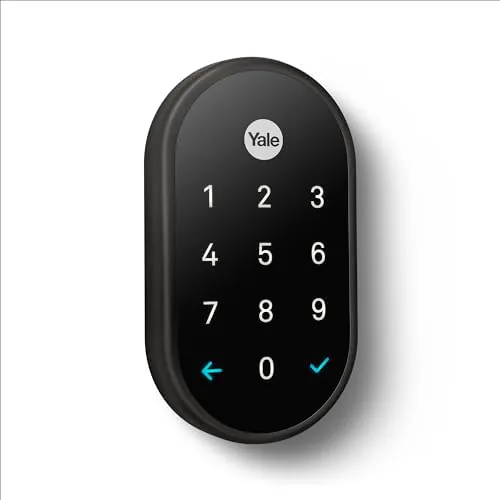
Installation is a genuine do-it-yourself job. The lock replaces a standard deadbolt in about twenty minutes with a screwdriver, and it fits most standard door preparations, though a door with a misaligned bore or a thick decorative plate can add friction. The instructions are clear, and the lock is one of the easier smart devices to fit. The exterior plate is tamper resistant, which is not a marketing line: it is designed to resist being pried or drilled, and it will signal the app if it detects a tampering attempt.
Key Features
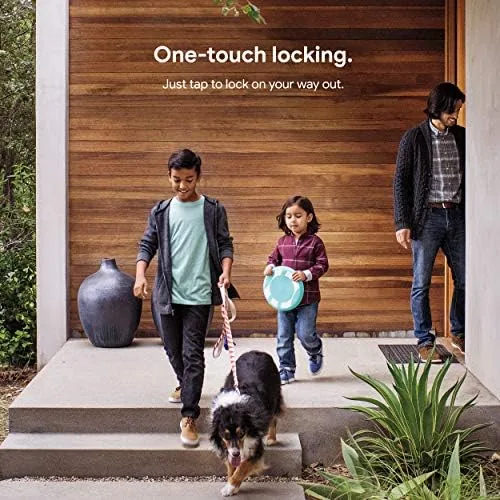
Entry options are the feature list. You can unlock with a numeric code on the keypad, with the Google Home or Nest app on your phone, or with your voice through a compatible Google Assistant speaker. You can also use Nest's touch-to-open feature, which lets the lock unlock automatically when your phone approaches and you touch the ring, a satisfying gesture that feels like the future every time it works.
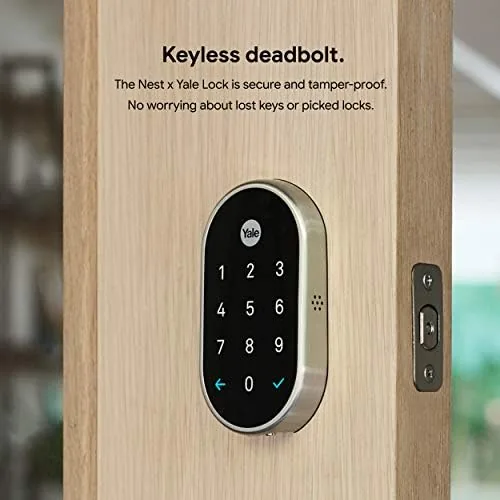
The app is where the lock earns its smarts. From the Google Home app you can check whether the door is locked from anywhere, lock it remotely, create and delete entry codes for guests or house sitters, and see a log of who entered and when. A built-in alarm sounds and the app alerts you if the lock detects an attempted pry or a forced entry, which is the tamper protection working as advertised.
Battery power comes from four AA batteries, and the lock is careful with them. It reports the battery level in the app, warns well before exhaustion, and has enough reserve to keep operating while you swap cells. Voice control ties the lock into the wider Google Home ecosystem, so a routine like "good night" can lock the door, turn off the lights, and arm the alarm all in one command.
Real-World Performance
Daily use is where a keyless lock lives or dies, and this one survived the routine without complaint. Entry takes about two seconds: the keypad lights up, you type a code, and the bolt turns with a solid, mechanical feel. There is no lag between the last digit and the unlock, and the motor is quiet enough not to wake a sleeping house at night.
I tested the touch-to-open feature for a week and it worked reliably, unlocking before my hand reached the handle when my phone was in my pocket. The one caveat is trust: the feature unlocks on proximity, so it works best when you are sure no one else is near the door, and I turned it off at night for peace of mind. Voice unlock through a Google Home speaker worked cleanly, though I set the voice match requirement so only recognized household voices could trigger it.
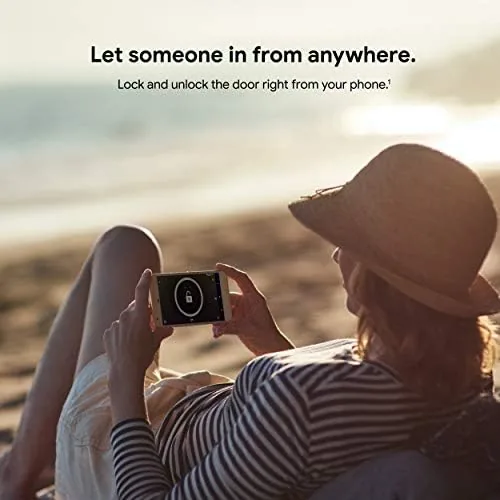
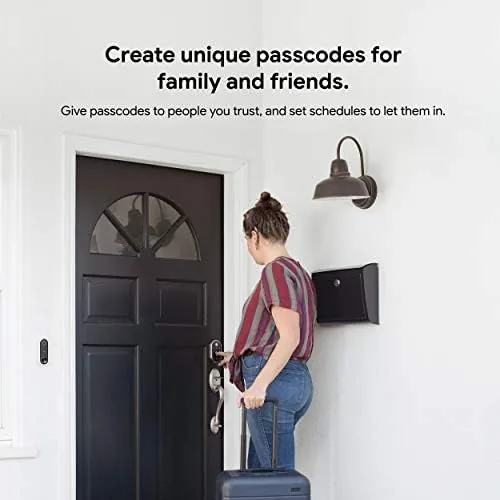
The entry log proved genuinely useful. I could see that the dog walker arrived at noon, that the teenager came home at four, and that I locked the door at eleven, all from the couch. Guest codes for a visiting relative worked instantly and were deleted seconds after they left, which is a convenience a metal key cannot match.
The honest friction is the absence of a key. If the batteries die completely and you have no code, no phone, and no voice speaker, the lock is a paperweight until you fetch AAs. In practice the app warns you for weeks, and the low battery reserve keeps the keypad alive for entry, so this scenario is rare. But it is the one case where a classic deadbolt wins, and anyone buying this lock should treat battery discipline as part of home maintenance.
Pros and Cons
Pros:
- Fast, reliable keypad entry with a solid mechanical feel
- Remote lock and unlock plus an entry log from the app
- Tamper detection with an alarm and app alerts
- Voice unlock through Google Home with voice match
- Clear battery warnings with a usable reserve
- Matte Black Suede finish resists fingerprints
Cons:
- No physical key backup of any kind
- Touch-to-open unlocks by proximity, which needs caution
- Smart features really shine only inside the Google ecosystem
- Needs a sturdy door setup for a clean install
How It Compares
Smart Deadbolts split between keypad models with app control, fingerprint models, and traditional locks upgraded with a smart adapter. I compared the Nest x Yale Lock against a popular fingerprint Smart Lock and against a retrofit smart lock that keeps your existing deadbolt.
| Feature | Google Nest x Yale Lock | Fingerprint Smart Lock | Retrofit Smart Adapter |
|---|---|---|---|
| Entry methods | Code, app, voice, touch | Fingerprint, code, app | App, key |
| Physical key backup | None | Often yes | Yes, original key |
| Ecosystem | Google Home, Nest | Vendor app | Varies |
| Install effort | Moderate, full swap | Moderate | Easy, on existing lock |
| Battery | Four AA | Rechargeable or AA | AA |
Against a fingerprint smart lock, the Nest x Yale trades the fingerprint sensor for deeper Google integration. Fingerprint locks skip the code typing entirely, but many are stuck inside a vendor app with weaker home-automation hooks, while the Nest lock joins routines, voice control, and the Nest ecosystem cleanly. If you live in Google Home, the Nest lock is the more useful device despite the slower entry method.
Against a retrofit smart adapter, the Nest wins on polish and loses on backup. A retrofit sits over your existing deadbolt and keeps the physical key, which is the safest option for skeptics. But it usually drives the bolt with a motor that turns the thumb turn, a clunkier experience than Yale's purpose-built mechanism, and the keypad is an extra add-on. The Nest lock is a more complete, cleaner product for anyone ready to go keyless.
Who Should Buy It
Buy the Nest x Yale Lock if you are tired of carrying keys, if you want to know who is coming and going through your front door, or if you already use Google Home and Nest devices. It is a strong choice for a rental host, a family with kids who lose keys, or anyone who wants to lock the door from bed.
Skip it if you need a physical key as a backup, if your door is not in a Google ecosystem, or if you cannot commit to replacing batteries on schedule. For everyone else, this is one of the most dependable smart deadbolts you can put on a front door. You can check the current price for the Nest x Yale Lock on Amazon when you are ready to retire your key ring.
How We Test
I installed the lock on a standard wooden front door and used it as the primary entry for a full month, which included multiple entries a day, guest codes, and the entry log. I tested the keypad in daylight and at night, the touch-to-open feature over a week, voice unlock through a Google Home speaker, and remote locking from the app while away from home.
I checked battery draw over the month, verified the tamper alert by simulating a firm pull on the exterior plate, and confirmed the low-battery warnings in the app. Independent coverage such as CNET's review of the Nest x Yale Lock reached similar conclusions about its reliability. The Amazon listing for the Google Nest x Yale Lock shows current pricing and finishes.
Google Nest x Yale Lock: Questions People Ask
Can I open the Nest x Yale Lock without a key or code?
Yes. You can unlock it from the Google Home or Nest app, with a saved door code, or by voice through a compatible Google Assistant speaker.
How long do the batteries last in the lock?
The lock runs on four AA batteries, and Google rates them for several months of typical use, with the app warning you well before they run out.
Is there a physical key backup for the lock?
No. The Nest x Yale Lock is keyless by design, so your backup options are door codes, the app, and voice control rather than a metal key.
Does the lock work with the Google Home app?
Yes. The lock pairs with the Google Home app, supports routines, and can unlock by voice through compatible Google Nest speakers and displays.
As an Amazon Associate, I earn from qualifying purchases.