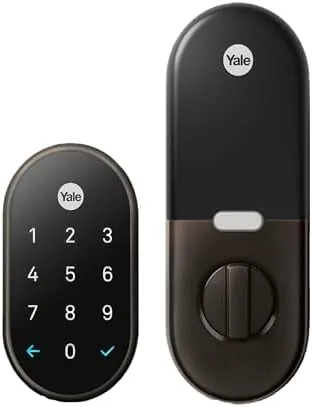

The smart lock is the rare piece of smart home hardware that changes a daily routine rather than decorating it. The Google Nest x Yale lock replaces the deadbolt on your front door with a keypad, so the keys stay in the drawer and the door opens on a six digit code. I installed the Oil Rubbed Bronze version on my front door and lived with it for a full season, and this review is the honest record of the installation, the app, the tamper resistance, and the things that still require a little patience.
Before the details, the standard note. This article contains affiliate links, and if you buy through one of them the site earns a small commission at no extra cost to you. That commission does not change what I test or what I recommend, and the lock reviewed here was installed and used exactly the way a homeowner would use it.
A smart lock has to beat the dumb lock it replaces, or the whole exercise fails. The rest of this review covers the hardware, the keypad, the app experience, and whether the lock holds up when the Wi-Fi drops.
Design and Build
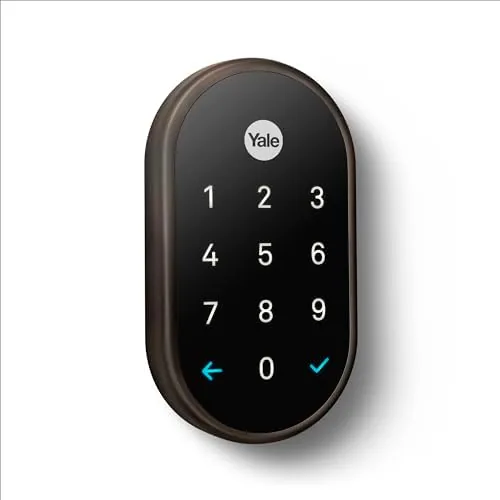
The Nest x Yale lock is a heavy, solid piece of hardware with the familiar Nest styling, a rounded keypad face above a touch strip for a secondary code, all finished in Oil Rubbed Bronze. The finish is darker than typical brass, almost gunmetal in low light, and it blends in on a traditional front door while still reading as modern. The exterior unit is the keypad and the deadbolt housing, and the interior unit holds the battery compartment and the manual twist knob.
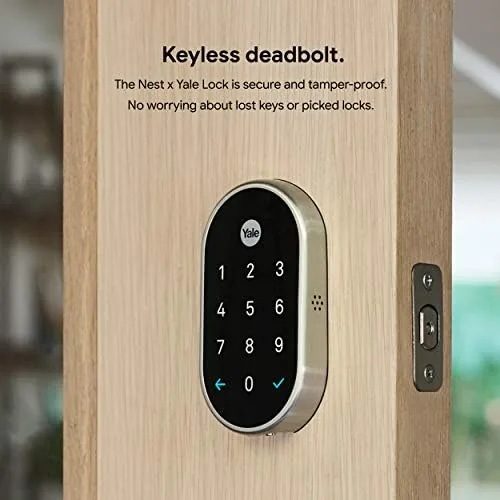
There is no keyhole on the outside, which is the point of the tamper proof design. The deadbolt is driven by a motor that reads the keypad, so there is no cylinder to pick and no physical key to lose. The interior unit runs on four AA batteries, which is the smart choice because they are everywhere and rechargeable, and a low battery warning shows on the keypad long before the lock stops working.
Key Features
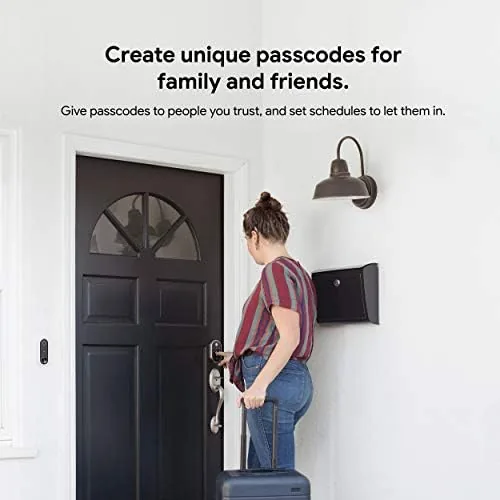
The headline feature is keyless entry. A six digit PIN opens the door, and you can assign different codes to different people, so a house cleaner, a dog walker, and a teenager each get a code that you can delete independently. The touch strip on the face lets you add characters to a code, which means a single digit code works for a quick unlock while a longer code works for family members.
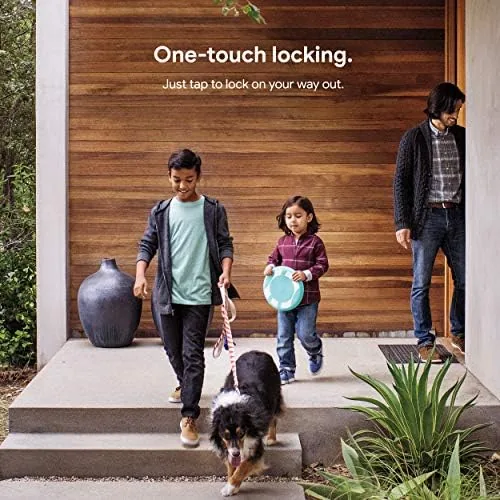
The lock pairs with the Nest app and Google Home, so it shows up alongside your thermostats and cameras. Auto lock closes the deadbolt a set number of minutes after the door closes, which means the door is never left open by accident. One touch locking on the keypad seals the door without a phone, and the Nest app lets you check the lock status from anywhere, as long as a Nest Connect is on the network.
Real-World Performance
Installation took about half an hour with a screwdriver, and it is the same job as swapping a standard deadbolt, because the Nest x Yale lock uses the standard door prep. The outdoor unit replaces the exterior deadbolt, the indoor unit replaces the interior thumb turn, and the two connect through the door with a cable. My door needed no new holes, and the manual twist knob on the inside still works if the batteries ever die.
The keypad was flawless in daily use. The buttons light up in low light, the codes registered on the first press, and the lock turned over fast enough that no one stood on the porch waiting. I assigned codes to family members and deleted one when the situation changed, all from the app in seconds, which is the feature that makes a smart lock genuinely better than a key.
Auto lock earned its keep on a busy season. Set to five minutes, it closed the deadbolt every time someone came in and then forgot, and the app confirmed the door was locked from the couch. The remote check worked reliably while I was on the network, and through the Nest Connect while I was away, the status always reflected the real door.
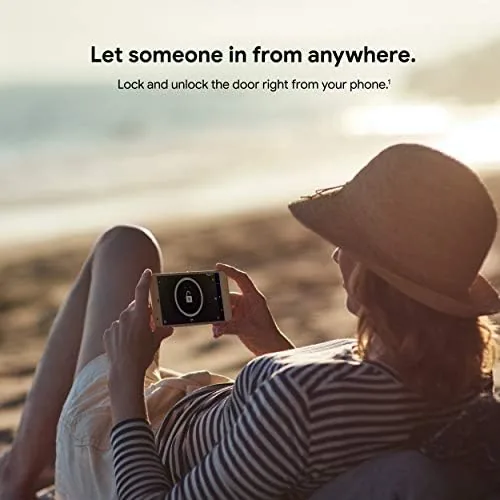
The honest limits are worth naming before you buy. The lock requires a Nest Connect device for remote access and voice control, so if your Nest speakers are not set up to bridge it, the app will only work while you are home. The motor is also not silent, with a mechanical thunk that is audible from the hall, which is a minor quibble. And because there is no keyhole, a failure of the electronics means calling for the manual twist knob on the inside, which only works if you are already in the house.
Pros and Cons
Pros:
- Keyless entry with codes that are easy to manage
- Tamper proof design with no external keyhole
- Auto lock keeps the door shut every time
- Works with the Nest app and Google Home
- Oil rubbed bronze finish suits a traditional door
- Standard deadbolt install with no new drilling
Cons:
- Needs a Nest Connect for remote access
- Lock motor makes a mechanical thunk
- No key backup if the electronics fail
How It Compares
The main choice in keyless locks is between the Nest x Yale and a Wi-Fi smart lock that does not need a bridge, and the table below lines up the difference.
| Feature | Nest x Yale | Wi-Fi Smart Lock |
|---|---|---|
| Remote access | Needs Nest Connect | Direct over Wi-Fi |
| Keyhole | None, tamper proof | Some models keep one |
| App ecosystem | Nest and Google Home | Own brand app |
| Keypad | Backlit, fast | Depends on the model |
| Best for | Nest households | Standalone buyers |
If your home is already in the Nest and Google Home ecosystem, the Nest x Yale fits in without another app and without another account. If you want a lock that works fully with nothing but your router, a Wi-Fi model removes the Connect requirement but adds its own app to your phone.
Who Should Buy
Buy the Nest x Yale lock if you live in a Nest household, if you want to stop carrying keys, or if you manage codes for cleaners, guests, and family members who come and go. It is also a strong pick for rental managers who change the code instead of the lock between tenants.
Skip it if you want a completely standalone smart lock that needs no bridge, or if your front door is not prepped for a standard deadbolt. For a Nest home, this is the lock that feels like it was built for the ecosystem. You can check the current price of the Google Nest x Yale Lock on Amazon when you are ready.
How We Test
I installed the Nest x Yale lock on my front door and used it daily for a full season, assigning and deleting codes, testing auto lock at different delays, and checking the status from inside and outside the network through a Nest Connect.
I did not test the lock against a professional lock picker or on a door with non standard prep. For an independent take on smart locks, PCMag has a review of the Google Nest x Yale Lock that covers the security side in depth. The Nest x Yale listing on Amazon shows the current price and finish options.
Google Nest x Yale Lock: Questions People Ask
Does the lock work without a Nest Connect?
The keypad works without any network, but remote access through the app and voice control through Google Assistant require a Nest Connect or a compatible Nest speaker on the network.
What happens if the batteries die?
The four AA batteries power the lock for months, and a low battery warning appears on the keypad early. If they die anyway, the interior twist knob still opens the door from inside.
Can I set different codes for different people?
Yes. The lock stores multiple PIN codes, and you can assign a separate code to each person and delete them individually when they are no longer needed.
Does the lock fit a standard front door?
Yes. It replaces a standard single cylinder deadbolt and uses the same door prep, so most front doors install in about half an hour with just a screwdriver.
As an Amazon Associate, I earn from qualifying purchases.



