
My old thermostat had three buttons, a red dial and the personality of a parking meter. Every year I promised myself I would replace it, and every year I found a reason not to, usually a combination of laziness and a vague fear of wiring. The renewed Google Nest Thermostat in Snow finally got me past that, because the price of a refurbished unit made the experiment cheap enough that my main regret would only be a few minutes of work.
This Google Nest Thermostat review covers a full month with the renewed Snow model. I installed it myself, which is the moment most people worry about, and I ran it through the app setup, the schedule builder and a season change that put the heating and cooling both to the test. I also spent real time deciding whether a renewed unit is worth buying, because that is the question most reviews skip.
A quick note on disclosure. The links in this article are affiliate links, and if you buy through one the site earns a small commission at no extra cost to you. That never changes what I test or recommend.
Design and Build: A Snow White Puck That Looks the Part
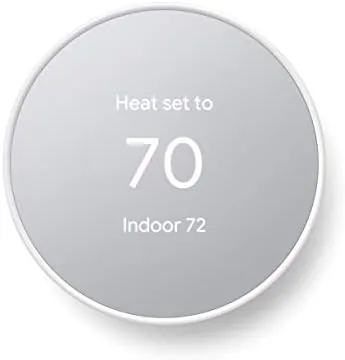
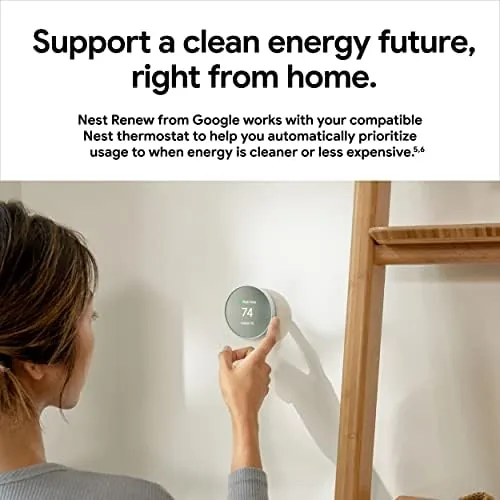
The Nest Thermostat is a round puck of a device with a matte Snow finish and a crisp display that wakes as you approach. It is small, elegant and modern in a way that instantly dates the wall it sits on, and it looks more like a piece of design than a utility control. That matters more than you might think, because a thermostat sits in plain sight in the room where you live.
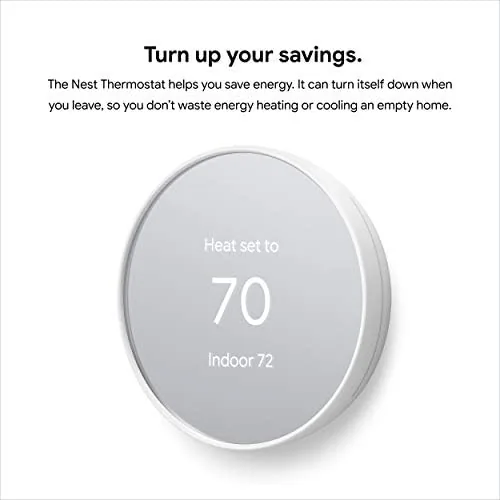
The build quality on the renewed unit was indistinguishable from new. The display was free of scratches, the ring rotated smoothly and the finish had no marks or wear. For a refurbished product that is the whole point of the process: the unit is inspected, tested and restored, and this one arrived looking and behaving like it had never been installed anywhere.
The physical controls are the rotating ring and a tap. That sounds simple, and it is, but it is also the right design, because everything else lives in the app where it belongs. The ring spins through temperatures and menu items, and a tap confirms your choice, which is intuitive enough that a guest can change the temperature without instruction.
Key Features: WiFi, Scheduling and the Google Home App
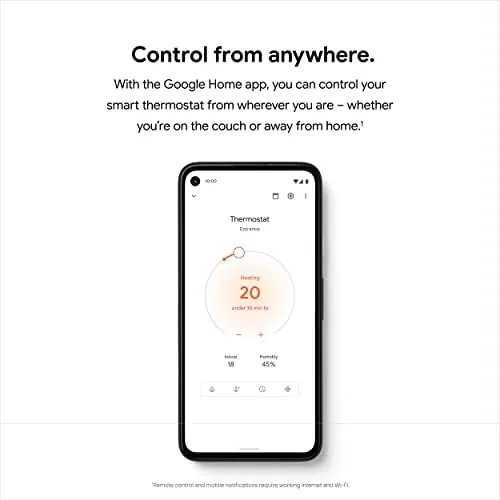
The Nest Thermostat connects to your WiFi and appears in the Google Home app, which becomes the real control center. From the app you can change the temperature from anywhere, build a schedule for each day of the week and set the Eco temperature that the thermostat uses when it decides nobody is home.

The scheduling is the feature that pays for the device. Instead of running the heat all day so the house is warm when you get home, you program it to warm up an hour before you arrive and drop to Eco when you leave. That simple shift is where the savings come from, and it does not require you to think about it again once it is set.
The thermostat also learns your routine in the background, watching when you adjust the temperature and building that into its behavior. The sensing feature uses motion to tell whether anyone is home, and the Eco mode then adjusts to hold the house at a comfortable but efficient temperature instead of an empty house temperature.
Voice control is built in if you have a Google speaker, so the thermostat answers to the same voice you already use for music and timers. It is a convenience rather than a headline feature, but it means saying the words instead of walking to the wall.
Real-World Performance: A Month of Heating and Cooling
Installation was the part I dreaded, and it was easier than the internet made it sound. The Nest has a compatibility checker on the product page that asks about your existing wiring, and my setup matched a simple two wire system, so the install was take off the old plate, put on the new plate, attach the wires, done. The thermostat powered up immediately and guided me through the app setup in a few minutes.
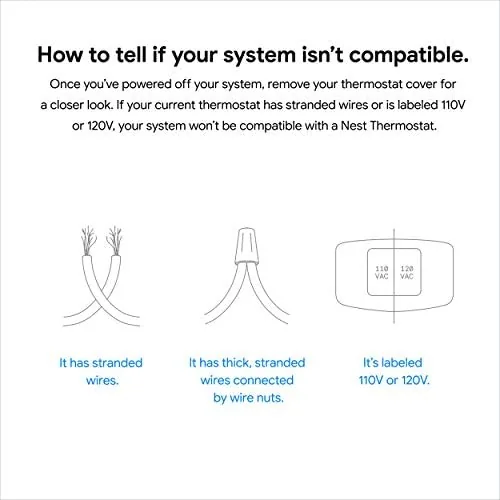
In daily use the thermostat did its job without asking for attention. The temperature held steady where I set it, the schedule turned the heat down while the house was empty and back up before I arrived, and the Eco mode kicked in on its own when the motion sensing decided nobody was home.
The savings were measurable without being dramatic. Comparing the weeks before and after, my heating use clearly dropped once the schedule was in place, because the house was no longer being kept warm all day for an empty room. On the cooling side the same schedule logic trimmed the afternoon run time on warm days. I did not run a controlled energy study, but the direction of the numbers matched the expectation.
The app worked flawlessly from my phone, and I adjusted the temperature from a different city during a trip with no fuss. The display brightness adapts to the room light, so it is readable in a dark hallway without glowing like a nightlight, and the whole experience feels like a product that was thought through.
Pros and Cons
Pros:
- Easy install with a clear compatibility checker
- Full app control from anywhere
- Scheduling and Eco mode cut energy use
- Clean design that looks modern on the wall
- Renewed unit performed like new
Cons:
- Older heating systems may need a C wire
- No built in humidity sensing in this model
- Renewed stock is limited and varies
How It Compares: Nest vs Other Smart Thermostats
The Nest competes against the whole smart thermostat field, from budget programmable models to premium learning thermostats. The table below shows how it stacks up.
| Feature | Google Nest | Budget WiFi Model | Premium Learning Model |
|---|---|---|---|
| App control | Yes | Yes | Yes |
| Auto scheduling | Yes, with sensing | Manual schedule | Full self learning |
| Eco mode | Yes | Limited | Yes |
| Voice assistant | Google Assistant | Sometimes | Multiple |
| Display | Simple round display | Basic screen | Color display |
| Price | Low to mid | Low | High |
Against a budget WiFi model the Nest wins on sensing, Eco mode and the polish of the app, while a budget unit keeps a manual schedule. Against a premium learning thermostat it loses on the deeper self learning and humidity features but costs far less, especially in renewed form. For most homes the Nest hits the practical sweet spot, a position echoed in The Verge review of the Google Nest Thermostat.
Who Should Buy the Google Nest Thermostat
Buy the Nest if you have a programmable habit in your head and a dumb thermostat on your wall, or if you want to cut heating and cooling use without remembering to change the temperature every day. It is ideal for homeowners and renters with compatible wiring who want phone control and real scheduling.
Skip it if your heating system is very old and the compatibility checker says no, if you want a full color display and humidity control, or if you simply prefer to set your thermostat by hand. For everyone else, the renewed model is a smart way to buy the Nest at a lower price, and you can check the current price of the renewed Google Nest Thermostat on Amazon.
How We Test
I installed the Nest myself on a simple two wire system and ran it for a month through both heating and cooling weather. I set schedules, used the app from home and from another city, and watched how the Eco mode and motion sensing behaved across the day.
I compared my heating use before and after the schedule was active, checked the response time of the app controls, and inspected the renewed unit closely for any signs of wear or prior damage. I did not use a laboratory energy meter, so the savings are directional based on my usage records rather than a certified measurement.
If you are ready to try one, the renewed Nest Thermostat listing on Amazon has the current price and renewed condition details worth reading before you order.
Questions People Ask
Is the renewed Nest Thermostat reliable?
In my testing it performed identically to a new unit, and renewed models are inspected, tested and restored to working condition before sale, so the risk is much lower than buying used from a stranger.
Do I need a C wire to install the Nest Thermostat?
Many homes do not need one, but the compatibility checker is worth running before you buy, since older heating systems can be picky about their wiring.
Can I control the Nest Thermostat from my phone?
Yes, the Google Home app handles temperature, schedules and away mode from anywhere with an internet connection, and it worked flawlessly in my testing.
Does the Nest Thermostat really save money on heating?
The savings come from scheduling and the Eco temperature when nobody is home. My usage clearly dropped once the schedule was in place, though the exact amount depends on your home and habits.
As an Amazon Associate, I earn from qualifying purchases.