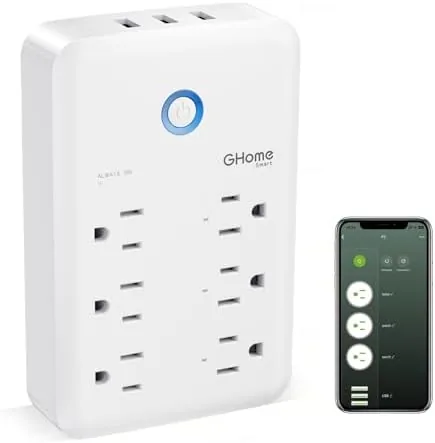

Every home has one wall socket that has become a tangle of adapters and chargers. The lamp needs its own outlet, the phone charger takes another, the router sits on the third, and nobody can switch any of it off without unplugging everything. The GHome Smart Plug Outlet Extender attacks that problem directly: it replaces one wall outlet with three individually smart controlled outlets and three USB ports, all managed from an app and voice assistants. I installed one in my living room and one in the office for a month to see how well it earns its place.
Before the details, the standard note. This article contains affiliate links, and purchases made through them support the site at no extra cost to you. That does not influence what I test or what I recommend, and the unit reviewed here was used exactly as a homeowner would use it.
Smart plugs are one of the easiest ways to start building a smart home, because they add control without rewiring anything. An outlet extender raises the stakes by packing several outlets and USB ports into one socket, and its value depends on how well the app works, how reliable the voice control is, and how the extra ports hold up under daily use.
Design and Build
The GHome extender is a rectangular block that plugs directly into a standard wall outlet and adds three smart outlets on the front and side faces, along with three USB ports. The layout is clever: the outlets are positioned so that even with larger plugs and wall warts attached, most of them stay usable. The unit is finished in white plastic with a compact profile that does not overhang a standard receptacle too far.
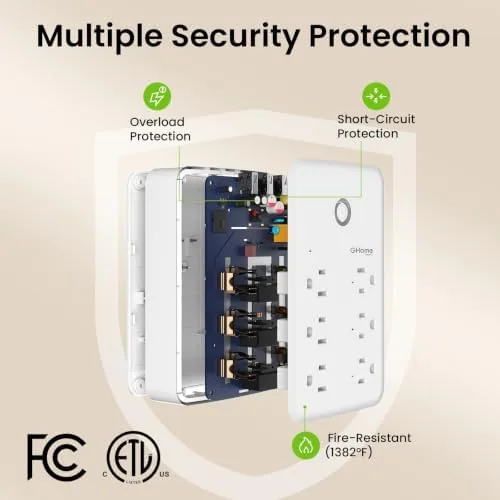
Build quality is respectable. The housing feels solid, the plugs seat firmly, and the manual power buttons on the front face let you switch each outlet by hand even without the app. The USB ports are arranged in a row, and the total rated capacity is 15 amps and 1800 watts, which is plenty for lamps, fans, small appliances, and charging devices, as long as you respect that the three outlets share that overall load.
The physical design does have a practical consequence: the extender occupies the top outlet and its own body blocks the lower outlet, so this is a replace the socket arrangement rather than an add beside it one. For most people that is exactly the point, since the whole idea is to turn one socket into many.
Key Features
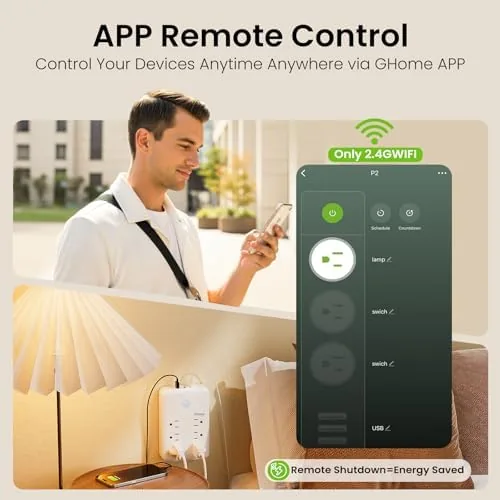
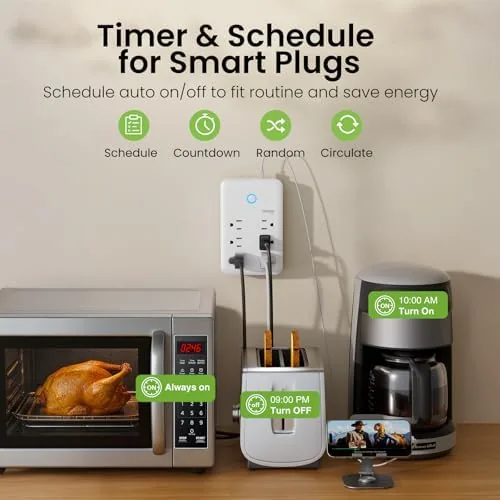
The headline feature is independent control. Each of the three outlets can be switched on and off separately through the app, so one can run a lamp at night while another keeps a router powered and a third cycles a fan. You can set schedules per outlet, build scenes, and create timers, which turns the extender into a small automation hub without any extra hardware.
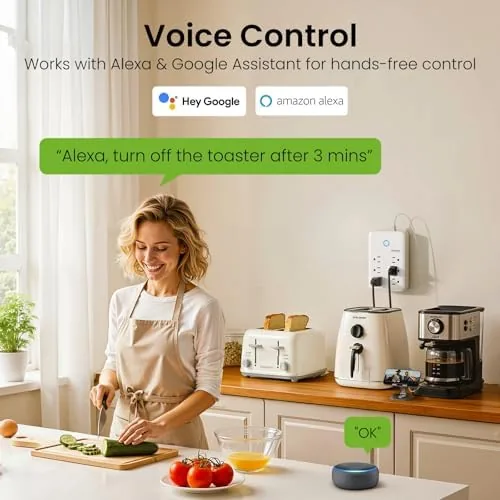
Voice assistant support is the feature that makes it feel smart. The extender works with both Alexa and Google Home, and once the GHome skill is linked, each outlet appears as its own device. That means "turn on the desk lamp" can control one outlet while a separate command handles the television. Voice response was consistently fast in my testing, usually within a second of the command.
The USB ports round out the package. Three USB ports sit on the unit, giving you fixed charging points for phones, tablets, and accessories without consuming one of the smart outlets. The app also includes an energy and usage view for the outlets, which gives a rough sense of what is drawing power, though it is a basic meter rather than a professional monitor.
Real-World Performance
Setup took about five minutes. The extender pairs over Wi-Fi through the GHome app, which walks you through connecting the unit to your network, and both of my units paired on the first attempt. The outlets appeared in the app immediately, and linking to Alexa and Google Home each took another minute of authorizing the skill and letting the devices sync.
In daily use, the independent control is the feature that changes the room. In the living room I put the lamp on outlet one, a charging dock on outlet two, and a fan on outlet three, then set a schedule so the lamp and fan run in the evening and everything powers down overnight. Being able to turn off one outlet without touching the others is the whole value of the design, and it worked every time.
Voice control was the pleasant surprise. Commands to Alexa resolved reliably, and the per outlet device split meant no confusion about which device I was addressing. In the office, I used Google Home to control a desk light and a monitor light, and the commands fired consistently even from across the room.
The USB ports handled phones and a tablet without complaint. Charging speed is modest rather than fast, so a large tablet takes longer than it would on a dedicated 20W fast charger, but for a nightstand top up or a desk charger it is entirely adequate. The manual buttons also proved useful: when I wanted to kill the power to the lamp without finding my phone, one press did it.
The one real limitation is Wi-Fi dependence. When my network dropped, the extender still passed power to everything connected, and the manual buttons still worked, but voice and app control went dark until the connection returned. That is standard for the category, but it is worth knowing if you are buying for reliability during an outage.
Pros and Cons
Pros:
- Three smart outlets, each controlled independently
- Three USB ports for charging without wasting an outlet
- Fast, reliable Alexa and Google Home voice control
- Simple schedules, scenes, and timers in the app
- Manual buttons work even without the app
- Easy setup that took minutes in testing
Cons:
- App and voice control depend on Wi-Fi
- USB charging is modest, not fast
- Outlets share the 15 amp total load
- Occupies the full wall socket
How It Compares
The main alternative is a set of indiviDual Smart Plugs, one per outlet, which spreads control across separate devices. The table below compares the two approaches.
| Feature | GHome Extender | Individual Smart Plugs |
|---|---|---|
| Outlets | Three in one unit | One per plug, separate units |
| USB ports | Three included | Usually none |
| Setup | One unit, one pairing | Multiple pairings |
| Voice control | Per outlet device | Per plug device |
| Wall space | Replaces one socket | Uses one socket per plug |
| Best for | One spot, many devices | Spreading control across a room |
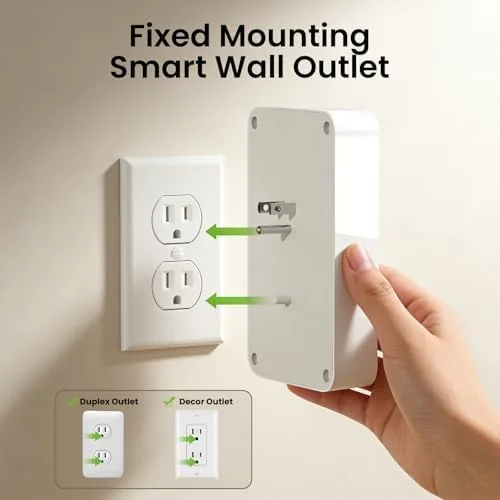
If you have one problem spot where a lamp, charger, and router all compete for a single socket, the extender is the cleaner answer: one device, one pairing, USB ports included. If you need smart control spread across outlets in different corners of the room, individual plugs give you that flexibility. The extender wins where clutter is concentrated.
Who Should Buy It
Buy the GHome Smart Plug Outlet Extender if your nightstand, desk, or living room corner has more devices than outlets, if you want voice control of lamps and fans without installing anything, or if you like scheduling lights and fans on a per outlet basis. It is also a tidy solution for home offices where a lamp, monitor light, and phone charger all fight over one socket.
Skip it if you need fast charging from the USB ports, if you want smart control at outlets spread far apart, or if your priority is operation during a Wi-Fi outage. For a busy corner of any room, it is one of the simplest ways to make one socket do the work of several. You can check the current price of the GHome smart plug outlet extender on Amazon when you are ready.
How We Test
I installed two GHome extenders, one in a living room and one in an office, and used them daily for a month. I tested per outlet scheduling, scenes, and timers, linked both Alexa and Google Home, measured voice response, and charged phones and a tablet through the USB ports. I also pulled the Wi-Fi to confirm the manual buttons and power pass through behavior. For independent advice on choosing smart plugs, PCMag has a guide to the best smart plugs that covers the tradeoffs between extenders and individual units. The GHome smart plug extender listing on Amazon lists current pricing and full specifications.
GHome Smart Plug Outlet Extender: Questions People Ask
Can I control each GHome outlet separately?
Yes, each of the three outlets switches independently in the app, so one lamp can be on while a fan and a charger stay off.
Does the GHome extender work with Alexa and Google Home?
The unit pairs with both Alexa and Google Home, and each outlet appears as its own device once the skill is linked to the app.
How fast do the USB ports charge?
The three USB ports handle a phone or small tablet at a practical everyday speed, though they are not as fast as a dedicated fast wall charger.
Does the smart plug still work when the Wi-Fi drops?
The outlets keep power flowing through the manual buttons when the network drops, but voice and app control wait until the connection returns.
As an Amazon Associate, I earn from qualifying purchases.