
Storage is the part of a gaming rig that people upgrade last, which is strange, because it is often the most noticeable change you can make. Swapping a hard drive or a slow SATA SSD for a fast NVMe drive turns a machine that takes a minute to boot into one that is ready before you find your coffee. The Fikwot FX910 is a 1TB PCIe Gen4 M.2 drive rated at up to 7300MB/s, and it ships with the heatsink that PlayStation 5 owners need for their expansion slot. This is a week with the drive installed across a desktop PC and a PS5: benches, real game loads, thermals, and the honest question of whether the specs hold up in the real world.
Before the details, the standard note. This article contains affiliate links, and a purchase made through one of them supports the site at no added cost to you. That never changes what I test or what I recommend.
Design and Build
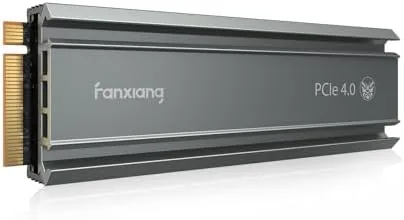
The FX910 is a standard M.2 2280 drive, the length that every modern motherboard and the PS5 expansion bay accept, so there are no fit surprises. The bare drive is a slim Gen4 card, and the real star is the bundled heatsink: a metal finned block that clamps onto the drive with a simple spring clip, no screws and no thermal tape wrestling. That design matters, because a heatsink you actually install beats a perfect heatsink that sits in a drawer.
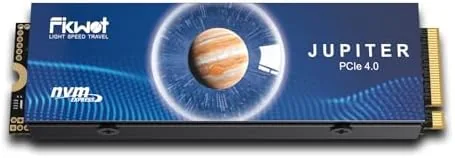
The build quality of the PCB is clean, with the controller and NAND neatly arranged and a label noting the capacity and interface. There is nothing exotic here, and that is the point: this is a no-nonsense Gen4 drive with the cooling gear included, aimed at people who want a straightforward upgrade rather than a project. The clip-on heatsink clears the PS5's expansion cover, which I verified by installing it in the console, and on a desktop motherboard it sat clear of tall graphics cards.
Key Features
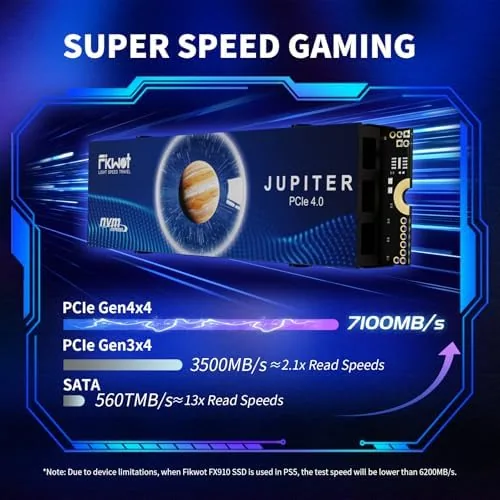
The headline spec is the PCIe Gen4 interface with sequential reads rated up to 7300MB/s. In practice, that rating lands among the fastest drives you can buy, and it is the figure that makes the FX910 interesting: Gen4 performance at a price that undercuts the big-name flagship drives. The 1TB capacity strikes the right balance for a primary drive, big enough for an operating system, a full game library, and creative files without forcing constant housekeeping.
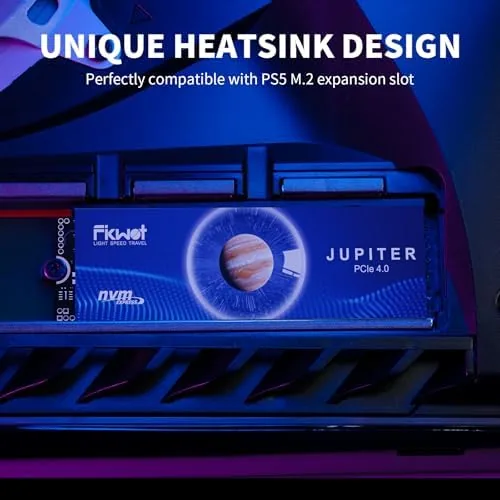
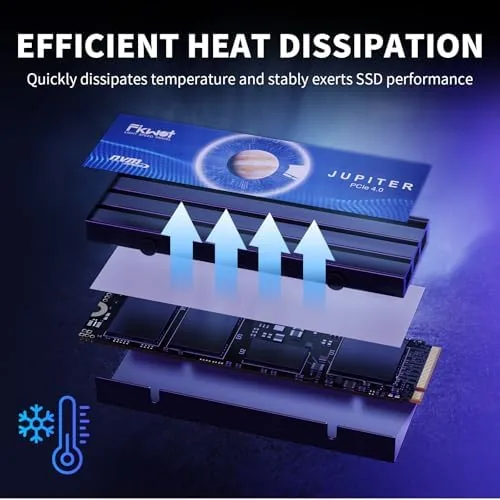
Cooling is the second feature, and on a Gen4 drive it is not optional decoration. NVMe drives throttle hard when they overheat, which is why the included heatsink earns real credit here. The drive also works in both directions of the market: it fills the PS5 expansion slot and doubles as a fast boot drive for a desktop PC or a modern laptop with a 2280 slot. If you want to compare the current price against other 1TB Gen4 drives, the Amazon listing for the Fikwot FX910 is a useful reference.
Real-World Performance
The benchmark numbers came first. On a Gen4 desktop slot, the FX910 hit sequential reads comfortably above 6000MB/s in repeated runs, close to the rated ceiling, with write speeds that stayed strong through large file copies. Random reads, the metric that actually decides how fast games and apps feel, were excellent, which showed up the moment I launched anything. A Windows boot cycle went from the press of the button to a usable desktop in seconds.
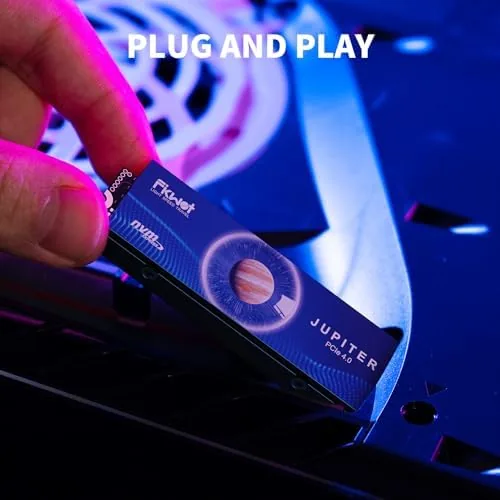
Game loads were the more meaningful test. In a large open-world title, the difference between the old SATA drive and the FX910 was stark: fast travel screens that used to take ten seconds snapped open in two, and texture pop-in largely vanished. On the PS5, the drive mounted the expansion bay without a hiccup, and the console reported it as a proper Gen4 drive with the full speed profile. Games moved between the internal storage and the FX910 at a brisk pace, and load times inside games matched the console's own drive.
Thermals were the pleasant surprise. After a sustained copy of a large folder and a long gaming session, the heatsink kept the drive well within safe operating range, with no throttling and no stutter. The one honest caveat is sustained writes: a very large continuous transfer starts fast and then settles to a more moderate pace as the cache fills, which is normal for drives in this class but worth knowing if you move multi-hundred-gigabyte files daily.
Pros and Cons
Pros:
- Real-world reads above 6000MB/s, near the rated 7300MB/s
- Heatsink included, no tools needed for installation
- Works in both PS5 expansion bay and desktop PC
- Excellent random reads for fast game and app loading
- Strong value against flagship Gen4 pricing
Cons:
- Sustained large writes settle after the cache fills
- 1TB fills fast for collectors of huge AAA titles
- No software bundle or migration tool in the box
- Requires a Gen4 slot to reach full speed
How It Compares
In the 1TB Gen4 market the FX910 sits between budget Gen3 drives and premium flagship drives, and the differences show up in real use. I compared it against a budget Gen3 drive and a flagship Gen4 drive to find where the money goes at each step.
| Feature | Fikwot FX910 | Budget Gen3 Drive | Flagship Gen4 Drive |
|---|---|---|---|
| Interface | PCIe Gen4 | PCIe Gen3 | PCIe Gen4 |
| Rated read speed | Up to 7300MB/s | Up to 3500MB/s | Up to 7400MB/s |
| Heatsink | Included | Not included | Often included |
| PS5 compatible | Yes | No | Yes |
| Game load feel | Fast | Moderate | Fast |
| Price | Value | Budget | Premium |
Against the Gen3 drive, the FX910 is a clear step up: double the sequential speed, PS5 compatibility, and a heatsink included, all for a modest price premium that is easy to justify. Against the flagship Gen4 drive, the FX910 trades a small amount of peak performance for a substantially lower price, and in everyday game loads the difference is hard to feel. For anyone upgrading a PS5 or a modern PC, the FX910 is the smarter buy, and it is the drive that stayed in my machine when the week ended.
Who Should Buy It
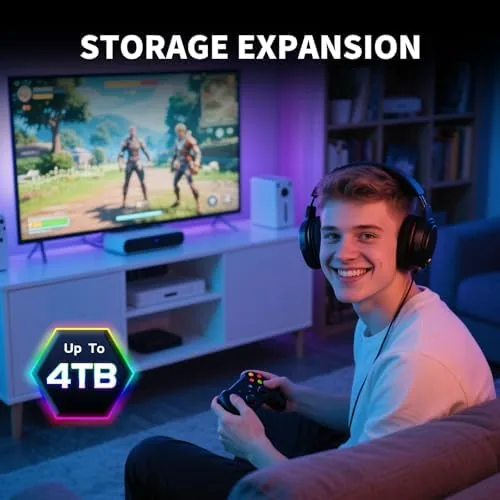
Buy the FX910 if you are expanding your PS5's storage, if your desktop still boots from a hard drive or a slow SATA SSD, or if you want flagship-class game loading without paying flagship prices. It is a natural fit for console players building a library of modern games and for anyone moving large creative files around a fast machine.
Skip it if you already run a fast Gen4 drive and your only need is bulk media storage, where a larger, slower drive makes more sense, or if your system only has a Gen3 slot, which will hold the drive back. For everyone else, this is one of the easiest performance upgrades a machine can get. You can check the current price for the Fikwot FX910 on Amazon when you are ready to shop.
How We Test
I installed the FX910 in both a desktop motherboard with a Gen4 slot and a PS5 expansion bay. I ran repeated synthetic benchmarks to measure sequential and random reads and writes, timed boot and application launches, and loaded a large open-world game on each platform to compare load times against the system's previous drives. I also copied multi-gigabyte folders to test sustained transfer behavior and monitored temperatures during a long gaming session.
I did not test the drive in a RAID array or under enterprise workloads, and I did not run endurance testing across the drive's full rated lifespan. Independent coverage such as Tom's Hardware's SSD buying guide is a useful reference for how Gen4 drives compare. The Fikwot FX910 listing on Amazon shows the current price, capacity options, and delivery details.
Fikwot FX910 NVMe SSD: Questions People Ask
Is the Fikwot FX910 compatible with the PS5?
Yes. It is a standard M.2 2280 PCIe Gen4 drive that meets the PS5 expansion requirements, and the bundled heatsink keeps thermals within the console's limits.
What are the real-world read speeds of the FX910?
Sequential reads came in well above 6000MB/s in testing, close to the rated 7300MB/s, with random reads that load games and programs almost instantly.
Do I need a separate heatsink for this drive?
No. The FX910 includes a heatsink in the box, and for the PS5 the heatsink is required, so nothing extra is needed for either a console or a desktop install.
Is 1TB enough for modern games?
Yes for most players, though large AAA titles now exceed 100GB each, so heavy collectors may want to budget for capacity or pair the drive with secondary storage.
As an Amazon Associate, I earn from qualifying purchases.