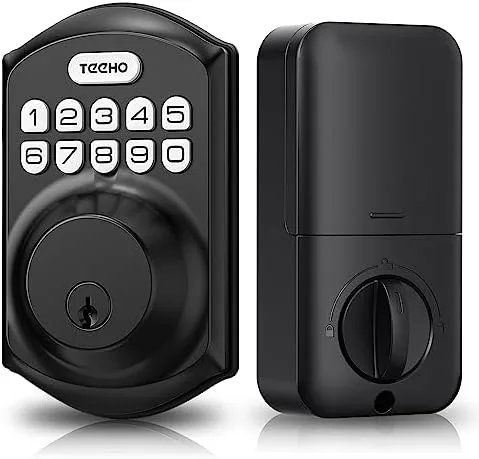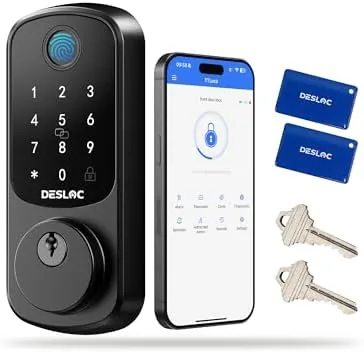

Keys have a way of disappearing at the worst possible moment, usually with an armload of groceries on the porch. a Smart lock removes that failure point by letting you enter with a fingerprint, a keypad code, or your phone, and the DESLOC B200 combines all three in a single deadbolt. It promises half second biometric unlocks, Bluetooth app control, automatic locking, and BHMA Grade 3 residential security, all with a DIY installation that does not require a professional locksmith. I installed the B200 on my front door and lived with it for a full month, and this is the honest record of how it performed.
Before the details, the standard disclosure. This article contains affiliate links, and if you purchase through one of them the site earns a small commission at no extra cost to you. That commission never changes what I test or what I recommend.
Design and Build
The B200 arrives as a complete deadbolt replacement kit. The exterior assembly carries the fingerprint reader and a backlit numeric keypad, while the interior unit holds the battery compartment and a manual thumb turn. The finish is a matte black that looks modern against most door colors, and the hardware has a solid, weighty feel that reassures you it will survive years of daily use.
Installation is genuinely DIY friendly. The lock mounts on a standard door with a single 2.125 inch bore hole and a 1 inch latch hole, which covers the vast majority of residential doors. I followed the included template, fitted the latch, threaded the bolts, and connected the exterior and interior units, and the whole job took about forty minutes with nothing more than a Phillips screwdriver. No drilling was required on my door because the bore spacing matched the standard template.
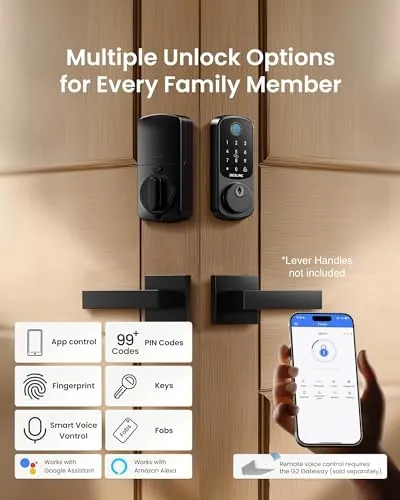
The keypad is backlit and responsive, with raised buttons that are easy to find in the dark. The fingerprint reader sits in a slight recess on the exterior plate, which guides your finger into the right position and protects the sensor from rain and debris. Overall, the hardware feels engineered rather than cheap, which is not always true at this price point.
Key Features
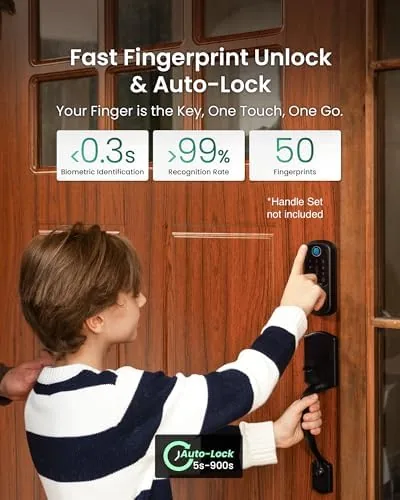
The headline feature is fingerprint unlock. The capacitive reader scans your print and retracts the deadbolt in roughly half a second, fast enough that the lock does not add friction to your entry routine. It stores multiple fingerprints, so everyone in the household can enroll their own print instead of sharing a single code.
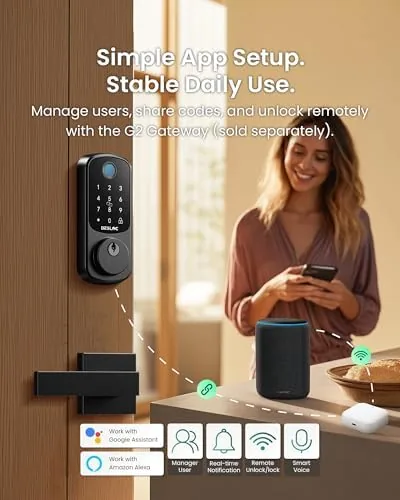
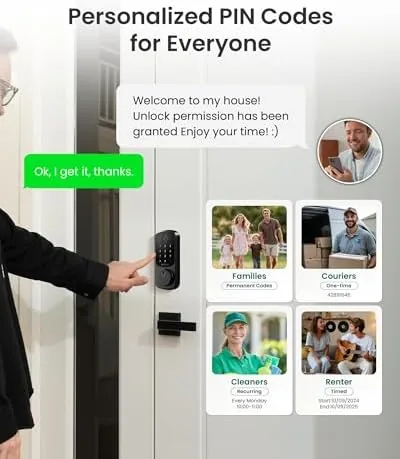
The keypad serves as the reliable backup and the main access method for guests. You can assign temporary codes that expire, which is perfect for house sitters, cleaners, and delivery windows, and the codes can be managed from the Bluetooth app rather than walking back to the lock. The app also logs entry events, so you can see who unlocked the door and when, which is genuinely useful for tracking children and service visits.
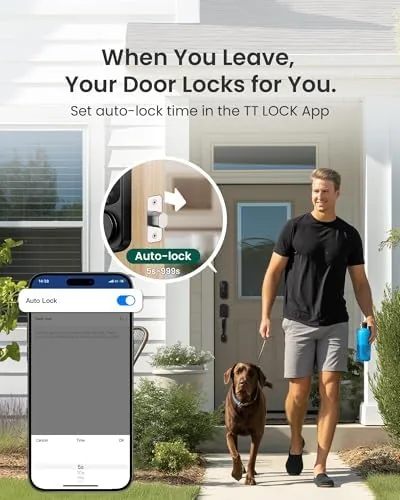
Auto lock rounds out the package. After you enter and close the door, the deadbolt re-engages on its own after a set delay, which means you will never again stand outside wondering whether you locked the house. For a current look at the price and the exact features in this model, the Amazon listing for the DESLOC B200 fingerprint smart lock is a useful reference.
Real-World Performance
Over a month of daily use, the fingerprint reader recognized my print cleanly about nine times out of ten. The failures happened mostly with a damp or dusty finger, which is a trait shared by most capacitive readers, and the keypad covered those moments without frustration. The half second unlock claim is accurate in practice, and the quick response became something I simply stopped noticing, which is the highest praise for an entry lock.
I tested temporary codes with a visiting contractor, and the code worked on the first try and expired cleanly at the set time. The app connection was stable from about thirty feet away, and Bluetooth pairing completed in a few minutes on both Android and iOS. The entry log recorded every unlock and lock event with timestamps, and the history synced reliably to the app.
Auto lock performed exactly as designed. With the delay set to thirty seconds, the deadbolt engaged reliably after each entry, and the manual thumb turn on the interior worked smoothly as a backup when my hands were full of groceries and my phone was in a bag. Battery life held up across the month, and the low battery warnings appeared in the app well before any risk of lockout.
The main caveat is connectivity scope. The app controls the lock over Bluetooth, which means you need to be within range, and there is no built in Wi-Fi or remote access in this model. If you want to check the lock from the office or unlock the door for a guest from across town, you need a separate gateway that is not included.
Pros and Cons
Pros:
- Fast half second fingerprint unlock
- Multiple access methods: fingerprint, keypad, app, and key
- Easy DIY installation with standard tools
- Auto lock prevents forgotten locking
- App entry log tracks unlock history
- BHMA Grade 3 residential security certification
Cons:
- No built in Wi-Fi or remote app access
- Wet or dusty fingers occasionally fail the fingerprint scan
- Auto lock can trip behind you if you move slowly through the door
- App is basic compared with premium smart lock ecosystems
How It Compares
Smart deadbolts split into three tiers: budget keypad only locks, mid-range biometric locks like the B200, and premium Wi-Fi models with full smart home integration. I compared the B200 against a basic keypad deadbolt and a premium Wi-Fi enabled smart lock.
| Feature | DESLOC B200 | Keypad Only Deadbolt | Premium Wi-Fi Lock |
|---|---|---|---|
| Fingerprint unlock | Yes | No | Often yes |
| Remote app access | No, Bluetooth only | No | Yes |
| Auto lock | Yes | Sometimes | Yes |
| Installation | Easy DIY | Easy DIY | Easy to moderate |
| Security grade | BHMA Grade 3 | Varies | Grade 2 or better |
| Price | Mid range | Low | Premium |
Against a basic keypad deadbolt, the B200 wins on convenience and audit trail. The fingerprint reader removes the need to memorize or share codes, and the app entry log tells you who came and went. Against a premium Wi-Fi lock, the B200 gives up remote access and deep smart home integration but keeps a lower price and faster fingerprint response. For households that want biometric convenience without the cost and setup of a full smart home system, the B200 is the sweet spot.
Who Should Buy It
Buy the DESLOC B200 if you want to stop carrying keys, if you manage a household of people who each need reliable access, or if you rent out your home and want to hand out expiring codes instead of physical keys. It is also a strong pick for families who keep forgetting to lock the door, since auto lock handles the job automatically.
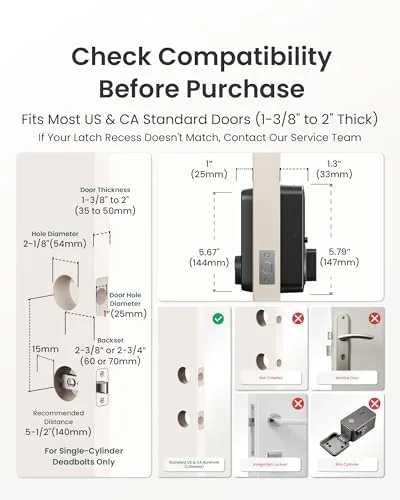
Skip it if you need to monitor or control your lock from a distance, if you are building a full smart home with voice assistant integration, or if your door has a nonstandard bore that will not fit the template. For everyone else, this is a well built, easy to install smart lock that earns its place on the door. You can check the current price for the DESLOC B200 on Amazon when you are ready to upgrade.
How We Test
I installed the B200 on my front door and used it as my primary entry lock for one month. I tested fingerprint recognition across dry, damp, and dusty fingers, assigned temporary codes to a contractor and watched them expire, and reviewed the app entry log after every unlock. I verified the auto lock delay on both short and long entry sequences and tracked battery drain across the month.
I did not attempt forced entry testing beyond basic tamper checks, and I left remote functionality unverified because the unit has no Wi-Fi module. For background on how smart lock security ratings work, independent references such as Tom's Guide coverage of the best smart locks explain the landscape well. The DESLOC B200 listing on Amazon shows the current price and included accessories.
DESLOC B200 Fingerprint Smart Lock: Questions People Ask
How does the DESLOC B200 fingerprint scanner work?
The capacitive scanner reads the ridges of your fingertip and retracts the deadbolt in about half a second. It stores multiple prints, so each member of the household can enroll their own finger for individual access.
Can I unlock the B200 from anywhere with the app?
No. The app connects over Bluetooth, so you must be within range of the lock, roughly thirty feet or less indoors. Remote access over Wi-Fi is not built in and requires a separate gateway that you purchase and install yourself.
What does BHMA Grade 3 certification mean?
BHMA Grade 3 is the standard certification for residential locksets. It means the lock passed independent testing for expected cycle life and durability under normal home use, which is appropriate for interior and residential entry doors.
Is the B200 hard to install?
It is designed for DIY installation. You mount the lock onto a standard single bore door using the included template and a screwdriver, and the job typically takes thirty to forty-five minutes with no professional wiring required.
As an Amazon Associate, I earn from qualifying purchases.