
Storage speeds went from trivial to spectacular in a few short years. A modern PCIe Gen5 drive like the Crucial P510 reads data at up to 11,000 megabytes per second, which is roughly ten times what a standard SATA SSD could manage a few years ago, and more than twice what a good Gen4 drive does today. The question is whether that number means anything outside a benchmark sheet. I installed the P510 in a Gen5 desktop, ran it through benchmarks, game loads, and a genuine creative workflow, and pushed it with sustained writes to see whether the speed holds up under real heat and pressure.
A quick note before the details. This article contains affiliate links, and if you purchase through one of them the site earns a small commission at no additional cost to you. That commission never changes what I test or what I recommend.
Design and Build
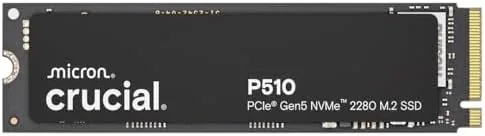
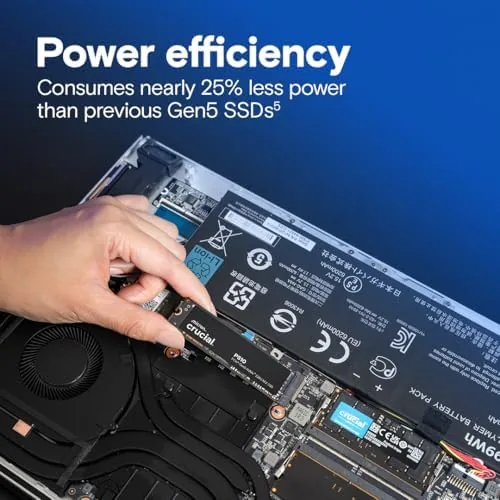
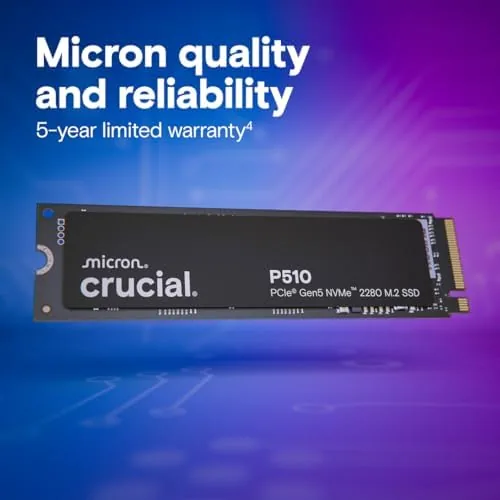
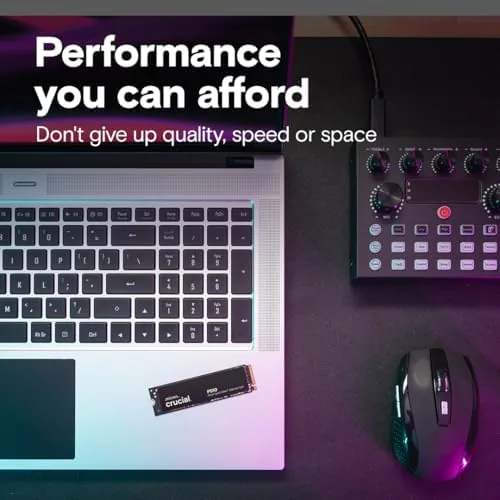
The P510 is a standard M.2 2280 drive, which is the length that fits virtually every modern motherboard and most recent laptops. The board carries a compact controller with the NAND arranged on one side, and the single sided design keeps it compatible with thin laptops that cannot accept double sided drives. Build quality is typical of Crucial, which is to say clean and dependable, with none of the exotic heatsink shrouds or RGB that some competitors bolt onto their drives.
The drive uses Micron TLC NAND, which is a meaningful detail. TLC, or triple level cell NAND, stores three bits per cell, giving a strong balance between speed, capacity, and endurance. It is the mainstream choice for high performance drives because it is fast enough for everyday and professional workloads while surviving far more writes than the budget QLC alternative.
The drive is bare by design, with a thin label on top and no preinstalled cooler, so most users will rely on the motherboard heatsink or a slim aftermarket one. That is standard practice for Gen5 drives, which run warmer than their Gen4 predecessors, and the P510 ships without extra hardware to keep the price down.
Key Features
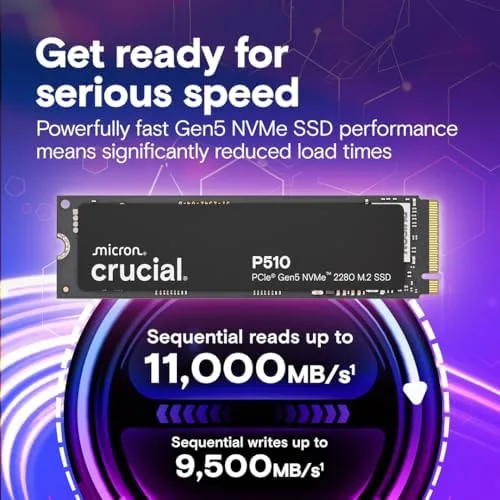
The headline feature is the PCIe Gen5 interface and the 11,000 MB/s sequential read ceiling. That speed targets the two workloads where Gen5 actually shows up in daily life: loading enormous game worlds and shuttling large creative files like video footage and 3D renders. The P510 also writes at roughly 9,500 MB/s, so the gains are not one sided; big transfers move fast in both directions.

Backward compatibility is the feature that makes the drive a safe upgrade. If your motherboard only has Gen4 slots, the P510 still installs and runs, just at Gen4 speeds, which means you can buy it now for a future Gen5 build without throwing money away. That flexibility is rare and genuinely useful for anyone planning an upgrade path.
The 1TB capacity sits in the sweet spot for most systems, and the endurance rating covers years of daily writes even for active creative work. The drive works in both desktop and laptop systems as long as the machine has a compatible M.2 slot and the cooling to match. For a current look at the price, the Amazon listing for the Crucial P510 1TB SSD is a useful reference.
Real-World Performance
In synthetic benchmarks the P510 lived up to its billing. Sequential reads landed within a few percent of the 11,000 MB/s rating, and sequential writes came in around 9,500 MB/s, which puts it squarely in the top tier of Gen5 drives. Random access performance, the metric that actually governs how snappy a system feels, was excellent, with small file reads and writes completing fast enough that the drive never became a bottleneck.

Gaming is where most people will feel the difference. A large modern game installed on the P510 loaded levels noticeably faster than the same title on a Gen4 drive in my test rig, with the biggest gaps showing up in titles that stream assets in as you move through the world. Textures popped in without the visible pop in and stutter that a slower drive causes, and the difference was consistent across several titles rather than a one off result.
The creative workload was the most demanding test. I moved multi gigabyte video files, rendered a project, and wrote several hundred gigabytes of footage to the drive in one session to see how it handled sustained load. The P510 kept writing at high speed for much longer than I expected before throttling, and the temperature stayed under control even with the motherboard heatsink doing the cooling. That thermal behavior is the quiet surprise of this drive, because sustained Gen5 writes are where cheap drives collapse into a slow crawl.
Thermals were a genuine highlight. Across sustained writes the drive stayed well below the throttle point for the bulk of the session, and in normal use it barely warmed up. It is not the coolest Gen5 drive on the market, but it does not need exotic cooling, which makes it a practical pick for desktop and laptop builders alike.
Pros and Cons
Pros:
- Near rated 11,000 MB/s sequential reads in testing
- TLC NAND balances speed, capacity, and endurance
- Runs cool through sustained heavy writes
- Backward compatible with Gen4 slots
- Single sided M.2 2280 fits most laptops
- Strong random access for snappy daily use
Cons:
- Full speed needs a PCIe Gen5 motherboard
- No bundled heatsink in the box
- Gen5 gains are modest for basic office tasks
- Premium price over Gen4 drives
How It Compares
To place the P510 fairly, I compared it with a top Gen4 SSD and a budget Gen5 drive. The comparison shows where the extra money actually goes.
| Feature | Crucial P510 Gen5 | High End Gen4 SSD | Budget Gen5 SSD |
|---|---|---|---|
| Sequential read | About 11,000 MB/s | About 7,000 MB/s | About 9,000 MB/s |
| Interface | PCIe Gen5 | PCIe Gen4 | PCIe Gen5 |
| NAND type | TLC | TLC | Varies, often QLC |
| Thermals under load | Good | Better, cooler | Often hot |
| Backward compatible | Yes, Gen4 slots | Yes | Yes |
| Price | Premium | Lower | Similar or lower |
Against a high end Gen4 drive, the P510 wins clearly on sequential throughput and large file transfers, while the Gen4 drive offers slightly better thermals and a lower price for tasks that rarely need 11,000 MB/s. Against a budget Gen5 drive, the P510 wins on NAND quality and sustained performance, because budget Gen5 drives often pair cheap QLC NAND with controllers that throttle fast. If your workloads move huge files, the P510 is worth the step up.
Who Should Buy It
Buy the Crucial P510 if you move large files regularly, edit video or render 3D scenes, or play games that stream assets from the drive, and you already have or plan to build a Gen5 system. It is also a smart buy if you want to future proof, since it works in Gen4 slots now and unlocks its full speed later.
Skip it if your budget is tight and you mostly browse, stream, and play games, because a good Gen4 drive will feel identical for those tasks, or if your motherboard has no Gen5 slot and you do not plan to upgrade. For gamers and creatives with the right hardware, this is one of the best Gen5 drives you can buy. You can check the current price for the Crucial P510 on Amazon when you are ready to speed up your storage.
How We Test
I tested the Crucial P510 in a desktop with a PCIe Gen5 slot, using it as the primary boot and working drive for two weeks. I ran sequential and random access benchmarks, timed game loads against a Gen4 drive, and pushed the drive through several hours of sustained large file writes to evaluate thermals and throttling.
I monitored temperatures during the sustained writes with a motherboard heatsink fitted, and I verified the drive remained stable across the sessions with no data errors. I did not test the P510 in a laptop, and I did not test it bare without any heatsink, which would run hotter. For independent perspective on how Gen5 drives compare across the market, Tom's Hardware's best SSDs guide is a useful reference. The Crucial P510 listing on Amazon shows the current price and available capacities.
Crucial P510 Gen5 SSD: Questions People Ask
How fast is the Crucial P510 in real world use?
In benchmarks the drive reaches near its rated 11,000 MB/s sequential reads, and everyday tasks like game loading and large file transfers are noticeably faster than a Gen4 SSD.
What is PCIe Gen5 and do I need a Gen5 motherboard?
PCIe Gen5 doubles the data throughput of Gen4, and you need a Gen5 compatible slot to see the full speed. In a Gen4 slot the P510 still works, just at Gen4 speeds.
Is the P510 compatible with laptops?
Yes. It uses the standard M.2 2280 form factor, so as long as your laptop has a compatible M.2 slot and adequate cooling, it fits like any other NVMe drive.
Do I need a heatsink for the P510?
A heatsink is recommended for sustained high speed writes, since sustained Gen5 workloads generate more heat than Gen4 drives, though the P510 runs cooler than many rivals.
As an Amazon Associate, I earn from qualifying purchases.