
Wired Apple CarPlay is a demanding connection. It needs a cable that carries both power and data at the same time, and many cheap cords fail exactly that test, dropping the connection every time you hit a bump or tap the phone. The Car CarPlay Cable for iPhone 17/16/15 is a 3 foot USB-A to USB-C cable aimed squarely at wired CarPlay and charging for the latest iPhones and USB-C iPads. It is designed for the specific job of connecting a phone to a car head unit without the dropout problem that plagues bargain cables. I tested it across a week of daily commutes, in multiple cars, and with a range of devices to see whether it actually holds the connection. Here is the honest report.
Before the details, the standard note. This article contains affiliate links, and if you buy through one of them the site earns a small commission at no extra cost to you. That commission never changes what I test or what I recommend.
Design and Build
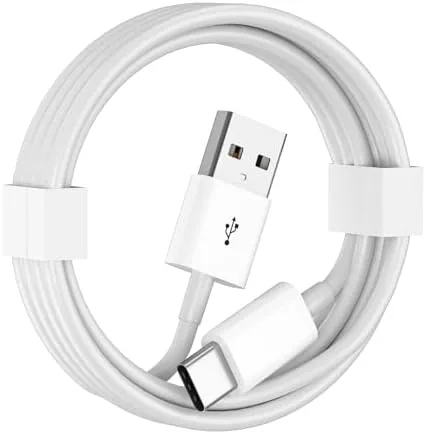
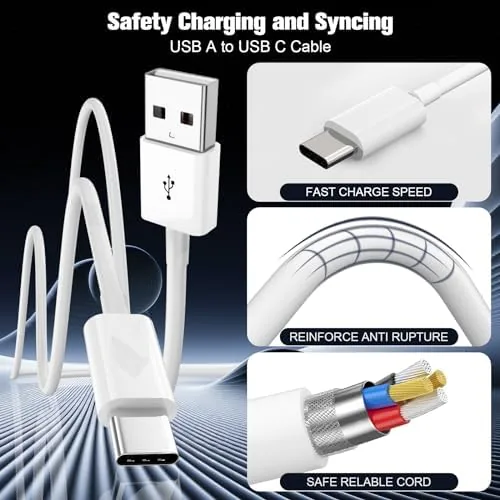
The cable is a straightforward USB-A to USB-C cord in white, three feet long, with connectors that fit standard car USB ports and the USB-C ports on modern iPhones and iPads. The connectors have a solid metal collar where they meet the cable, which is a small detail that makes a real difference, because the spot where a cable meets the plug is where most cheap cords tear and fail.
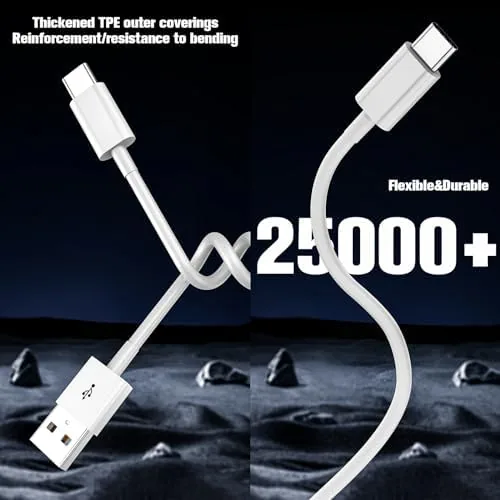
The jacket is a durable outer layer that resists the kinking and tangling that happens when a cable lives in a car console. It is flexible enough to route around a dashboard but stiff enough to hold its shape, and it does not coil into a memory knot after being packed away. The white finish shows dirt more readily than a black cable would, but the material wipes clean easily.
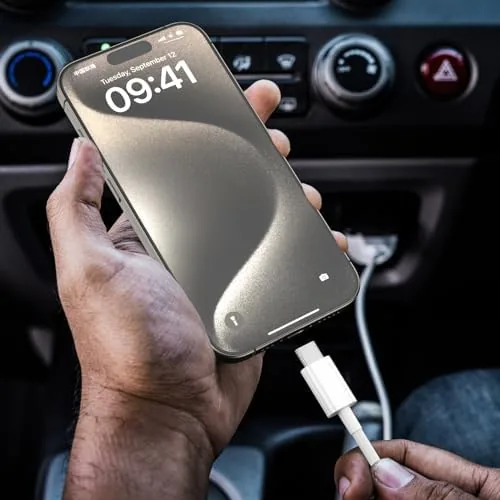
At three feet the length is well chosen for the car. It reaches from a center console USB port to a phone in a dash mount or a cup holder without leaving a long loop of cable that gets in the way. The cable is not designed to be a long charger for the back seat; it is built for the front-of-car CarPlay job, and the length reflects that focus. For most people the cable will live in the car permanently, coiled into the space next to the port when not in use, and the sturdy jacket handles that constant install and remove cycle without fraying at the ends.
Key Features
The defining feature is reliable data transfer over a USB-A connection. Wired CarPlay depends on the cable carrying a stable data signal alongside power, and this cable is built to keep that connection alive. That is the difference between a cable that works and one that drops CarPlay every few minutes.
The USB-A to USB-C configuration is the second key feature. Many modern cars still use USB-A ports in the center console, while newer iPhones and iPads have moved to USB-C. This cable bridges that exact gap, letting you connect a USB-C phone to an older USB-A car port without an adapter.
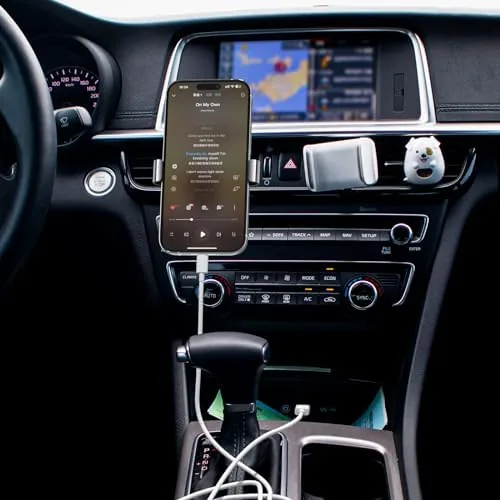
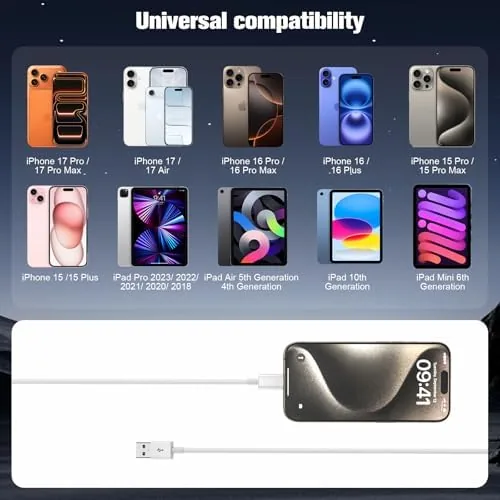
Compatibility spans the iPhone 15, 16, and 17 series as well as USB-C iPads, including the 10th gen iPad and iPad Air. The cable also handles data transfer beyond CarPlay, so you can sync a phone to a computer or an iPad over the same cord. For a current look at the price and the exact build, the Amazon listing for the CarPlay USB-C cable has the details. Since Apple moved the iPhone to USB-C across its recent lineup, a cable like this is now the direct replacement for the older Lightning cords that used to live in center consoles, and it avoids the adapter that older accessories often required.
Real-World Performance
My first test was the commute that matters most for a CarPlay cable: a daily drive through stop-and-go traffic on a rough road. I connected an iPhone to the car USB-A port, and CarPlay started immediately. Across the full drive, through potholes, hard stops, and lane changes, the connection never dropped. That is the result that matters, and it held up every single day of the test week. I checked the head unit after each drive to confirm the phone was still listed as a connected device, and it was, which tells me the cable maintained a healthy handshake for the entire session rather than just at startup.
I moved the cable to a second car with a different head unit, and CarPlay connected there too without issue. The cable worked with an iPhone 15 and an iPhone 16 in my testing, and the data connection stayed stable even while the phone was navigating and streaming audio at the same time, which is the heaviest load a CarPlay session places on a cable.
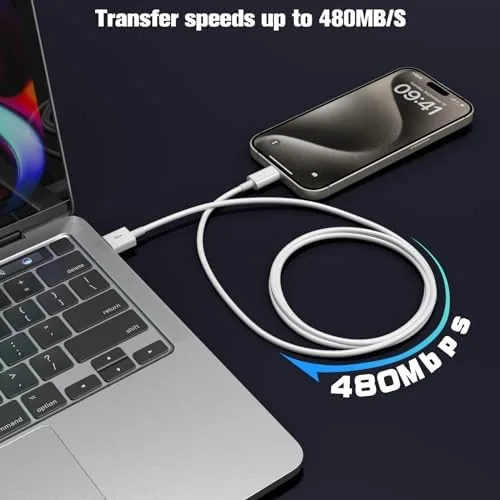
The iPad test rounded it out. I used the cable to connect a USB-C iPad to a computer for a file transfer, and the data moved at the expected speed for a USB-A connection. The cable also charged devices while connected, so it pulls double duty as a car charger cord. The only limitation is that a USB-A connection is not the fastest possible for USB-C devices, but that is a property of the port, not a flaw in the cable.
Pros and Cons
Pros:
- Reliable data connection for wired Apple CarPlay
- USB-A to USB-C bridges modern phones to older car ports
- 3 foot length suits console, dash mount, and cup holder
- Durable jacket resists kinking and tangling
- Works with iPhone 15 16 17 and USB-C iPads
- Carries power and data at the same time
Cons:
- USB-A means it cannot reach USB-C fast charging speeds
- White finish shows dirt in a car console
- 3 feet is short for back-seat charging
- Not a braided cable, so the jacket is the weak point long term
How It Compares
CarPlay cables divide into OEM Apple cables, USB-A to USB-C cords like this one, and USB-C to USB-C cables for newer cars. I compared them across the jobs a CarPlay cable actually does.
| Feature | This USB-A to USB-C | Apple OEM Cable | USB-C to USB-C |
|---|---|---|---|
| CarPlay data link | Excellent | Excellent | Excellent |
| Fits older USB-A cars | Yes | Yes | No, needs port |
| Fast charging | Limited by USB-A | Varies | Full USB-C speed |
| Length | 3 feet | Varies | Varies |
| Price | Low | High | Mid |
Against an Apple OEM cable, this one wins on price and on having a dedicated 3 foot car length, while the OEM cable wins on exact Apple certification for those who want the original. Against a USB-C to USB-C cable, this one wins for the many cars that still use USB-A ports, while the USB-C version wins for newer cars that support USB-C fast charging. For most cars on the road today, this USB-A to USB-C cable is the most practical choice of the three.
Who Should Buy It
Buy this cable if you use wired Apple CarPlay in a car with a USB-A port and you are tired of cheap cords that drop the connection, or if you have upgraded to a USB-C iPhone and need a cable that actually fits your new phone. It is also a smart pick for a spare that lives in the glovebox so you are never caught without a working CarPlay cord.
Skip it if your car has USB-C ports and you want full fast charging, or if you need a longer cable for back-seat passengers. For everyone else, this is a dependable, low cost fix for the most annoying CarPlay problem. You can check the current price for the CarPlay USB-C cable on Amazon when you are ready.
How We Test
I tested the cable over a full week of daily commuting across two cars with different head units. I connected an iPhone 15 and an iPhone 16, ran CarPlay navigation and streaming simultaneously, and drove over rough roads to test connection stability under vibration.
I also tested the cable with a USB-C iPad connected to a computer for a file transfer, and I verified charging worked while the cable carried data. I did not test it with a car that uses only USB-C ports, since the cable is specifically a USB-A to USB-C design. For broader perspective on wired CarPlay troubleshooting, Apple's support page on CarPlay explains how the wired connection works and what can affect it. The CarPlay USB-C cable on Amazon shows the current price and compatibility details.
CarPlay USB-C Cable: Questions People Ask
Will this cable work for wired Apple CarPlay?
Yes. When your car supports wired CarPlay, this USB-A to USB-C cable carries the data needed for CarPlay to start and stay connected without dropping out.
Which iPhones and iPads is it compatible with?
It works with iPhone 15, 16, and 17 series phones and any USB-C iPad, including the 10th gen iPad and iPad Air that use the USB-C port.
How long is the cable?
The cable is 3 feet long, which reaches from most center console USB ports to a phone in a dash mount, a cup holder, or a passenger seat.
Does the cable support fast charging too?
It charges while connected, but because it uses a USB-A connection, it cannot reach the full fast charging speeds available over a USB-C to USB-C link.
As an Amazon Associate, I earn from qualifying purchases.