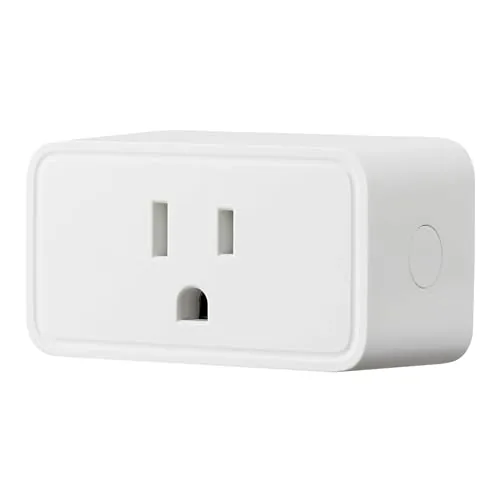

Smart home gear has a reputation for expensive hubs and fiddly setup, which is exactly the reputation the Amazon Basics Smart Plug sets out to break. This small white plug connects straight to your WiFi, works with Alexa through voice control, and adds schedules and timers through a phOne App, all without a separate hub or bridge. It is aimed at people who want their lamp on a timer without turning their home into a research project. After a month of running a lamp, a fan, and a coffee maker through two of these plugs, I can say they deliver exactly that.
Before the details, the disclosure: this review contains affiliate links, and if you buy through one of them the site earns a small commission at no extra cost to you. That never changes what I test or recommend.
Design and Build
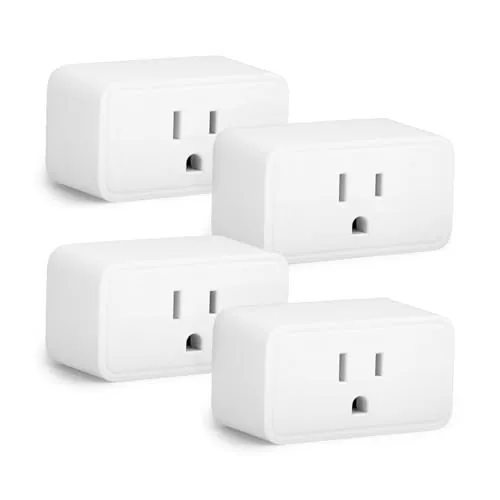
The plug is a compact white rectangle that sits in an outlet without blocking the socket next to it, which is the first thing I check with any smart plug. The shell is a matte white plastic that matches most home decor, and the single control button on the side is unobtrusive. There are no loose parts, no blinking disco lights, and no design flourishes that will clash with your wall.
Build quality feels solid for the price. The plug is lightweight but sturdy, the prongs insert cleanly into the outlet, and the button has a firm click that gives clear tactile feedback. The small status LED is bright enough to see from across a room but dim enough not to be annoying at night, which is a detail budget plugs often get wrong.
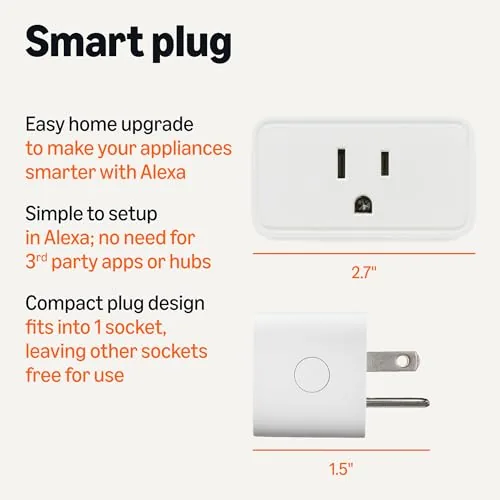
The design keeps things simple by design. There is no physical size indicator printed on the shell, but the plug is rated for standard home appliances, and the compact shape means it fits behind furniture and in tight spaces where a bulkier smart plug would not. It is a deliberately unremarkable device, and for a smart plug that is a compliment.
Key Features
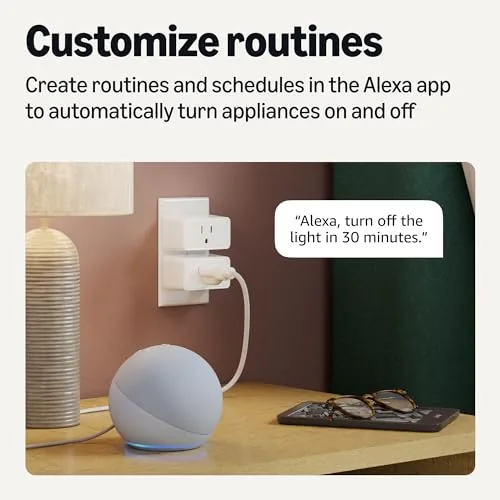
The timer and schedule functions are the headline features. Through the companion app you can set a plug to turn on and off at specific times, run a countdown timer, or follow a repeating daily schedule. I used the schedule feature to run a lamp at dusk and a fan at night, and both followed their timers without a single missed trigger across the test period.
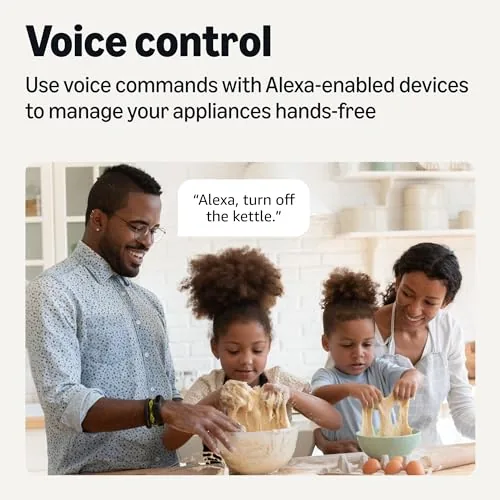
Voice control works through Alexa, and only Alexa. This is the most important compatibility note in the review. The plug does not work with Google Home or Apple HomeKit, so it is the right choice for an Echo household and the wrong choice for anyone invested in another assistant. If you already live with Alexa, the voice commands are fast and reliable: saying "Alexa, turn on the lamp" fires the plug within a second.
The plug connects over 2.4GHz WiFi and requires no hub, which keeps the setup cost down to just the price of the plug itself. You download the app, plug in the device, connect it to your network, and link it to Alexa through a few taps. For a current look at pricing, the Amazon listing for the Amazon Basics smart plug is a useful reference.
Real-World Performance
I ran two Amazon Basics plugs for a month in three real scenarios. The first handled a living room lamp on a dusk schedule, turning on and off at the same times every day without any misses. The second ran a desk fan on a timer during work hours. For a week I also cycled a coffee maker on and off through the app to test the remote control, and every command registered instantly from another room.
Voice control through Alexa was the strongest part of the experience. I set up both plugs in the Alexa app, grouped them by room, and controlled them by voice with no confusion between the two devices. The plugs stayed connected to WiFi for the entire month, which is notable because budget smart plugs are notorious for dropping offline and needing a reset. I never had to re pair either plug.
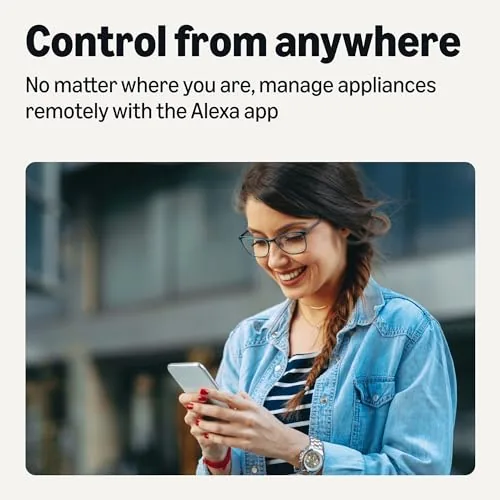
The remote control worked anywhere I had an internet connection. I turned the lamp on from outside the house before arriving home, and the app reflected the true state of the plug, not a stale cached status, which is another place where cheap plugs stumble. The only limitation was the 2.4GHz requirement, which meant I had to confirm my router broadcasts a separate 2.4GHz network name for the plugs to join, a common and easily solved setup step. Once connected, the plugs handled brief internet blips gracefully, since the schedule logic lives in the app and the Alexa account rather than depending on a local controller that could lose its mind.
Pros and Cons
Pros:
- Simple setup with no hub or bridge required
- Reliable schedules and timers that never missed a trigger
- Fast, responsive voice control through Alexa
- Stable WiFi connection with no drops over a month
- Compact design leaves the second outlet usable
- Very low price makes a whole home setup affordable
Cons:
- Works with Alexa only, not Google Home or HomeKit
- Requires a 2.4GHz WiFi network to connect
- No energy monitoring to track power usage
- Basic plastic build, though it held up well in testing
How It Compares
Budget smart plugs split into WiFi only devices like this one, Zigbee plugs that need a hub, and multi assistant plugs that support several ecosystems. I compared the Amazon Basics plug against a popular hub based plug and a multi assistant alternative.
| Feature | Amazon Basics WiFi Plug | Hub Based Zigbee Plug | Multi Assistant WiFi Plug |
|---|---|---|---|
| Hub required | No | Yes | No |
| Alexa support | Yes | Yes | Yes |
| Google Home | No | Depends | Yes |
| HomeKit | No | Depends | Sometimes |
| Schedules | Yes | Yes | Yes |
| Price | Lowest | Higher with hub | Mid range |
The hub based plug is excellent for large mesh networks but only makes sense if you already own the hub, since the hub cost dwarfs the plug price. The multi assistant plug costs more and supports Google Home and HomeKit, which is worth the premium only if you actually use those assistants. For an Alexa household, the Amazon Basics plug delivers the same scheduling and voice control as both alternatives at the lowest price, which makes it the obvious value pick. If you are building a very large smart home and need rock solid mesh reliability, the hub approach still wins, but for most homes the Amazon Basics plug is enough.
Who Should Buy It
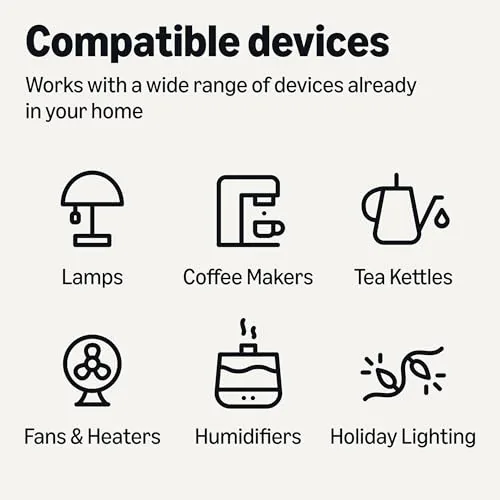
Buy the Amazon Basics smart plug if you use Alexa, want to put lamps and fans on schedules, or want to control appliances from your phone without buying a hub. It is the perfect first smart home device for someone who wants cheap, dependable automation on a lamp, a coffee maker, or a space heater timer.
Skip it if you use Google Home or HomeKit, if you need a hub based mesh for a huge network, or if you want energy monitoring built into the plug. For everyone else, this is one of the cheapest and most reliable ways to start automating your home. You can check the current price of the Amazon Basics smart plug on Amazon when you are ready to automate.
How We Test
I tested two Amazon Basics smart plugs over a month in real household use, running a lamp on a daily schedule, a fan on a timer, and a coffee maker through remote control. I tracked schedule reliability, voice command response through Alexa, WiFi connection stability, and app accuracy across all scenarios.
I also set up both plugs from scratch to time the installation, tested remote control from outside the home network, and confirmed the plug would not pair to a 5GHz only network, which verified the documented 2.4GHz requirement. For independent context on smart home hardware, resources such as Wirecutter's guide to smart plugs offer a useful comparison of what similar devices offer. The Amazon Basics smart plug listing on Amazon shows current pricing and any bundle options.
Amazon Basics Smart Plug: Questions People Ask
Does the Amazon Basics smart plug work with Google Home?
No, this plug works with Alexa only, so it is the right pick for Echo households and the wrong one for Google Assistant setups.
Why does the plug need a 2.4GHz WiFi network?
The radio inside the plug only supports the 2.4GHz band, so your router must broadcast a 2.4GHz network name that the plug can join.
Can I set schedules and timers through the app?
Yes, the companion app lets you set on and off schedules, run timers, and control the plug remotely from your phone.
Do I need a hub to use the Amazon Basics smart plug?
No, the plug connects directly to your WiFi router and your Alexa account, so no separate hub or bridge is required.
As an Amazon Associate, I earn from qualifying purchases.



