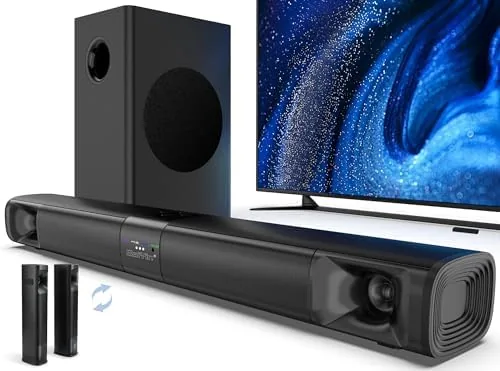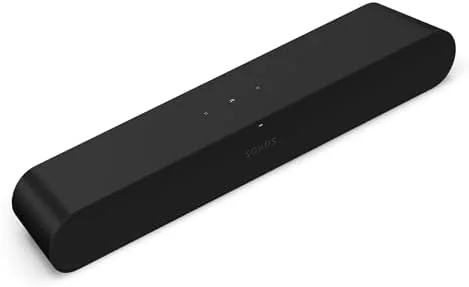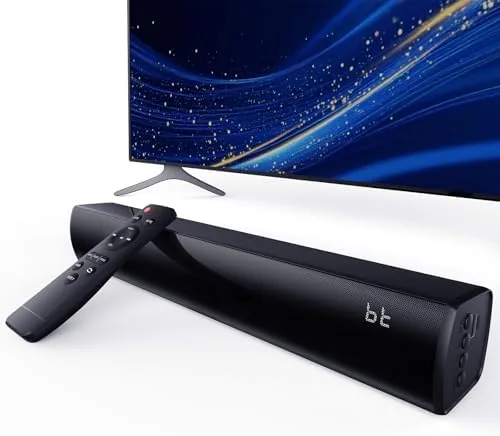

Built in TV Speakers still struggle with the two things that matter most for home viewing: dialogue clarity and low end weight. A sound bar fixes both, but the real challenge is finding one that actually works with the devices in your house. The Bluetooth Wireless Surround Sound Bar in SpaceBlack tries to solve that problem with five separate inputs, including HDMI ARC, optical, AUX, USB, and Bluetooth, plus three sound modes tuned for movies, music, and gaming. I connected this 2.0 channel bar to a smart TV, a PC, a gaming console, and a projector over three weeks of testing, and this review records what it delivers at each stage of the setup.
Before the details, the standard note. This article contains affiliate links, and if you buy through one of them the site earns a small commission at no extra cost to you. That commission never changes what I test or what I recommend.
Design and Build
The bar has the look of a modern budget sound bar, which is to say it is long, low, and unassuming. The SpaceBlack cabinet is covered with a fine fabric grille across the front, and the matte finish resists fingerprints well enough that the bar still looks clean after a week on a media stand. It sits low enough that it does not block the bottom edge of a TV panel when placed on the same stand, which is the first practical check a sound bar has to pass.
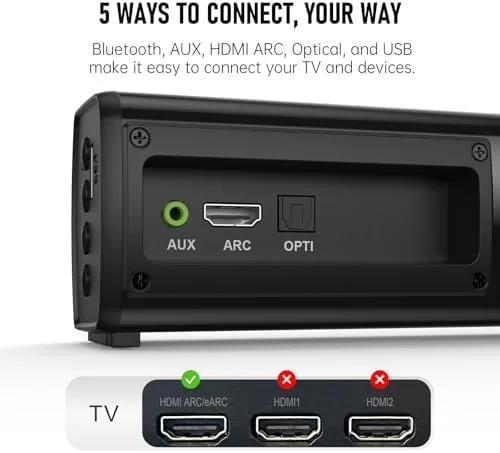
The top edge carries a small row of buttons for power, volume, input selection, and mode switching, so you are never locked out if the remote goes missing. The rear panel is where the flexibility lives. You get a full size HDMI ARC port, an optical input, an AUX jack, and a USB port, plus the power connection. That is an unusually complete port selection for a bar in this price class, and it is the detail that makes the bar genuinely versatile rather than just another Bluetooth speaker in a long enclosure.

The included remote is compact but functional, covering volume, mute, input switching, and the three sound modes. The bar also ships with an HDMI cable and an optical cable in the box, which removes the most common reason a new sound bar sits unused. Setup time from unboxing to first audio was about ten minutes, and most of that was deciding which cable to use.
Key Features
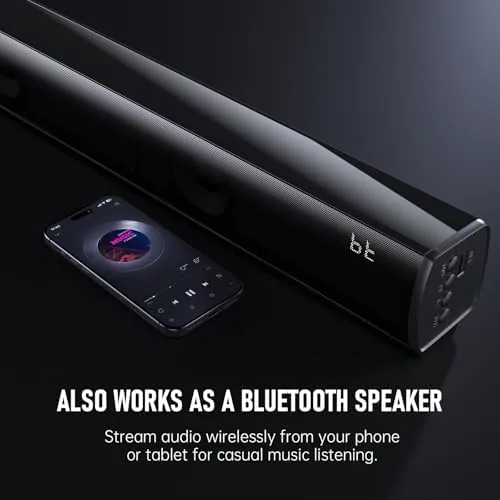
The connectivity list is the headline feature. HDMI ARC is the cleanest way to connect to a modern smart TV because it lets the TV remote control the bar volume and lets the bar carry audio from any HDMI source connected to the TV. Optical handles older TVs that lack ARC, AUX covers computers and some game consoles, and USB plays audio files straight off a flash drive. Bluetooth rounds out the set for phone and tablet streaming, so the bar genuinely accepts anything you throw at it.
Three sound modes give the bar personality. The first mode favors clarity for dialogue and TV shows, the second widens the sound for music, and the third boosts effects for gaming. In practice the differences are subtle rather than night and day, but they let you nudge the tuning toward what you are watching without touching the bass and treble on the TV. For a look at the current price and the available finish, the sound bar listing on Amazon is a useful reference.

The 2.0 channel layout means there is no separate subwoofer, and the bar has to manufacture its bass from two full range drivers and the enclosure. That is the honest limit of the design, and it shapes what you should expect from the low end. What the bar lacks in ground shaking sub bass, it makes up for in simplicity, because there is no wireless subwoofer to pair, place, or lose sync with.
Real-World Performance
I started with the HDMI ARC connection to a smart TV because that is the setup most buyers will use. The improvement over the TV speakers was immediate. Dialogue moved forward and became easier to follow during action scenes and shows with heavy background score, and I stopped reaching for the subtitle button on scenes I had previously rewatched. The center image is strong for a single bar, and voices stay anchored to the middle of the screen even when the rest of the mix moves around them.
Volume handling impressed me more than I expected. The bar fills a medium living room comfortably at about two thirds of its maximum, and it stays clean at those levels. Pushing it to full volume introduces some strain on loud, bass heavy passages, but that is normal for a bar Without a subwoofer, and few people listen that loud for long. For movies and TV at realistic levels, the bar sounds composed and never thin the way the TV speakers did.
Gaming is where the third mode earns its keep. I connected the bar to a PC over AUX and ran a week of shooters and story driven titles. Explosions, footsteps, and weapon sounds all gained weight and separation compared with monitor speakers, and the effects mode added a bit of extra punch to impacts. For a console, you can route audio through the TV over ARC or plug directly over AUX, and both routes worked without setup headaches.
The projector test was the surprise. Projectors have terrible built in speakers as a rule, and the AUX input on the bar paired with the projector headphone jack gave a clean, decently loud soundtrack for a movie night. Bluetooth also performed well in testing. Pairing took seconds, the connection held from across the room, and music playback had no dropouts over an evening of streaming. You can check the current price for this sound bar on Amazon if it sounds like a fit for your room.
Pros and Cons
Pros:
- HDMI ARC, optical, AUX, USB, and Bluetooth cover every common source
- Dialogue comes forward with strong center clarity for TV and movies
- Three sound modes let you tune for TV, music, or gaming
- Comfortable volume for a medium living room without distortion
- Simple 2.0 layout with no subwoofer to pair or place
- Compact low profile that does not block the TV screen
Cons:
- Deep sub bass still needs a separate subwoofer for cinematic impact
- Soundstage is wide but not genuinely surround without rear speakers
- Full volume strains on loud, bass heavy passages
- Sound mode differences are subtle rather than dramatic
How It Compares
Sound bars split into single bars like this one, bars bundled with a wireless subwoofer, and full surround systems with rear speakers. I compared this bar against a bar and subwoofer combo and a simple Bluetooth speaker to show the trade offs honestly.
| Feature | This Bluetooth Sound Bar | Bar with Subwoofer | Basic Bluetooth Speaker |
|---|---|---|---|
| Channel layout | 2.0 | 2.1 | 1.0 |
| HDMI ARC | Yes | Yes | No |
| Optical input | Yes | Often | No |
| USB playback | Yes | Varies | No |
| Sound modes | Three | Varies | None |
| Bass depth | Good for size | Deep with sub | Weak |
| Price | Low | Higher | Low |
A bar with a wireless subwoofer wins on bass depth and cinematic feel, and it is the right pick for a dedicated home theater room with a bigger budget. The trade off is complexity, because you gain a second device to pair and place. Against a basic Bluetooth speaker, this bar wins decisively on dialogue, width, and the HDMI ARC and optical connections that let it actually serve a television. For a living room, bedroom, or office where simplicity matters, this bar is the balanced choice.
Who Should Buy It
Buy this sound bar if you want a real upgrade over TV speakers without adding a subwoofer and rear speakers to the room. It suits smart TV owners who want HDMI ARC volume control, office workers who want better audio from a PC, console players on a budget, and projector users tired of tiny built in speakers.

Skip it if you have a large home theater space that demands real surround effects and deep cinematic bass, because no single bar can manufacture either without help. If your needs fit what this bar offers, the port selection makes it one of the most flexible options in its price class, and you can verify the current deal by checking the Amazon listing before you commit.
How We Test
I tested the sound bar over three weeks across four setups: a smart TV over HDMI ARC, a PC over AUX, a projector over AUX, and a phone over Bluetooth. I watched a mix of movies, shows, and streamed music, played story driven and competitive games, and judged dialogue clarity, bass weight, volume headroom, and connection reliability in each configuration.
I also verified that the TV remote controlled volume over ARC, that USB playback read a flash drive, and that the three sound modes shifted the tuning as described. For broader context on choosing a sound bar, independent guidance from PCMag's best sound bars guide explains the input, channel, and subwoofer trade offs covered in this review. The sound bar product page on Amazon shows current pricing and availability.
Bluetooth Wireless Surround Sound Bar: Questions People Ask
How does the sound bar connect to a TV?
The sound bar connects over HDMI ARC, an optical cable, an AUX input, a USB drive, or Bluetooth, so it works with smart TVs, older TVs, monitors, and projectors alike.
What are the three sound modes for?
The three sound modes tune the audio for different content, such as clearer dialogue for movies and shows, a wider presentation for music, and stronger effects for gaming.
Can the sound bar work with a gaming setup?
Yes, the sound bar connects to a PC or console over AUX or through the TV over HDMI ARC, and it adds wider, fuller audio for games, including stronger impact on effects.
Does the sound bar support USB playback?
Yes, the USB input plays audio files directly from a flash drive, which is useful for music or long listening sessions without needing another device connected.
As an Amazon Associate, I earn from qualifying purchases.