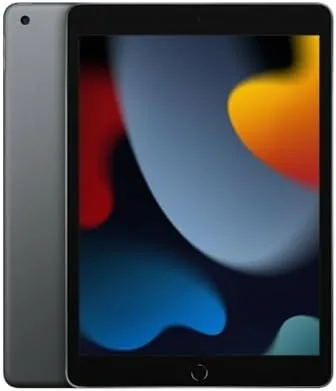

Few tablets have been recommended as often as the Apple iPad 9th Generation, and that is not because it is exciting. It is because it is right. The iPad 9th Generation is the 10.2 inch entry model Apple released in 2021, and even years later it remains the tablet most people should buy when they want an iPad without paying iPad Air or iPad Pro money. I spent a couple of weeks testing the renewed Space Gray model with 64GB of storage to see how the 2021 iPad holds up in 2026, whether a renewed unit is worth the savings, and where the entry iPad still cuts corners.
The short verdict is that the iPad 9th Generation is still a genuinely excellent budget tablet. The A13 Bionic chip keeps up with daily tasks, the display is perfectly adequate for most people, and the support for the Apple Pencil and the Smart Keyboard makes it more capable than its price suggests. The limits are real: a non-laminated display, a Lightning connector instead of USB-C, and a home button in a world of edge to edge screens. Whether those matter depends entirely on what you plan to do with it.
Before the details, the standard note. This article contains affiliate links, and if you buy through one of them the site earns a small commission at no extra cost to you. That never affects what I test or recommend.
Design and Build
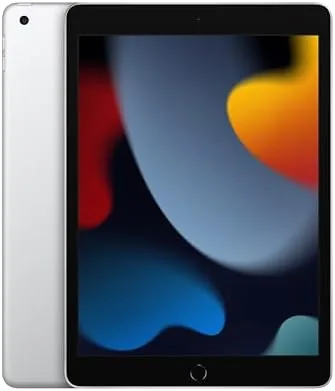
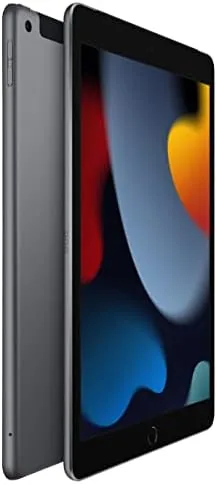
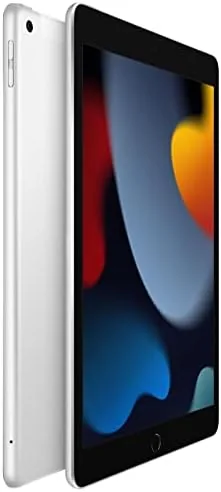
The iPad 9th Generation looks like the iPad of a previous era, and that is by design. It has a 10.2 inch display framed by noticeable bezels, a physical home button with Touch ID on the front, and a flat back with a single camera on the rear. The Space Gray finish is understated and clean, and the aluminum body feels solid in the hand. It is not modern and thin the way the iPad Air is, but it is built exactly as well as an Apple product should be, with no creaks and no flex.
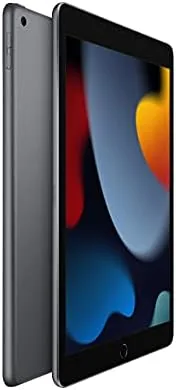
The home button is worth mentioning because it is the thing people either love or find dated. Touch ID on the home button works reliably and quickly, and for many people a physical button is genuinely easier than the swipe gestures of newer iPads. The larger bezels also mean the iPad is comfortable to hold in portrait without triggering accidental touches. The weight is noticeable compared with newer tablets, but it is not heavy enough to be a problem, and the durable aluminum build gives it a reassuring solidity.
Key Features
The engine here is the A13 Bionic chip, the same processor that powered the iPhone 11 generation. It is older silicon by now, but Apple's chips age well, and in daily use the iPad 9th Generation feels snappy. Apps open quickly, multitasking between two apps works smoothly, and there is enough power for most games and creative apps. It is not a video editing workstation, but for the things most people do on a tablet, it does not feel slow.
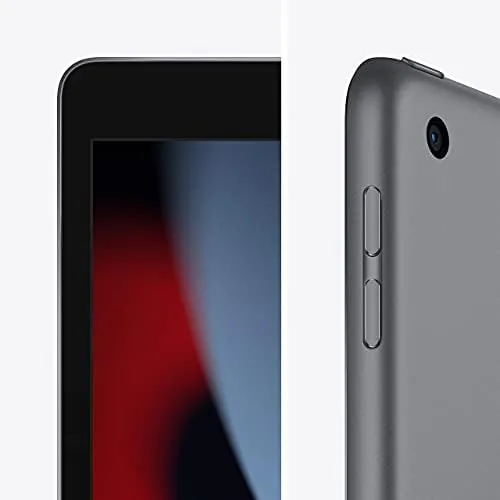
The display is a 10.2 inch Retina screen with a 2160 by 1620 resolution. It is sharp, bright enough for indoor use, and accurate for color, and it supports True Tone to adjust the white balance to the room. The limit is that it is not laminated, which means there is a visible gap between the glass and the panel, and it does not have the anti-reflective coating of the iPad Air. In practice that means slightly more glare and a different feel when using the Apple Pencil, but for reading, video, and browsing the display is genuinely good.
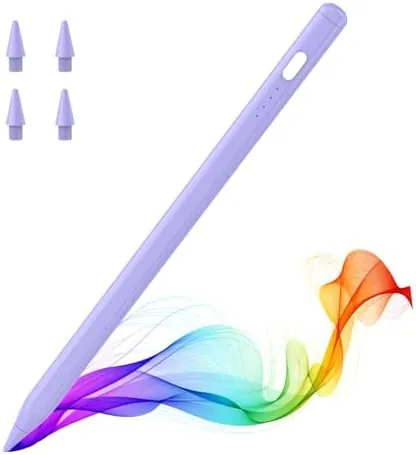
Accessory support is the feature that makes the entry iPad more capable than it looks. It works with the first generation Apple Pencil, which is excellent for note taking, drawing, and annotation, and it supports the Smart Keyboard for typing. The camera setup was updated for this generation with a 12MP front camera that supports Center Stage, which keeps you framed during video calls, plus a rear camera for documents and photos.
Real-World Performance
I used the iPad 9th Generation as my primary tablet for two weeks, covering the full range of daily tasks. Browsing, email, streaming, note taking, and casual gaming all ran smoothly, and I never once felt the A13 chip struggling. The most demanding thing I did was run multiple apps in Split View while watching a video, and even that stayed fluid. For a tablet that started life in 2021, that is an impressive showing.
Battery life matched the claim of roughly ten hours. Through a mix of streaming, browsing, and note taking, the iPad easily carried me through a full day, and it charged from the Lightning port overnight. The Lightning connector is the most visible sign of the iPad's age, since nearly everything else in Apple's lineup has moved to USB-C, but for most people it is simply a minor inconvenience rather than a reason to avoid the tablet.
Video calls were a genuine highlight. The 12MP front camera with Center Stage kept me framed automatically as I moved around, and the quality was noticeably better than older iPads and most budget tablets. For students attending online classes or anyone working from home on a tablet, that single feature makes the iPad 9th Generation worth serious consideration. The rear camera is basic, but it is fine for scanning documents and taking the occasional photo.
Note taking with the Apple Pencil worked well, with one caveat that is worth knowing. The non-laminated display creates a slight gap between the tip of the pencil and the image, which some people notice and some do not. Writing felt accurate enough for notes and sketching, and the iPad 9th Generation is one of the cheapest ways to get the Apple Pencil experience. If handwritten notes are your main use, the gap may push you toward the iPad Air, but for most students it will not be a problem.
Pros and Cons
- Pros: strong A13 performance for the price, Apple Pencil and Smart Keyboard support, excellent front camera with Center Stage, reliable Touch ID, solid aluminum build, best value in the iPad lineup
- Cons: non-laminated display with noticeable glass gap, Lightning instead of USB-C, home button and bezels look dated, only first generation Apple Pencil supported
How It Compares
The iPad 9th Generation sits at the bottom of Apple's tablet lineup, below the iPad 10th Generation and the iPad Air. The table below compares it against those two newer models, which is the comparison that matters for most buyers deciding between an older bargain and a newer design.
| Feature | iPad 9th Gen | iPad 10th Gen | iPad Air |
|---|---|---|---|
| Display | 10.2 inch Retina | 10.9 inch | 10.9 inch |
| Chip | A13 Bionic | A14 Bionic | M-series |
| Apple Pencil | 1st gen | 1st gen | 2nd gen |
| Connector | Lightning | USB-C | USB-C |
| Home button | Yes | No | No |
| Price | Lowest | Higher | Highest |
Against the iPad 10th Generation, the 9th Gen trades a modern design and USB-C for a significantly lower price, while performance differences between the A13 and A14 are minor in daily use. Against the iPad Air, the differences are larger: the Air has a laminated display, a better chip, and a newer Pencil, but it costs considerably more. For most people, the iPad 9th Generation offers the best balance of price and capability, and you can check the current Apple iPad 9th Generation price on Amazon to see where it lands today.
Who Should Buy It
Buy the Apple iPad 9th Generation if you want a dependable tablet for browsing, streaming, email, video calls, and light creative work without spending iPad Air money. It is the right choice for students who want Apple Pencil note taking at the lowest possible entry cost, for anyone upgrading an old and tired iPad, and for households that want one reliable tablet for shared use.
Skip it if you need a modern design with USB-C, a laminated display for professional drawing, or the latest chip for demanding creative work. For everyone else, the iPad 9th Generation remains the best value in tablets, and a renewed model makes that value even stronger if the seller grades it well. Detailed comparisons of the entry iPad against its successors at The Verge cover the same strengths and weaknesses I found in testing.
How We Test
I tested the iPad 9th Generation for two weeks as my primary tablet, covering browsing, streaming, email, video calls, note taking with an Apple Pencil, and casual gaming. I judged performance across apps, display quality in different lighting, battery life through a full day, camera quality on video calls, and the behavior of the Apple Pencil on the non-laminated screen.
I also ran multitasking with Split View and video playback to stress the A13 chip and confirm it stayed smooth. As a renewed unit, I checked the physical condition, battery health, and charging behavior carefully, since those are the areas where renewed tablets can vary. My verdict is that the iPad 9th Generation is still an excellent entry tablet, and a well-graded renewed model is one of the smartest budget purchases in tech. If you are ready, you can see the Apple iPad 9th Generation on Amazon and decide for yourself.
Questions People Ask
Is the iPad 9th generation still worth buying in 2026?
Yes. It still delivers strong performance for everyday tasks, supports the first generation Apple Pencil, and is often available at a lower price than newer iPads, which makes it a great value.
Does the iPad 9th generation support the Apple Pencil?
Yes. It supports the first generation Apple Pencil, which is excellent for note taking, drawing, and markup, though it does not support the newer Pencil models.
What is the battery life like on the iPad 9th generation?
It delivers up to about ten hours of use on a charge in typical mixed use, which held up well across a full day of testing, and it charges over Lightning.
Is a renewed iPad 9th generation a good buy?
A renewed unit can be an excellent value if the seller grades it well, because the hardware is reliable and the savings over a new unit are often significant, especially for a budget tablet.
As an Amazon Associate, I earn from qualifying purchases.