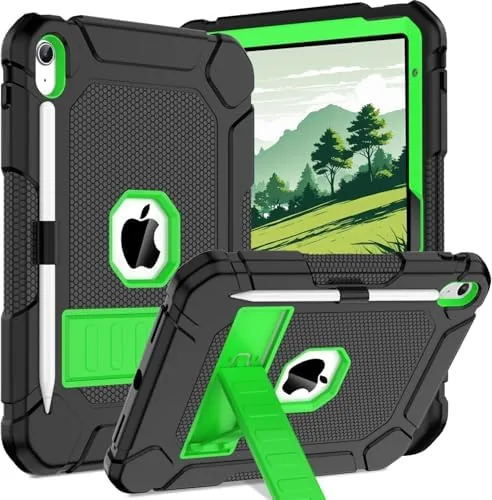

The most demanding user a tablet will ever have is not a power user, a gamer, or a creative professional. It is a family. A family tablet gets passed between a parent on a video call, a child doing homework, a partner watching a movie, and a dinner table debate over what to stream next. It needs to be fast enough for all of them, sturdy enough to survive all of them, and simple enough that nobody needs a manual. The blue Apple iPad 10th Generation arrived in my house for exactly this test, and for two weeks it served as the shared device for our household. This review records how it held up.
Before the details, the standard note. This article contains affiliate links, and if you buy through one of them the site earns a small commission at no extra cost to you. That commission does not influence what I test or recommend, and I would never let a product's availability change how honestly I judge it.
Design and Build
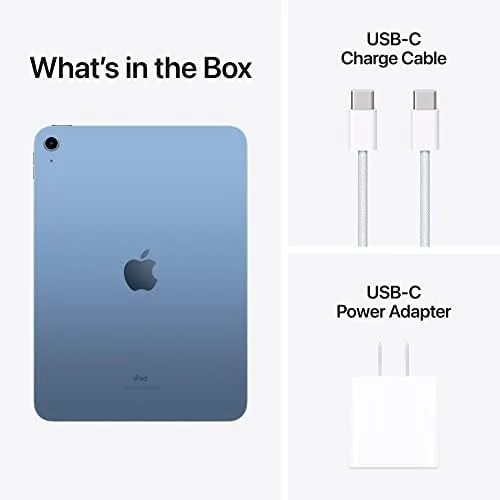
The blue finish is a deep, confident color that fits comfortably into a living room, and it resists the fingerprints that a family tablet collects within its first hour. The flat-edged aluminum body is the modern iPad shape, and it is light enough for a child to hold safely and robust enough to survive a table edge. There is no flimsy feeling anywhere in the build.
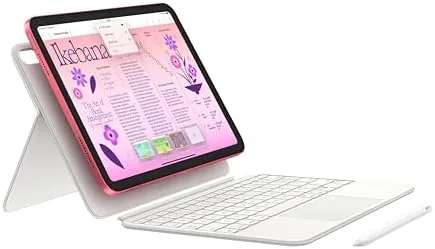
The 10.9 inch Liquid Retina display gives everyone in the house enough room to see clearly, whether they are reading a recipe, watching a show, or doing math homework. Touch ID sits in the top button, which means each family member can unlock the tablet quickly, and the device remembers multiple fingerprints, so sharing the tablet does not mean sharing a password.
Apple moved the front camera to the landscape edge on this model, a change that matters enormously for families because it means video calls look natural when the tablet sits in its stand or on the table. It is the sort of detail you only notice once it is right.
Key Features
The A14 Bionic chip inside this iPad is the quiet foundation of the family experience. It runs the school apps, the video apps, the drawing apps, and the occasional game without the stutter that plagues cheaper tablets, and it does all of it while sipping battery, which is exactly what a shared household device needs.
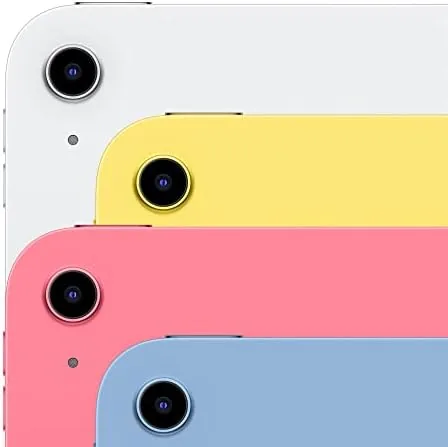
The 12MP front camera is the family feature. Because it is an ultrawide lens in landscape position with Center Stage, it automatically keeps faces in frame as people move around the room, which makes a three-person video call with grandparents feel natural instead of cramped. For a household that uses video calls to stay close to family, this is the feature that gets used every single week.
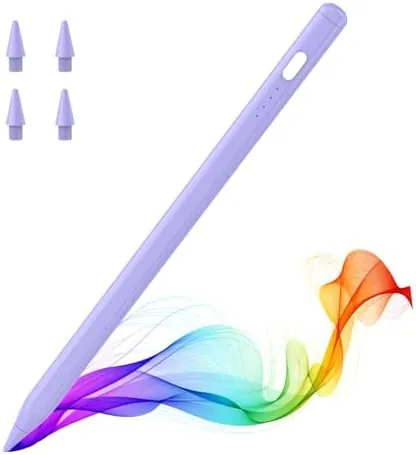
Wi-Fi 6 keeps the tablet fast on a modern home network, and the tablet supports the first generation Apple Pencil through a USB-C adapter, which turns it into a drawing and note-taking surface for homework and hobbies. The 64GB of storage holds a healthy collection of apps, photos, and downloaded shows for everyday use, with iCloud backup handling the overflow.
Battery life rounds out the package at up to 10 hours, which in my household means it survives the school afternoon, the evening calls, and the movie without reaching for the charger before bed.
Real-World Performance
I set up the blue iPad as the household tablet and did not touch it for two weeks except to observe how it was used. The workload was exactly what you would expect from a busy family: morning school apps, an afternoon of video calls with relatives, a child's drawing session, evening streaming, and a weekend of travel in a backpack.
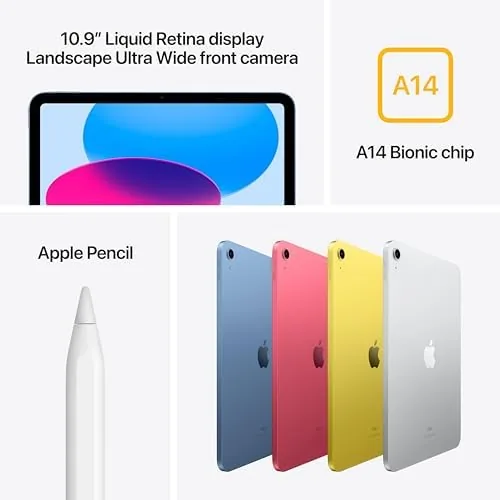
The tablet absorbed all of it without complaint. Apps switched quickly, video calls stayed clear, and the screen remained bright and readable across the whole day. The A14 chip did not once show a loading spinner during ordinary use, and the battery made it from morning to bedtime without a top-up, which is the benchmark any family tablet has to meet.
Center Stage proved its worth in real life. During a long call with relatives, a child wandered over mid-conversation and the camera simply widened to include them, with nobody having to adjust the tablet. Small moments like that are why the landscape camera placement matters: it quietly removes the friction from the most important calls a family makes.
The only real limits showed up exactly where you would expect them. The 64GB model fills up faster for a family that downloads lots of shows, and the non-laminated display means a child writing with the Pencil notices a slight gap between tip and screen. Neither stopped the household, but both are worth knowing before you buy.
Evening streaming became the tablet's second full-time job. Because the house uses the television for other things, the iPad became the family's personal screen, and it handled a full movie without a hitch, with the battery dropping only a fraction afterward. The weekend travel test added a different pressure: the tablet lived in a backpack for two days, came out for games in a waiting room and a show on a plane, and never once needed a midday charge.
The screen brightness also held up in a bright kitchen during daytime use, and the speakers were clear enough that nobody reached for the headphones for ordinary calls. For a device shared by five people with five different expectations, staying quietly capable through all of it is the real test, and the iPad passed it.
Pros and Cons
Pros:
- Fast and reliable for shared family use all day
- Landscape Center Stage camera makes video calls feel natural
- Light, sturdy build that survives everyday bumps
- Touch ID supports multiple family members
- All-day battery with up to 10 hours of use
Cons:
- 64GB storage fills quickly if you download lots of shows
- Display is not laminated, with a visible air gap
- First generation Apple Pencil requires a USB-C adapter
How It Compares
A family buyer often weighs the iPad 10th Generation against a budget Android tablet, because both can land in the same price conversation. The comparison goes beyond specs into what a shared device has to do.
| Feature | iPad 10th Generation | Budget Android Tablet |
|---|---|---|
| Processor | A14 Bionic | Entry Android chip |
| App support | Full iPadOS store | Varies by model |
| Front camera | 12MP, landscape, Center Stage | Usually basic and centered |
| Updates | Long-term iPadOS support | Often short-lived |
| Build quality | Aluminum, durable | Often plastic |
| Pencil support | First generation | Depends on model |

The Android tablet wins on price and little else in my household test. The iPad matched or beat it on speed, build, camera behavior, and app longevity, and those are the things that matter when a device is shared for years. The higher upfront cost buys a device that is still fast when the Android tablet has slowed to a crawl.
Who Should Buy It
Buy the blue Apple iPad 10th Generation if you are outfitting a household with a single shared device that has to serve school, calls, movies, and hobbies. It suits families with kids who need a reliable homework machine, households that rely on video calls to stay connected, and anyone who wants a tablet that will still feel fast several years from now.
Skip it if your family downloads entire streaming libraries and needs 256GB from day one, or if a laminated display for serious drawing is non-negotiable. For most households, this is the best all-round family tablet Apple makes. You can check the current price of the blue iPad 10th Generation on Amazon when you are ready to bring one home.
How We Test
I set up the blue iPad 10th Generation as the shared household tablet for two weeks and let real family life drive the testing. I observed how it handled school apps, video calls, streaming, drawing, and travel, and I checked the battery across full days of mixed use.
I also compared it directly with a budget Android tablet on app speed and camera behavior, and I confirmed that multiple Touch ID fingerprints could be stored for different family members. Wirecutter has published testing of the best tablets for families that is worth reading before you decide. The Apple iPad 10th Generation listing on Amazon shows the current price and color options.
Apple iPad 10th Generation: Questions People Ask
Is the iPad 10th generation good for schoolwork?
Yes. The A14 chip and the 10.9 inch screen handle homework apps, ebooks, and video lessons well, and the tablet supports the first generation Apple Pencil.
Does it work well for family video calls?
Very well. The 12MP landscape front camera uses Center Stage to keep everyone in the frame as people move around the room.
Is 64GB of storage enough for a family?
For everyday use with apps, photos, and streaming, yes, especially when iCloud handles photo and document backups in the background.
How long does the battery last?
Apple quotes up to 10 hours of web browsing or video playback, which covers a full day of school and evening family use.
As an Amazon Associate, I earn from qualifying purchases.