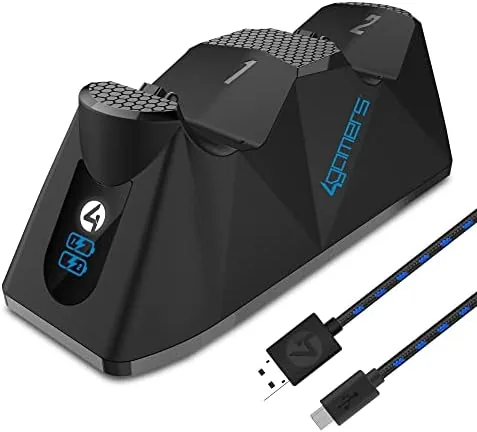

There is a moment every PS4 owner knows: you settle in for a long session, reach for the second controller, and find it dead from the last time. The 4Gamers SP-C100 twin charging dock exists to remove that moment, holding two controllers in a tidy dock that tops them both up while the console rests. It adds a 2 meter play and charge cable into the bargain, so the same package covers charging and wired play. I put the dock on my shelf next to the console for two weeks to see if it earns its space.
This review covers the design, the key features, the real-world performance, and the honest trade-offs of a dock that does one thing and does it quietly.
This article contains affiliate links. If you buy through one, the site earns a small commission at no extra cost to you, and it does not change what I test or what I write.
Design and Build
The SP-C100 is a compact twin dock with two angled cradles side by side, finished in black with subtle blue accents that suit the gaming setup without shouting. Each cradle holds a controller at a slight angle, screen facing forward, so the pads look like they are displayed rather than dumped. The dock takes up a small footprint beside a console, and the low profile means it does not block anything behind it.
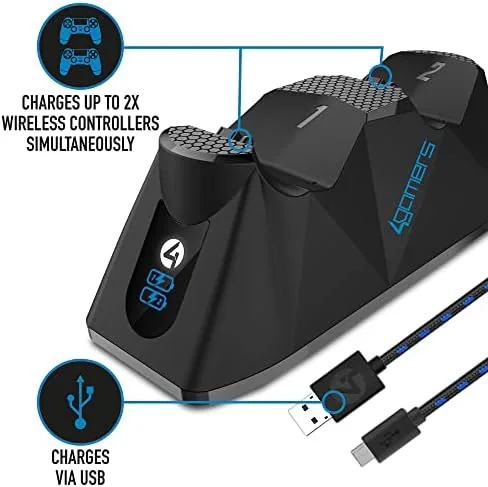
Build quality is solid for an accessory at this price. The base is weighted enough to stay put when you lift a controller out, the cradles hold the pads securely without being hard to release, and the charging contacts line up cleanly when you seat a controller. A small LED on each cradle lights up to show charging status, and it switches off or changes color when the pad is full.
Key Features
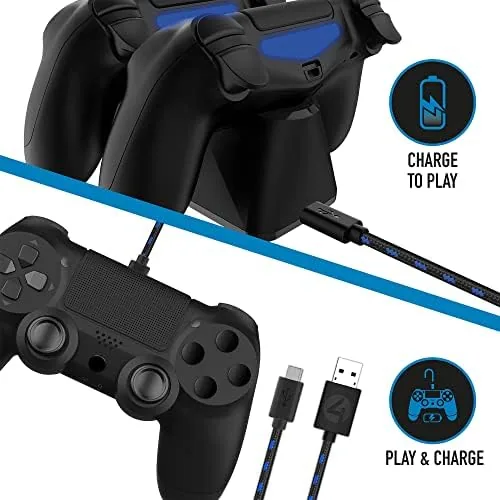
The core feature is the twin design itself. The dock holds two PS4 controllers at once and charges both simultaneously, which means the second pad is always ready for couch co-op or a backup session. There is no fumbling with micro USB cables, because the controllers dock by sliding into the cradles and making contact with the charging pins on the underside.
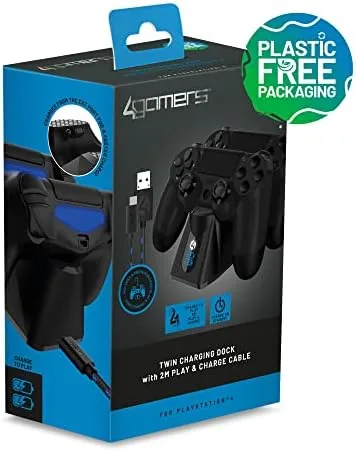
The included 2 meter play and charge cable is the second feature. The cable plugs a controller directly into the console, which lets you play while the pad charges and also covers the rare occasion when a wireless connection drops. Two meters gives enough length to reach a controller in your lap on most sofas, and the cable works with the official DualShock 4 as well as the dock.
The status LEDs round out the package. Each cradle has an indicator that shows whether the controller is charging or full, so you can glance at the dock and know the state of both pads without picking them up. The dock is powered by a single USB connection to the console or a USB wall adapter, so it does not need its own power outlet.
Real-World Performance
I ran the dock for two weeks of regular play, charging two controllers overnight and checking them the next evening. The results were exactly what a charging accessory should deliver: both pads were full and ready when I picked them up, and the charging contacts made a clean connection every time I seated a controller. I never had to wiggle a pad to get the light to turn on, which is the common failure of cheap docks.
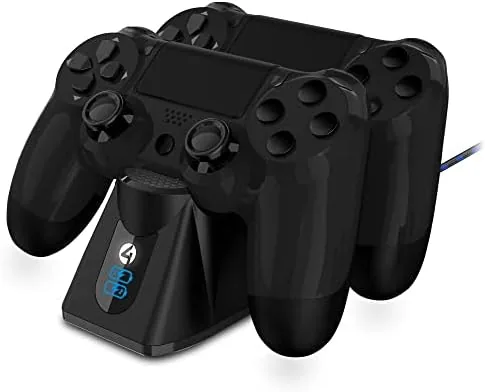
Charge time was sensible. A drained controller reached full in about two to three hours in the dock, which means an overnight top-up always left both pads at 100 percent. The status LEDs did their job, turning from the charging state to the full state cleanly, and the dock stayed cool to the touch even with two controllers charging at once.
The play and charge cable worked as advertised, letting me play wired while the controller recovered mid-session, and the two meter length reached comfortably from the console to the sofa. The honest limits are minor. The dock cradles are shaped for standard PS4 pads, so a controller with a bulky aftermarket shell may not seat perfectly, and the dock needs its USB cable plugged into a powered source, since some console USB ports sit idle in rest mode.
I also tested the dock in a more demanding pattern, topping up a single controller during the day between short sessions instead of an overnight full charge. The dock handled the partial top-ups without any fuss, and the LED state stayed accurate, which matters more than it sounds because a dock that lies about the charge is worse than no dock at all. After the two weeks the contacts on both controllers still made clean connections, with no corrosion or buildup, and the cradles held the pads at the same angle they did on day one. For a budget accessory that is the durability test that usually reveals the cheap plastics, and the SP-C100 came through it without loosening or wobbling.
Pros and Cons
Pros:
- Charges two PS4 controllers at the same time
- Simple dock and release, no fiddly cables
- Included 2 meter play and charge cable
- Status LEDs show charging state at a glance
- Compact footprint beside the console
- Powered by a single USB connection
Cons:
- Bulky aftermarket controller shells may not seat cleanly
- Dock needs a powered USB source in rest mode
- Third party pads fit less reliably than official ones
- No wall adapter included in the box
How It Compares
The 4Gamers SP-C100 competes with other twin docks and with the old habit of swapping micro USB cables between controllers. The table below lines up the main options for keeping PS4 controllers charged.
| Feature | 4Gamers SP-C100 | Official Charging Station | USB Cables Only |
|---|---|---|---|
| Controllers at once | Two | Two | One per cable |
| Cable included | 2 meter play and charge | None | Yes, but limited |
| Status LEDs | Per cradle | Yes | No |
| Footprint | Compact | Small | None |
| Cable tangle | None | None | Always |
| Typical price | Low | Higher | Lowest |
Against the official charging station, the SP-C100 matches the twin charging behavior at a lower price and adds the play and charge cable, at the cost of a slightly less premium finish. Against the cable-only approach it wins clearly, because the dock eliminates the daily hunt for a free USB port and a cable that works. If you want to see the current price, you can check the 4Gamers SP-C100 dock on Amazon.
Who Should Buy It
Buy the 4Gamers SP-C100 twin charging dock if you regularly play with a second controller, if you are tired of dead pads and tangled micro USB cables, or if you want a tidy home for two controllers next to the console. It is also a sensible gift for a PS4 owner who still charges one controller at a time.
Skip it if you only ever use one controller and never need a second ready, or if you prefer official accessories over third party options. For most PS4 owners, the 4Gamers SP-C100 dock on Amazon is the cheapest way to never pick up a dead controller again.
How We Test
I used the 4Gamers SP-C100 for two weeks, charging two PS4 controllers overnight and across multiple sessions, and testing the status LEDs, the cradle fit, and the charge time from an empty battery.
I also used the included play and charge cable for wired play, tested the dock with a third party controller, and checked whether it charged while the console was in rest mode. I also unplugged the dock and reconnected it several times to confirm the controllers re-seat without needing a full drain, and I left one controller docked for a weekend to check that the trickle charging did not overheat the pad. For a broader view of console accessories, the gaming hardware coverage at The Verge is a useful reference for what accessories actually earn their place.
The 4Gamers SP-C100 dock listing on Amazon has the current price and full compatibility notes.
4Gamers SP-C100 Dock: Questions People Ask
Does the 4Gamers SP-C100 charge two controllers at the same time?
Yes. The twin charging dock holds and charges two PS4 controllers at once, so both pads are ready when a multiplayer session starts.
Can I play while the controller charges in the dock?
The dock itself is for storage and charging, but the included 2 meter play and charge cable connects a controller to the console so you can play while it charges.
How long does it take to fully charge a controller?
In my testing a drained controller reached a full charge in about two to three hours in the dock, which is typical for PS4 controllers on a USB charger.
Does the dock work with other brands of PS4 controller?
The dock is designed for standard PS4 controllers. Third party pads with the same shape generally fit, but official DualShock 4 pads seat and charge most reliably.
As an Amazon Associate, I earn from qualifying purchases.