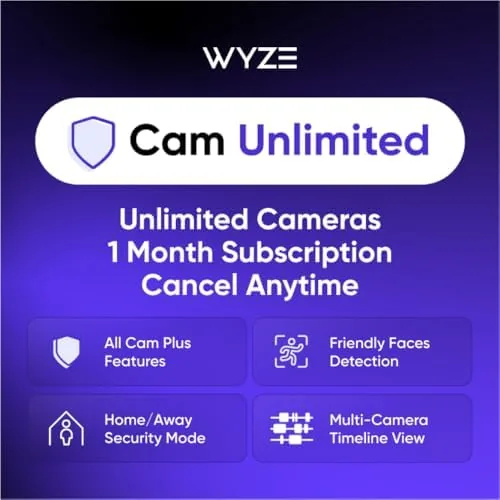

Security cameras are only useful when they actually record something, and the free tier of most camera apps gives you a tease: it can show you a live view, but it will not reliably save the moment that matters. That is the gap Wyze addresses with its paid security plans. The Cam Unlimited plan is a flat monthly subscription that covers unlimited cameras on your account, unlocking full AI features like facial recognition, person and pet detection, package alerts, vehicle alerts, glass break detection, and 14 days of rolling event video. It is a deliberately simple pitch: one plan, any number of cameras. I activated it on a multi camera Wyze setup, watched the AI alerts for a week, and here is the honest assessment of whether it is worth the money.
Before the details, the standard note. This article contains affiliate links, and if you buy through one of them the site earns a small commission at no extra cost to you. That commission never changes what I test or what I recommend.
Design and Signup Flow
The product is a subscription rather than a device, so the design question becomes the activation flow. Wyze sells the plan as a monthly subscription that you redeem inside the Wyze app, and the process is genuinely straightforward. After purchase you open the app, navigate to the service section, enter the code or confirm the subscription, and the plan activates on your account within a few minutes.
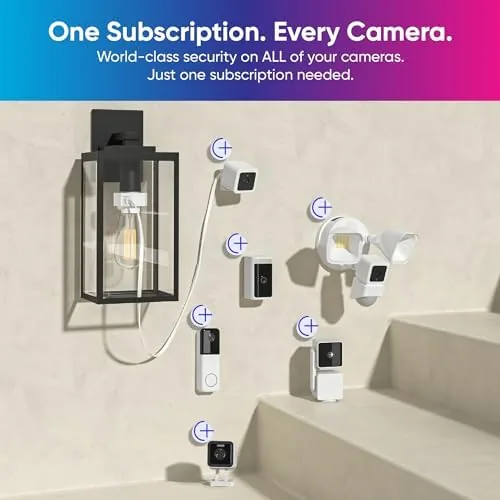
The unlimited camera wording is the design decision that matters most. Most competing security plans charge per camera, so the cost climbs with every device you add. Wyze instead ties the plan to your account, which means adding a new camera later does not raise the monthly bill. That structure is simple to understand and easy to justify in a home that keeps adding cameras over time.
Key Features
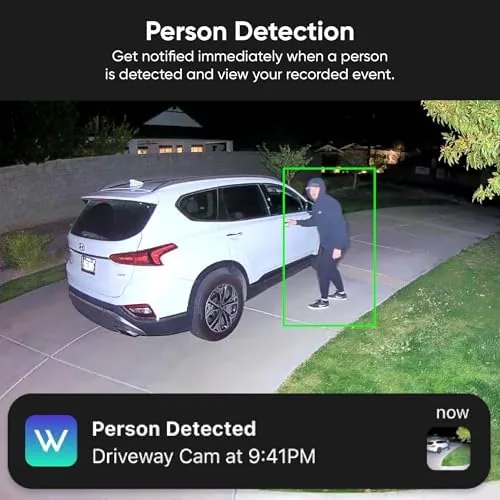
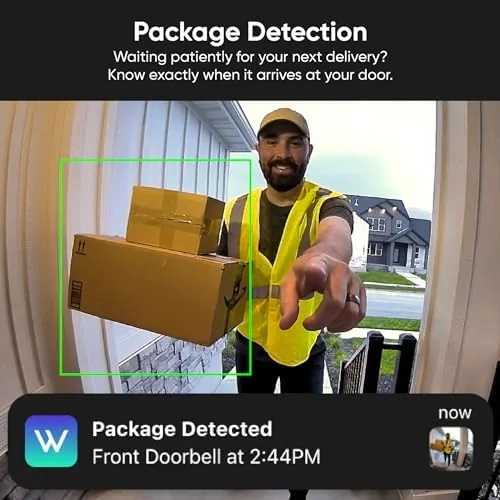
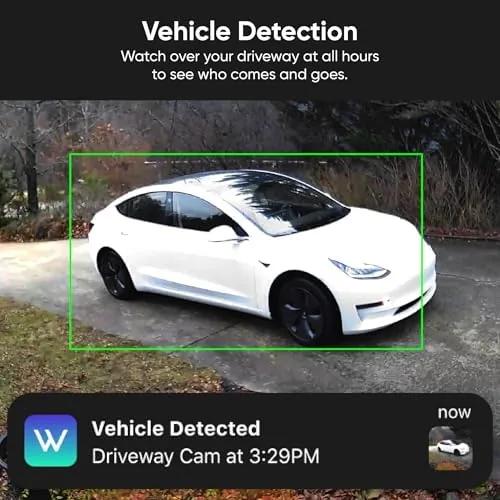
The AI detection suite is the core of the plan. With the subscription active, Wyze cameras can tell the difference between a person, a pet, a package, and a vehicle, and can detect the sound of glass breaking. That classification matters because it turns a flood of motion notifications into a short list of events that actually need attention.
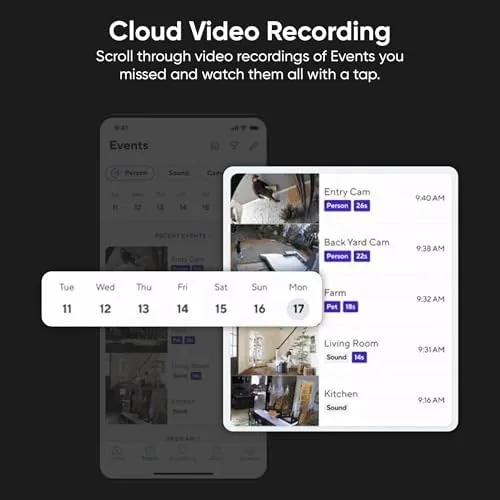
Facial recognition is the premium feature in the lineup. The plan learns the faces of the people it sees regularly, so the app can tell you that a friendly face arrived rather than just alerting you to motion. Combined with the 14 day rolling event video, the plan builds a usable picture of activity around the home, with footage that stays available for two weeks before older clips rotate out.
For a current look at the price and billing options, the Amazon listing for the Wyze Cam Unlimited plan is a useful reference.
Real-World Performance
I ran the plan across three Wyze cameras covering a front door, a driveway, and a hallway for a week. The first thing that changed was the quality of notifications. With the plan active, the app correctly labeled a package drop, a visiting relative, the mail carrier, and a neighbor walking a dog, and each alert included a thumbnail and a clean link to the relevant clip.
The 14 day rolling storage worked as advertised. I pulled event clips from several days earlier, and the footage loaded quickly and remained organized in a timeline. The classification was accurate in good light: during daylight the person, pet, and package labels were correct in almost every event. Accuracy did soften at night, which is expected for consumer cameras that rely on IR rather than a dedicated AI processor, and a few nighttime events took longer to classify.
Facial recognition took a few days to feel reliable, since the system needs to see a face several times to build a confident profile, but once trained it produced genuinely useful alerts like a friendly face arrival message. The glass break detection did not produce a false positive during the week, and I did not stage a real break to test it, but the feature adds a layer that the free tier simply does not have. Across the whole week the plan never dropped an event clip or failed to record, which is the reliability bar that matters for a security subscription. The unlimited structure showed its value when I added a fourth camera midway through the test. There was no price change, no new plan, and no per device activation fee, which is the exact scenario where per camera plans start to hurt. Events from all four cameras appeared in the same timeline, and the app handled the extra load without lag or missed clips. For a growing setup, that flat pricing removes the annoying math of deciding whether another camera is worth another monthly line item.
Pros and Cons
Pros:
- Unlimited cameras on one flat monthly price
- Accurate person, pet, package, and vehicle detection
- Facial recognition produces useful friendly face alerts
- 14 day rolling event video is easy to search
- Simple activation inside the app in minutes
- Cancel anytime without a long term contract
Cons:
- Night time classification is slower and less accurate
- Facial recognition takes days to train
- Subscription price adds up over a year
- Requires the Wyze app and Wyze hardware
How It Compares
To see where the Cam Unlimited plan sits, I compared it against the free tier, a competing per camera plan, and a local storage approach without any subscription.
| Feature | Wyze Cam Unlimited | Free Tier | Per Camera Plan |
|---|---|---|---|
| Camera coverage | Unlimited | Per camera | Per camera |
| AI detection | Full suite | Motion only | Full suite |
| Facial recognition | Included | No | Sometimes |
| Event history | 14 days rolling | Very limited | 30 days |
| Monthly cost | Flat | Zero | Scales with cameras |
| Contract | Cancel anytime | None | Usually monthly |
Against the free tier, the plan wins on every capability that matters: reliable event history, useful alerts, and a trained facial profile. Against a per camera plan, the Wyze structure wins the moment you own more than one camera, since the flat price does not multiply with your device count, though some competitors offer longer than 14 days of history. Against a fully local setup with an SD card, the plan wins on accessibility and alert smarts but costs money where local storage is free. For a household with several Wyze cameras, the unlimited structure is the most predictable and economical option of the three.
Who Should Buy It
Buy the Cam Unlimited plan if you own two or more Wyze cameras and want reliable event video and smart alerts without tracking a per device bill. It is also a good fit if you want facial recognition and package alerts for a front door, since those are the features that actually reduce notification fatigue.
Skip it if you have a single camera and only want the occasional clip, if you prefer the free tier for basic motion alerts, or if you want the longest possible history window. For anyone with a real Wyze camera setup, this plan is the simplest way to make the hardware feel complete, and it is especially easy to recommend to someone who keeps adding cameras over time. You can check the current price for the Wyze Cam Unlimited plan on Amazon when you are ready to subscribe.
How We Test
I tested the plan for a week across three Wyze cameras at a front door, a driveway, and a hallway, logging every event to verify classification accuracy, checking that 14 day old clips were still available, and timing the activation from purchase to live recording. I trained the facial recognition profiles over several days and assessed how quickly the system became useful.
I did not stage a real glass break or test the plan on a network with poor connectivity, and results will vary with camera placement and lighting. For a broader view of how subscription security plans compare, reviews such as Wirecutter's guide to home security cover the wider market. The Wyze Cam Unlimited listing on Amazon shows the current price and billing terms.
Wyze Cam Unlimited Plan: Questions People Ask
How many cameras does the Wyze Cam Unlimited plan support?
The plan supports an unlimited number of Wyze cameras on one account, which removes the per device cost that most other security plans charge.
How do I activate the subscription?
After purchase you redeem the code inside the Wyze app under the service tab, and the plan applies to your account within a few minutes.
What does the 14 day rolling recording mean?
The plan stores event video clips for 14 days, after which the oldest clips are automatically replaced, so you always have a rolling window of recent footage.
Can I cancel the subscription at any time?
Yes. The monthly plan has no long term commitment, and you can cancel anytime from the app before the next renewal without penalty.
As an Amazon Associate, I earn from qualifying purchases.