
Smart door locks have spent years trying to solve one awkward question: what happens when your hands are full, or your kids have lost their keys, or you simply do not want to tap a code on a rainy night? The Wyze Palm Lock answers with something most of us have only seen in fiction: it scans the vein pattern in your palm and unlocks the door when it recognizes you. I mounted the lock on my front door and lived with it for two weeks, testing palm unlock, the keypad, auto lock, and the Wi-Fi app control, to find out whether biometric entry is a genuine upgrade or a clever demo that wears thin in daily life.
Before the details, the standard note. This article contains affiliate links, and if you buy through one of them the site earns a small commission at no extra cost to you. That commission does not change what I test or what I recommend, and the lock was used exactly as a front door lock should be used.
Design and Build
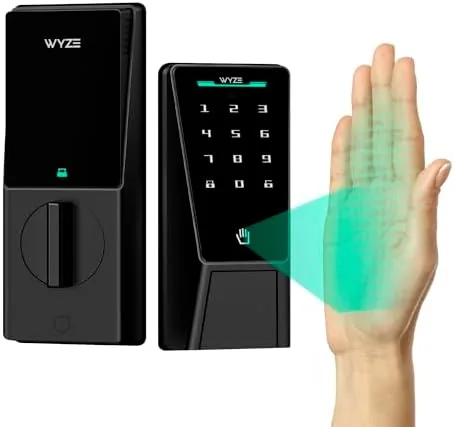
The Wyze Palm Lock follows the modern smart lock template: a sleek keypad on the outside and a compact motorized latch on the inside. The palm scanner sits in the center of the keypad, positioned for a natural one handed scan, with a small status light that guides you through each unlock. The design is clean and understated, and it looks at home on a contemporary front door rather than standing out as a gadget.
Build quality is solid, and the credentials back it up. The lock carries a BHMA grade, which speaks to the mechanical durability of the latch, and an IP53 weather rating, which means it shrugs off light rain and the dust and moisture of an exterior door. The exterior unit has a robust feel, and the interior module mounts cleanly with no wobble when the latch engages.
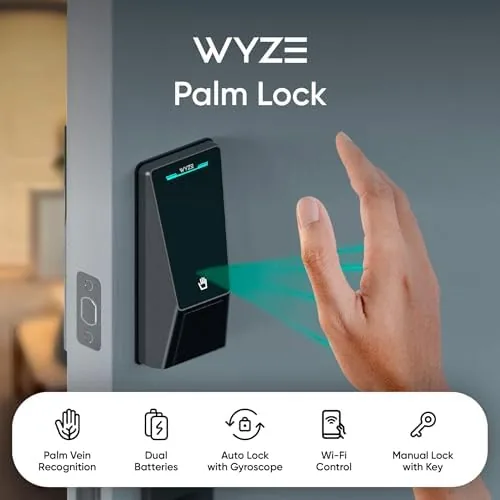
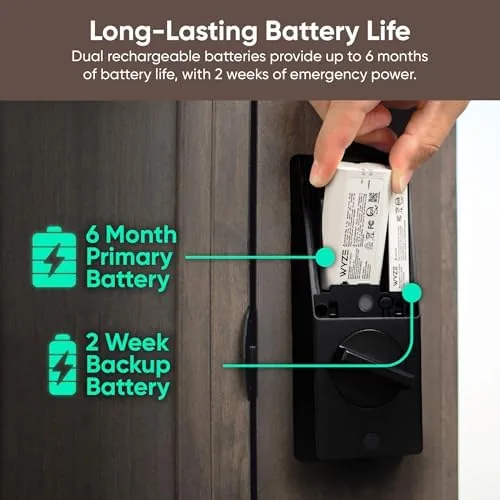
The dual Battery design is a thoughtful touch. Two battery packs feed the lock, so when one set runs low the other keeps the lock alive, and the app tells you which side needs attention. A mechanical key backup sits behind the keypad, so even with both batteries dead and no phone in reach, a physical key still opens the door.
Key Features
The headline is palm vein recognition. The scanner reads the vein pattern beneath the skin of your palm, a biometric that is unique to each person and far harder to spoof than a fingerprint left on a surface. Hold your palm a short distance from the scanner, it lights up, and the door unlocks in a moment. It is the fastest keyless entry I have tested, and it works regardless of rain because it reads the veins beneath the skin rather than the surface.
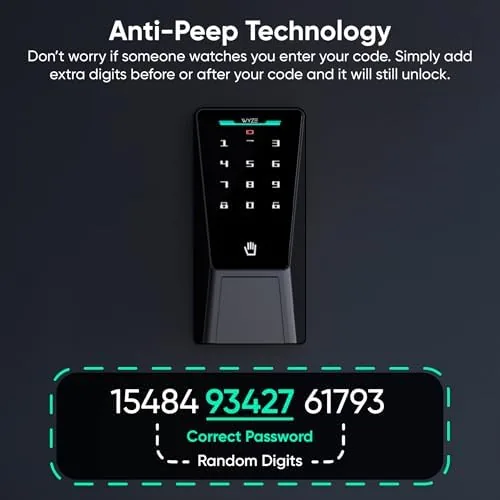
The keypad provides the classic fallback. Every household member can register a PIN, and the keypad works in any weather and for anyone, including children whose palms may be too small to register reliably. Because the lock stores access locally, the keypad unlocks the door even when the Wi-Fi network is down or the internet is out, which makes it a genuine backup rather than a fair weather convenience.
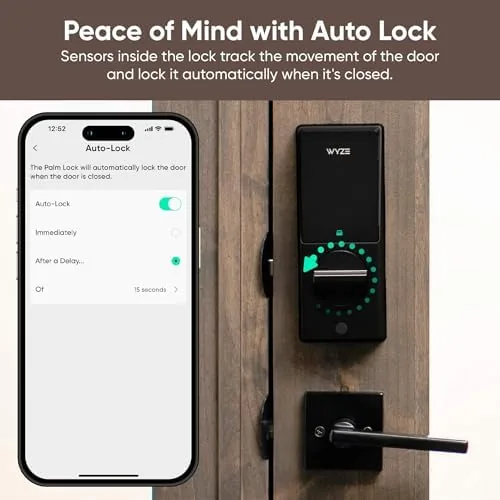
Auto lock and Wi-Fi round out the package. Auto lock re-engages the latch after the door closes, ending the eternal question of whether you locked up on the way out. The Wi-Fi connection brings the lock into the Wyze app for remote control, guest access, and activity history, and it works with Alexa and Google Assistant for voice control. The app integration is where the lock stops being a keypad and starts being part of a smart home.
Real-World Performance
The first day of palm unlock was the real test of hype versus reality. I registered my palm in the app, walked to the door, and held out my hand. The scanner lit, the latch released, and the door opened in about the time it takes to say the word unlock. The speed held up across the two weeks. I scanned my palm dozens of times a day, and the only failure came when my palm was angled wrong, which a slight adjustment instantly corrected.
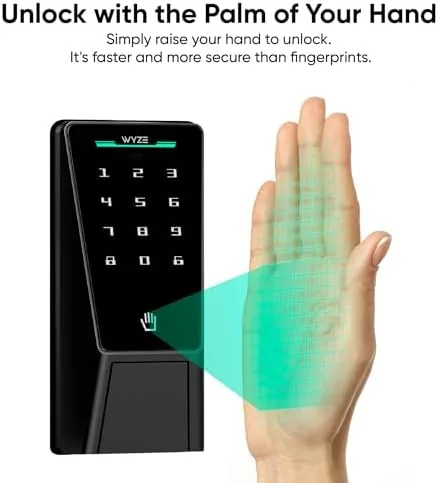
The keypad worked exactly as expected for the rest of the household. Entering a PIN was as fast and reliable as any number pad lock, and it became the backup of choice for guests. The mechanical key also worked cleanly when I tested it, which is the reassurance every smart lock buyer wants.
Auto lock proved its worth almost immediately. I left the house with the door closed and walked back to the car, and the app confirmed the lock had engaged behind me. Over two weeks it never failed to re-lock. For anyone whose routine involves carrying groceries or kids out the door, that quiet automation is the feature that quietly earns its keep.
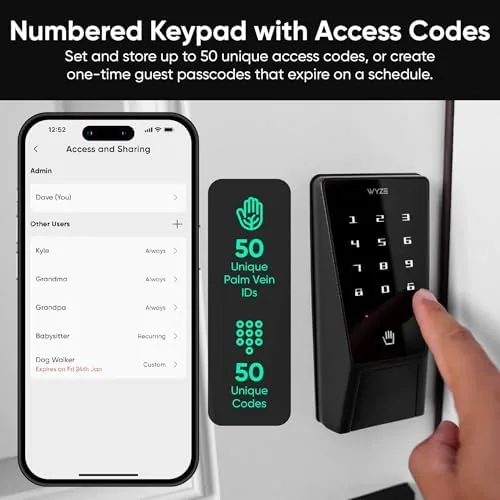
The app and Wi-Fi integration were reliable throughout. The lock stayed connected to my home network, the app updated status instantly, and I could check the lock state from across town with no drama. Remote guest access and the activity log are genuinely useful for a household that has a cleaner, a dog walker, or a stream of visiting family.
The honest limitations are the ecosystem and the price. The lock works best inside the Wyze app, and while it supports Alexa and Google, the deepest experience lives in Wyze's own world; if Your Home is built around another platform, you will notice the seams. The palm sensor also registers only a small number of profiles, which is fine for a household but tight for a building with many users. And this is not a budget lock; the biometric hardware carries a price that sits above a plain keypad lock.
One more practical note. Palm scanning is fast, but it is not always the fastest option. When my hands were full, the keypad was actually more convenient than balancing bags to free a palm. The lock's strength is that it offers both, so there is always a fast way in.
Pros and Cons
Pros:
- Palm vein recognition unlocks in a moment and is hard to spoof
- Keypad backup works offline, even when the network is down
- Auto lock reliably secures the door behind you
- Dual battery design and a mechanical key cover every failure case
- Wi-Fi app control, guest access, and activity history work well
- BHMA grade and IP53 weather rating for real door duty
Cons:
- Biometric hardware carries a Premium over plain keypad locks
- Deepest features live inside the Wyze app ecosystem
- Limited palm profile slots for larger households or buildings
- Hands full situations can make the keypad the faster option
How It Compares
To frame where the Palm Lock sits, I compared it with a standard keypad smart lock and a premium fingerprint smart lock. The table below reflects how each behaved at the same front door.
| Feature | Wyze Palm Lock | Keypad Smart Lock | Fingerprint Smart Lock |
|---|---|---|---|
| Primary entry | Palm vein scan | PIN keypad | Fingerprint scan |
| Offline backup | Keypad and key | Keypad and key | Keypad and key |
| Weather rating | IP53 | Varies | Varies |
| Dual battery | Yes | Often single | Often single |
| App and remote | Wi-Fi, Wyze app | Wi-Fi or hub | Wi-Fi or hub |
| Relative price | Moderate | Low | Premium |
Against a standard keypad lock, the Palm Lock costs more but adds the biometric entry that makes coming home genuinely faster, while keeping the keypad as the backup. Against a fingerprint lock, the palm scanner is actually more practical at a front door, because it reads through moisture and does not leave a spoofable print on the sensor, and it costs less than the premium fingerprint tier. For a household that wants the fastest keyless entry with solid backups, the Palm Lock is the most balanced option of the three.
Who Should Buy It
Buy the Wyze Palm Lock if you want the fastest way to unlock a front door and do not mind living in the Wyze ecosystem. It suits families whose hands are always full, anyone who has ever lost a key or a code, and households that want remote access and guest codes without signing up for a subscription.
Skip it if your whole smart home is built on a different platform and you want one app for everything, because the Palm Lock is happiest inside the Wyze app. Skip it if the biometric entry is a gimmick to you and a plain keypad lock meets every need for less money. For everyone who has ever juggled bags at their own front door, this lock turns the most repeated moment of the day into a one hand gesture. You can check the current price of the Wyze Palm Lock on Amazon when you are ready.
How We Test
I installed the Wyze Palm Lock on my front door and used it as the household lock for two weeks, scanning palms and entering codes dozens of times a day. I tested the palm scanner under different hand angles, the keypad in all conditions, and the mechanical key as the final fallback, and I checked auto lock across every type of exit.
I verified the Wi-Fi app control from a remote location, issued a guest code, and reviewed the activity log to confirm the tracking worked, and I deliberately tested the lock with the network down to confirm the keypad kept working. For broader perspective on how biometric smart locks fit the wider market, PCMag guidance on the best smart locks is a useful reference point. The verdict here is based on that full two weeks of front door duty, not on a spec sheet.
The Wyze Palm Lock listing on Amazon shows the current price, the color options, and the full compatibility details.
Questions People Ask
How does the Wyze Palm Lock recognize my palm?
It scans the vein pattern in your palm, which is unique to each person, and unlocks when it matches a registered profile, reading beneath the skin rather than the surface.
Does the lock work without Wi-Fi?
The lock stores access locally, and the keypad and mechanical key always work, so it opens even if the network is down or the internet is out.
What happens if the batteries die?
The dual battery design provides backup power, and a mechanical key opens the lock manually if both batteries are exhausted, so there is always a way in.
Is the Wyze Palm Lock hard to install?
It is built to fit a standard door prep with a keypad on the outside, and it comes with the hardware needed for most front doors, so a straightforward DIY install is realistic.
As an Amazon Associate, I earn from qualifying purchases.