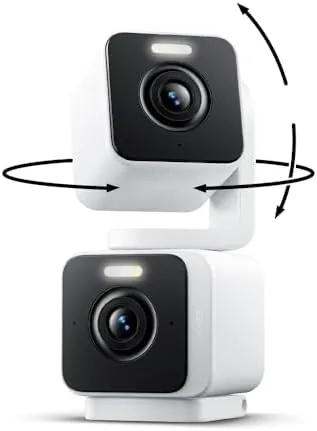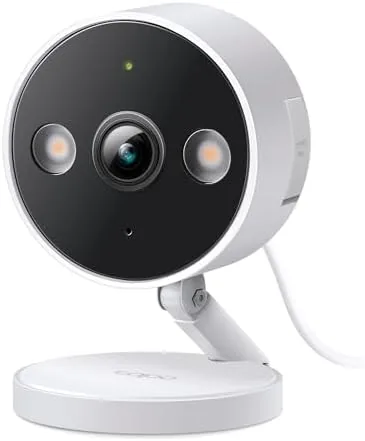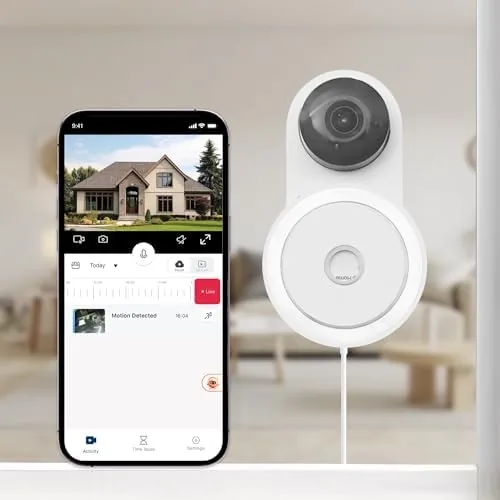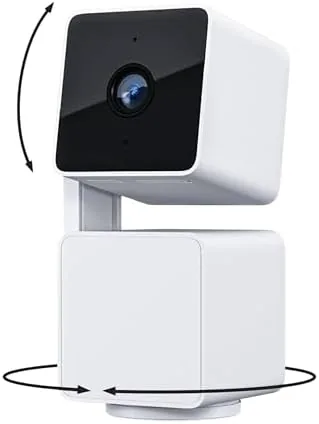

A fixed security camera sees one narrow slice of a room, and that is the problem most people discover after the first week. The doorbell rings at the front door, and the camera pointed at the living room misses it entirely. The Wyze Cam Pan v3 solves that with a motorized head that pans, tilts, and zooms across the whole space, wrapped in an IP65 rated body that survives outdoor weather. I mounted one on the covered porch and ran another inside for a month to see whether the added motion earns its place.
Standard disclosure before the details: this article contains affiliate links, and purchases through them support the site at no extra cost to you. The cameras reviewed here were installed and used exactly as a homeowner would use them, and the review reflects that experience.
Security Cameras divide into two camps: fixed lenses that capture one angle, and motorized cameras that cover a room by turning. The Wyze Cam Pan v3 sits firmly in the second camp, and its success depends on how well the motor works, how good the image is, and how usable the app and motion features are day to day. This review covers all of those.
Design and Build
The Cam Pan v3 has the familiar Wyze look: a dome head on a motorized base, with a camera lens in the center and a light ring around it. The body is a two piece design where the head rotates on a base, giving the camera pan and tilt movement across a wide arc. The lens is protected behind clear glass, and the microphone and speaker ports sit on the side for two way audio.
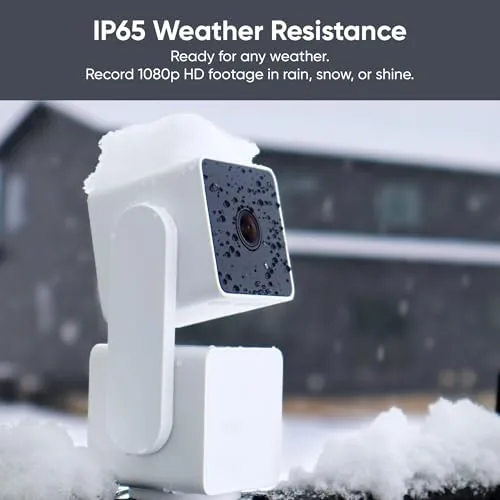
The standout design point is the IP65 rating. That means the camera resists dust and water jets, so it can live under an eave or on a covered porch through rain and snow, provided it is not sitting in standing water. The mount is simple: a metal base plate screws to the surface, and the camera clicks onto it. The power cable is the one limitation for outdoor use, since it needs a weatherproof outlet nearby.
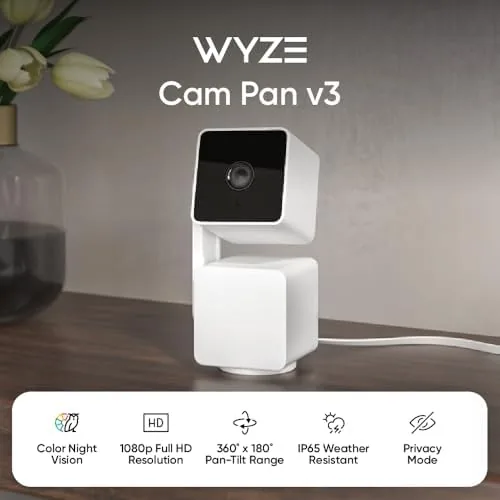
Build quality is good for the price. The housing feels solid, the motor is quiet, and the head moves smoothly on both axes. The camera base has a 1/4 inch tripod thread as well as the wall mount option, so it can sit on a shelf or attach to a stand if that suits the space better.
Key Features
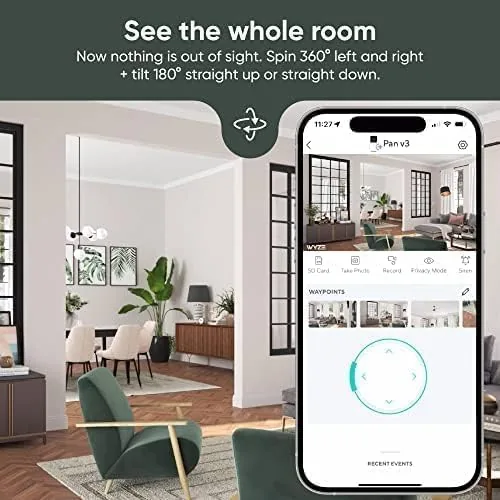
The headline feature is the pan, tilt, and zoom head. The camera rotates a full 360 Degrees horizontally and tilts through a broad vertical arc, and the app lets you sweep the head with a swipe or tap a preset position to jump there instantly. Motion tracking is built in: when the camera detects movement, the head follows the subject across the room automatically.
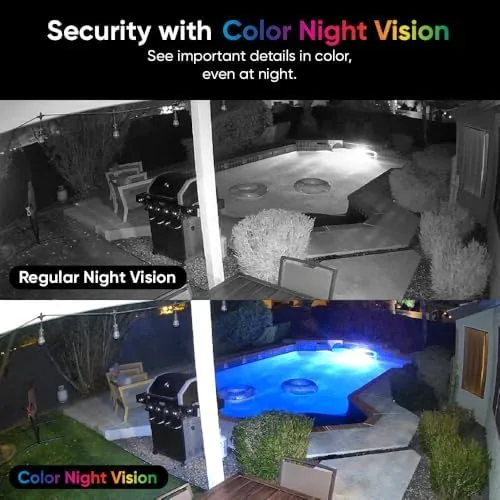
Video is 1080p full HD with a wide angle lens, and the night vision is the feature that separates this camera from cheaper units. The Wyze Cam Pan v3 uses a starlight sensor plus a small LED light ring to produce color night vision, so at night you see the color of a jacket or a car rather than a black and white silhouette. That color detail is genuinely useful for identifying someone at the door or on the porch.
Two way audio lets you talk through the camera from the app, which works for telling a delivery driver where to leave a package or asking someone to step away. The camera records to a local microSD card for continuous footage, and it also supports cloud clips through the Wyze subscription if you want off site storage. Alexa and Google Assistant support round out the feature list, so the live view can appear on an Echo Show or a Nest Hub.
Real-World Performance
The motor is the star of the show. Panning across a full room from a mounted position is smooth, and the presets let me sweep the camera from the front door to the back window with a single tap. Motion tracking worked reliably indoors: when a cat walked across the room, the head followed it, and when a person entered, the camera locked onto them and kept them centered. That coverage is the real advantage over a fixed camera, because one Pan v3 covers what would take two or three static cameras to capture.
Image quality in daylight is sharp and colors are accurate, which is what you expect from a good 1080p sensor. At night, the color night vision is the feature that earns its reputation. On a dim porch, the camera produced a usable color image rather than the muddy black and white of older cameras, and I could read the color of a passing delivery truck's cab. The starlight sensor does struggle in truly pitch dark with no light at all, but the built in light ring can be set to illuminate the scene on motion.
The app experience is where Wyze wins on value. Setup takes a few minutes, the live view streams quickly, and the clip playback is straightforward. Motion detection settings let me dial down false triggers from passing cars on the porch, and I could set motion zones to ignore the sidewalk. The tradeoff is that the free tier only keeps a short window of cloud clips, so reliable recording means either a microSD card or a Cam Plus subscription.

Outdoors, the IP65 rating held up through a stretch of rain and humid nights. The image stayed clear, the mount held firm, and the motor did not bind even after moisture. The only outdoor annoyance is practical rather than technical: the camera needs a protected outlet for power, so the installation location is limited by where the cable can reach.
Noise from the motor is minor. During active panning the head makes a soft whir that is audible indoors, though it only runs when you move it or when motion tracking engages. In a quiet bedroom you will hear it during the initial sweep, but it settles into silence once it reaches its preset.
Pros and Cons
Pros:
- Full pan and tilt covers a whole room from one camera
- IP65 rating allows outdoor use under eaves and on porches
- Color night vision is sharp and genuinely useful
- Motion tracking follows subjects automatically
- Local microSD recording with no ongoing fee required
- Very affordable for the feature set
Cons:
- Wired power limits outdoor placement options
- Free cloud clip storage is very limited
- Motor noise is audible during movement
- Truly pitch dark scenes need the built in light
How It Compares
Most buyers compare the Pan v3 against a fixed lens camera like the standard Wyze Cam v3, and the table below shows the tradeoff.
| Feature | Wyze Cam Pan v3 | Wyze Cam v3 (Fixed) |
|---|---|---|
| Coverage | 360 degree pan, full tilt | Fixed wide angle view |
| Outdoor rating | IP65 | IP65 |
| Night vision | Color, with light ring | Color, with light ring |
| Motion tracking | Yes, motor follows subject | No |
| Local recording | microSD | microSD |
| Best for | Whole room and outdoor coverage | One fixed angle on a budget |
If a single fixed view of one door or one corner is all you need, the fixed v3 saves a few dollars and has no moving parts to worry about. If you want one camera to watch a whole room, track people, or cover both a door and a window, the Pan v3 pays for the extra cost with coverage you cannot get from a static lens.
Who Should Buy It
Buy the Wyze Cam Pan v3 if you want maximum room coverage from a single budget camera, if you need a camera that can live on a porch or under an eave, or if you like the idea of a camera that tracks movement instead of holding one angle. It is also a strong pick for renters and first time buyers who want to try indoor and outdoor security without a big investment.
Skip it if you need a camera that records reliably without any subscription or card management, or if your outdoor mounting spot has no power outlet nearby. For most households, it is the best value pan tilt camera Wyze sells. You can check the current price of the Wyze Cam Pan v3 on Amazon when you are ready.
How We Test
I ran one Pan v3 indoors on a shelf and mounted a second under a covered porch for a month. I tested pan and tilt through the app, set motion zones, reviewed motion tracking on people and pets, and checked the color night vision in dim and near dark scenes. I used a microSD card for continuous recording and compared the app experience against the free and subscription tiers. For independent guidance on choosing a security camera, CNET has a useful guide to the best home security cameras that explains the key buying considerations. The Wyze Cam Pan v3 listing on Amazon shows current pricing and the full feature list.
Wyze Cam Pan v3: Questions People Ask
Can the Wyze Cam Pan v3 be used outdoors?
Yes, the IP65 rating means the camera survives rain and splashing, so it works on porches and under eaves as long as it stays out of standing water.
Does the Cam Pan v3 record without a subscription?
The camera records motion clips to a local microSD card, and the free cloud tier offers limited event clips, so a card is the dependable local option.
How does color night vision work on this camera?
A built in starlight sensor and spotlight let the camera show color footage in low light instead of the usual black and white night image.
Will the camera work with Alexa and Google Assistant?
Yes, the camera links with both Alexa and Google Assistant for live views and voice control once it is added to the Wyze app.
As an Amazon Associate, I earn from qualifying purchases.