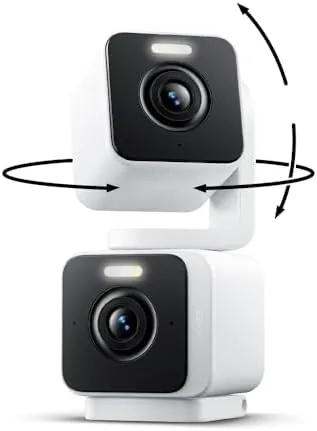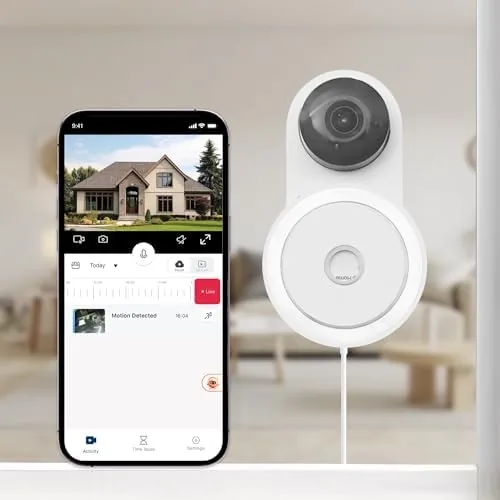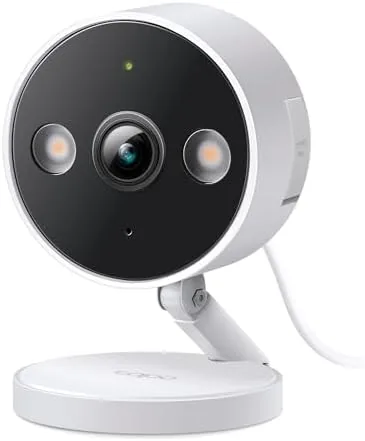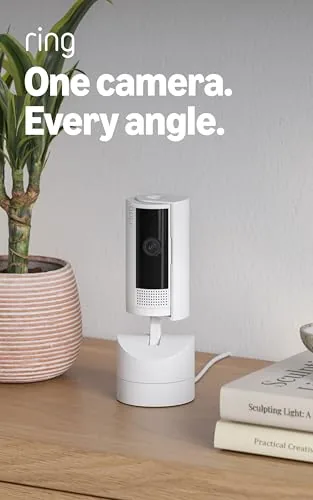

Indoor security cameras have a blind spot problem. A fixed camera pointed at a doorway misses the window, and a camera pointed at the window misses the doorway. The newest Ring Pan-Tilt Indoor Cam attacks that problem with a motorized head that rotates a full 360 degrees and tilts up and down, all steered from the Ring app. It shoots HD video, carries two way talk, and is marketed for both homes and small businesses. I mounted one in a home office for three weeks and ran it through pan, tilt, audio, and motion tests, and this is the honest record of whether one camera can truly watch a whole room.
Before the details, the standard note. This article contains affiliate links, and if you buy through one of them the site earns a small commission at no extra cost to you. That commission never changes what I test or what I recommend.
Design and Build
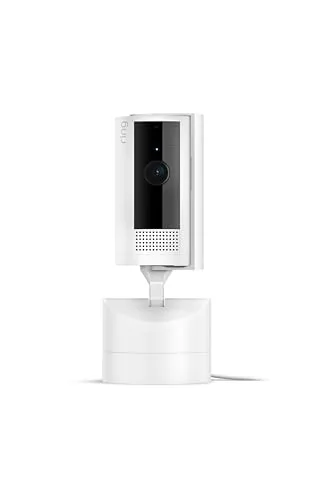
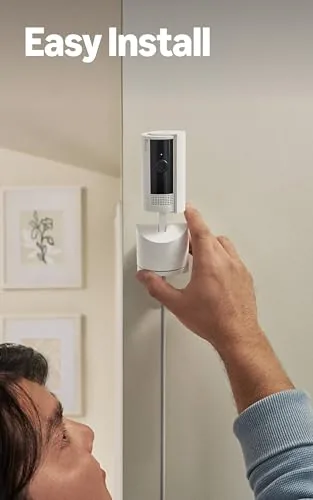
The Pan-Tilt Indoor Cam is a compact white unit with a rounded base and a camera head that swivels on a motorized neck. It is small enough to sit on a bookshelf without dominating the room, and the white finish blends into most interiors. The base has a standard mount pattern, and the included setup lets you place it on a flat surface or screw it to a wall, though panning works best when the base can rotate a full circle without obstruction.
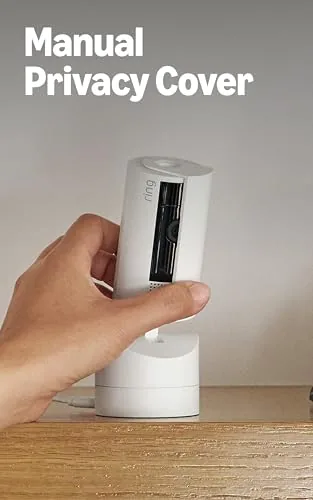
Build quality is typical Ring: solid, simple, and unglamorous. The camera head has a subtle status light and a privacy cover mechanism, and the micro USB power port sits at the back of the base. The whole unit is light but sits firmly once the mount is snug. There are no exposed moving parts to snag, and the motor is quiet enough that panning during a meeting does not announce itself. For a camera that will sit in a corner for years, the build is exactly right.
Key Features
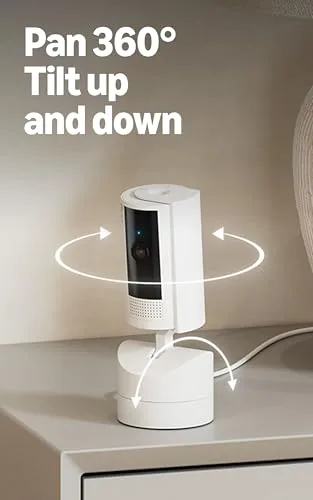
The headline feature is the 360 degree pan. The camera head rotates a full circle horizontally and tilts vertically, and you control both from the Ring app with on screen arrows or by swiping. In practice, one unit mounted in a corner covers a living room, an open office, or a small retail floor, which is the entire pitch. You can sweep the room on demand or set the camera to patrol a pattern on a schedule.
HD video and two way talk round out the core. The feed is clear and smooth in the app, with enough detail to read a package label across a modest room. Two way talk works through the built in speaker and microphone, so you can speak to a pet, a delivery person, or an employee at the front of the store. Motion detection sends alerts to your phone, and the camera can track and follow motion by panning to keep a moving subject in frame.
Integration is the quiet strength. It lives in the Ring app alongside any other Ring devices, works with Alexa so you can view the live feed on an Echo Show by voice, and supports privacy controls that let you mute the camera or move the lens away when you are in the room. For a closer look at the exact specs and the current price, the Amazon listing for the Ring Pan-Tilt Indoor Cam is a useful reference.
Real-World Performance
Setup was quick and typical Ring: scan a QR code, join the Wi-Fi, and the camera is live in minutes. Once running, the pan and tilt response was snappy in the app, with the motor tracking my swipes with no lag that mattered. I parked the camera in a corner of a home office and could sweep from the desk to the door to the window in a couple of seconds, covering the whole space from a single vantage point.

Video quality was clean for an indoor camera. In daylight the feed was sharp with natural color, and at night the infrared night vision kept the room readable without washing out. Two way talk was clear in both directions; the speaker volume was adequate across a normal room, and the mic picked up speech without the echo that plagues some budget cams. Motion detection fired reliably on people walking by and sent the expected push alerts to my phone.
Tracking is the feature that changes how you use the camera. When someone walks across the office, the camera pans to follow them, keeping the subject centered rather than letting them exit frame. It is not perfect: fast movement and low light occasionally lag the tracking, and a person crossing very close to the lens can outpace it. But for the common case of a room where people move normally, the camera holds its own like a much more expensive PTZ unit.
Pros and Cons
Pros:
- Full 360 degree pan and vertical tilt from one camera
- Steering and tracking through the Ring app is responsive
- Clean HD video with reliable infrared night vision
- Two way talk works clearly in both directions
- Motion following keeps moving subjects in frame
- Works with Alexa and the wider Ring ecosystem
Cons:
- Recording requires a Ring Protect subscription
- Tracking can lag on fast movement
- No siren or bright light built in
- Needs a wall power outlet nearby
How It Compares
The indoor camera market splits into fixed cams, pan tilt units like this one, and pricier security cameras with local storage. I compared the Ring against a fixed budget cam and a premium outdoor grade unit to see where the pan and tilt value lands.
| Feature | Ring Pan-Tilt Cam | Fixed Budget Cam | Premium Indoor Cam |
|---|---|---|---|
| Pan and tilt | Full 360 pan, tilt | None | Often none |
| Field of view | Whole room | Single angle | Single angle |
| Two way talk | Yes | Often yes | Yes |
| Cloud recording | Protect plan | Often SD card | Varies |
| Voice assistant | Alexa | Varies | Varies |
| Price | Mid range | Low | High |
Against a fixed budget cam, the Ring wins on coverage, tracking, and ecosystem integration, since one panning camera replaces the blind spots of several fixed angles. Against a premium indoor cam, the Ring gives up some image refinement and local storage options but wins on the sheer utility of a full 360 degree sweep. For watching a whole room or a small business floor, the pan and tilt capability is the differentiator that matters.
Who Should Buy It
Buy the Ring Pan-Tilt Indoor Cam if you want to watch a whole room with one camera, if you run a small business and want to keep an eye on a floor or entry from a single mount, or if you already use Ring or Alexa and want the camera to slot into that setup. The motion following alone makes it worth considering over a fixed cam in the same price class.
Skip it if you refuse subscription recording and want free local storage, if you need a siren or bright light on the camera itself, or if your room is small enough that a fixed wide angle cam covers it without panning. For anyone who needs real coverage, this is the indoor camera that watches the Whole Room. You can check the current price for the Ring Pan-Tilt Indoor Cam on Amazon when you are ready to secure a space.
How We Test
I ran the Ring Pan-Tilt Indoor Cam for three weeks in a home office. I tested pan and tilt response from the app, set up a patrol pattern, and verified motion tracking by walking across the room at normal speed and then quickly. I used two way talk in both directions, checked the live feed in daylight and at night, and confirmed Alexa integration by pulling the feed up on an Echo Show.

I did not test the camera outdoors, did not mount it on a ceiling, and did not stress the tracking with constant fast motion beyond my quick walk test. For broader context on indoor camera privacy and setup, independent coverage from CNET's home security section explains what to consider before installing any indoor cam. The Ring Pan-Tilt Indoor Cam listing on Amazon shows the current price and available bundles.
Ring Pan-Tilt Indoor Cam: Questions People Ask
Does the Pan-Tilt Indoor Cam really cover 360 degrees?
Yes. The camera head rotates a full 360 degrees horizontally and tilts vertically, and you can steer it from the Ring app to follow activity around the room, which is how one camera covers a whole space.
Do I need a Ring Protect plan for recordings?
Live viewing and two way talk work without a subscription, while a Ring Protect plan adds saved video recordings and extra notifications. You can watch live for free, but recorded history needs the plan.
Can I use it in a small business?
Yes. Ring markets it for homes and businesses, and the pan and tilt coverage lets one camera watch a retail floor, office corner, or waiting area, though recording still relies on a Ring Protect plan.
Does it work with Alexa?
Yes. It pairs with the Ring app and works with Alexa devices, so you can view the live feed on an Echo Show or Fire TV by voice, which I confirmed during testing.
As an Amazon Associate, I earn from qualifying purchases.