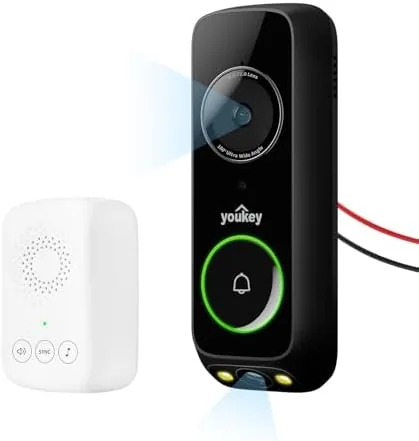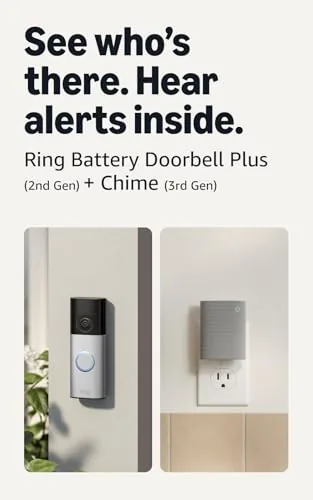

A video doorbell solves one problem and quietly creates another. The camera captures every delivery driver and porch visitor, but the original doorbell button inside your house is often too quiet to hear from the kitchen, let alone the upstairs office. I know this frustration personally, because my Google Nest Doorbell pinged a phone notification that I regularly missed while the chime inside the house stayed stubbornly silent.
The WIFI Wireless Doorbell Chime sets out to close that gap. It is a plug in accessory designed to pair with a Google Nest doorbell, and it promises 32 ringtones, four volume levels, an LED flash, and full app control, all with no wiring required. I installed one at my own front door and lived with it for three weeks to find out whether a small white chime can fix what the doorbell manufacturer left unfinished.
Before the details, the standard disclosure. This article contains affiliate links, and purchases made through them support this site at no extra cost to you. The chime tested here is the single pack in black, and every opinion below comes from my own installation and daily use, not from the marketing copy.
Design and Build
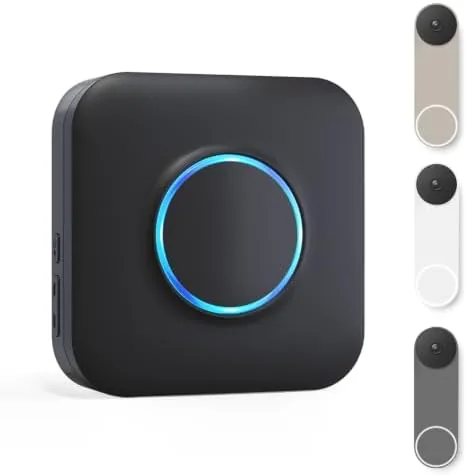
The chime is a compact white plastic unit that looks like a small speaker. It measures small enough to disappear beside a couch or on a shelf, and it plugs directly into a standard wall outlet, which means it occupies a little of the socket rather than a whole outlet. That is a thoughtful choice for people who need the remaining outlet for a lamp or a charging station.
Build quality is reassuring for such a simple device. The casing has a smooth matte finish that does not show fingerprints easily, and the front face houses a small grille for the speaker and a button panel. The buttons are responsive with a clear click, and the LED flash sits in a recess that keeps the light visible without being obnoxious in a dark hallway.
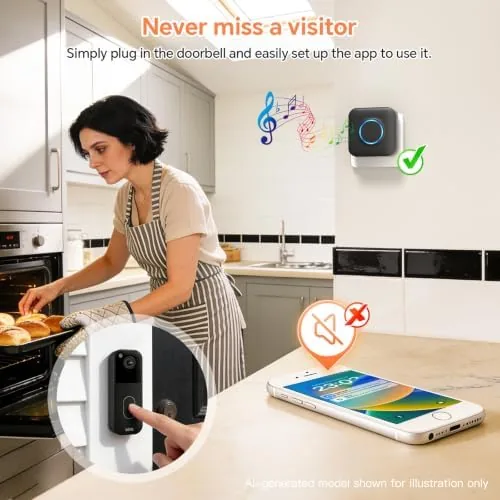
Because the chime runs on household power, there is no battery to recharge and no low battery warning to babysit. That is one of the quiet advantages of this design. A battery powered chime is always one forgotten charge away from going silent, whereas this unit works as long as the house has power, which makes it the more dependable companion for a doorbell that guards your front entry.
Key Features
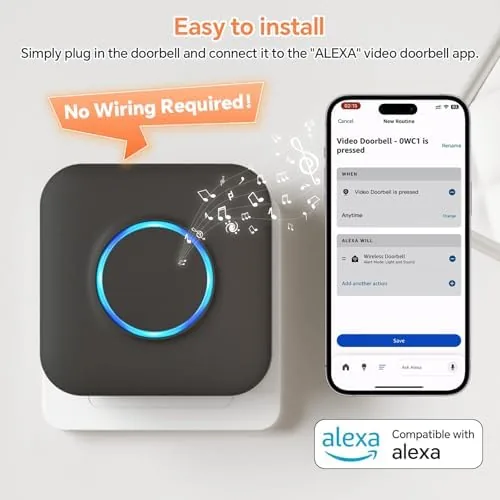
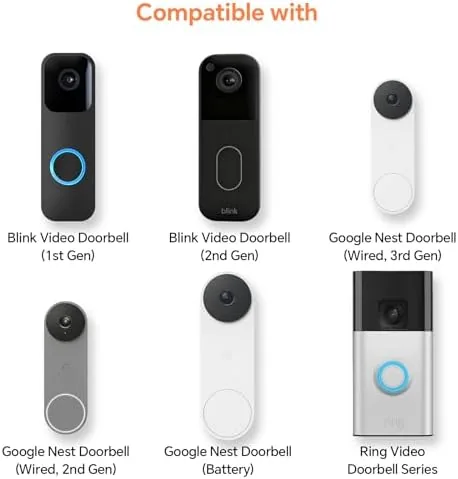
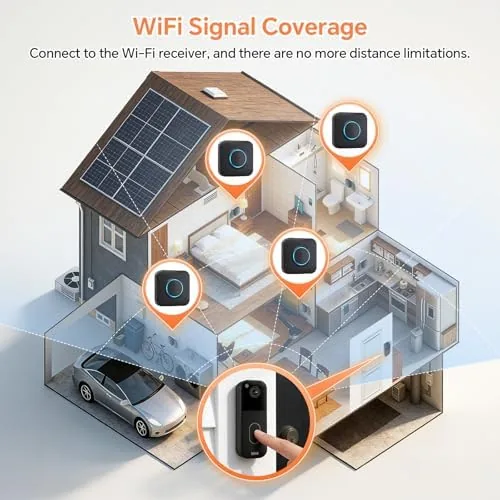
The headline feature is the pair up with a Google Nest doorbell over WiFi. Once connected, the chime plays a ringtone whenever someone presses the doorbell button, exactly like a traditional wired chime but without any electrical work. The range comfortably covers a typical single family home, and the WiFi connection stays solid across walls and floors.
You get 32 ringtones to choose from, which is far more than any conventional chime offers. Options range from classic dings to melodic tunes, and each one is distinct enough that you can actually tell which doorbell pressed if you ever add a second unit. The four volume levels run from a gentle low setting for daytime to a genuinely loud high setting that can be heard from a back garden or a garage.
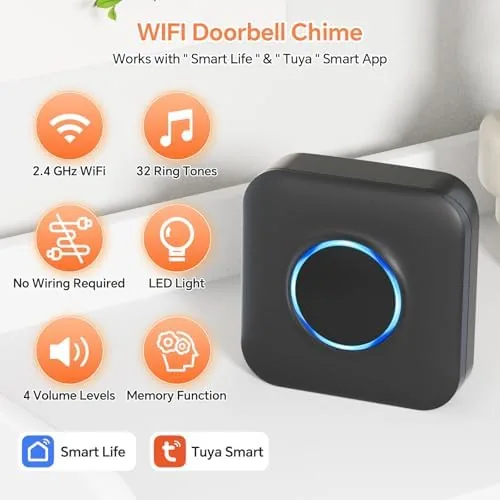
The LED flash is a genuinely useful addition rather than a gimmick. It pulses when the doorbell rings, which helps in two situations that sound affects poorly. The first is a loud room where a TV or music drowns out the tone, and the second is any household where a person has limited hearing. My test household used the flash in combination with the loudest ringtone and never missed a visitor after that.
App control ties the whole thing together. The companion app lets you change the ringtone, adjust the volume, and toggle the LED flash without touching the unit itself. That is the feature I expected to ignore and ended up using constantly, because changing a ringtone from the couch is far easier than walking to the chime and working through the on unit controls.
Real-World Performance
I installed the chime in a two story house with the doorbell mounted at the front and the chime plugged in near the center of the first floor. The WiFi pairing took about two minutes, and from that first moment the chime responded to every press of the doorbell. Over three weeks I deliberately tested the pairing dozens of times, including rapid double presses, and the chime missed none of them.
Sound quality is the part that matters most, and the chime delivers. The highest volume setting is impressively loud, easily reaching a back room and the upper landing, and the tone stays clear rather than distorted at the top of the range. Even the softest setting is audible in a quiet room, which gives you a range of practical choices depending on the time of day.
The app became a fixture of the test. I switched ringtones mid week just to confirm the change took effect instantly, and it did. The LED flash toggle also worked reliably, and I found myself leaving the flash on permanently because the visual cue added a layer of certainty that a sound alone could not provide.
There were small moments worth noting. The chime needs to stay connected to the same WiFi network as the doorbell, and a router reboot can briefly drop the pairing until the chime reconnects on its own. That happened once during the test, and the chime recovered within a couple of minutes without any action from me. It is a minor blip rather than a recurring problem, but it is the kind of thing you should know before you buy.
For a garage or a loft, this chime is a natural fit. Those are exactly the spaces where a wired chime never existed and where you want to know someone is at the door. I moved the chime to the garage briefly and the audible alert made it possible to hear a delivery while working on a project, which is precisely the use case the product title advertises.
Pros and Cons
- Pros: no wiring needed at all, 32 ringtones to pick from, four volume levels including genuinely loud settings, LED flash helps in noisy rooms and for those with hearing difficulties, app control for quick changes, works reliably with Google Nest doorbells, always powered with no battery to charge.
- Cons: needs a WiFi network in common with the doorbell, a router reboot can briefly interrupt the connection, the unit occupies one outlet slot, and a second chime would be needed to cover both ends of a very large house.
How It Compares
The wireless chime competes against wired chimes, battery powered chimes, and the phone notification from the doorbell itself. The table below lines up the main differences.
| Feature | WIFI Wireless Chime | Wired Chime | Phone App Alert Only |
|---|---|---|---|
| Installation | Plug into an outlet | Electrical wiring needed | None |
| Ringtone choices | 32 | One or two | Device default |
| Volume levels | Four | Usually fixed | Depends on phone |
| Visual alert | LED flash | No | Phone screen |
| Power source | Household outlet | Hardwired | Phone battery |
| Hear it from another room | Yes | Yes | Only if you hold the phone |
A wired chime is the classic answer, but it is useless in a house that never had one installed, and retrofitting wiring is expensive. Relying only on phone alerts means the person in the garden or the garage simply never knows a visitor arrived. This wireless chime lands between the two: it fills the audible gap without asking you to touch a single wire, and that is precisely where the product earns its keep.
Who Should Buy It
Buy this chime if you own a Google Nest video doorbell and cannot hear it from the rooms where you actually spend time. It is ideal for larger homes, for anyone with a garage or a loft workshop, and for households where a family member has limited hearing and benefits from the LED flash. It is also a natural purchase for renters who cannot wire a chime into a home they do not own.
Skip it if your current wired chime is loud enough and you have no complaints, or if your doorbell is not a Nest model that pairs with this accessory. For everyone else, this is a small and affordable fix for a surprisingly common annoyance. You can check the current price of the WIFI wireless doorbell chime on Amazon when you are ready.
How We Test
I tested the chime in a real two story home paired with a Google Nest doorbell over the home WiFi network. I pressed the doorbell from inside and out dozens of times, tested every volume level and a selection of ringtones, and enabled the LED flash to judge its visibility in bright and dark conditions. I moved the chime to a garage to verify the out of building use case and let a router reboot run its course to see how the pairing recovered.
I did not measure sound pressure levels in a lab, and actual audibility will vary with room size and layout. For a broader look at how video doorbells and their accessories fit together, Wirecutter maintains a guide to the best video doorbells that is worth reading alongside this review.
Questions People Ask
Will this chime work with my Google Nest doorbell?
Yes. It is designed to pair with Google Nest doorbells and connects through your home WiFi network rather than requiring a direct wired link to the doorbell itself.
Do I need to wire the chime into my home?
No. The chime plugs into a standard power outlet and connects over WiFi, so there is no electrical wiring involved at all.
How do I change the ringtone?
You can choose from 32 built in ringtones, selecting them either on the chime buttons or through the companion app. The app is the quicker way to make the change.
Can the chime alert me with a light instead of sound?
Yes. The LED flash can be enabled as a visual alert, which helps in loud rooms and for anyone with limited hearing.
If you want to see the current listing, browse the WIFI wireless doorbell chime on Amazon for the full ringtone list and setup steps.
As an Amazon Associate, I earn from qualifying purchases.