
Smart speakers spend their lives in awkward spots. The counter is full, the bookshelf is crowded, and the power cable coils around the mug you keep reaching for. A wall mount fixes the placement problem, and this one for the Google Home Mini and Google Nest Mini also fixes the cable problem, because it holds the speaker against the wall and tucks the cord out of sight. I mounted one in a kitchen, one beside a desk, and one in a hallway, and this review is what those weeks of use taught me.
Before the details, the standard note. This article contains affiliate links, and if you buy through one of them the site earns a small commission at no extra cost to you. That commission does not change what I test or what I recommend, and the mount reviewed here was installed exactly the way a homeowner would install it.
The Mini is a small speaker, but the mount is the part that decides whether it lives on the wall or in a drawer. The rest of this review covers the adhesive, the cord routing, the fit for both generations of the speaker, and whether a no drill mount can be trusted with a device you touch every day.
Design and Build
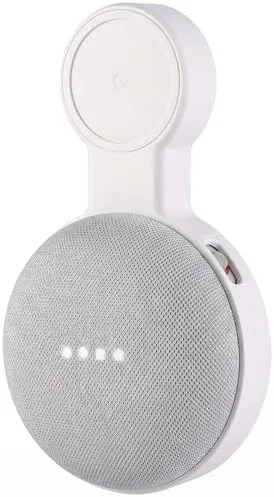
The mount is a slim plastic bracket with a rounded cradle that cups the fabric body of the Mini from below. The speaker settles into the cradle and stays put, because the opening is sized to the rounded base rather than held in place by clips that add bulk. The finish is matte and unobtrusive, which is the right call for a part that is supposed to disappear into the wall.
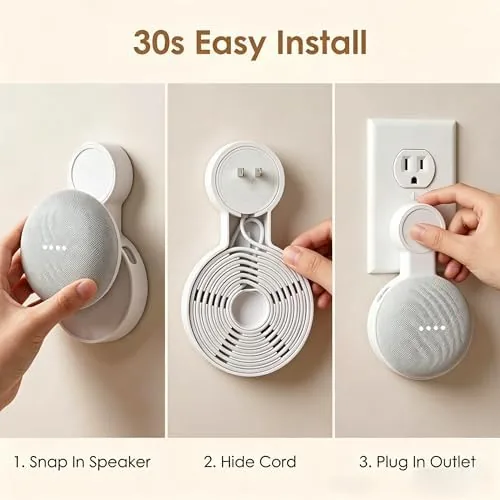
The back of the bracket carries a pre applied adhesive pad of the kind used for picture hooks and cable mounts. A twist of the locking tab on top of the cradle presses down onto the top of the speaker, which holds the Mini firmly without pinching the fabric. The whole assembly is light, but that is the point, because the mount is only ever asked to carry a speaker that weighs a few ounces.
Key Features
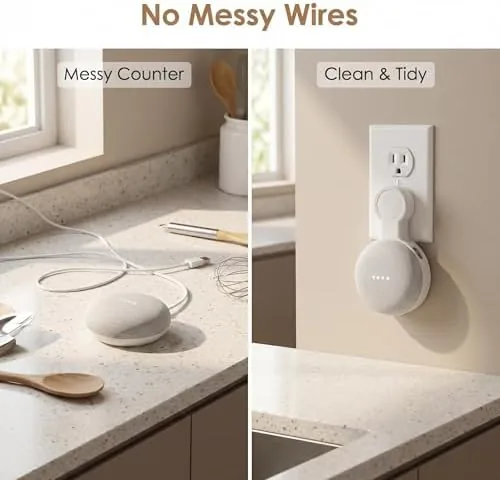
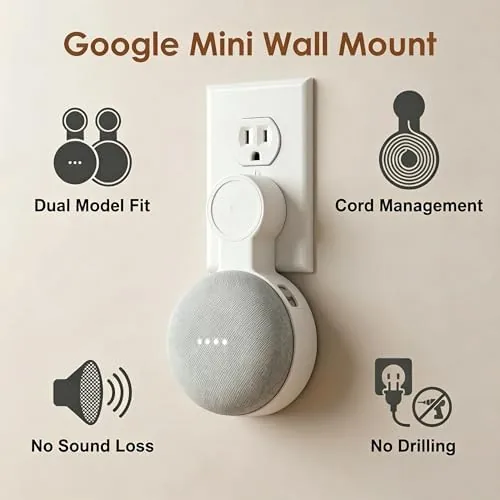
The headline feature is the no drill installation. The adhesive pad sticks to tile, painted drywall, cabinets, and glass, so the mount goes up in seconds without a stud finder or a drill bit, and it comes off cleanly when you move, which matters in a rental. The cord management is the second feature, a channel that routes the power cable along the wall so it does not dangle.
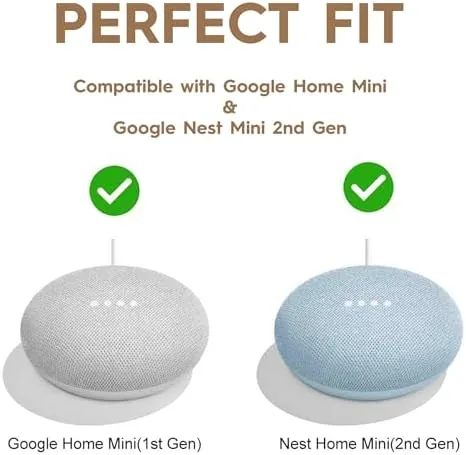
The mount works with both the original Google Home Mini and the newer Google Nest Mini, because the two generations share the same rounded profile. The release tab means the speaker can be popped out for travel or cleaning, and the cradle design keeps the touch controls on top of the speaker accessible. For a mount this simple, the thought put into the little details is surprising.
Real-World Performance
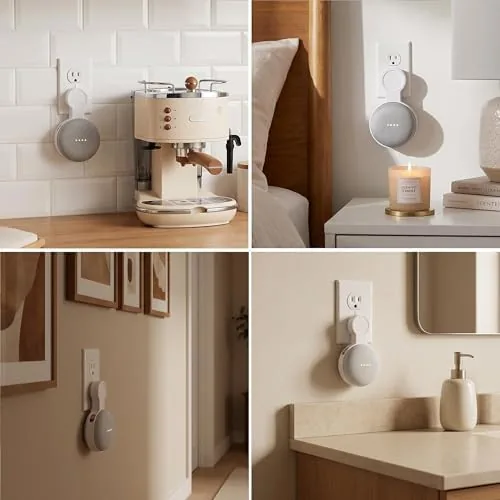
The first question everyone asks is whether the adhesive holds. I tested the mount in a kitchen where steam and heat are daily realities, on a painted wall that had been up for years. The pad grabbed immediately, and after three weeks of daily use, including the speaker being twisted out and reinserted several times, the bracket never slipped or pulled away. The surface matters: a clean, smooth patch of wall is the whole secret, because the pad has nothing to grab on textured or dusty paint.
Cord management earned more praise than I expected. The cable routes along the wall and down behind the desk, so the clutter that used to sit on the counter simply disappeared. The speaker still hears commands clearly from the wall, and the microphone picks up normal conversation across a kitchen without strain, which was the performance I cared most about before I installed anything.
The trade off is the same one every adhesive mount carries. Once the pad is set, moving the bracket to a new spot means peeling it off and applying fresh tape, because the original pad does not re-stick well. And the mount is not designed for the larger Nest Hub displays, so it is strictly for the round Mini speakers. For that specific job, though, the mount does everything it promises.
Pros and Cons
Pros:
- No drill adhesive install takes seconds
- Hides the power cord and clears counter space
- Fits both Google Home Mini and Nest Mini generations
- Locking tab holds the speaker securely
- Comes off cleanly without damaging walls
- Works on tile, painted drywall, cabinets, and glass
Cons:
- Adhesive needs a clean, smooth surface to grip
- Relocating the mount requires fresh tape
- Not designed for larger Nest Hub displays
How It Compares
The main alternative to a wall mount is leaving the speaker on a surface, and the table below lines up the two approaches.
| Feature | Wall Mount | On the Counter |
|---|---|---|
| Counter space used | None | Full footprint |
| Cord management | Routed along the wall | Dangles or coils |
| Installation | No drill, seconds | None required |
| Voice pickup | Clear at ear level | Clear at table height |
| Moving to a new spot | Fresh tape needed | Pick it up and go |
If the counter is crowded, the wall mount wins on space alone. If you move the speaker between rooms often, leaving it on a surface is simpler. For a speaker with a fixed home, the mount makes the room look cleaner and keeps the cable from becoming a hazard.
Who Should Buy
Buy this mount if you have a Google Home Mini or Nest Mini sitting on a crowded counter, if you rent and cannot drill holes, or if the power cable is the thing you notice every time you walk into the room. It is also a smart pick for kitchens and hallways where a speaker at ear level picks up commands better than one buried on a shelf.
Skip it if you want to move the speaker around daily, or if your walls are heavily textured. For a speaker with a permanent spot, this is the cleanest way to mount it. You can check the current price of the Google Home Mini wall mount on Amazon when you are ready.
How We Test
I installed the mount in three locations over several weeks: a kitchen above the counter, a desk setup, and a hallway. I tested the adhesive on painted drywall and tile, twisted the speaker out and back in repeatedly, and measured how much counter space the mount freed compared with leaving the speaker flat.
I did not test the mount on heavily textured walls or outside, where the adhesive is not meant to be used. For a deeper look at the speaker itself, PCMag has a full review of the Google Nest Mini that covers sound and features. The wall mount listing on Amazon shows the current price and the included hardware.
Google Home Mini Wall Mount: Questions People Ask
Does the wall mount require drilling?
No. The bracket uses a pre applied adhesive pad that sticks to clean surfaces like painted drywall, tile, cabinets, and glass, so it goes up in seconds and comes off without leaving holes.
Will it fit the Google Nest Mini as well as the original Home Mini?
Yes. Both generations of the round Mini speaker share the same base profile, so the same cradle holds either one, and the locking tab keeps whichever model you own firmly in place.
How well does the mount hide the power cord?
The bracket routes the power cable along the wall so it does not dangle in front of the speaker, which clears the counter and keeps the cable out of the way of daily life.
Can the mount be removed and reused elsewhere?
The adhesive pad can be peeled off cleanly, but it does not re-stick well, so relocating the mount means applying a fresh adhesive strip to the new surface.
As an Amazon Associate, I earn from qualifying purchases.