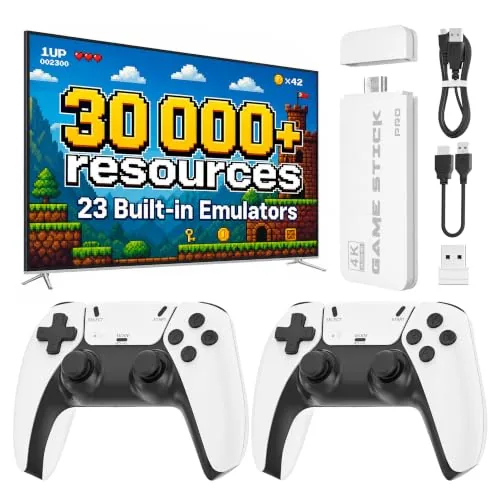
There is an elegant simplicity to a game console that arrives in your hand smaller than a deck of cards and still promises the contents of an entire arcade. The VDufao retro game stick is exactly that: a palm sized 4K HDMI stick that claims more than 30,000 video games, 23 emulators, dual 2.4G wireless controllers, and a 64GB TF card, all designed to plug into a TV, a monitor, or a projector and start playing within minutes. The pitch is pure plug and play nostalgia for the living room. I connected it to a television, a computer monitor, and a projector over the course of a week, and I put the library, the controllers, and the promise of instant fun to the test.
Before the details, the standard note. This article contains affiliate links, and if you buy through one of them the site earns a small commission at no extra cost to you. That commission does not change what I test or what I recommend.
Design and Build
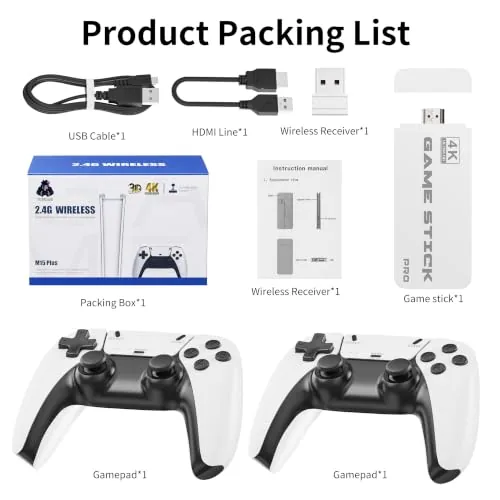
The stick itself is genuinely tiny, designed to hang directly off an HDMI port with no base unit taking up shelf space. It has a simple black body with a couple of indicator lights, and it draws power from a small USB cable that you can plug into the TV or an adapter. There is nothing to configure, nothing to install, and no account to create, which is the entire spirit of the device.
The two wireless controllers are the real hardware companions. They use a 2.4G connection that pairs with the stick automatically, and they have the familiar layout of a modern gamepad with d pads, action buttons, and shoulder buttons. The controllers feel light but solid, with responsive buttons and a comfortable grip for long sessions. For the price, the included pair is a genuine value, because many competing sticks make you buy controllers separately.
Key Features
The headline number is 30,000 plus games, and the stick delivers on the scale of that promise through 23 emulators covering a wide spread of retro systems. The library spans arcade classics, 8 bit and 16 bit console games, handheld titles, and more, all browsable through a menu organized by system and genre.
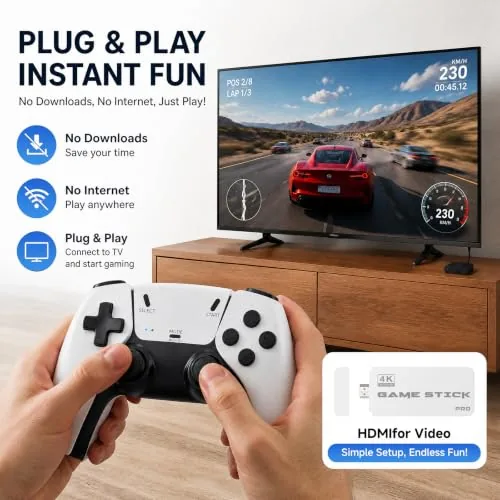
The 4K HDMI output is the other feature that sets it apart. The stick outputs over HDMI and handles the upscaling internally, so retro games look clean and sharp on modern televisions and projectors rather than stretched and blurry. The included 64GB TF card gives you room to expand the library with your own files, and the dual wireless controllers make two player family play immediate. For a current look at pricing and what is in the box, the Amazon listing for the VDufao retro game stick is a useful reference.
Real-World Performance
Setup lived up to the plug and play claim. I connected the stick to a television, powered it over USB, and the two controllers paired automatically before I finished putting the box away. The menu loaded within a minute, and I was playing a classic arcade game without touching a single setting. That ease of use is the core strength of the device, and it holds up exactly as advertised.
Gameplay was smooth across the most popular systems. Arcade shooters, platformers, and fighting games all ran with responsive controls and no visible lag, and the wireless controllers kept their connection stable throughout. The 4K output made the games look clean on the big screen, and the upscaling did a respectable job of making old sprites present well on a modern television.
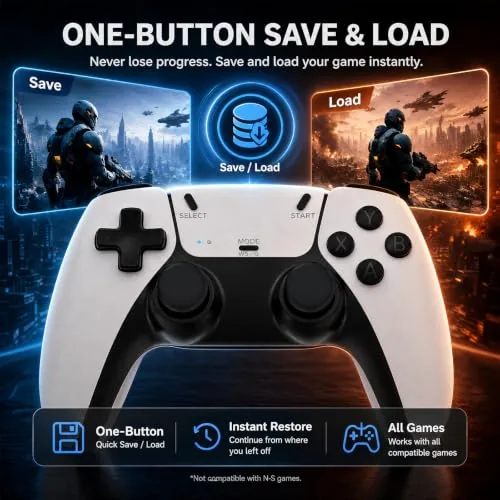
Then I tested the honest limits. The 30,000 plus number is real as a menu count, but the unique library is smaller because many titles appear multiple times across emulators and regional variants. Sorting through that scale takes time, and the menu has basic organization rather than a polished search. Still, for anyone who wants variety, there is genuinely a lifetime of games in the device, and the save state feature lets you pause longer games and come back to them later.
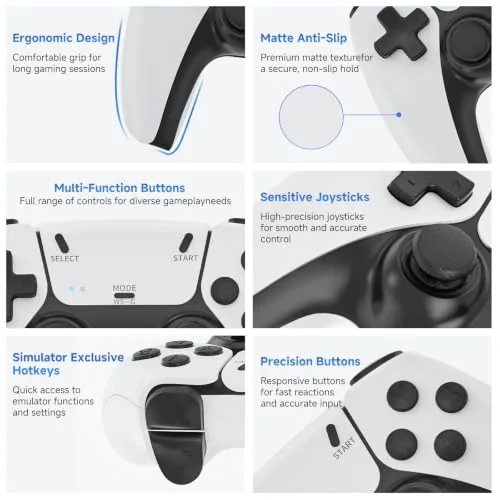
I moved the stick to a monitor and then to a projector, and it worked identically on both, confirming that any HDMI display will do. The controllers stayed responsive even on the larger setup, and the device ran cool across long sessions. For a broader look at how these mini consoles fit the retro gaming space, CNET's guide to retro gaming consoles provides useful context.
Pros and Cons
Pros:
- Plug and play setup in under a minute
- Enormous library across 23 emulators
- Two wireless controllers included in the box
- 4K HDMI output works on TV, monitor, and projector
- 64GB TF card expands the game library
- Save states for pausing and resuming games
Cons:
- Large game count includes many duplicates
- Menu organization is basic without search
- Controller build is light and budget level
- Library skews to simpler classic titles
How It Compares
Mini retro consoles come in a few shapes, so I compared the VDufao stick against a classic mini console with a fixed small library and a full emulation handheld to map the differences.
| Feature | VDufao Game Stick | Mini Classic Console | Full Emulation Handheld |
|---|---|---|---|
| Game library | 30,000 plus on 23 emulators | A few dozen built in | Depends on your own files |
| Output | 4K HDMI to any screen | HDMI, fixed games | Handheld screen only |
| Controllers | Two wireless included | Two wired included | Built in controls |
| Setup | Plug and play | Plug and play | Complex configuration |
| Price | Low | Mid | Low to mid |
Against a mini classic console with a fixed library, the VDufao stick wins on scale and controller count, since the mini console ships with a handful of curated games and typically two wired pads. Against a full emulation handheld, the stick wins on TV output and instant setup, while the handheld wins on portability and the ability to run your own curated library without duplicates. For a family living room, a party, or a projector setup, the VDufao stick is the most fun for the money of the three.
Who Should Buy It
Buy this game stick if you want to turn any screen into an arcade without spending console money or learning emulator setup. It is ideal for family game nights, parties, grandparents who want a blast of nostalgia, and anyone with a spare HDMI port on a TV, monitor, or projector.

Skip it if you want a curated library without duplicates, if you need the polish of a modern console, or if you prefer a portable handheld. For everyone else, this is a cheap, fun, and genuinely impressive little machine. You can check the current price for the VDufao retro game stick on Amazon when you are ready to plug it in.
How We Test
I tested the game stick over a week across three displays: a television, a computer monitor, and a projector. I played through multiple emulators and genres, tested both wireless controllers in single and two player sessions, and verified the save state feature across several longer games.
I confirmed the 4K output on each display, tested the 64GB TF card for adding files, and assessed the library scale by browsing the menu across the 23 emulators. I did not test online multiplayer, because the stick is designed for local play, and I did not attempt to run games far outside the included emulators. The verdict is clear: the VDufao stick delivers enormous instant fun for a small price, and the VDufao game stick listing on Amazon shows the current deal.
VDufao Retro Game Stick: Questions People Ask
How do you set up the VDufao game stick?
You plug the stick into an HDMI port, power it over USB, and pair the two wireless controllers, then the console boots into its game menu within a minute.
How many games are included?
The stick advertises more than 30,000 games across 23 emulators, covering many retro systems, though the real unique count is lower because the library includes repeats.
Does the game stick work with a projector?
Yes. Because it outputs over HDMI it works with any HDMI display, including TVs, monitors, and projectors, and the included 64GB TF card expands the library further.
Can you save your game progress?
Yes. The emulators support save states, so you can save at any point and resume later, which is essential for longer games in such a large library.
As an Amazon Associate, I earn from qualifying purchases.