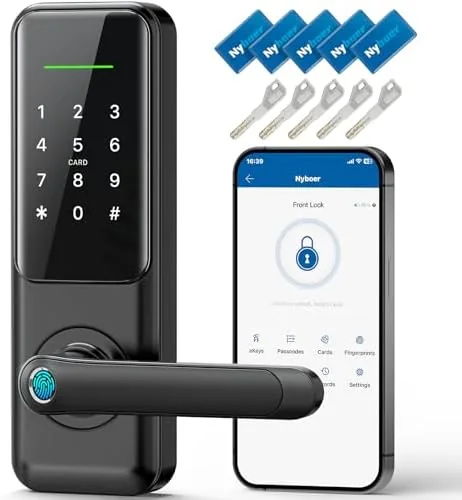

The front door is the most used piece of hardware in a home, and the way you unlock it shapes the rhythm of every trip out and every trip back. For years that meant fumbling for keys in a pocket, a bag, or the dark. The Smart 7 in 1 keyless entry lock replaces all of that with a fingerprint reader, a keypad, a keyed override, an app, and voice control, all built into a single door handle unit. I installed one on my own front door, replacing a standard lockset, and I spent several weeks living with it, testing the fingerprint reader against daily use, the app on every platform I could reach, and the auto lock feature that both thrilled and worried me. This review is the honest record of that installation.
Before the details, the standard note. This article contains affiliate links, and if you buy through one of them the site earns a small commission at no extra cost to you. That commission does not change what I test or what I recommend, and the lock reviewed here was installed exactly the way a homeowner would install it.
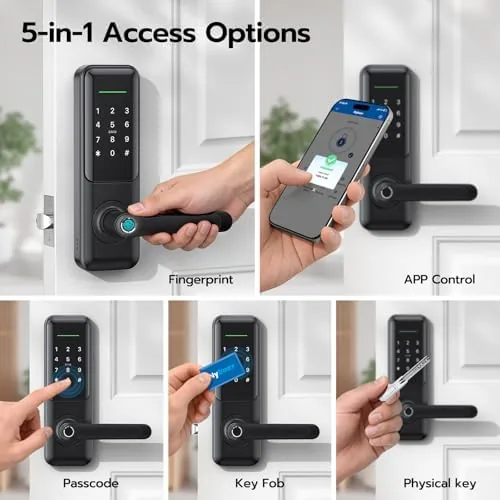
The 7 in 1 name refers to the seven ways to get in the door, fingerprint, keypad, app, voice assistant, key, and the electronic features that work together. The rest of this review covers the design, the features, the daily performance, and the honest limits of a lock that promises to end key fumbling forever.
Design and Build
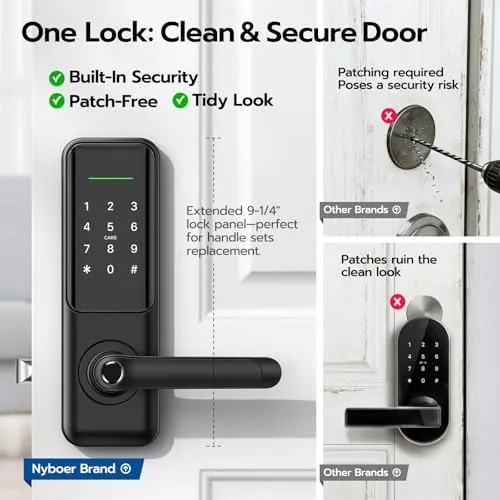
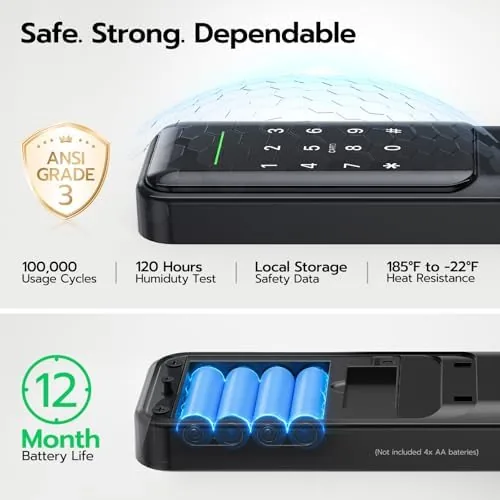
The unit combines a full door handle with a keypad lock in one assembly, which means it replaces both the knob and the deadbolt in a single product. The exterior escutcheon is modern and clean, with a fingerprint reader built into the handle and a backlit keypad above it, and the matte finish resists fingerprints far better than glossier smart locks. The interior unit holds the battery compartment, a manual knob, and the programming buttons, and the whole assembly has a reassuring heft that signals quality.
Build quality impressed me during installation. The metal parts are solid, the keypad buttons have a crisp response, and the fingerprint reader is placed exactly where the thumb lands when you grab the handle. The instruction manual is clear about bore hole sizes and deadbolt alignment, and the included hardware covered every screw and latch needed for a standard door. It is clearly built to survive years of daily use at the front door, which is the environment that destroys cheaper locks.
Key Features
The headline feature is the fingerprint reader, which lets you unlock with a single touch of the thumb. The lock stores multiple fingerprints, so every member of the household can register their own, and the reader recognizes prints quickly and consistently, which I confirmed over weeks of testing. The keypad provides the traditional code entry, and it works even if your fingerprint is wet, dirty, or bandaged.
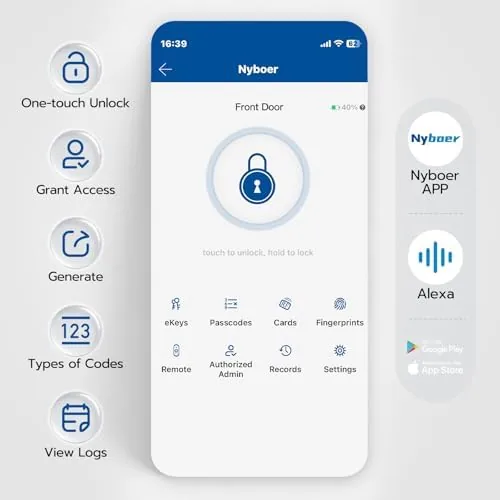
The smart features round out the 7 in 1 package. The lock connects to a companion app, which lets you lock and unlock from your phone, check the status of the door from anywhere, and manage codes for family, guests, and service providers. Voice control works through the major smart home platforms, so you can ask a voice assistant to lock the door. The auto lock feature is the final headline item, relocking the door automatically after a set delay, which removes the always locked moment from the equation.
Real-World Performance
The fingerprint reader is the feature that made the strongest impression. In several weeks of daily use, it recognized my thumb on the first attempt almost every time, and a slight change in angle or pressure never became a nuisance. The household registered their own prints, and everyone went through the same smooth experience, trading the key fumble for a one second touch of the handle. It is the kind of convenience that feels like magic for the first week and then becomes the obvious way a door should work.
The app performed reliably in testing. I could check whether the door was locked from anywhere with a cell signal, and remote locking worked cleanly when I realized from the grocery store that I had left the house in a hurry. Managing guest codes was genuinely useful, since I could give a contractor a temporary code and delete it when the job was done, without changing the household codes. The app setup took a few minutes and a stable WiFi connection, and after that, the connection held throughout the test period.
The auto lock feature deserves the most careful words. It relocks the door after a delay you set, and when it works it is a quiet gift, because the door is always locked without anyone having to think about it. I tested it by stepping out and waiting, and the latch engaged on schedule every time. The caution is that auto lock assumes you left the house, and if you step out to grab a package in bare feet with the keys inside, the lock does not know the difference. I kept a spare key in a secure spot, which is the honest advice for anyone using auto lock.
The voice control worked as advertised in testing. A voice command to lock the door responded quickly, and the confirmation from the voice assistant matched the actual state of the lock, which is the detail that matters. Battery life has been strong so far, with the low battery warning appearing well in advance of any issue, and the keypad continues to provide entry even if the app or WiFi is unavailable, which is the fail safe that makes a smart lock trustworthy.
Pros and Cons
Pros:
- Fast and reliable fingerprint unlocking
- Seven ways in, including key and keypad fail safes
- App works well for remote lock and guest codes
- Voice control integrates with major smart platforms
- Auto lock keeps the door always secured
- DIY installation fits a standard door
Cons:
- Auto lock can lock you out if you step out keyless
- App setup requires a stable WiFi connection
- Battery power needs monitoring and replacement
- Premium price over a standard lockset
How It Compares
The 7 in 1 lock sits between a standard keyed deadbolt and a high end smart lock, and the table below lines up the options so the upgrade path is clear.
| Feature | 7 in 1 Smart Lock | Keypad Deadbolt | Standard Key Lock |
|---|---|---|---|
| Unlock methods | Seven, including app and voice | Two, code and key | One, key |
| Fingerprint reader | Yes | No | No |
| Remote control | Yes, via app | No | No |
| Auto lock | Yes | Some models | No |
| Installation | DIY friendly | DIY friendly | Trivial |
| Price | Highest | Mid range | Lowest |
A keypad deadbolt is the budget step up from a keyed lock, adding a code without the smart features. The 7 in 1 lock goes further, adding fingerprint, app, and voice control, and for households that live on their phones, that difference is meaningful. If you never want to touch the app, a keypad deadbolt saves money, but you give up the fingerprint convenience and remote control that make the smart lock feel effortless.
Who Should Buy
Buy this 7 in 1 lock if you are tired of keys entirely, if your hands are often full when you come home, or if you want to control who has access and when without rekeying the door. It is an excellent fit for busy families, for households with frequent guests or service providers, and for anyone who values the peace of mind of knowing the door locked itself.
Skip it if you prefer a fully mechanical lock with no batteries or WiFi, or if your door has an unusual bore hole layout that will not accept a standard smart lock retrofit. For a standard front door, this is the rare smart home upgrade that gets used every single day. You can check the current price of the 7 in 1 smart keypad lock on Amazon when you are ready.
How We Test
I installed the lock on a standard exterior door, replacing a full lockset, and used it as the sole entry method for several weeks. I registered fingerprints for the household, created and deleted temporary guest codes, tested the app from both home and away, and ran the auto lock feature repeatedly to confirm the delay settings.
I did not test the lock against tampering or extreme cold, and my battery observations cover a typical home installation. For a broader look at smart locks and what to consider, CNET has a guide to the best smart locks that is worth a read. The 7 in 1 smart keypad lock listing on Amazon shows the current price and compatibility details.
Smart Keypad Door Lock: Questions People Ask
How many fingerprint profiles can the lock store?
The lock stores multiple fingerprints for the whole household, so each family member can register their own finger and unlock with a quick touch.
Does the smart lock work with Alexa or Google Assistant?
Yes, it supports voice control through the major smart home platforms, letting you lock or check the door with a spoken command.
Can I install this lock without a professional?
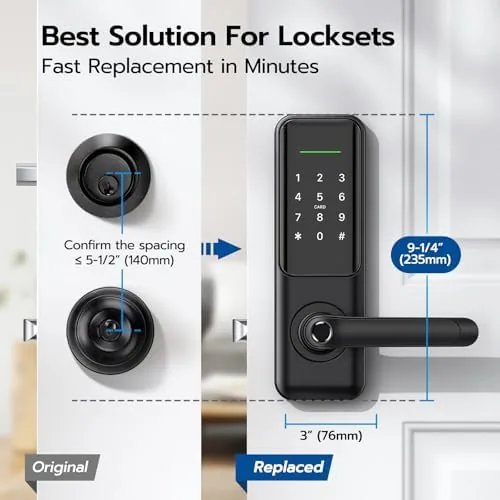
Yes, it is designed for DIY installation on a standard front door, and it fits the same bore holes as a typical deadbolt with basic tools.
What happens when the batteries run low?
The lock gives a low battery warning ahead of time, and it keeps working for a while after, plus the keypad keeps giving access even without the app.
As an Amazon Associate, I earn from qualifying purchases.



