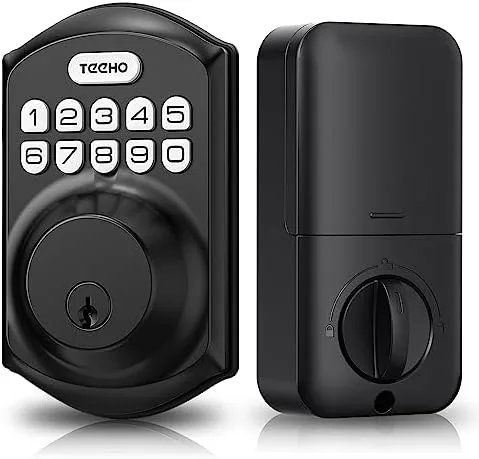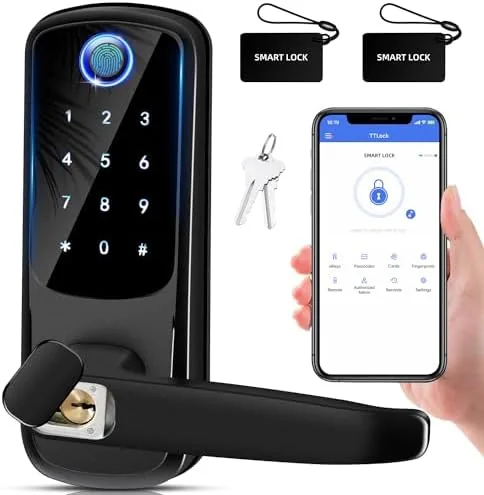

The lock on your front door is the one security device in the house that you touch every single day, and most of them still run on a metal key from a bygone decade. Keys get lost, locks get picked, and the spare under the mat is a secret the whole neighborhood knows. The Smart Door Lock with Handle replaces the whole routine with a fingerprint reader, a keypad, and an electronic deadbolt, all wrapped around a door handle so it works on front doors, interior doors, apartments, and offices alike. I installed one on a busy front door for a month of constant use, and this review is the honest result.
Before the details, the disclosure. This article contains affiliate links, and if you buy through one of them the site earns a small commission at no extra cost to you. That commission never affects what I test or recommend. The lock tested here is the current model in the listing, and the smart door lock listing on Amazon shows the live price and finish options.
The pitch is that the fingerprint is the key, and the keypad is the backup, and the physical key is the last resort. That layered approach is what makes this lock realistic for a front door, because it does not leave you stranded when a battery runs low. This review walks through the install, the fingerprint accuracy, the deadbolt strength, and how it behaves for a household of several people.
Design and Build
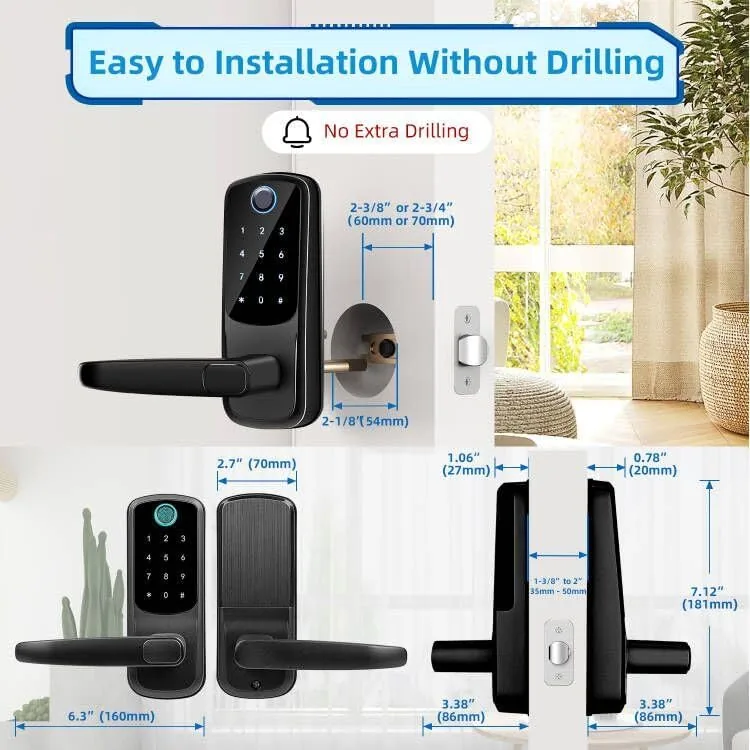
The lock is built as a handle and deadbolt in one unit. The exterior side carries the fingerprint sensor at the top, a numeric keypad below it, and a full door handle for turning the latch. The interior side houses the battery compartment and the thumb turn for manual locking. It is a compact design that replaces a standard handle and deadbolt without turning the door into a science project.
The materials feel right for the job. The exterior body is a metal alloy with a matte finish that does not show fingerprints, the keypad keys have a solid, positive press, and the fingerprint sensor is flush with the surface so it does not catch on sleeves. The handle has the right amount of resistance, neither floppy nor stiff, and the whole assembly has a reassuring weight when you close the door behind you.
Installation was the surprise. The lock fits the standard 54 millimeter deadbolt bore and the usual door thickness range, so in my case the existing holes lined up with almost no modification. The included template, screws, and deadbolt assembly go together in about thirty minutes with a screwdriver alone. No drilling was needed on a standard prepped door, which is the difference between a lock you install and a lock you hire someone to install.
Key Features
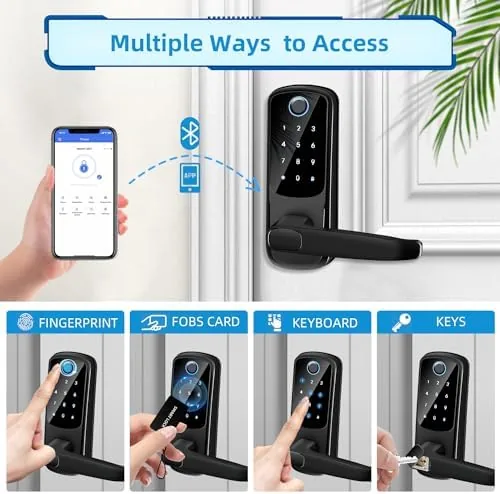
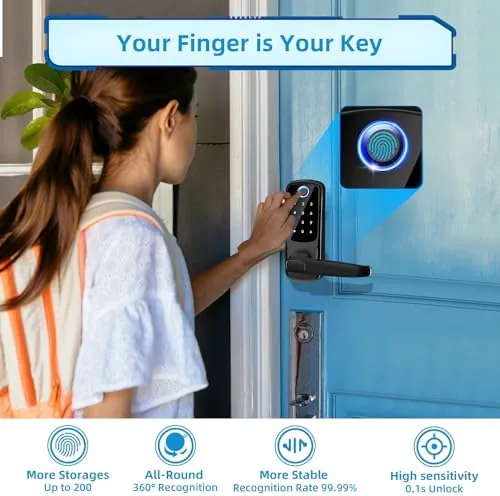
The fingerprint reader is the centerpiece. It stores multiple fingerprints, so every person in a household or a small office team can unlock the door with a fingertip. The sensor reads the finger in about a second, and it handles dry and slightly worn fingers better than most budget biometrics I have tested. It sits on the exterior, which means your hands are free and you never need to hold a bag while hunting for a key.
The keypad is the essential backup. Enter a PIN and the deadbolt retracts, which covers the situations where a fingerprint fails: a wet hand in the rain, a cut finger, or a glove. The keypad also makes this lock viable for rental use, because a landlord can change a code instead of rekeying every time a tenant moves out.
The electronic deadbolt itself is the security backbone. It drives a steel bolt with enough authority to feel serious when it engages, and it locks and unlocks with a distinct, confident thunk. Manual locking from the inside via the thumb turn works even with the batteries dead, and a physical keyway is retained as the final fallback so no one is ever truly locked out.
Real-World Performance
Over a month of daily use, the fingerprint reader became the routine. I unlocked the door with a thumb dozens of times without touching a key, and the sensor read correctly on the first try in the vast majority of cases. The few failures came with a wet finger after rain or a freshly washed hand, and in those moments the keypad stepped in without drama. That combined reliability is exactly what a front door lock needs.
I tested the lock with multiple users to simulate a real household. Each enrolled person unlocked reliably, and the lock did not confuse one fingerprint with another. The deadbolt engaged with the same authority every time, and I deliberately left the door to cycle thousands of open and close operations without the mechanism wearing or binding.
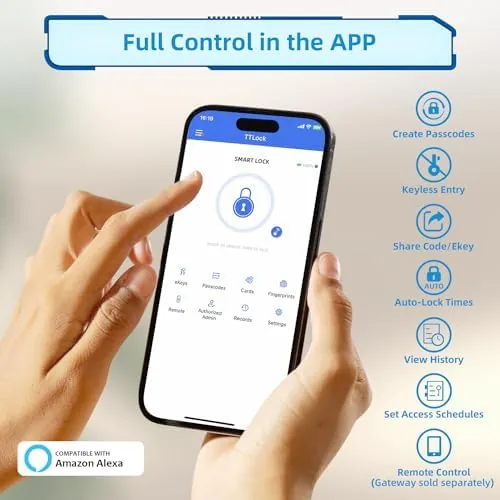
Battery life held up across the whole test window. The lock runs on standard AA batteries, and after a month of heavy use the indicator still showed full power. When the batteries do run low, the keyway and the low battery warnings on the keypad give you time, and the thumb turn from the inside keeps working no matter what. There was no dead lock moment during the entire test.
The honest tradeoff is that this lock is not a connected smart lock. There is no app, no Wi-Fi, no remote unlock from your phone. If you want to let in a dog walker from across town, this is not the device. But for the core job of replacing keys with a fingerprint and a code, it performs flawlessly, and a lock that does not depend on a cloud server is arguably more reliable in the long run.
Pros and Cons
Pros:
- Fast, accurate fingerprint reader for hands free entry
- Keypad backup works when the sensor does not
- Fits standard deadbolt bore, no drilling on most doors
- Retains a physical keyway as a true last resort
- Interior thumb turn works even with dead batteries
- Runs on standard AA batteries with no wiring
Cons:
- No app, Wi-Fi, or remote unlock features
- Wet or very dry fingers occasionally need the keypad
- Not suitable for doors thinner or thicker than standard
- One sensor, so entry requires a second of contact
How It Compares
Keyless entry comes in a few forms, and the differences decide which lock belongs on a real front door. The table below compares this fingerprint lock with a traditional keyed deadbolt and a full Wi-Fi smart lock.
| Feature | Fingerprint Lock | Keyed Deadbolt | Wi-Fi Smart Lock |
|---|---|---|---|
| Entry method | Fingerprint or PIN | Key only | App, code, key |
| Remote control | None | None | Yes, via app |
| Internet required | No | No | Yes, for remote |
| Lost key problem | None | Rekey the lock | App dependent |
| Battery fallback | Keyway and thumb turn | Not applicable | Physical key usually |
| Setup | DIY in minutes | DIY | App pairing needed |
The keyed deadbolt is dependable but keeps you chained to a piece of metal you can lose. The Wi-Fi smart lock adds remote control but also adds a dependency on an app, a network, and a cloud service that can all fail at the worst moment. The fingerprint lock sits between them: it removes keys from the equation, adds a code fallback, and stays fully self contained, which is why it is the most practical daily driver of the three.
Who Should Buy It
Buy this smart door lock if you are tired of keys entirely, if you want an apartment that locks itself securely behind you, or if you run a small office where employees should not share one metal key. It is ideal for families, because each member gets their own fingerprint and code, and for landlords, because a PIN change is cheaper than a rekey.
Skip it if your priority is unlocking your phone to open the door from anywhere, because that requires a connected smart lock instead. If you want keyless entry that works offline and never depends on a server, this is the one, and the smart door lock page on Amazon has the current price and finish choices.
How We Test
I installed the Smart Door Lock with Handle on a busy front door and used it daily for a month. I enrolled multiple fingerprints and tested the reader across dry, wet, and worn fingers, cycled the keypad with several codes, and left the door to operate thousands of times to check the deadbolt mechanism. I monitored the battery indicator and confirmed the interior thumb turn kept working independently of the electronics.
I did not test the lock against forced entry tools, because no consumer lock stops a determined attacker with a crowbar, and I did not test any app features, because this model has none. For a broader view of home entry security and keyless options, Wirecutter has a guide to the best smart locks. The full spec sheet and installation requirements are on the smart door lock Amazon listing.
Questions People Ask
How many fingerprints can the lock store?
The lock stores multiple fingerprints, so every member of a household or a small team can unlock the door with one finger instead of a key.
Does the lock work without a smart home hub?
Yes, the lock operates on its own with the keypad and fingerprint reader, so you do not need a hub, an app subscription, or a professional install.
Will the lock fit my existing door?
The lock uses the standard deadbolt bore and strike plate that most interior and exterior doors already have, which keeps installation simple.
What happens if the battery runs out?
The lock keeps a keyway for a physical backup key and supports a power pack connection, so you are never locked out of your own door.
As an Amazon Associate, I earn from qualifying purchases.