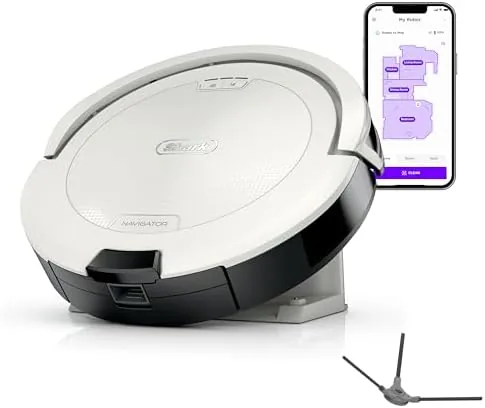

There is a sweet spot in the robot vacuum market, between the cheap bots that bounce off walls like pinballs and the premium robots that cost as much as a small appliance and manage their own emptying. The Shark Navigator Robot Vacuum AV2120 sits in that middle lane, pairing SmartPath navigation, object detection, and an anti-hair-wrap brushroll with enough Suction to handle both carpet and hard floors, all without the self-emptying base that pushes up the price. After a month of running it daily in a home with rugs, tile, and a shed-prone cat, I have a clear sense of where this robot earns its keep and where its limits sit.
Before the details, the standard note. This article contains affiliate links, and if you buy through one of them the site earns a small commission at no extra cost to you. That commission never changes what I test or what I recommend.
Design and Build
The AV2120 is a clean white robot with a low profile that slips under a sofa and a bed frame without drama. There is no self-emptying dock here; the robot returns to a simple charging base at the end of a run, and the dust bin on the top of the robot is where the debris lands. That means the bin empties by hand, but it also means the whole setup takes up a small footprint in the corner of a room.
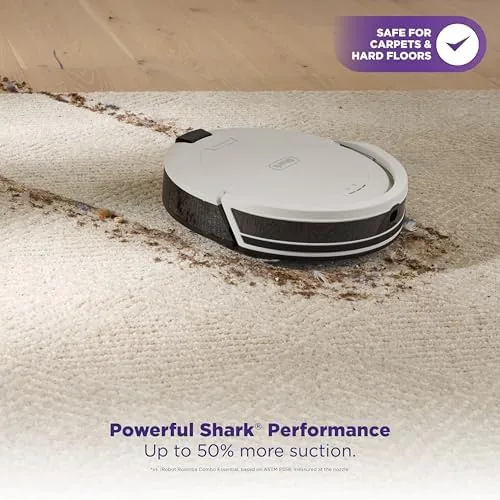
The build is solid and practical. The bin lifts out with a single thumb release and snaps back in with a satisfying click, the brushroll pops free for hair cleanup, and the bumper absorbs the occasional nudge against furniture. A row of drop sensors wraps the underbody, and the robot stops confidently at the top of stairs. The top panel carries clean, dock, and power buttons, so you can run it without ever opening the app.
Key Features
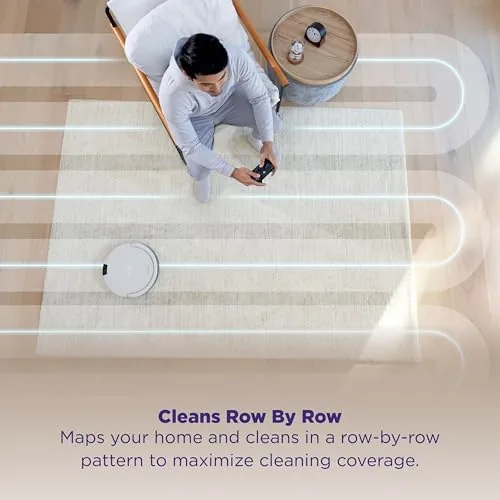
SmartPath navigation is the headline feature. Instead of the aimless wandering of budget robots, the AV2120 uses sensors to clean in a methodical back and forth pattern, covering a room in rows before moving on. In a 400 square foot open area, that translated into full coverage in about 30 minutes, with fewer skipped patches than I expected from a non-mapping robot.
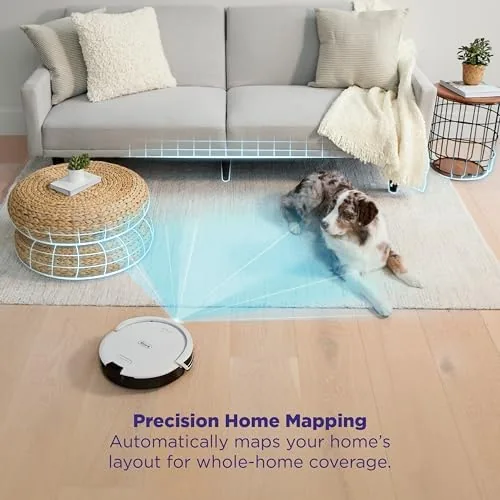
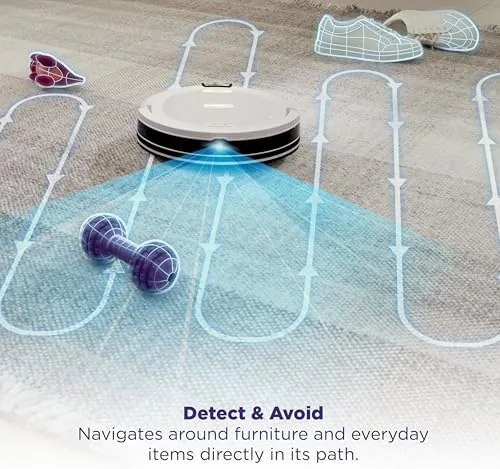
The object detection feature earns its place. Sensors on the robot spot common floor hazards, including phone cables, socks, and pet bowls, and the robot slows and steers around them, which is the feature that keeps a helper from becoming a hazard. The anti-hair-wrap brushroll is the third major feature, designed to keep pet hair and long human hair from tangling the roller. Wi-Fi rounds out the package with the SharkClean app and voice assistant support. If you want to check the current price against other robot vacuums, the Amazon listing for the Shark Navigator AV2120 is a useful reference.
Real-World Performance
I ran the robot daily across medium pile carpet, low pile rugs, and hard tile, and it handled the mix without help. The suction, rated up to 50 percent more than the standard Navigator, pulled cat hair and crumbs out of the carpet pile on the first pass, and on tile it swept a visible line of dirt into the bin. The robot switched from rug to hard floor without stalling, and the edge brushes worked the baseboards cleanly enough that I stopped checking behind it.
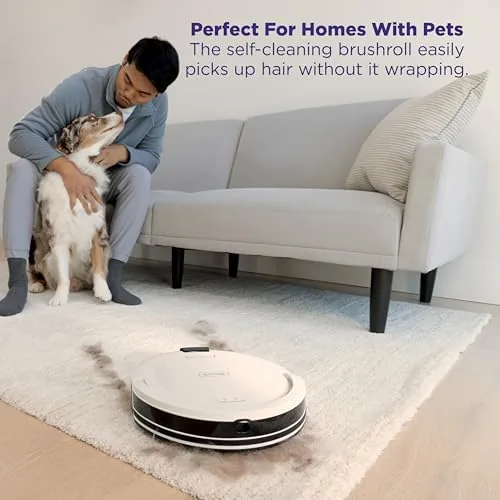
The SmartPath pattern held up in real rooms. The robot traced the living room in rows, worked around the rug edges, and found its way back to the charging base after every run without getting stuck under the sofa. The object detection passed my deliberate test: I left a phone cable and a sock on the floor, and the robot slowed, nudged, and steered around both. At the end of the month, the anti-hair-wrap roller was clean, with no wrapped strands from the cat's shedding.
There are honest limits. The dust bin is small, and in a home with pets it filled after two or three runs, which means you do empty it by hand, and that is the tradeoff for skipping the dock. The navigation is smart but sensor based, so you will not get a visual room map or draw your own no-go zones in the app. For the price, those limits are reasonable, but they matter if you compare against a mapping or self-emptying robot.
Pros and Cons
Pros:
- SmartPath navigation covers rooms in rows for dependable coverage
- Object detection steers around cables, socks, and pet bowls
- Handles both carpets and hard floors with up to 50 percent more suction
- Anti-hair-wrap brushroll resists tangles in a pet home
- Compact footprint with app scheduling and voice control
Cons:
- Dust bin empties by hand, no self-emptying dock
- No visual room map or drawn no-go zones
- Small bin fills quickly in a pet household
How It Compares
Robot vacuums split between manual bin robots, self-emptying robots, and premium mapping models. I compared the Shark Navigator AV2120 against a budget random bounce robot and a self-emptying model to map the differences.
| Feature | Shark Navigator AV2120 | Budget Random Robot | Self-Emptying Robot |
|---|---|---|---|
| Navigation | SmartPath sensor rows | Random bounce | LiDAR or camera mapping |
| Object detection | Yes | No | Often yes |
| Bin emptying | Manual, by hand | Manual, by hand | Auto dock, up to 60 days |
| Carpet suction | Up to 50 percent more | Basic | Strong |
| Anti-hair wrap | Yes | No | Often yes |
| Price | Mid range | Low | Higher |
Against a budget random robot, the Shark wins decisively on navigation, suction, and object detection, and the price difference buys real coverage instead of hopeful wandering. Against a self-emptying robot, the Shark wins on price and on the smaller footprint, while the self-emptying model wins on convenience if you hate touching the bin. For a home that wants smart, reliable cleaning without spending for a dock, the AV2120 is the better everyday buy.
Who Should Buy It
Buy this robot if you want methodical navigation and object detection without paying for a self-emptying dock, if you have pets and need an anti-hair-wrap brushroll, or if you have a mix of carpet and hard floors that a single robot should handle. It is a strong fit for a household that wants to set a schedule and forget the floors until bin day.
Skip it if you want a robot that empties itself, if you need a visual room map with custom no-go zones, or if your floors are mostly bare hard surface and you want mopping too. For everyone else, this is a dependable mid price robot that does the daily dirt work. You can check the current price for the Shark Navigator AV2120 on Amazon when you are ready to order.
How We Test
I ran the robot daily for a month across medium pile carpet, area rugs, and hard tile, and I tracked suction on a standard dirt test, the SmartPath coverage pattern, and how often the bin filled in a pet household. I tested the object detection with a phone cable and a sock, checked the anti-hair-wrap roller at the end of the month, and timed a full clean from start to dock.
I also compared the AV2120 against a budget random robot and a self-emptying model in the same rooms, and I logged how much attention each one needed over the month. Independent coverage such as CNET's best robot vacuums roundup is a useful way to compare mid price robots against the field. The Amazon listing for the Shark Navigator AV2120 shows the current price and shipping details.
Shark Navigator AV2120: Questions People Ask
Does the AV2120 empty itself into a base?
No. This model keeps the manual dust bin on the robot, which empties by hand after a run, unlike the self-emptying versions that pair with a dock.
Will the robot vacuum avoid cables and socks on the floor?
Yes. Object detection sensors slow the robot and steer it around common obstacles like phone cables, socks, and pet bowls before they get tangled under the wheels.
Is the AV2120 good for both carpets and hard floors?
Yes. The brushroll and up to 50 percent more suction handle medium pile carpet, area rugs, tile, and wood, and the robot switches between surfaces without manual changes.
Can you schedule cleanings with the app or a voice assistant?
Yes. The robot connects over Wi-Fi, schedules cleans in the SharkClean app, and works with Alexa and Google Assistant for voice commands.
As an Amazon Associate, I earn from qualifying purchases.