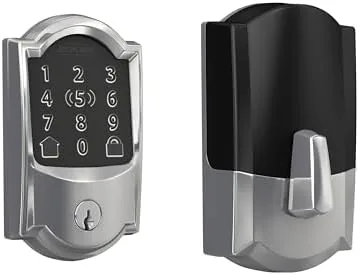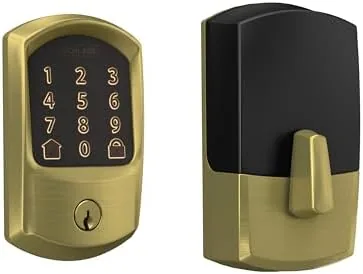

A smart lock sits in an uncomfortable place between convenience and trust. You want the convenience of a code instead of a key, but you are also trusting a battery and a chip with the only thing that keeps your house closed. The Schlage Encode smart WiFi deadbolt takes a specific path through that tension: it is a conventional Grade 2 deadbolt with a touchscreen keypad bolted to it, and it connects directly to your home WiFi with no hub, no bridge, and no subscription. I installed one on my front door in the Satin Brass Century trim and lived with it for sixty days, using it as my only way into the house, so this review is based on the lock you would actually live with rather than a bench test.
Before the details, the disclosure. This article contains affiliate links, and if you buy through one of them the site earns a small commission at no extra cost to you. That commission never changes what I test or what I recommend.
Design and Build
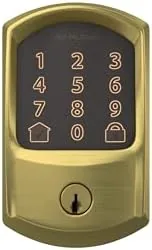
The Encode looks like the premium Schlage deadbolt it is. The Century trim is a clean, rounded shape with a glossy satin brass finish that reads as polished hardware rather than consumer electronics, and it hides its smartness well from the street. The touchscreen sits under a plastic cover that flips down to reveal a ten key layout, and the keyhole stays hidden beneath it, so from a distance the lock looks like a plain high-end deadbolt.
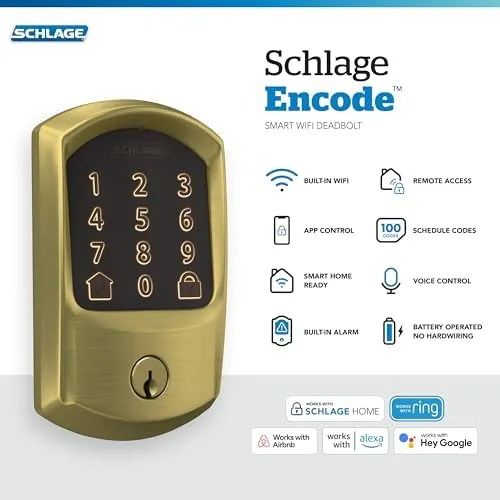
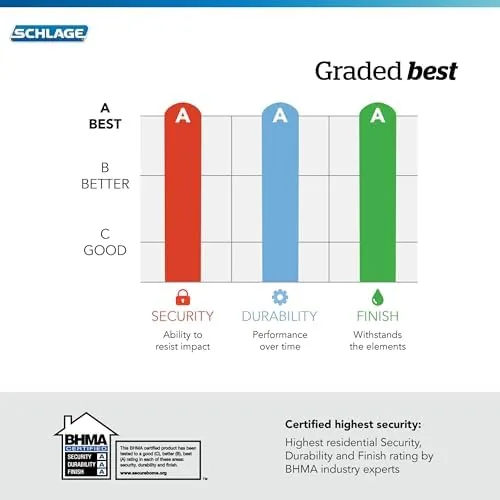
Build quality is the reason Schlage has a name in door hardware. The exterior is cast metal, the latch is solid and reassuring when it throws, and the whole assembly feels like it was engineered for twenty years of use rather than one product cycle. The interior is where you see the compromise: a wide module with a mechanical thumb turn on top and a battery compartment holding four AA cells. It is bulkier than a standard deadbolt interior, but it reads as intentional rather than cheap, and the thumb turn operates the bolt manually even if every battery dies.
Key Features
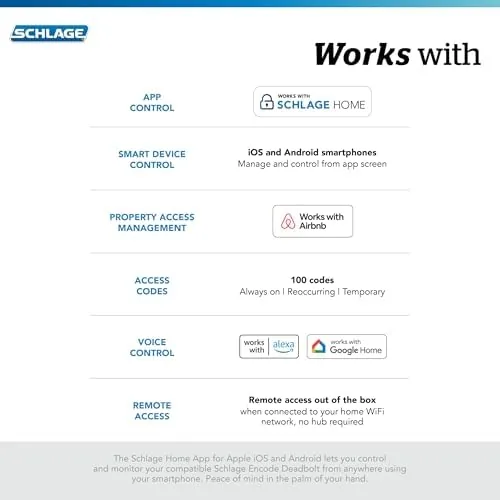
The headline feature is the direct WiFi connection. The Encode talks to your 2.4 GHz router without a hub or bridge, which removes the single biggest friction point in smart locks from the past decade, and setup took under ten minutes in the Schlage app. From there you get app control, so you can lock and unlock from anywhere, check the lock status, and hand out codes from your phone.
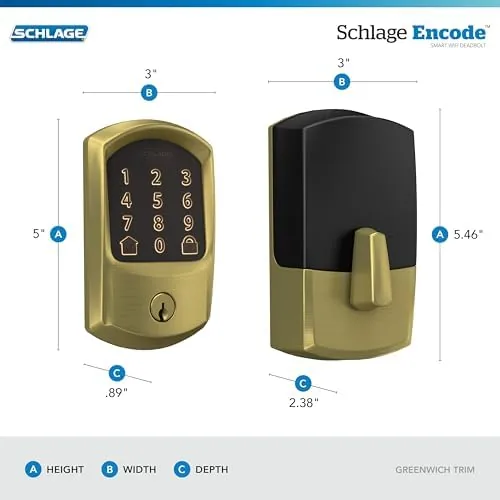
Guest codes are the killer feature. You can create permanent, temporary, and one-time codes with scheduled start and end times, which turns the lock into a tool for dog walkers, cleaners, and short-term rentals. The Schlage app integrates directly with Airbnb, so a booking can automatically generate a guest code for the stay, and the integration with Alexa, Google Home, and Ring means you can lock the door with a voice command or from the Ring app. The smart features run over WiFi with no subscription fees, which is rarer in this category than it should be. If the current pricing fits your budget, the Amazon listing for the Schlage Encode deadbolt shows the finish options.
Real-World Performance
I used the Encode as my primary lock for sixty days, meaning every exit and entry went through the keypad or the app. The touchscreen is genuinely good for a smart lock: it lights up on touch, registers presses cleanly, and the lock snaps open within about a second of the last digit. The keypad accepted a six digit code reliably even with cold hands and wet fingers, the two conditions that defeat cheap membrane keypads.
The app was dependable over the whole test. Lock and unlock commands from outside the house typically took under three seconds, status updates were accurate, and the notification that fires when someone unlocks the door arrived on my phone promptly every time it mattered. I handed out a scheduled code to a friend visiting for the weekend, and it simply expired on schedule without any action from me, which is exactly how a guest code should behave.
Voice control worked through an Echo, and the lock responded to locking commands instantly and unlocked only after the passcode was confirmed by voice, a safety step that Schlage handles better than some rivals. Battery life matched the company claim: after sixty days of heavy use, the app reported a healthy charge on the four AAs, and the lock gives you an audible and in-app warning long before it quits. The one real weakness appeared when the WiFi dropped during a router restart: the app lost connection for about a minute, but the keypad and key never stopped working, which is the correct failure mode for a Door Lock.
Pros and Cons
Pros:
- Connects directly to WiFi with no hub or bridge needed
- Fast, reliable touchscreen keypad and accurate app control
- Guest codes with schedules, perfect for rentals and services
- No subscription fees for smart features
- Solid metal build with a physical key as a backup
Cons:
- Bulkier interior module than a standard deadbolt
- Requires a stable 2.4 GHz WiFi signal at the door
- App control pauses during router restarts
- Premium price compared with Z-Wave locks
How It Compares
Smart locks split between WiFi models like the Encode and hub-based Z-Wave models like the Schlage Connect and Yale Assure. I compared the Encode against a Z-Wave deadbolt with a separate bridge to see which trade you are actually making.
| Feature | Schlage Encode | Z-Wave Deadbolt with Bridge | Standard Keypad Lock |
|---|---|---|---|
| Hub required | No, direct WiFi | Yes, bridge needed | No |
| App control | Yes, from anywhere | Yes, via hub | No |
| Guest codes | Yes, scheduled | Yes, scheduled | Limited |
| Voice assistant | Alexa, Google, Ring | Depends on hub | No |
| Subscription | None | Often required | None |
| Key backup | Yes | Yes | Yes |
Against a Z-Wave lock, the Encode wins on simplicity because it removes the bridge entirely, and it avoids the monthly fee that some Z-Wave systems charge for remote access. The Z-Wave lock wins only if you already run a hub for other devices and want everything on one network. For a standalone front-door upgrade, the Encode is the cleaner buy.
Who Should Buy It
Buy the Schlage Encode if you want to stop carrying keys, if you have regular guests or service workers who need temporary codes, if you run a short-term rental, or if you want to lock the door from bed with a voice command. It is also a strong pick for people who rent, because it is easy to remove and reinstall without leaving a hole in the door.
Skip it if your WiFi is weak at the door, if you want a full Z-Wave ecosystem with a hub you already own, or if a smaller interior footprint matters more than app features. For everyone else, this is one of the most dependable smart locks you can install. You can check the current price for the Schlage Encode on Amazon when you are ready to upgrade your door.
How We Test
I installed the Encode on my own front door and made it my only entry method for sixty days, so every test was real use rather than a scripted bench session. I logged app latency, unlocked from outside the network, scheduled guest codes with expiry times, and checked notification delivery for each event. I tested the keypad with wet and cold hands and deliberately triggered a router restart to observe the offline behavior.
I did not test the lock for extreme security, since physical bypass ratings are better judged by the certification claims and independent research. Independent coverage such as Wirecutter's best smart locks guide is a useful comparison of how the Encode rates against the rest of the category. The Schlage Encode listing on Amazon shows the current price and finish availability.
Schlage Encode Smart Deadbolt: Questions People Ask
Does the Schlage Encode need a hub or bridge?
No. The Encode connects directly to your 2.4 GHz home WiFi, so you do not need a separate hub, bridge, or Z-Wave gateway to use the app, the guest codes, or the voice integrations.
Can the Schlage Encode be used for Airbnb or rental management?
Yes. The Schlage app supports scheduled and temporary guest codes, and the lock is compatible with Airbnb Smart Locks, which lets new bookings generate their own entry codes automatically.
What happens to the lock if the WiFi drops?
The touchscreen keypad and the mechanical key still work fully offline, so you can always get in. Only the app control and notifications pause until the WiFi connection returns.
How long does the battery last on the Schlage Encode?
On four AA batteries, most users get roughly six months of real use, and the app sends a low battery warning well before the lock stops responding, with the key as a final fallback.
As an Amazon Associate, I earn from qualifying purchases.